

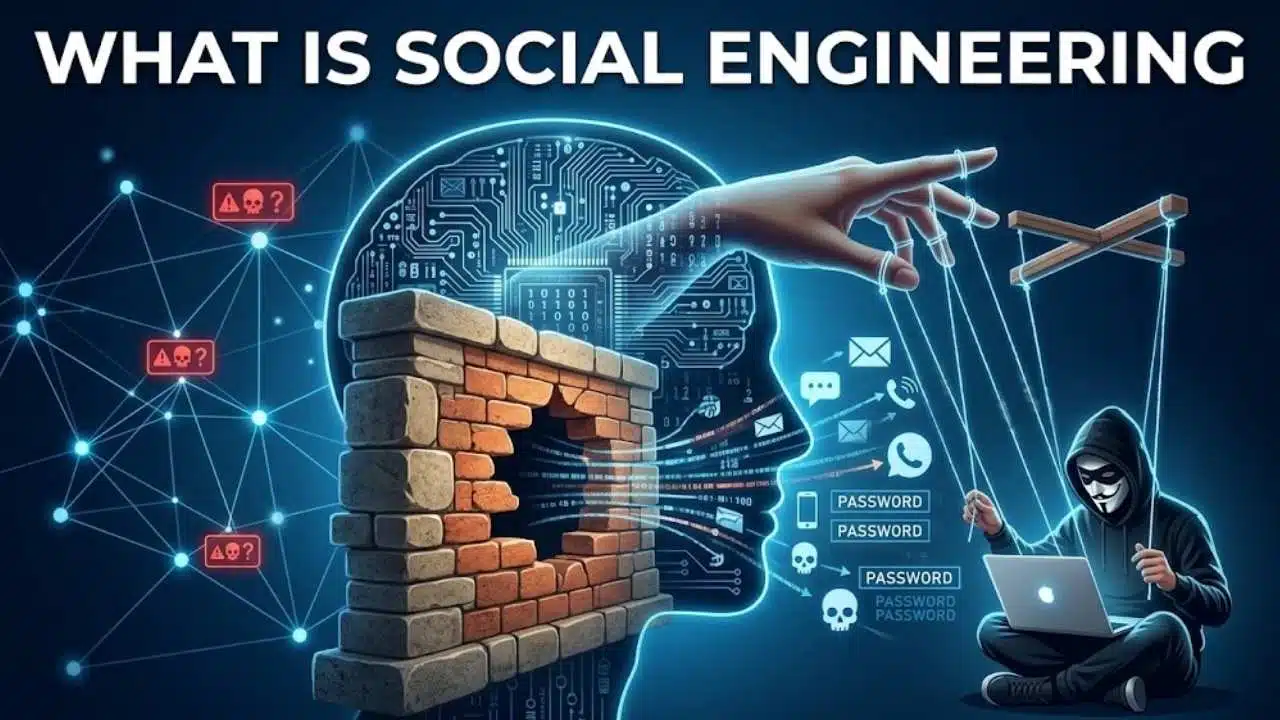
What Is Social Engineering and why is it so dangerous? A firewall can block malicious traffic, but it cannot stop an employee from sharing a verification code with a convincing caller or changing supplier payment details after receiving a believable email. This gap is exactly why social engineering remains the most effective form of cyberattack.
Put simply, social engineering is the psychological manipulation of people into performing actions or divulging confidential information. By exploiting human traits like trust, fear, routine, or a desire to be helpful, attackers bypass technical security controls. Understanding this method is essential for everyone—from corporate teams in to remote workers worldwide—because a single plausible request can cause a major breach before a single line of malware is even written.
What Is Social Engineering in Practical Terms?
Social engineering is an attempt to deceive someone into revealing information or taking an action that can compromise an account, device, system, or organization. The target might be asked for a password, a one-time code, access to a building, a confidential file, or approval for a payment.
The attacker does not always need sophisticated malware. A convincing identity and the right timing may be enough. Someone claiming to be from IT calls shortly before a meeting and says an employee’s account must be “re-synced.” A supposed vendor sends revised bank details in an invoice conversation. A delivery text demands a small fee.
Phishing is one form of social engineering, not a synonym for the whole category. Social engineering also includes pretexting, impersonation, baiting, quid pro quo schemes, thread hijacking, social media exploitation, and tailgating into restricted spaces.
Why Social Engineering Can Get Past a Firewall
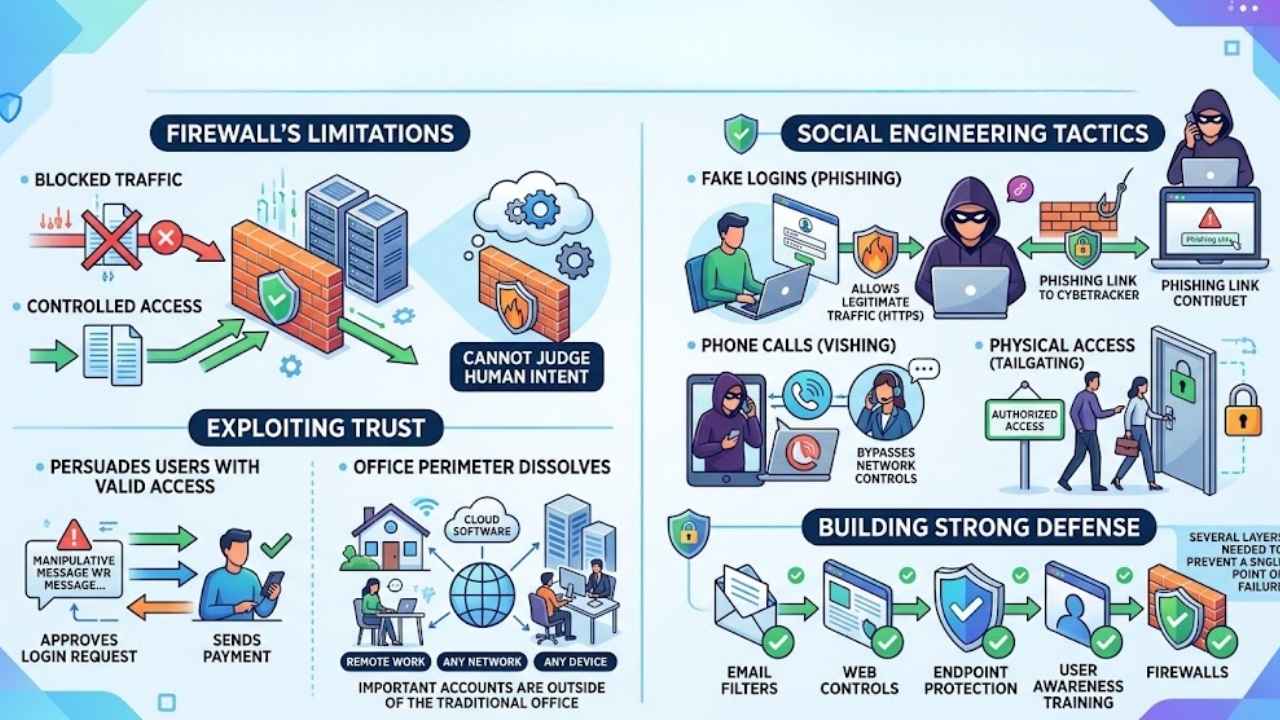
Firewalls remain useful. They control traffic between networks or devices, and modern products may also block known malicious destinations, suspicious files, or unwanted applications. They cannot reliably judge human intent.
A fake Microsoft 365 page can be reached over ordinary HTTPS traffic that a basic firewall may permit, although web filtering may still block it. A phone call to the accounts team does not pass through the firewall. Neither does a stranger following an employee through a secured door. If a user approves a login or an authorized finance worker sends a payment, the system may initially see an ordinary action by a legitimate account.
Social engineering often avoids breaking through the firewall at all. It persuades someone with valid access to act on the attacker’s behalf.
Remote work and cloud software widen the gap. Employees reach Google Workspace, Microsoft 365, payroll systems, customer databases, and banking portals from different networks and devices. The office perimeter no longer surrounds every important account.
Technical defenses are not useless. Email filters, web controls, endpoint protection, and firewalls can stop many attempts, but they cannot carry the entire burden. Several layers are needed so that one convincing message does not become a single point of failure.
The Attack Usually Starts With Context, Not Code
Many social engineering attempts follow a loose sequence. First, the attacker gathers context. Company websites, social profiles, job advertisements, automatic replies, and exposed data can reveal names, suppliers, reporting lines, travel dates, and software in use. Those details make a generic approach credible.
Next comes the pretext: a made-up situation that explains the contact. The caller is “help desk,” the email is from “payroll,” or the direct message appears to come from a colleague who has lost access to an account.
Pressure then narrows the target’s attention. The request is urgent, confidential, emotionally charged, or framed as routine. A supposed manager, bank investigator, police officer, or technical specialist carries authority that makes refusal feel difficult.
Finally comes a concrete request: open a file, scan a QR code, enter credentials, install remote-access software, admit someone through a door, or transfer money.
Not every attack follows these stages neatly. The pattern is useful because it shifts attention away from spelling and logos. When asking what is social engineering, examine the situation being created and the action it is trying to produce.
Common Social Engineering Attacks
Social engineering attacks take different forms, but they all rely on manipulating human judgment. Attackers may impersonate a colleague, supplier, bank, or technical-support agent to make a request appear legitimate. Recognizing the method matters because the warning signs differ across email, phone, text, and face-to-face contact.
Phishing, smishing, and vishing
Phishing commonly arrives by email. Smishing uses text messages, while vishing relies on voice calls. All three may impersonate a familiar organization and point to a fake login page, malicious attachment, payment request, or fraudulent support line.
Small mobile screens may hide part of an address or URL, while push notifications encourage a response without showing the full context.
Spear phishing and executive impersonation
Spear phishing is tailored to a specific person or organization. A message that names a real project, colleague, event, or supplier is harder to dismiss than a generic account warning.
Senior leaders are not the only targets. Executive assistants, receptionists, help-desk staff, HR teams, and finance employees often have useful access or authority. Help desks may be approached with real employee details and fraudulent requests to reset passwords or authentication methods.
Business email compromise and thread hijacking
Business email compromise turns a familiar process into payment fraud. A criminal may spoof a supplier, compromise a genuine mailbox, or enter an existing conversation before sending replacement bank details.
Replying within the same thread is not an independent check if the mailbox itself is compromised. Payment changes should be confirmed through a previously known phone number or another established channel. This extra step may feel slow when an invoice is due; it is still far cheaper than trying to recall a completed transfer.
Baiting, quid pro quo, and physical access
Baiting offers something tempting, such as a prize or free download, to encourage a risky action. A quid pro quo scheme promises help or another benefit in exchange for information or access. Fake technical support is a common shape: the caller offers to solve a problem, then requests credentials or remote control of the device.
Tailgating is physical. An unauthorized person follows an employee into a restricted area, often relying on politeness, a uniform, carried boxes, or a believable explanation. No malicious link is required.
Warning Signs That Matter More Than Bad Grammar
Poor spelling can expose a weak scam, but polished writing does not prove legitimacy. Better indicators include:
- An unexpected request for credentials, authentication codes, sensitive files, money, or remote access
- Pressure to act immediately, avoid normal approval, or keep the request secret
- A new bank account, contact number, login page, or payment method
- A caller or sender who supplies their own “proof” of identity but resists independent verification
- Repeated sign-in prompts that you did not initiate
- A request to disable security settings, install software, enable macros, or ignore a warning
- Payment by gift card, cryptocurrency, or an unusual transfer method
One clue may have an innocent explanation. Several together should stop the interaction. A genuine supplier may change banks, but should not object to a sensible verification process.
Caller ID, a sender photo, an email display name, and an HTTPS padlock are weak identity checks. They can be spoofed, copied, or used by a fraudulent site. An address, job title, manager’s name, or recent purchase may already be public or exposed.
What to Do When a Request Feels Wrong
Stop the conversation without arguing with the sender. Do not click another link, approve a prompt, scan a QR code, or call the number in the message.
Move to a channel you already trust. Open the official app, type the known website address, call the number on a bank card or existing contract, or contact the colleague through the company’s directory. For a payment change, speak to an established contact and confirm the account details. Do not simply reply to the same email.
Workplaces need a clear reporting route: an email-client button, help-desk address, or internal phone number. Report the attempt even if it failed. Other employees may have received it, and security staff may be able to block the sender or destination.
Training Alone Is an Incomplete Defense
The phrase “human firewall” sounds neat, but it places too much responsibility on individuals. People work while tired, distracted, and under deadline pressure. Attackers deliberately use those conditions.
Organizations should make the safe action easy:
- Require a second approval and separate-channel verification for changes to bank details, payroll, and large payments.
- Use phishing-resistant authentication such as passkeys or FIDO security keys where supported. One-time codes and push approvals are better than a password alone, but they can still be socially engineered.
- Give users unique accounts, limited privileges, and only the access needed for their role.
- Configure email authentication controls such as SPF, DKIM, and DMARC, alongside filtering for malicious links and attachments.
- Give help-desk staff a defined identity-checking process before resetting passwords or authentication methods.
- Make reporting quick and non-punitive. Employees who fear blame are more likely to hide a mistake.
SPF, DKIM, and DMARC can reduce direct domain spoofing when configured correctly. They do not prevent lookalike domains or abuse of a compromised account.
Security simulations can support training, but click rates should not become the whole program. A business with excellent quiz results and no payment-verification procedure still has a serious weakness.
If the Social Engineer Succeeded
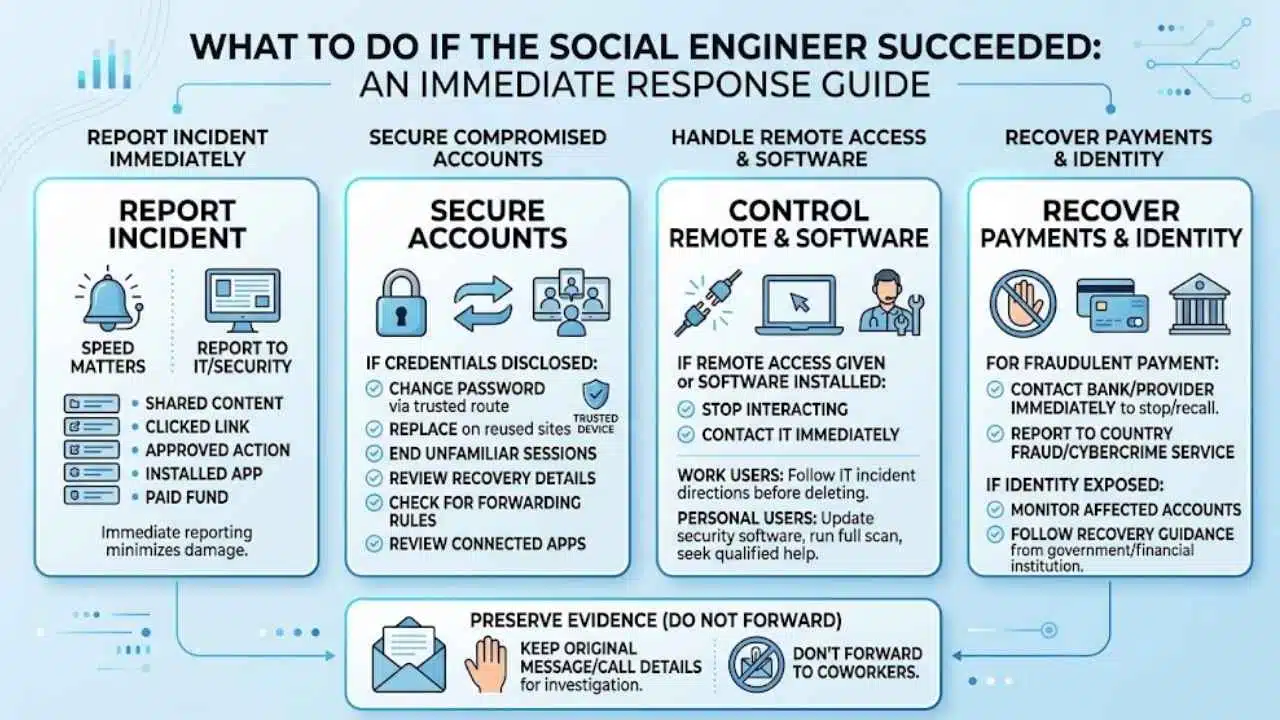
Speed matters more than embarrassment. Report a work incident to IT or security immediately, including what was shared, clicked, approved, installed, or paid.
If credentials or authentication codes were disclosed, reach the real service through a trusted route and change the password. Replace it anywhere it was reused, end unfamiliar sessions, review recovery details, and check for unknown forwarding rules or connected applications. If unwanted software may be present, secure the account from another trusted device.
If someone received remote access or persuaded you to install software on a work device, stop interacting and contact IT immediately. Follow the incident team’s directions before deleting files or changing the configuration. Personal users should update trusted security software, run a scan, and seek qualified help.
For a fraudulent payment, contact the bank or payment provider immediately and ask whether the transaction can be stopped or recalled. Then use the appropriate fraud or cybercrime reporting service in your country. If identity information was exposed, monitor affected accounts and follow the recovery guidance provided by the relevant government or financial institution.
Keep the original message or call details for investigation, but do not forward a suspicious attachment to coworkers as a warning.
Final Thoughts
The useful answer to “What is social engineering?” is not that people are careless. These attacks succeed because ordinary trust and legitimate access can be redirected toward a harmful action.
For individuals, the strongest habit is independent verification. For organizations, it is building processes that expect convincing mistakes and limit their impact. Keep the firewall, strengthen authentication, protect payment changes, and give people a fast way to stop and report a suspicious request. Security works better when no single decision has to be perfect.























