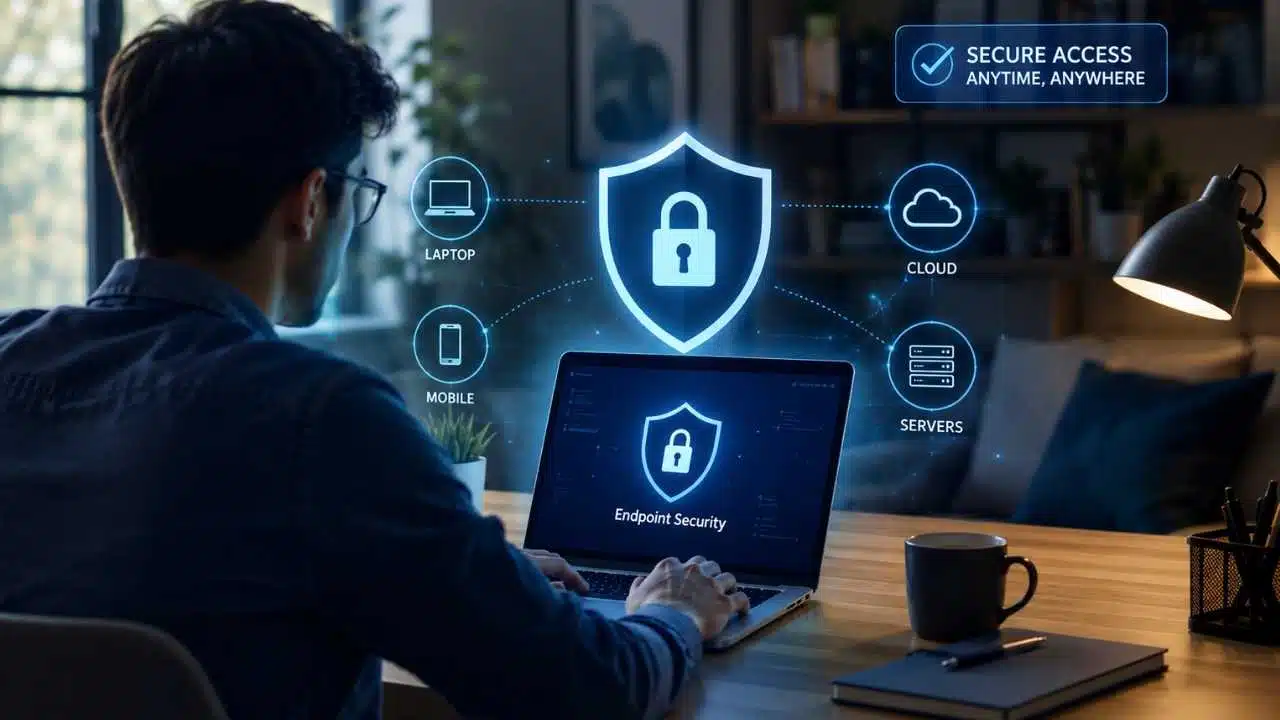
Endpoint security protects laptops, smartphones, tablets, and servers from cyber threats wherever they connect. A strong endpoint security remote work strategy has become critical because company data no longer stays behind an office firewall; it moves continuously across home Wi-Fi, public airport networks, and cloud services like Microsoft 365 and Salesforce.
If a remote device is unpatched, lost, or infected, that weakness travels directly with it. Modern endpoint security goes far beyond traditional antivirus by integrating continuous monitoring, zero-trust access, and automated response capabilities. This enables IT teams to enforce security policies, detect threats instantly, and isolate compromised machines anywhere in the world—without needing physical access.
What Endpoint Security Actually Covers
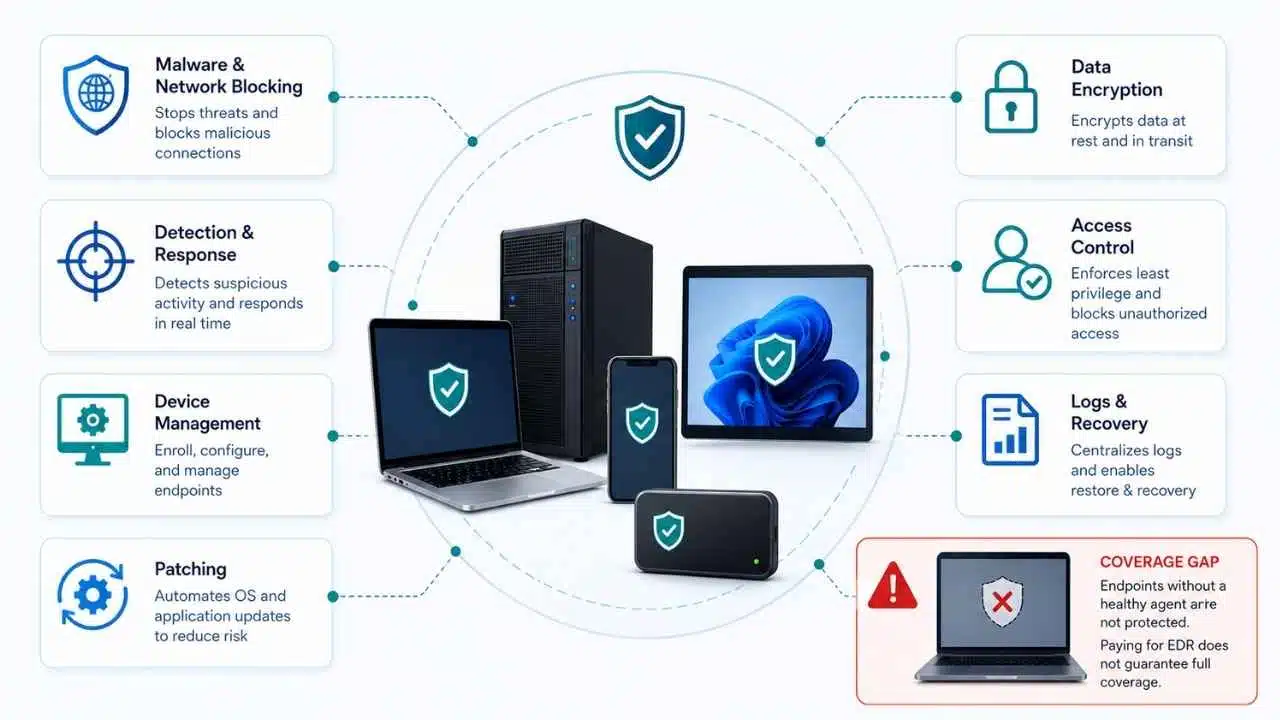
An endpoint is a device at the edge of an organization’s environment. Remote teams mainly depend on laptops and phones, but virtual desktops, servers, contractor hardware, and approved personal devices can also qualify.
NIST defines an endpoint protection platform as software safeguards for protecting end-user machines. An endpoint security program goes further. Product bundles vary, but the basic jobs do not:
- Prevent common malware and block unwanted network activity at the host.
- Detect suspicious behavior and give responders enough endpoint data to investigate it.
- Enroll devices, enforce configuration, report compliance, and support remote action.
- Patch operating systems and applications, including third-party browsers, VPN clients, and collaboration tools.
- Protect stored data through encryption and sensible transfer controls.
- Limit access based on identity, privilege, device ownership, and device health.
- Preserve useful logs and provide a tested route to isolation, recovery, or secure erasure.
Modern antivirus can detect more than old signature-only products. Endpoint detection and response, or EDR, adds functions such as process analysis, behavioral alerts, threat hunting, and device isolation. Capabilities vary by product and license.
Paying for EDR does not mean every endpoint is covered. An agent can be missing, unhealthy, or silent for weeks, while its alerts still need review. Without response capacity, an advanced platform offers false confidence.
Why Remote and Hybrid Work Changed the Risk
A central office network provided common control points for traffic, updates, access, and device inspection. Distributed work makes those tasks harder to perform consistently.
The Device Has Become an Access Boundary
Remote employees often connect straight to cloud applications. Security therefore has to work on the device and through the identity layer, not only at an office firewall.
A VPN remains useful for encrypted access to private resources, but it is often treated as more protective than it is. A correctly configured VPN protects traffic routed through its tunnel. It does not prove that the laptop is patched, encrypted, malware-free, or operated by the expected person. Split tunneling also leaves some traffic outside that route.
Broad VPN access can place a compromised laptop closer to internal systems. The real question is what each user and device should be allowed to reach after connecting.
IT Has Less Direct Control and Weaker Visibility
A device that rarely contacts a traditional domain or VPN may miss policies and updates. Its security software can stop reporting unnoticed. Local administrator rights also let users add extensions, file-sharing utilities, or remote-access tools without approval.
A laptop may appear in a management console while its encryption, patch, or EDR data is stale. IT should treat an old check-in as a security condition, not a cosmetic dashboard problem.
Personal and Business Use Can Overlap
BYOD creates policy and privacy questions before technical ones. Work files may enter personal folders, unmanaged applications, or consumer backups. Shared devices add exposure, while employees may reasonably object to invasive monitoring or broad wipe rights on hardware they own.
The UK’s National Cyber Security Centre recommends defining what personal devices may access and which controls can be enforced. For sensitive work, a managed company device is usually cleaner. Browser-only or virtual-desktop access can reduce local storage, although browser sessions may still cache data.
Physical Exposure Is Routine
Travel increases the risk of loss, theft, public viewing, and unattended access. Full-disk encryption protects a powered-off device; automatic locking and strong sign-in controls address active sessions. A lost-device process must still cover account revocation, remote action, reporting, and recovery.
The Security Layers a Distributed Team Needs
No single agent covers the whole problem. A practical control stack should include:
- Asset and device management: Enroll devices, enforce settings, report health, and find machines that stop checking in. Contractor hardware, phones, and older Macs commonly fall outside otherwise strong programs.
- Endpoint protection and EDR: Prevent threats, detect suspicious activity, and support investigation or containment. Measure coverage through healthy agents and current telemetry, not licenses.
- Identity and access: Require strong authentication, remove unnecessary privileges, and limit users to the resources required for their work.
- Patching and configuration: Maintain supported software, host firewalls, approved applications, and security baselines without an office visit.
- Data protection: Encrypt storage, control risky transfers, and maintain recoverable copies of important data.
- Monitoring and response: Centralize useful logs and enable isolation, session revocation, evidence preservation, and recovery.
Device-management platforms can enforce policies over the internet, report compliance, manage approved apps, and sometimes issue remote-wipe commands. Protect their administrative accounts carefully because they can affect large numbers of devices.
Remote wipe has a practical limit: the device normally must be powered on and connected. It should never be the only protection for sensitive local data.
Identity controls belong beside endpoint controls. Require MFA for remote and cloud access, prioritizing phishing-resistant FIDO/WebAuthn methods for administrators and high-risk users. Access policies may also consider management status, encryption, agent health, user risk, or location. Confirm that each signal arrives reliably from every supported platform before depending on it.
How Remote Endpoint Compromise Creates Business Risk
A user opens a phishing page, installs a fake update, approves an unexpected sign-in, or runs an attachment. The impact grows when the laptop holds active cloud sessions, cached credentials, administrator rights, synced folders, or sensitive downloads.
EDR may help reconstruct events only if its telemetry was retained. It cannot replace email, identity, cloud, and network monitoring. CISA has documented an assessment in which an organization relied too heavily on host-based EDR and lacked sufficient network-layer protection.
Unpatched software provides another route. Patching Windows while ignoring Chrome, Zoom, a VPN client, or a document reader leaves a predictable gap. NIST treats patching as preventive maintenance that includes identifying, prioritizing, installing, and verifying updates. An update command is not proof that installation succeeded.
Data loss can be quieter. A contractor downloads customer records to a personal laptop, and the folder is later synchronized to a personal cloud account or remains after the engagement ends. No malware is involved. Endpoint security must cover data handling and offboarding, not only malicious code.
Building an Endpoint Security Remote Work Program
Start with the estate, not a product demonstration. Record the device owner, operating system, management status, encryption state, agent health, last check-in, and access to business systems. A license report is not an asset inventory.
Set access rules by device type and data sensitivity:
- Managed corporate devices can reach standard applications when compliant.
- Contractors receive only the systems and data required for their engagement.
- BYOD users get limited browser, containerized, or virtual-desktop access where practical.
- Privileged administration and highly sensitive work require hardened company devices.
- Unknown, unsupported, or unhealthy devices are blocked or sent to a remediation route.
NIST’s zero-trust guidance rejects implicit trust based only on network location or device ownership. Its implementation work shows why zero trust is an architecture project, not a switch inside one security product.
Make the controls consistent. Remove unnecessary local administrator rights, enforce encryption and screen locking, configure host firewalls, and patch through an internet-reachable service. Define remediation deadlines by severity and exposure, with an exception process for updates that could disrupt critical software.
Then prepare for failure. A short playbook should cover a lost device, suspected malware, stolen credentials, and an employee departure. Name who can isolate or wipe hardware, revoke sessions, disable accounts, preserve evidence, contact the user, and approve restoration.
Test from outside the office. Check whether a laptop receives policies over home internet, which management channels remain after EDR isolation, and what happens to a wipe command while a device is offline. A machine with little disk space, a month of missed updates, or a repeatedly postponed restart often reveals more than a tidy compliance dashboard.
Mistakes That Leave Remote Endpoints Exposed
- Counting installations instead of healthy coverage: A stale or silent agent is not protection merely because it consumed a license.
- Sending every alert to a small IT team: EDR creates investigative work. Tune the system or consider a qualified managed detection and response provider if nobody can review alerts promptly.
- Treating the VPN as a trusted zone: Limit access by user, device, and resource. Flat access increases the value of one compromised endpoint.
- Assuming EDR can see everything: Endpoint telemetry does not replace identity, email, cloud, and network visibility.
- Allowing BYOD without an exit path: Decide how business data will be separated, removed, and verified when a worker leaves.
- Making controls needlessly disruptive: If updates repeatedly interrupt client calls or file restrictions block routine work without an approved alternative, users will look for workarounds.
For smaller organizations, simplicity usually beats overlapping tools. Managed devices, supported software, patch reporting, encryption, strong MFA, restricted administrator rights, reliable backups, and monitored endpoint protection form a credible starting point. Add EDR or managed response when there is a clear plan for handling the alerts.
Measure What Shows Real Control
Useful reporting focuses on exposure and response rather than the number of products deployed. Track the share of known devices that are actively managed, encrypted, reporting to EDR, and within patch deadlines. Watch unsupported operating systems, local administrator accounts, stale check-ins, failed policy deployments, and the time required to isolate a test device.
Logging should be proportionate. Collect what supports detection and investigation, protect it from tampering, and define retention. Employee monitoring also needs a clear security purpose, appropriate notice, and review against applicable privacy and employment requirements.
Final Thoughts
The best next step is not another product shortlist. Audit ten representative remote devices and compare the inventory with what management, patching, identity, and EDR systems actually report. That small exercise will usually expose missing agents, stale records, unmanaged software, or access that is broader than expected.
Effective endpoint security remote work planning begins by closing those visible gaps. Consistent coverage, limited access, and a rehearsed response process will protect a distributed team better than an impressive security platform that nobody has verified outside the office.