
How Teachers Use AI To Cut Planning Time In Half sounds like a big promise, but for many teachers it starts with one simple change: stop building every lesson from a blank page.
A 2025 Gallup study of 2,232 U.S. public school teachers found that teachers who use AI at least weekly save an average of 5.9 hours a week, which adds up to about six school weeks over a year.
If your evenings keep disappearing into lesson planning, grading, and hunting for materials, that kind of time matters.
This page breaks down where Artificial Intelligence actually helps, which tools are worth a look, and how to use them without losing your voice, your standards, or your grip on quality. We will keep it practical, so you can use the ideas right away.
Why Lesson Planning Takes Time
Lesson planning is more than writing down activities. You are matching standards, setting objectives, finding texts and examples, building checks for understanding, and making sure the lesson works for students who need support, challenge, or accommodations.
A 2023 RAND survey found that U.S. teachers worked about 53 hours a week during the school year, which was seven hours more than working adults on average. RAND also found that about one out of every four teacher work hours was unpaid, so any task that shrinks prep time has a real effect on workload.
- Standards alignment: You have to connect the lesson to state or district expectations, not just pick a fun activity.
- Differentiation: One class often needs multiple entry points, reading levels, or extension tasks.
- Assessment design: Exit tickets, rubrics, and quick checks take time, even when the lesson idea is already clear.
This is why AI helps most with lesson planning when you feed it the exact pieces that slow you down. If you give the tool your standards, objective, lesson length, and student needs, it can build a usable first draft much faster than starting from zero.
Standards Alignment Takes Research
A lesson can be engaging and still miss the intended standard. Teachers often spend time checking whether an activity actually teaches the required knowledge or skill.
AI can help interpret standards, identify useful verbs, and suggest lesson objectives. However, teachers should still confirm that the interpretation matches district expectations.
Differentiation Requires Multiple Versions
One classroom can include students reading below grade level, multilingual learners, students with disabilities, advanced learners, and students who need extra structure.
Creating separate versions of instructions, readings, activities, and assessments can quickly double or triple planning time.
AI can produce a starting set of differentiated materials in seconds. The teacher can then check whether the changes are helpful, respectful, and appropriate.
Assessment Design Adds Another Layer
Even after the lesson is planned, teachers need a way to see whether students understood it.
A strong assessment must match the objective. It also needs clear language, an appropriate level of difficulty, and a useful scoring method.
AI can draft:
- Exit tickets
- Multiple-choice questions
- Short-answer prompts
- Discussion questions
- Rubrics
- Self-assessment checklists
- Review games
- Practice problems
The output still needs review, but editing a draft is often faster than writing every item from scratch.
Where AI Saves Teachers the Most Time
AI is most useful when the task involves structure, repetition, or adaptation. It is less dependable when the task requires sensitive judgment, knowledge of individual students, or a deep understanding of classroom dynamics.
Here are some of the most useful planning applications.
Creating the First Lesson Draft
A teacher can provide the standard, objective, grade level, lesson length, and preferred structure. The AI tool can then generate a basic sequence.
For example:
- Five-minute warm-up
- Ten-minute direct instruction
- Fifteen-minute guided practice
- Fifteen-minute independent work
- Five-minute exit ticket
This draft may not be ready to teach, but it removes the blank-page problem.
Adapting Existing Materials
Teachers do not always need a completely new lesson. Sometimes they need to adjust a reading, worksheet, or activity they already have.
AI can help:
- Simplify instructions
- Rewrite a text at a different reading level
- Add vocabulary support
- Create sentence starters
- Turn a long explanation into a checklist
- Build an extension challenge
- Convert an individual activity into pair work
- Create an alternative for students who missed the original lesson
The teacher should compare the adapted version with the original to ensure that important meaning has not been lost.
Generating Examples and Practice Questions
Coming up with enough examples can take longer than expected, especially in mathematics, grammar, science, or language learning.
AI can generate several versions of the same type of question. Teachers can then select the strongest ones and remove any that are unclear, repetitive, or inaccurate.
Building Quick Assessments
A teacher can paste the objective or lesson text into an AI tool and request:
- Three recall questions
- Two application questions
- One higher-order thinking question
- A five-question exit ticket
- A simple grading rubric
This can reduce preparation time while keeping the assessment connected to the lesson.
Writing Routine Classroom Materials
Teachers also spend time writing materials that are necessary but repetitive.
AI can draft:
- Homework instructions
- Weekly learning summaries
- Substitute teacher notes
- Parent-friendly assignment explanations
- Project checklists
- Study guides
- Revision sheets
- Classroom discussion norms
- Student reflection questions
These materials should always be reviewed for accuracy, tone, and school policy.
How Teachers Use AI To Cut Planning Time In Half
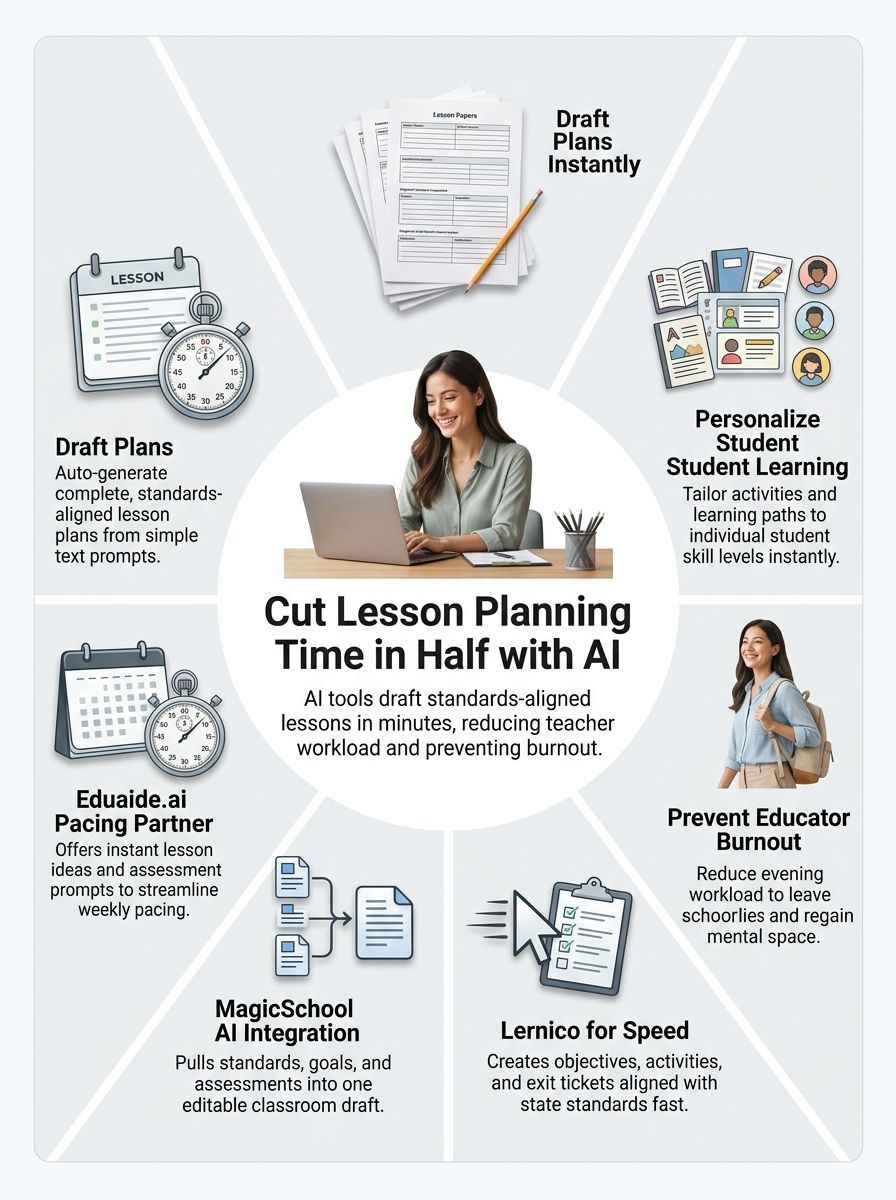
AI shortens lesson planning by handling the first pass. Instead of staring at an empty document, you get a draft with objectives, a lesson sequence, materials, differentiation ideas, and a quick assessment that you can shape for your class.
- Paste the standard, or the exact standard code, into the tool.
- Add the grade level, subject, and lesson length.
- Include the source text, topic, or skill students will work on.
- Ask for support, on-level, and extension versions of the activity.
- Revise the pacing, examples, and wording before you teach it.
The prompt matters more than most people think. A vague request like “make a lesson plan” usually gives you generic output. A specific request with standards, class context, and a clear goal gives you a draft that needs far less cleanup.
Recent U.S. polling points in the same direction. Gallup found that only 18% of teachers had formal guidance on AI use in early 2026, so checking district rules first is a smart move. That same practical mindset applies to privacy: do not paste student names, IEP details, or behavior notes into a tool unless your school has approved it for that use under FERPA and other privacy rules.
One more tip helps a lot with time management: ask the tool to format the output the way you actually teach. If you prefer a warm-up, mini-lesson, guided practice, independent work, and exit ticket, say that in the prompt. You will spend less time reorganizing the draft later.
Popular AI Tools for Teachers
The best tool depends on your biggest bottleneck. Some teachers need a fast lesson draft, some need better differentiation, and some want one place to plan, build materials, and handle feedback.
| Tool | Best fit | What stands out | Access |
|---|---|---|---|
| Lernico | Teachers who want planning, materials, and grading in one workflow | Builds syllabus-aligned lesson drafts, remembers course context, and can generate quizzes, worksheets, and exit tickets from the same flow | 7-day free trial, school licensing by quote |
| MagicSchool AI | Teachers who want a broad toolkit with a strong free option | As of July 2026, MagicSchool lists 80+ teacher tools and 50+ student tools on its free plan, with Plus adding unlimited generations and output history | Free plan, Plus tier for individual teachers |
| Eduaide.ai | Teachers who want guided workflows without writing long prompts | Works from a topic, objective, source, or standards, and exports to PDF, Google Docs, Google Forms, plain text, and Microsoft DOCX | Free start, school licensing available |
Here is the quick way to choose:
- Pick MagicSchool AI if you want a wide menu of classroom tools and a free place to test AI for lesson planning.
- Pick Eduaide.ai if you want structured workflows and cleaner output with less prompt writing.
- Pick Lernico if you want one system that connects planning with materials and assessment tasks.
A smart test is to run the same upcoming lesson through two tools. Compare which draft needs fewer edits, handles standards more cleanly, and fits your classroom routine without extra reformatting.
Benefits of Using AI for Lesson Planning
Saves time and reduces workload
The biggest win is simple: AI removes repeat writing tasks from lesson planning. Weekly users in the 2025 Gallup study reported getting back 5.9 hours a week, and that time can go to feedback, parent communication, small-group support, or just leaving school at a reasonable hour.
- Draft lesson outlines in minutes
- Build exit tickets without writing every question by hand
- Create rubrics and quick checks faster
- Pull together differentiated activity ideas for the same objective
That kind of automation does not replace teaching. It reduces the paper-heavy part of the job, which is often the part that spills into nights and weekends.
Makes personalization easier
Personalization gets easier when the first draft already includes options for different learners. Instead of writing three versions of the same activity from scratch, you can ask for support, on-level, and extension tasks in one request.
This is where teacher-focused tools stand out. Eduaide added planners built around UDL, UbD, and PBL in 2025, which helps if you want the draft to follow a real instructional framework instead of tossing out random activities. You still need to review reading level, examples, and cultural fit, but the heavy lifting starts much earlier.
Helps lower burnout, if you use it with guardrails
Burnout is still a serious issue for educators. Reporting on RAND’s 2025 State of the American Teacher survey showed that 53% of teachers felt burned out, so any tool that cuts repetitive prep work can help protect energy for the part of teaching that students actually feel.
- Use district-approved tools whenever possible
- Remove names and private details from prompts
- Fact-check content, dates, and examples before class
- Rewrite the draft in your own classroom voice
The real win is not faster typing. It is getting your planning period back for decisions that actually need a teacher.
AI will not fix pay, staffing shortages, or every source of workload reduction. It can make lesson planning, resource creation, and classroom prep much more efficient, and that alone can take real pressure off your week.
Final Thoughts
How Teachers Use AI To Cut Planning Time In Half usually comes down to a simple routine: give the tool the standards, goal, and class context, then polish the draft instead of starting from zero.
You stay in charge of the teaching. AI handles the first draft, and lesson planning takes less of your nights, your weekends, and your energy.
FAQs about How Teachers Use AI To Cut Planning Time In Half
1. How can AI cut teachers’ planning time in half?
AI can generate content fast, it can draft lesson plans and make templates, like a co-teacher in your pocket. It can also automate grading and analyze student data to spot learning gaps.
2. Do teachers need to check AI output?
Yes, teachers should review and edit AI drafts, to match standards and student needs.
3. What kinds of AI tools do teachers use to save time?
They use tools that generate content, make quizzes, and build slide decks. Some tools use large language models to draft plans and suggest activities. Others analyze student work and group kids by need.
4. Will AI replace teachers?
No, AI handles routine tasks, it frees time for human teaching and care. Teachers use AI to personalize learning, give feedback, and spend more time with students.