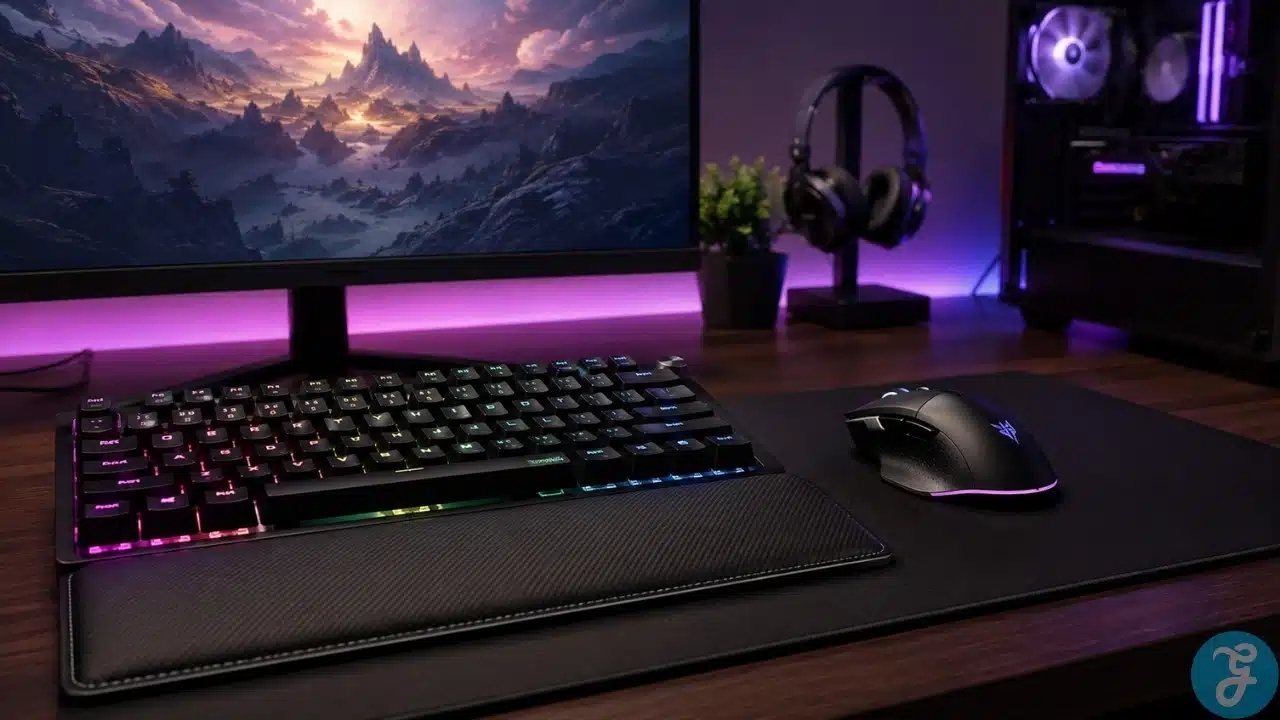
Good gaming peripherals will not magically turn a bad player into a pro. I wish they did. Life would be easier, and every missed shot could be blamed on “not enough RGB.” But the right keyboard and mouse can absolutely make your setup feel more comfortable, more accurate, and more responsive.
I did not buy all my peripherals on day one when I first built my PC. Like many people, I focused on the main system first. GPU, CPU, RAM, storage, monitor — the expensive stuff. My mechanical keyboard came later, after I had already used the base setup for a while and realized comfort and control matter more than beginners think.
That is usually how I explain peripherals to people. You do not need to spend crazy money immediately, but you should not ignore them forever, either. Your keyboard and mouse are the parts you physically touch every time you play. If they feel bad, your whole setup feels worse.
Why Gaming Peripherals Matter More Than Beginners Think
A lot of beginners treat keyboards and mice like decoration. They think any keyboard with lights is a gaming keyboard, and any mouse with a high DPI number is automatically good. That is not how it works.
A good keyboard affects comfort, typing feel, key response, layout, and how naturally you control your games. A good mouse affects aim, tracking, reaction, grip comfort, and consistency. These things matter because gaming is not only about what your PC can render. It is also about how well you can control what happens on screen.
I care about performance, but I also care about daily comfort. If a keyboard feels awkward or a mouse fights your hand, it does not matter how impressive the specs look.
A proper gaming PC should treat peripherals as part of the complete setup, not just optional desk decoration.
Gaming Keyboard Vs Regular Keyboard
A regular keyboard can work for gaming, especially if you are just starting. You do not need a premium keyboard to play games. But gaming keyboards usually offer better response, stronger build quality, better key feel, anti-ghosting, customization, and sometimes extra software control.
The biggest difference is feel. When I moved to a mechanical keyboard, the whole setup felt more serious and more satisfying. The keys felt more direct. Typing felt better. Gaming felt cleaner. It was not a day-one priority for me, but once I upgraded, I understood why many PC gamers care about keyboards so much.
Here is the simple difference.
| Feature | Regular Keyboard | Gaming Keyboard |
|---|---|---|
| Key Feel | Basic | More responsive and defined |
| Durability | Varies | Usually stronger |
| Anti-Ghosting | Limited on cheaper models | Better for multiple key presses |
| Customization | Limited | More lighting, macros, and profiles |
| Gaming Comfort | Usable | Usually better for long sessions |
| Best For | Basic use | Gaming, typing, and daily PC use |
Why I Prefer Mechanical Keyboards
I prefer mechanical keyboards because they feel better. Simple as that. Each key press feels more intentional, and for gaming, that matters. You feel the input more clearly, especially in games where movement, ability timing, weapon switching, crouching, sprinting, or quick key combinations matter.
Mechanical keyboards also tend to last longer. The switches are more durable than the usual membrane keyboard feel, and the overall build is often stronger.
That does not mean every mechanical keyboard is perfect. Some are too loud. Some are overpriced. Some have terrible stabilizers. Some look amazing but feel cheap. But in general, I would rather use a decent mechanical keyboard than a mushy membrane board for gaming and daily work.
Mechanical Switches: What Actually Matters
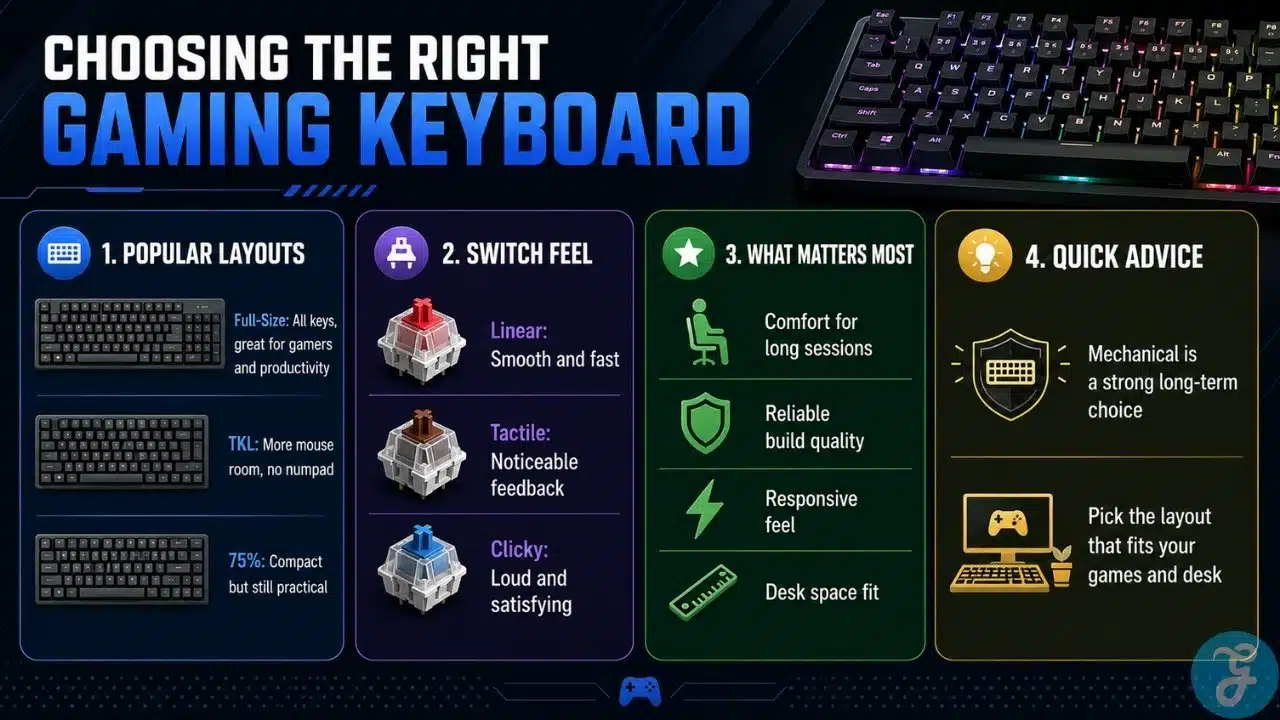
Switches decide how the keys feel. Some are smooth and quiet. Some are clicky and loud. Some have a tactile bump. This is mostly personal preference.
For gaming, I do not think everyone needs the same switch. Some players like fast linear switches. Some like tactile feedback. Some like quieter switches because they share a room or record audio.
Here is a simple way to understand switch types.
| Switch Type | Feel | Best For |
|---|---|---|
| Linear | Smooth key press | Fast gaming and quiet control |
| Tactile | Small bump during press | Typing and balanced gaming |
| Clicky | Tactile bump with click sound | People who like loud feedback |
| Low-Profile | Shorter travel | Slimmer keyboards and faster feel |
I would not tell beginners to obsess over switches immediately. Try to understand what kind of feel you like first. Comfort beats hype.
Full-Size, TKL, 75%, Or Compact Keyboard?
Keyboard size matters more than people think. It affects desk space, mouse movement, shortcuts, comfort, and daily use.
I personally prefer full-size keyboards because I am a gamer and I like having the extra keys. The number pad, function row, navigation cluster, and dedicated keys are useful for more than gaming. I also use my PC for work and general tasks, so the extra keys make sense for me.
That said, TKL and 75% keyboards are great too. TKL stands for TenKeyLess. It removes the number pad and gives more mouse space. A 75% keyboard keeps many useful keys in a smaller layout. Compact boards can be clean and portable, but they may remove keys some users actually need.
Here is how I would compare layouts.
| Keyboard Layout | Best For | Things To Consider |
|---|---|---|
| Full-Size | Gamers who want all keys and productivity comfort | Takes more desk space |
| TKL | Gamers who want more mouse room | No number pad |
| 75% | Compact setup with useful keys retained | Layout may take adjustment |
| 65% | Minimal desk setups | Missing function row and some keys |
| 60% | Very compact gaming desks | Not ideal for everyone |
Why Layout Depends On Your Games And Desk
I do not believe there is one perfect keyboard size for everyone. A person playing FPS games on low sensitivity may want more mouse space. A person playing MMOs, strategy games, simulation games, or productivity-heavy tasks may appreciate a full-size keyboard.
That is why I still like full-size keyboards. I do not want to lose keys I actually use. But I also understand why TKL and 75% layouts are popular. They keep the desk cleaner and give the mouse more room.
The right layout depends on how you play and how you use your PC outside gaming.
Gaming Mouse: Accuracy Comes First
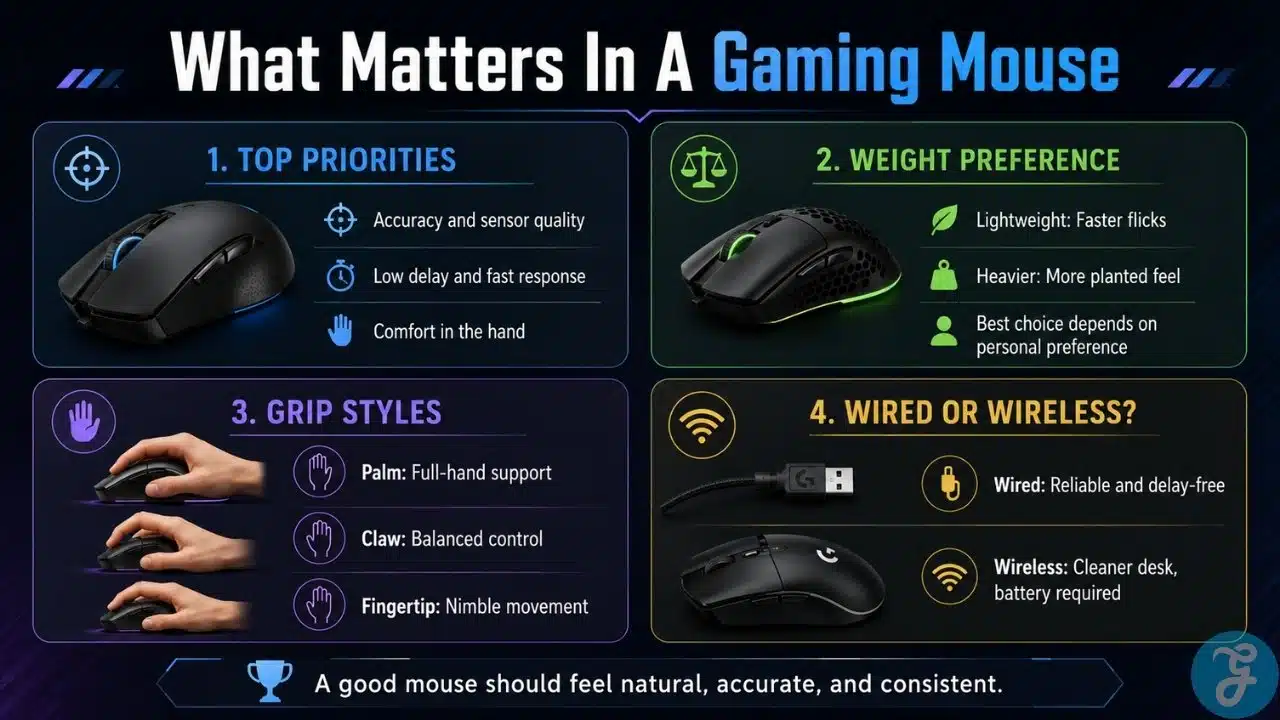
A gaming mouse matters because it controls aim, movement, camera control, and reaction. For me, accuracy is the first priority. If the mouse does not track properly, everything else is pointless.
I also care about response time or delay. A mouse should feel instant. It should not feel like there is a tiny gap between my hand movement and what happens in the game. Good sensor performance, polling rate, and reliable connection all help here.
Comfort is just as important. A mouse that performs well but hurts your hand is not a good mouse for long-term use. Shape, grip style, button placement, coating, and weight all affect comfort.
A good mouse should disappear in your hand. You should not be thinking about it while playing.
DPI, Polling Rate, And Sensor Quality
DPI gets overused in marketing. A very high DPI number does not automatically mean the mouse is better. Most gamers do not need absurd DPI settings.
What matters more is sensor accuracy, consistency, and how the mouse behaves at the sensitivity you actually use. A clean sensor with reliable tracking is more important than a massive DPI number printed on the box.
Polling rate also matters. It measures how often the mouse reports its position to the PC. Higher polling rates can make movement feel more responsive, but the real-world difference depends on your setup and sensitivity.
Here is a simple breakdown.
| Mouse Feature | What It Means | Why It Matters |
|---|---|---|
| DPI | Sensitivity level | Helps tune cursor or aim speed |
| Sensor Quality | Tracking accuracy | Affects consistency and precision |
| Polling Rate | Report rate to PC | Affects responsiveness |
| Click Latency | Delay between click and action | Matters in fast games |
| Lift-Off Distance | Height before tracking stops | Helps with mouse repositioning |
| Feet/Skates | Bottom glide surface | Affects smooth movement |
Mouse Weight Is A Preference Thing
Mouse weight is one of those topics where people act too dramatically. Some gamers love lightweight mice because they feel faster and easier to flick. Others prefer heavier mice because they feel more controlled and stable.
I do not think one side is automatically right. Weight is a preference thing.
If you play fast FPS games and use low sensitivity, a lighter mouse may feel better because you move it more. If you prefer controlled movement or like a more planted feel, a heavier mouse may suit you better.
The best mouse weight is the one that feels natural after long sessions. Not after five seconds in a store. Not because a reviewer said it is meta. After actual use.
Mouse Shape And Grip Style
Mouse shape matters more than many specs. A technically excellent mouse can still feel terrible if the shape does not fit your hand.
Most gamers use one of three grip styles: palm, claw, or fingertip. Palm grip usually prefers a larger, more supportive shape. Claw grip often works well with medium-sized mice. Fingertip grip usually benefits from lighter and smaller designs.
Here is a simple grip guide.
| Grip Style | How It Feels | Mouse Type That Often Works |
|---|---|---|
| Palm Grip | Whole hand rests on mouse | Larger ergonomic mouse |
| Claw Grip | Palm partly raised, fingers bent | Medium mouse with good hump |
| Fingertip Grip | Only fingers control the mouse | Smaller or lightweight mouse |
Do not buy only based on looks. If the shape is wrong, the mouse will annoy you every day.
Wired Vs Wireless Gaming Peripherals
I personally prefer wired keyboard and mouse for gaming because of reliability and delay-free connectivity. I like knowing the connection is stable, the device is powered, and there is no battery anxiety in the middle of a session.
Modern wireless peripherals have improved a lot. Good wireless gaming mice and keyboards can be very responsive now. But wired still feels more dependable to me, especially for serious gaming.
There is also one less thing to manage. No charging. No battery level. No wireless interference worries. Just plug in and play.
Here is the practical comparison.
| Connection Type | Strengths | Things To Consider |
|---|---|---|
| Wired | Reliable, no charging, stable response | Cable management needed |
| Wireless | Cleaner setup, more freedom | Needs charging or batteries |
| Bluetooth | Convenient for multi-device use | Usually not ideal for serious gaming |
| 2.4GHz Wireless | Better gaming wireless option | Still needs battery management |
For my own style, wired wins. For someone who hates cables and wants a cleaner desk, good wireless can still make sense.
Beginner Buying Advice For Gaming Peripherals
Beginners should not buy peripherals based only on looks. The first question should be: will this feel good after months of use?
For keyboards, I would focus on layout, switch feel, build quality, stabilizers, keycap quality, and whether the size fits the desk. A full-size keyboard is great if you use extra keys. TKL or 75% can be better if mouse space matters.
For mice, I would focus on comfort, sensor accuracy, response, weight preference, grip style, and button placement. Do not buy a mouse just because it has a huge DPI number.
Good gaming peripherals should match your hand, your desk, your games, and your daily habits.
Competitive Gaming Performance
For competitive gaming, responsiveness matters. That does not mean you need to buy the most expensive keyboard and mouse. It means your peripherals should not get in your way.
A keyboard should register inputs cleanly. It should feel consistent. It should not have a layout that slows you down. A mouse should track accurately, respond quickly, and feel comfortable during fast movements.
In competitive games, small frustrations become noticeable. A slippery mouse, awkward side buttons, inconsistent clicks, or a keyboard that feels mushy can all affect confidence.
I do not think gear replaces skill. It does not. But bad gear can absolutely make skill harder to use.
Balanced Everyday Gaming Comfort
Most gamers are not only playing one competitive shooter all day. Many people play a mix of games, work on the same PC, browse, type, research, and use the setup for long hours.
That is why comfort matters so much.
A keyboard should feel good for both gaming and typing. A mouse should support your grip without causing strain. The desk should have enough space. The wrist angle should feel natural. The keyboard layout should not make daily tasks annoying.
This is where I think many people overspend on performance features and underspend on comfort. A comfortable setup ages better.
Keyboard And Mouse Combo Mistakes I See Often
The first mistake is buying a giant keyboard and a huge mousepad without checking desk space. If your mouse movement feels cramped, the setup will not feel good.
The second mistake is buying the cheapest mouse with the biggest DPI number. That usually means nothing.
The third mistake is buying a loud mechanical keyboard without thinking about the room. If you share space with other people, sound matters.
The fourth mistake is choosing wireless only for looks, then getting annoyed by charging. If you want wireless, buy good wireless. Do not buy bad wireless just to remove a cable.
The fifth mistake is copying someone else’s setup. Your hand size, grip, desk, games, and comfort needs are your own.
Gaming Keyboard And Mouse Checklist
Before buying, I like using a simple checklist. It keeps the decision practical.
Use this before choosing your next keyboard or mouse.
| Item | What To Check |
|---|---|
| Keyboard Type | Mechanical, membrane, or low-profile |
| Layout | Full-size, TKL, 75%, 65%, or compact |
| Switch Feel | Linear, tactile, clicky, or quiet |
| Build Quality | Frame strength, stabilizers, keycaps |
| Mouse Shape | Fits hand size and grip style |
| Mouse Sensor | Accurate and consistent tracking |
| Mouse Weight | Light, medium, or heavy based on preference |
| Connection | Wired for reliability or wireless for freedom |
| Desk Space | Enough room for keyboard and mouse movement |
| Comfort | Feels good during long gaming sessions |
Control Should Feel Natural, Not Complicated
The smartest way to choose gaming peripherals is to focus on how they feel during real use. Not how bright the RGB is. Not how extreme the marketing sounds. Not how expensive the product looks.
For me, a good keyboard should feel responsive, comfortable, and useful beyond gaming. A good mouse should feel accurate, reliable, and natural in the hand. I prefer mechanical keyboards, full-size layouts, wired reliability, accurate sensors, low delay, and comfort that lasts through long sessions.
The best keyboard and mouse setup is the one that lets you stop thinking about the gear and focus on the game.
Frequently Asked Questions About Gaming Peripherals
These answers cover the most common keyboard and mouse questions I usually hear from beginners.
Are Mechanical Keyboards Better For Gaming?
Mechanical keyboards are often better for gaming because they feel more responsive, durable, and satisfying. They are not mandatory, but I personally prefer them over membrane keyboards.
Is A Full-Size Keyboard Good For Gaming?
Yes, a full-size keyboard is good for gaming if you use the extra keys and have enough desk space. I personally like full-size keyboards, but TKL and 75% layouts are also excellent choices.
Is A Lightweight Mouse Better For Gaming?
A lightweight mouse can be better for fast movement and flicks, especially in FPS games. But mouse weight is personal. Some players prefer heavier mice because they feel more controlled.
Is Wired Better Than Wireless For Gaming?
I prefer wired for gaming because it feels more reliable and avoids battery or charging issues. Good wireless gaming gear can still perform well, but wired remains the safer choice for consistency.
Does DPI Matter In A Gaming Mouse?
DPI matters, but not the way marketing suggests. Extremely high DPI is not automatically better. Sensor quality, comfort, accuracy, and consistency matter more.
What Should Beginners Buy First: Keyboard Or Mouse?
If your current mouse feels inaccurate or uncomfortable, upgrade the mouse first. If your keyboard feels mushy, slow, or uncomfortable, upgrade the keyboard first. The weaker part of your setup should get priority.