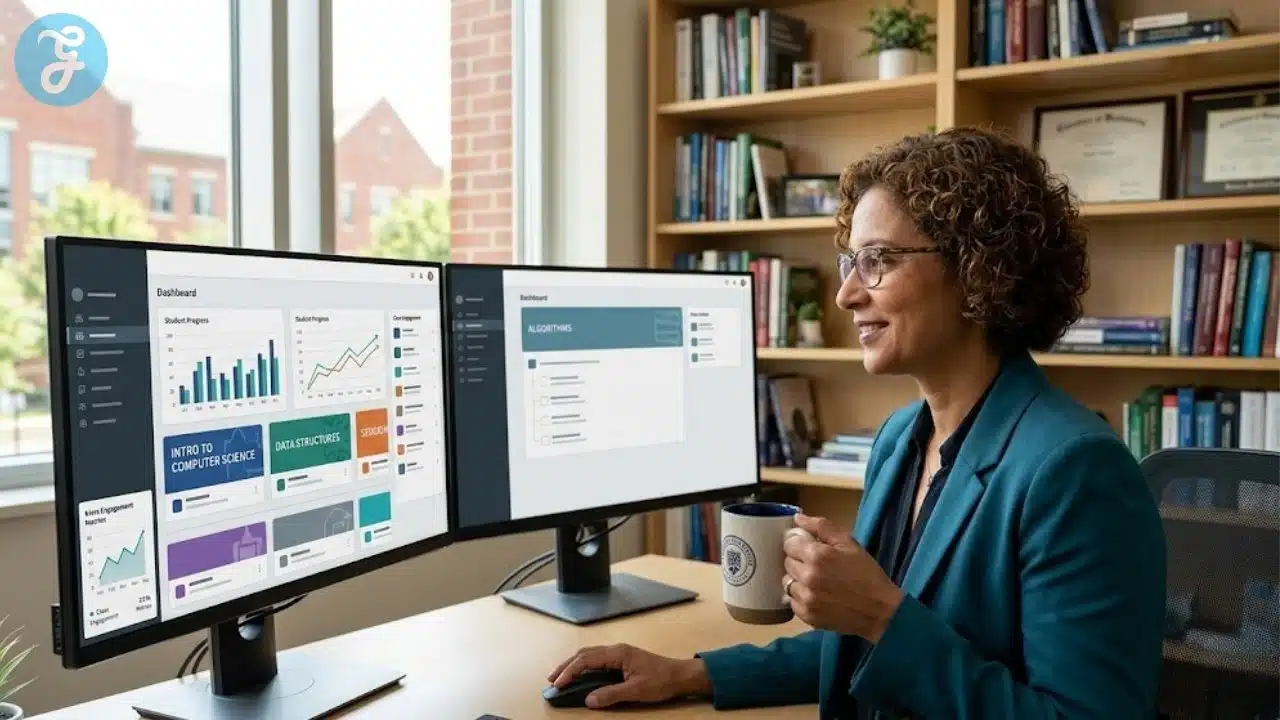
Navigating the digital infrastructure of higher education often leads institutions directly to massive corporate conglomerates that dominate the market. However, a growing number of universities are actively seeking out independent Small and Medium-sized Enterprises across the United States to power their digital campuses. These independent developers offer highly specialised, responsive software that prioritises academic flexibility over rigid, one-size-fits-all corporate frameworks.
How We Selected Our 15 Best SMEs for University LMS
Identifying the most effective independent platforms required a strict filtering process to separate genuine educational innovators from bloated enterprise systems. We evaluated dozens of American companies against a rigorous set of criteria to find those truly advancing higher education.
-
Geographic Baseline: Operated and headquartered strictly within the United States as independent entities.
-
Scale Limit: Verified as independent SMEs, explicitly excluding subsidiaries of massive private equity firms or legacy publishing conglomerates.
-
Academic Rigour: Direct capability to handle complex university grading rubrics, peer review systems, and accreditation standards.
-
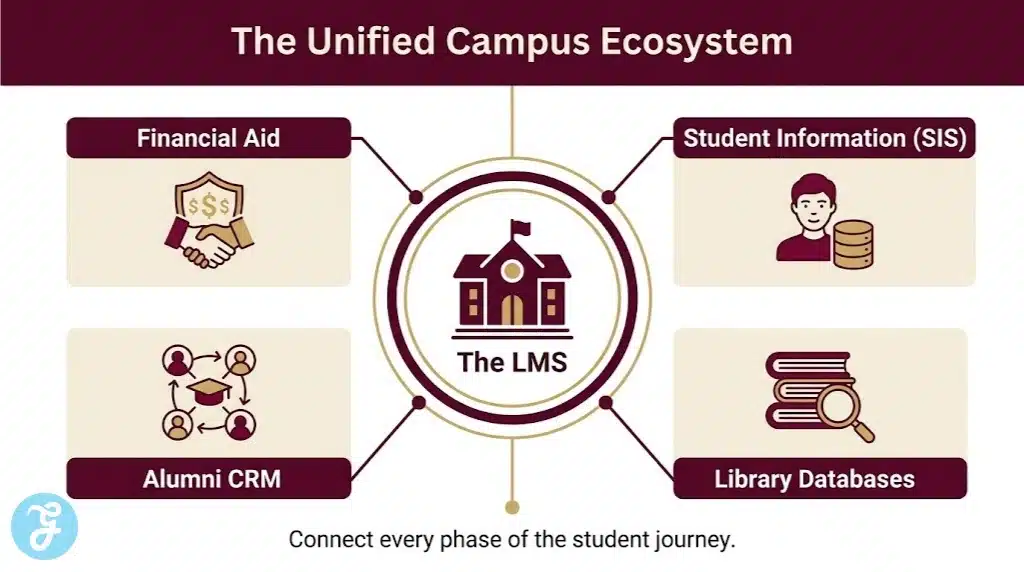
Integration Capability: Seamless ability to connect with existing university Student Information Systems and external library databases.
Understanding these foundational criteria establishes exactly why these specific digital tools stand out in the competitive university technology sector.
Evaluating the Top 15 SMEs for University LMS
The following independent developers are actively reshaping how university courses are designed, delivered, and assessed. Here is our curated breakdown of the standout studios driving higher education forward.
Before exploring the specialised tools, it is essential to look at comprehensive systems built specifically for smaller academic institutions.
1. Populi
Operating out of Moscow, Idaho, Populi provides a completely unified digital ecosystem tailored specifically for small to mid-sized colleges. Instead of separating the learning management system from the administration software, Populi merges them into a single, intuitive platform. This means professors can manage coursework while administrators handle financial aid and enrolments in the exact same portal.
Best for: Small colleges requiring a unified system for both academics and administration.
Why We Chose It: Eliminates the need for expensive software integration by housing everything under one roof.
Things to consider: The all-in-one nature means larger universities with entrenched legacy administrative systems may find it difficult to adopt.
The 2026 Edge: New predictive retention models that alert academic advisors when a student’s engagement drops across multiple courses.
While unified systems handle administration, some institutions prioritise the visual design of the learning experience itself.
2. Pathwright
Based in Greenville, South Carolina, Pathwright shifts the focus away from traditional file-dump course pages to action-oriented learning paths. The software forces course designers to build curriculum around specific, actionable steps rather than passive reading assignments. It is highly favoured by specialised master’s programmes and continuing education departments looking for a premium, distraction-free interface.
Best for: Design-conscious universities building premium continuing education or cohort-based programmes.
Why We Chose It: Exceptionally clean user interface that drastically reduces student confusion and technical support tickets.
Things to consider: The strict step-by-step pathway design can feel restrictive for professors who prefer open-ended, exploratory course structures.
The 2026 Edge: Advanced branching logic that automatically adjusts the learning path based on a student’s performance on a mid-term assessment.
Moving away from strict pathways, other developers embrace the chaotic, collaborative nature of academic discourse.
3. CourseNetworking
Headquartered in Indianapolis, Indiana, CourseNetworking reimagines the traditional learning platform as a global academic social network. Created by university researchers, the software looks and functions like a modern social media feed but is secured for rigorous academic use. It connects students not just within a single classroom, but across different universities studying the same subject matter globally.
Best for: Programmes seeking to build global academic communities and facilitate heavy peer-to-peer discourse.
Why We Chose It: Breaks down the isolated silos of traditional online courses by encouraging cross-institutional collaboration.
Things to consider: The social media feed structure requires professors to actively moderate and guide discussions to maintain academic rigour.
The 2026 Edge: Upgraded digital credentialing that allows students to instantly export their academic network portfolio to potential employers.
When artificial intelligence drives the underlying architecture, platforms become hyper-responsive to individual student needs.
4. CYPHER Learning
Plano, Texas is home to CYPHER Learning, an independent developer that built an aggressively modern, AI-driven learning platform. Their university product focuses heavily on competency-based learning, using automated algorithms to track precisely which micro-skills a student has mastered. The platform can automatically generate quizzes, suggest remedial reading, and build custom glossaries for individual learners.
Best for: Universities transitioning to competency-based education models requiring intense data tracking.
Why We Chose It: The proprietary AI tools save instructional designers hundreds of hours in course creation.
Things to consider: The heavy reliance on algorithmic automation requires significant initial setup to ensure the AI understands the specific course rubrics.
The 2026 Edge: Generative voice-to-text feedback tools that allow professors to leave conversational audio notes that the system automatically translates and files into the student’s gradebook.
For institutions needing deep legacy expertise combined with modern software, specialised veterans offer unparalleled stability.
5. Jenzabar
Based in Boston, Massachusetts, Jenzabar is a mid-sized enterprise that has served higher education for decades without being absorbed by massive holding companies. Their eLearning platform is tightly woven into their broader campus management software, offering a highly stable, secure environment. They excel at serving institutions that require robust compliance reporting for federal funding and accreditation.
Best for: Established institutions requiring ironclad stability and deep compliance reporting.
Why We Chose It: Unmatched institutional knowledge regarding the complex regulatory requirements of American higher education.
Things to consider: The interface leans heavily toward utilitarian function over flashy, modern aesthetics.
The 2026 Edge: Streamlined mobile architecture that allows students to securely access financial aid documents directly from the course interface.
Similar to legacy stability, specialised professional colleges require platforms built for their unique operational rhythms.
6. Orbund
Operating from Overland Park, Kansas, Orbund provides a highly flexible platform tailored for career colleges, nursing schools, and technical institutes. Their system accommodates non-traditional term structures, rolling admissions, and clock-hour tracking which standard university software often fails to handle. It is an essential tool for institutions prioritising vocational and practical training.
Best for: Career colleges and technical institutes operating on non-traditional academic calendars.
Why We Chose It: Flawlessly handles complex clock-hour tracking required for vocational licensing and certification.
Things to consider: The administrative tools are incredibly robust, which can make the initial learning curve steep for new faculty members.
The 2026 Edge: Automated clinical placement tracking that syncs directly with local hospital and workshop databases.
While administrative tracking is vital, transforming dry textbook material into interactive digital content represents a different technological challenge.
7. Odigia
Winston-Salem, North Carolina is the base for Odigia, a unique platform that sits between a traditional learning system and a digital publisher. The software allows professors to take Open Educational Resources and instantly turn them into interactive, trackable course modules. It effectively eliminates the need for students to purchase expensive physical textbooks while providing professors with deep analytics on student reading habits.
Best for: Universities aggressively adopting Open Educational Resources to reduce student textbook costs.
Why We Chose It: Transforms passive reading materials into active, data-rich learning environments.
Things to consider: It functions best as a content delivery system and is often paired alongside a broader administrative platform.
The 2026 Edge: Enhanced highlight tracking that alerts professors exactly which paragraphs the majority of the class struggled to comprehend before the lecture begins.
Specialised disciplines, particularly the fine arts, require software that can handle massive media files and subjective grading.
8. Kadenze
Originating from Valencia, California, Kadenze was built specifically to handle the unique demands of arts and creative design universities. Standard platforms struggle to host massive video portfolios or high-resolution architectural renderings, but Kadenze is engineered specifically for media-heavy submissions. The software includes built-in portfolio galleries and tools for real-time peer critique of digital art.
Best for: Fine arts colleges, design schools, and universities with heavy multimedia curriculum requirements.
Why We Chose It: The proprietary media player and portfolio tools are unmatched in the current educational market.
Things to consider: The platform is highly niche, making it less suitable for text-heavy disciplines like law or theoretical mathematics.
The 2026 Edge: Integration of immersive 3D viewing rooms where students can collaboratively critique virtual reality sculptures and architectural models.
When a university needs to rapidly deploy highly customised branding across multiple departments, agile software is required.
9. Tovuti LMS
Eagle, Idaho is home to Tovuti LMS, an independent developer renowned for extreme customisation. While often utilised in corporate settings, many higher education continuing education departments use Tovuti for its ability to spin up unique, fully branded portals in minutes. It features an incredibly intuitive drag-and-drop course builder that requires zero coding knowledge from the faculty.
Best for: Continuing education and extension programmes requiring rapid, highly branded course deployment.
Why We Chose It: The easiest course authoring tool on the market, paired with exceptional white-labelling capabilities.
Things to consider: The pricing model is typically based on active users, which requires careful management during large, open-enrolment periods.
The 2026 Edge: New automated event management tools that flawlessly blend live campus seminars with asynchronous digital coursework.
Managing the complex admissions funnel alongside the learning environment requires targeted software solutions.
10. Edlumina
Operating within the USA, Edlumina provides a platform that heavily integrates the admissions and enrolment process directly into the learning environment. Built by Cyanna Education Services, the software ensures that a student’s journey from their first inquiry to their final graduation portfolio is tracked in one seamless sequence. It is particularly popular among smaller, private higher education institutions.
Best for: Private colleges looking to streamline the transition from the admissions funnel directly into the classroom.
Why We Chose It: Exceptionally strong customer relationship management tools built directly into the academic portal.
Things to consider: The software is highly tailored to the operational style of private and career-focused colleges.
The 2026 Edge: Upgraded predictive analytics that use early coursework performance to identify students at risk of dropping out during their first semester.
Moving away from traditional course delivery, some platforms focus entirely on community-driven knowledge building.
11. Yellowdig
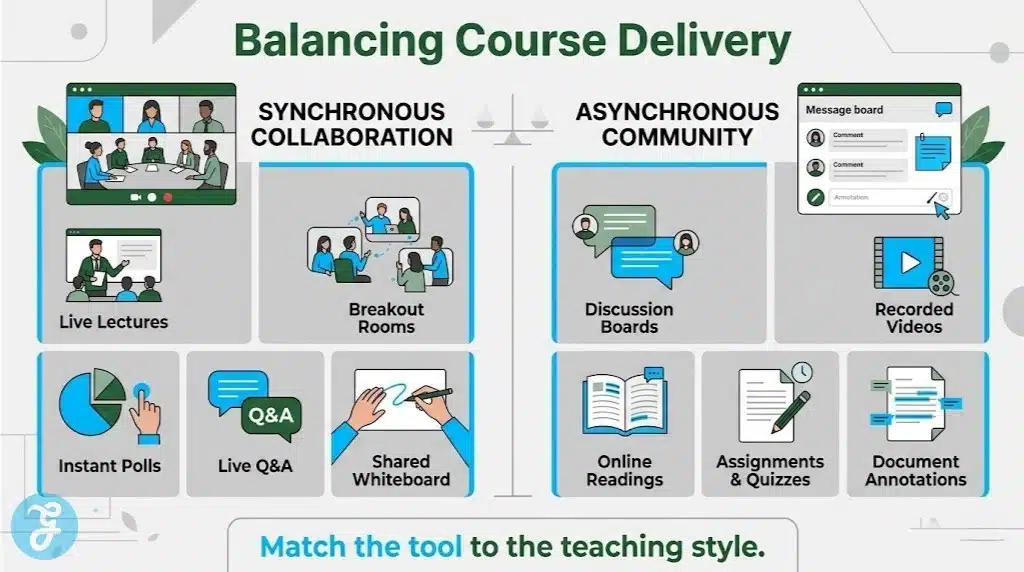
Based in Philadelphia, Pennsylvania, Yellowdig operates as a powerful alternative or supplement to the traditional, rigid learning management system. It uses a patented point system to encourage authentic, student-driven conversations rather than forced, weekly discussion board posts. By mimicking the mechanics of engaging social communities, it drastically increases student participation in asynchronous courses.
Best for: Fostering genuine, asynchronous community engagement and combating student isolation in online programmes.
Why We Chose It: Proven to dramatically increase peer-to-peer interaction compared to standard discussion forums.
Things to consider: Requires a paradigm shift for professors used to heavily controlling the flow of weekly discussion topics.
The 2026 Edge: Advanced sentiment analysis tools that help professors identify the emotional tone and academic health of the digital classroom community.
For synchronous online learning, traditional video conferencing tools often fail to provide genuine pedagogical support.
12. Engageli
San Mateo, California is the headquarters for Engageli, a platform that rebuilds the virtual classroom specifically for higher education. Unlike generic corporate video software, Engageli features built-in digital seating charts, interactive quizzes, and the ability for the professor to seamlessly move between virtual student study tables. It is a synchronous learning platform designed by academics, for academics.
Best for: Universities running heavily synchronous online courses that require active, real-time collaboration.
Why We Chose It: Completely eliminates the fatigue of standard video conferencing by promoting active, table-based learning.
Things to consider: Requires students to have stable, high-speed internet connections to fully utilise the interactive video features.
The 2026 Edge: Automated real-time transcripts that instantly translate lectures into multiple languages for international students.
Smaller campuses often require straightforward, highly reliable systems without the bloat of experimental features.
13. Sycamore Campus
Operating out of Fremont, Nebraska, Sycamore Campus provides a highly reliable, cloud-based platform designed specifically for small to mid-sized colleges. It covers all the essential bases from gradebooks to document management without overwhelming the user with unnecessary features. It is a highly utilitarian tool that prides itself on exceptional, US-based customer support.
Best for: Smaller campuses seeking a straightforward, reliable system with outstanding technical support.
Why We Chose It: Offers a completely transparent pricing model and refuses to nickel-and-dime institutions for basic integrations.
Things to consider: The visual interface is highly academic and lacks the gamification found in more experimental platforms.
The 2026 Edge: Enhanced offline capabilities allowing students in rural areas to download complete course modules and sync their progress later.
When complex academic reading is the core of the curriculum, platforms must facilitate deep textual analysis.
14. Perusall
Cambridge, Massachusetts is home to Perusall, a platform that turns solitary academic reading into a highly engaging, collaborative exercise. Students annotate the text, ask questions, and reply to each other directly in the margins of the digital document. The software uses automated grading algorithms to evaluate the quality and depth of a student’s annotations, ensuring they are genuinely engaging with the material.
Best for: Humanities and theoretical science courses that rely heavily on dense, complex reading assignments.
Why We Chose It: Forces students to actively read and engage with the text before arriving at the lecture hall.
Things to consider: The automated grading algorithm requires careful calibration by the professor to ensure fair assessment of student notes.
The 2026 Edge: Integration of adaptive highlighting that subtly guides struggling readers toward the most critical thesis statements within a document.
Finally, ensuring that all these various forms of media and discussion are housed in a beautiful, accessible environment is paramount.
15. Harmonize
Operating as an independent developer in the USA, Harmonize is a platform designed to fix the clunky, outdated discussion boards found in legacy systems. It allows students to easily upload videos, annotate images, and format text in a modern, highly visual interface. It seamlessly plugs into existing university infrastructure, upgrading the communication layer without requiring a massive system overhaul.
Best for: Universities looking to upgrade their digital discussion and media-sharing capabilities without replacing their core administrative system.
Why We Chose It: Flawlessly handles multimedia submissions, allowing students to communicate exactly as they do on modern web platforms.
Things to consider: It functions primarily as a communication and submission overlay rather than a complete, standalone administrative database.
The 2026 Edge: New integrated video editing tools that allow students to trim and caption their presentation submissions directly within the browser window.
An Overview Of SMEs for University LMS
To streamline your institutional decision-making process, we have compiled the core details of these independent developers into a quick-reference format below.
Overview Comparison Table
Reviewing these metrics side-by-side provides a clear snapshot of the diverse digital infrastructure available to modern universities.
| SME Developer | Headquarter Location | Core Focus Area | Primary Delivery Model |
| Populi | Moscow, ID | Unified SIS & Academics | Comprehensive Portal |
| Pathwright | Greenville, SC | Action-Oriented Paths | Premium Course Builder |
| CourseNetworking | Indianapolis, IN | Academic Social Network | Global Community Hub |
| CYPHER Learning | Plano, TX | Competency & AI | AI-Driven Platform |
| Jenzabar | Boston, MA | Legacy Stability | Integrated eLearning |
| Orbund | Overland Park, KS | Vocational Tracking | Flexible Admin System |
| Odigia | Winston-Salem, NC | OER Integration | Interactive Content Hub |
| Kadenze | Valencia, CA | Creative Arts Media | Multimedia Portfolio |
| Tovuti LMS | Eagle, ID | Rapid Customisation | White-Label Portal |
| Edlumina | USA | Admissions to Alumni | CRM-Integrated LMS |
| Yellowdig | Philadelphia, PA | Authentic Community | Gamified Social Feed |
| Engageli | San Mateo, CA | Synchronous Video | Virtual Classroom |
| Sycamore Campus | Fremont, NE | Utilitarian Reliability | Cloud-Based SIS/LMS |
| Perusall | Cambridge, MA | Collaborative Reading | Annotation Platform |
| Harmonize | USA | Modern Discussion | Multimedia Overlay |
Evaluating these distinct academic approaches naturally brings us to our primary recommendations for specific institutional use cases.
Our Top 3 Picks and Why?
Narrowing down the field, three developers stand out for their exceptional contribution to higher education. Populi remains the absolute gold standard for small colleges needing a completely unified, headache-free administrative and academic ecosystem. Perusall provides unparalleled value by actually forcing students to engage deeply with complex reading materials before they enter the classroom. Finally, Pathwright offers the most elegant, distraction-free course builder on the market, perfect for universities rolling out premium continuing education certificates.
How to Choose the Right SMEs for University LMS by Yourself?
Selecting the right digital infrastructure for a university requires balancing the needs of the IT department, the faculty, and the student body. Reviewing these key factors will ensure a successful campus-wide implementation.
The Selection Framework:
Identify the Institutional Bottleneck: Determine if your biggest struggle is disjointed administration, poor student engagement, or an inability to handle heavy multimedia files.
Assess Faculty Technical Literacy: If your professors struggle with basic software, opt for highly visual, drag-and-drop builders rather than systems requiring complex coding logic.
Check Accreditation Needs: Ensure the software can automatically generate the specific compliance reports and competency matrices required by your regional accrediting body.
Evaluate Integration Readiness: Verify that the new platform can securely handshake with your existing library databases, plagiarism checkers, and legacy financial software.
Applying this framework directly to your specific departmental needs allows you to match the right developer to your university using the metrics below.
Decision Matrix
Matching your specific institutional priorities with the right developer ensures a seamless digital transformation.
| Choose This SME… | If You Prioritize… |
| Populi or Sycamore Campus | Unifying academic delivery with core administrative and financial tracking. |
| Pathwright or Tovuti LMS | Launching highly branded, premium continuing education or professional certificates. |
| Yellowdig or CourseNetworking | Breaking student isolation through organic, social-driven academic communities. |
| Kadenze or Harmonize | Supporting fine arts, architecture, or media-heavy disciplines requiring robust portfolio tools. |
Before signing a long-term institutional contract, it is vital to run through a rapid technical verification process.
The Final Checklist
Running through this quick verification process guarantees you are adopting a secure, scalable academic platform.
-
Verify the developer holds strict data security certifications and complies entirely with FERPA regulations regarding student privacy.
-
Ensure the platform offers a fully responsive mobile experience, as modern students complete significant coursework via smartphones.
-
Test the platform’s accessibility features to guarantee absolute compliance with WCAG standards for students with visual or auditory impairments.
-
Confirm the developer provides a clear, documented timeline for migrating your historical course data from your legacy system.
-
Check that the platform allows for easy, automated archiving of courses at the end of the term to preserve academic records.
Securing the Future of Higher Education
Higher education is currently experiencing a quiet crisis of technological dependency. Massive corporate vendors have locked universities into bloated contracts that stifle pedagogical innovation and harvest student data for opaque analytics models. Turning toward independent SMEs for University LMS is not just a software upgrade. It represents a fundamental reclamation of academic freedom. The uncomfortable truth is that many institutions prioritize the convenience of legacy IT contracts over the actual user experience of their students and faculty.
As artificial intelligence begins to automate the grading and delivery of basic coursework, the learning platforms that survive will be those that foster genuine human connection. Independent developers understand this inherently and prioritize flexible teaching over rigid corporate standardization.
Frequently Asked Questions (FAQs) About SMEs for University LMS
1. Why should a university switch from a massive legacy LMS to an independent SME?
Massive legacy platforms often suffer from feature bloat and slow development cycles. Switching to an independent Small and Medium-sized Enterprise allows universities to pay only for the features they actually use. Furthermore, independent developers typically offer highly responsive customer support and can push custom feature updates much faster than corporate conglomerates.
2. Can independent platforms integrate with our existing Student Information System?
Yes. Modern independent developers build their platforms using universal Learning Tools Interoperability standards and open Application Programming Interfaces. This ensures their learning management systems can seamlessly share data with legacy administrative systems like Banner or Workday without requiring complex manual data entry.
3. Are independent LMS platforms secure enough to handle protected student data?
Absolutely. Reputable independent developers undergo the exact same rigorous security audits as massive corporations. They adhere strictly to Family Educational Rights and Privacy Act regulations and typically host their platforms on enterprise-grade cloud infrastructure to ensure absolute data encryption and security.
4. Do smaller platforms have the capacity to handle heavy multimedia course files?
Modern cloud computing has completely levelled the playing field regarding storage and bandwidth. Specialized independent platforms are actually better equipped to handle heavy media rendering than older legacy systems because they utilize scalable cloud architecture. This infrastructure expands dynamically when students upload massive video portfolios or high-resolution architectural files.
5. How difficult is it to migrate historical course data to a new SME platform?
Migration is a highly standardized process. Most independent platforms offer dedicated migration services to assist university IT departments. They utilize universal import formats like Common Cartridge to seamlessly transfer historical course modules, reading lists, and gradebook structures from the old legacy system to the new platform with minimal disruption.