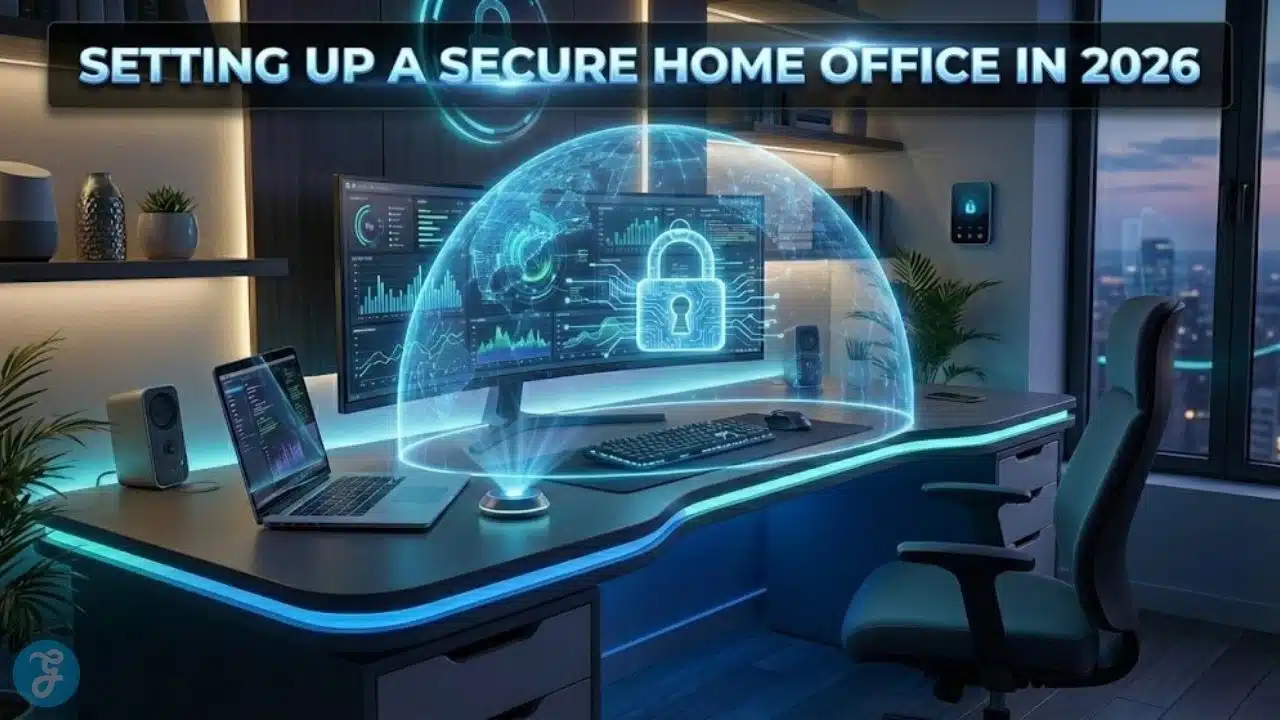
Remote work is normal now, and that means your home network is part of your company’s security perimeter. If you are setting up a secure home office in 2026, you are not just protecting a laptop. You are protecting customer data, internal documents, logins, payments, and your reputation.
This guide is built for SMEs, remote employees, and contractors who want a practical, modern setup that does not feel like enterprise IT. You will learn the baseline standards, the fastest upgrades, and a simple checklist you can actually follow.
Why Home Office Security Is A Business Risk Now
Home offices fail in predictable ways. A router is running on default settings. A shared family computer is signed into the work email. A device is missing updates. A contractor is storing files in personal apps. Nothing explodes on day one, but risk stacks quietly.
In 2026, attackers do not need to “hack the company” directly. They often come through the soft edges. That can be a home Wi Fi network, a reused password, a stolen phone, or a convincing phishing message.
A secure home office is not about paranoia. It is about removing easy entry points and reducing damage if something goes wrong.
The Most Common Threats For Remote Work In 2026
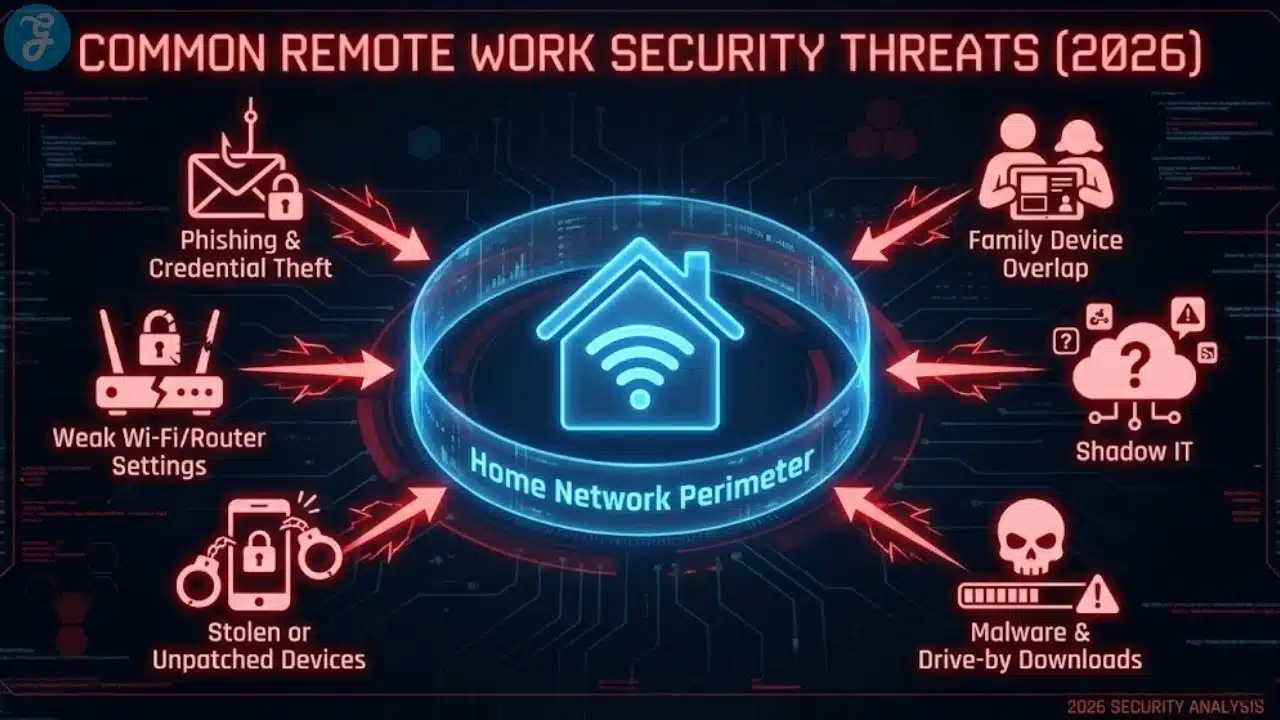
Most home office security problems fall into a few buckets. When you know the buckets, you can build defenses that work.
Common threats include:
- Phishing and credential theft that target logins
- Weak Wi Fi or router settings that expose your network
- Stolen devices or lost phones that still have access
- Malware that enters through downloads or unsafe links
- Shadow IT, where people use unapproved apps for speed
- Misconfigured file sharing that makes documents public
- Family device overlap, where work and personal life mix
You do not need a perfect setup to be safe. You need a setup that blocks the easy wins for attackers.
Setting Up A Secure Home Office In 2026 Starts With A Baseline
Before you buy anything or install tools, define your baseline. This becomes your minimum standard for anyone who touches company work from home.
Baseline goals:
- Secure your network so it is not an open door
- Secure your identity so logins are hard to steal
- Secure your devices so they are updated and encrypted
- Secure your data so it is backed up and controlled
- Secure your habits so mistakes do not become disasters
Home Office Security Baseline Table
| Area | Minimum Standard | Why It Matters |
| Wi Fi And Router | strong admin password, updated firmware, WPA2 or WPA3 | blocks easy network access |
| Accounts | MFA on all work accounts, password manager | stops credential theft |
| Devices | encryption, auto updates, screen lock | reduces damage if stolen |
| Files | approved storage, sharing rules, backups | prevents accidental exposure |
| Remote Work Habits | phishing awareness, no personal email for work | reduces common failures |
If you implement only this baseline, you already remove most of the risk that hits SMEs.
Secure Your Router And Wi Fi First
If your router is weak, everything behind it is weaker. Many home offices still run on equipment that was never configured for security.
Router Setup Checklist That Actually Matters
Do these steps in order:
- Change the router admin username and password
- Update router firmware and turn on auto updates if available
- Use WPA3 if your router supports it, otherwise, use WPA2
- Create a separate guest network for visitors and smart devices
- Turn off remote administration unless you truly need it
- Turn off WPS; it is often abused
- Rename your Wi Fi network so it does not reveal your identity or address
If you only do two things, change the admin password and update the firmware. Those two steps remove a lot of common risks.
Separate Your Work Devices From Smart Home Devices
Smart home devices are convenient, but they expand your attack surface. Many are not updated consistently.
A practical approach:
- Put smart devices and guest devices on a guest network
- Keep your work laptop and phone on your main network
- Do not let unknown devices join your main network
This separation reduces the chance that a weak device creates a path to your work machine.
When A VPN Helps And When It Does Not
A VPN can be useful, but it is not a magic security button. It mainly protects traffic on untrusted networks and adds privacy in some situations.
Use a VPN when:
- You work from cafes, hotels, and shared networks
- You access sensitive internal systems that require it
- Your company policy demands it
A VPN does not replace:
- MFA
- device encryption
- safe file sharing
- good password practices
If your team is mostly at home on a secured router, your biggest gains come from identity security and device hardening first.
Lock Down Your Accounts With MFA And A Password Manager
In 2026, stolen credentials are still one of the fastest ways attackers get in. Most breaches start with a login, not a sophisticated exploit.
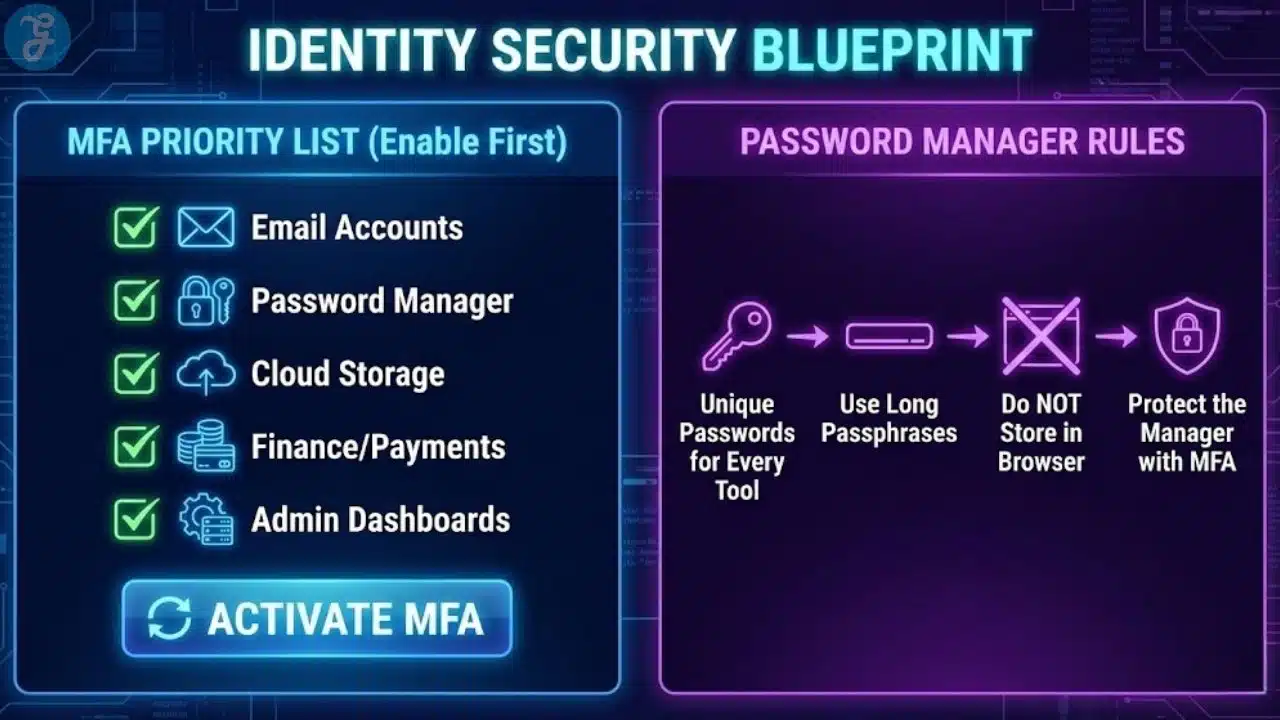
Your MFA Priority List
Turn on MFA first for:
- Email
- Password manager
- Cloud storage
- Finance tools and payment systems
- Admin dashboards
- Social accounts tied to the brand
- Collaboration tools, chat, and project platforms
If you are setting up a secure home office in 2026, MFA is not optional. It is your core safety net.
Password Manager Rules That Reduce Real Risk
A password manager helps because it makes strong, unique passwords normal. It also reduces the chance that people reuse the same password across tools.
Practical rules:
- Use unique passwords for every tool
- Use long passphrases when you can
- Do not store passwords in notes apps or browsers alone
- Protect the password manager with MFA
- Share team access through the manager, not through messages
This reduces both human error and chaos during offboarding.
Device Security: The Non-Negotiables For Remote Work
Most home office risk comes down to devices. If your laptop is unencrypted or unpatched, you are vulnerable even on perfect Wi Fi.
Device Baseline Checklist
For every work device:
- Turn on full disk encryption
- Turn on automatic OS updates
- Turn on automatic browser updates
- Require a screen lock within minutes
- Use a strong passcode, not a simple PIN
- Enable remote wipe if supported
- Install reputable endpoint protection if your company uses it
This is the minimum. It prevents many common incidents from becoming major.
Patch Discipline Without Becoming A Full Time IT Person
Updates feel annoying until you need them. Many attacks rely on known vulnerabilities that were patched weeks or months earlier.
A simple routine:
- Weekly restart day for laptops
- Monthly review of all devices for update status
- Immediate updates for browsers and security patches
This routine takes minutes and prevents a surprising amount of trouble.
Work Profiles And Separation On Phones
Phones are often the weakest link because they are always on, always connected, and often used for both personal and work activity.
Practical steps:
- Use a separate work profile if your device supports it
- Do not store work files in personal apps
- Use MFA and a password manager on your phone
- Enable device encryption and lock screen protection
- Avoid installing random apps that request broad permissions
If you lose your phone, you should not lose your business.
Data Protection: File Storage, Sharing, And Backups
A secure home office is not only about blocking attackers. It is also about preventing accidents that expose data.
Choose A Single Source Of Truth For Files
Most businesses become messy because files live everywhere. That creates confusion and increases accidental sharing.
A clean approach:
- One approved cloud storage system for work files
- One standard folder structure
- Clear rules for where client files live
- No client files stored long term on personal desktops
This makes work easier and more secure at the same time.
Sharing Rules That Prevent Public Link Mistakes
Many data leaks come from overly open links.
Use these rules:
- Default to restricted sharing
- Share to specific emails, not public links
- Set expiration dates for sensitive shares
- Remove access after projects end
- Avoid sending sensitive files as email attachments when possible
A small discipline here prevents huge problems later.
Backup Strategy For Remote Work That Teams Will Actually Follow
Backups fail when they are complicated. Keep it simple.
A practical remote backup plan:
- Important work files live in approved cloud storage
- Local devices are encrypted and can be wiped if lost
- Critical business data has a second backup, separate from the main tool
- Key documents and financial records are included in a recurring backup routine
The goal is resilience. If a laptop dies, work continues.
Secure Meetings, Calls, And Collaboration
Remote work lives inside collaboration tools. These tools are convenient, but settings matter.
Meeting Safety Basics
For meetings:
- Require passwords or waiting rooms for external meetings
- Do not post meeting links publicly
- Lock meetings once everyone arrives if appropriate
- Restrict screen sharing to the host when needed
- Be careful with recordings and where they are stored
Most meeting problems come from oversharing links, not technical hacks.
Chat And Project Tools: Reduce Data Sprawl
Chat tools can turn into file storage by accident. That creates a compliance nightmare.
Practical rules:
- Store files in your approved file system, link to them in chat
- Use channels for work topics, not random private messages
- Create naming standards for projects and client work
- Limit who can invite external guests
This keeps knowledge organized and reduces risk.
Email Habits That Prevent Phishing Wins
Phishing is still effective because it targets human behavior.
A simple email discipline:
- Treat urgency as a red flag
- Verify payment changes through a second channel
- Do not log into accounts from random links
- Check sender addresses carefully
- Report suspicious messages quickly
If you do these consistently, you eliminate the most common phishing pathways.
Physical Security And Privacy In A Home Office
Security is not only digital. It is also about what people can see and access.
Home Office Physical Baseline
Use this checklist:
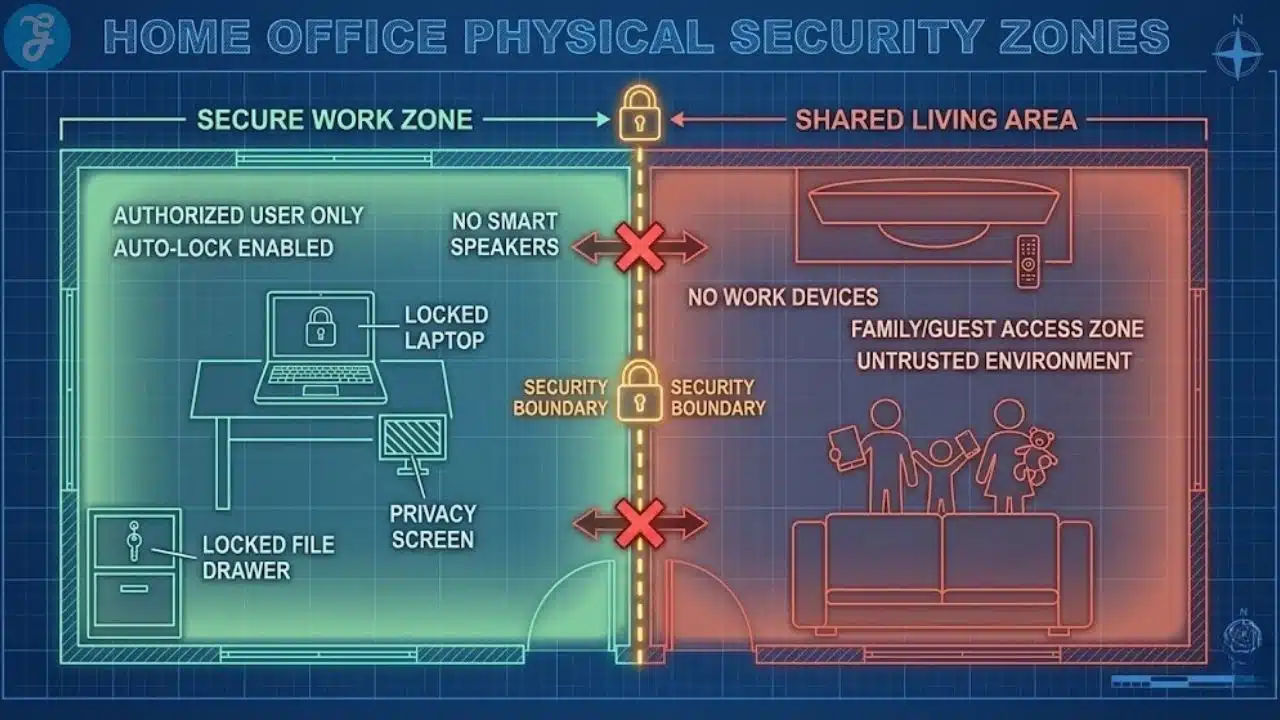
- Lock your screen when you walk away
- Keep work devices out of shared areas when possible
- Use a privacy screen if you work in public spaces
- Store sensitive documents in a drawer, not on the desk
- Avoid discussing confidential work where others can overhear
These habits prevent accidental disclosure, which is more common than people admit.
If you work around family or roommates, boundaries matter.
Practical boundaries:
- No family members use the work laptop
- No work accounts on shared family computers
- Keep your work phone locked and separate
- Use headphones for sensitive calls
This avoids the slow drift into unsafe sharing.
Minimum Security Standards For Teams And Contractors
If you lead a team, you need clear standards. Vague “be careful” guidance does not work.
Minimum Standards Policy Table
| Role Type | Minimum Requirements | Extra For Sensitive Roles |
| Employees | MFA, encryption, updates, password manager | secure file handling, device management |
| Contractors | MFA, separate work account, approved storage | restricted access, time limited sharing |
| Finance And Admin | MFA everywhere, strong device controls | hardware based MFA where possible, strict approval steps |
These standards prevent a single weak link from becoming a company incident.
Around this point, repeat the core goal so it stays clear. Setting up a secure home office in 2026 is about consistent minimum standards, not perfect setups.
Incident Response: What To Do When Something Feels Wrong
You do not need a huge plan, but you do need a simple response process.
Your First 10 Minutes Checklist
If you suspect compromise:
- Change your password immediately, starting with email and password manager
- Sign out of all sessions where possible
- Enable MFA if it was not enabled
- Check forwarding rules in email
- Notify your company owner or admin
- Run a malware scan and update your device
- Review recent logins in key accounts
Fast response limits damage. Waiting makes things worse.
A Simple Remote Work Security Routine That Sticks
The easiest security systems are habits.
Daily:
- Lock screens
- Avoid clicking unknown links
- Keep work files in approved storage
Weekly:
- Restart and apply updates
- Review your calendar and meeting links for external exposure
- Clean up shared links that should expire
Monthly:
- Review tool access and remove unused permissions
- Check backup status for critical data
- Review password manager health
This routine takes less time than dealing with one incident.
The 20 Minute Secure Home Office Checklist
If you want a fast implementation, start here.
Network:
- Update router firmware
- Change router admin password
- Use WPA2 or WPA3
- Create guest network for non work devices
Accounts:
- Turn on MFA for email, storage, finance
- Install and use a password manager
- Stop using reused passwords
Devices:
- Turn on encryption
- Turn on automatic updates
- Set strong screen lock and short timeout
Files:
- Use one approved storage system
- Restrict sharing to specific emails
- Remove public links and old guest access
This checklist gets you most of the way there quickly.
Wrap Up And Next Steps
Setting up a secure home office in 2026 is not about buying expensive gear or memorizing security jargon. It is about closing the obvious gaps, building a few strong habits, and enforcing minimum standards for anyone doing work from home.
Start with the router and MFA. Then secure devices with encryption and updates. Finally, clean up file sharing and create a simple routine. When those pieces are in place, your home office becomes a reliable extension of your business, not a risk you hope never gets tested.
Frequently Asked Questions
Here are the most frequently asked questions people have about Setting Up A Secure Home Office In 2026.
Do I need a VPN for a secure home office in 2026
A VPN can help when you use public or shared networks, and it may be required for certain company systems. For many people working primarily at home, the biggest gains come from MFA, password management, device encryption, and strong router settings. A VPN is useful, but it should not be your only protection.
What is the most important step for home office security
Turning on MFA for your email and key accounts is one of the highest impact steps because it blocks many credential theft attacks. Pair it with a password manager and device encryption, and you cover the most common failure points quickly.
How do I secure my Wi Fi router without being technical
Change the admin password, update the firmware, use WPA2 or WPA3, and turn off WPS. Also, create a guest network for visitors and smart devices. These steps are usually available in simple settings menus, and they remove common router risks.
How can small businesses enforce remote security without annoying employees
Keep the standards simple and explain the purpose. Require MFA, encryption, updates, and approved file storage, then provide a short checklist and support. Most people comply when the rules are clear, quick to follow, and tied to real risk reduction.
What should I do if my work laptop is stolen
Report it immediately, trigger remote wipe if available, change passwords starting with email and password manager, and sign out of all sessions. Review recent logins for suspicious activity and notify your company admin so access can be revoked quickly.
What is the fastest way to set up a secure home office in 2026?
Start with the highest-impact basics: change your router admin password, update router firmware, enable WPA3 (or WPA2), and turn on MFA for email and cloud storage. Then enable device encryption and automatic updates. These steps block the most common entry points without adding complexity.