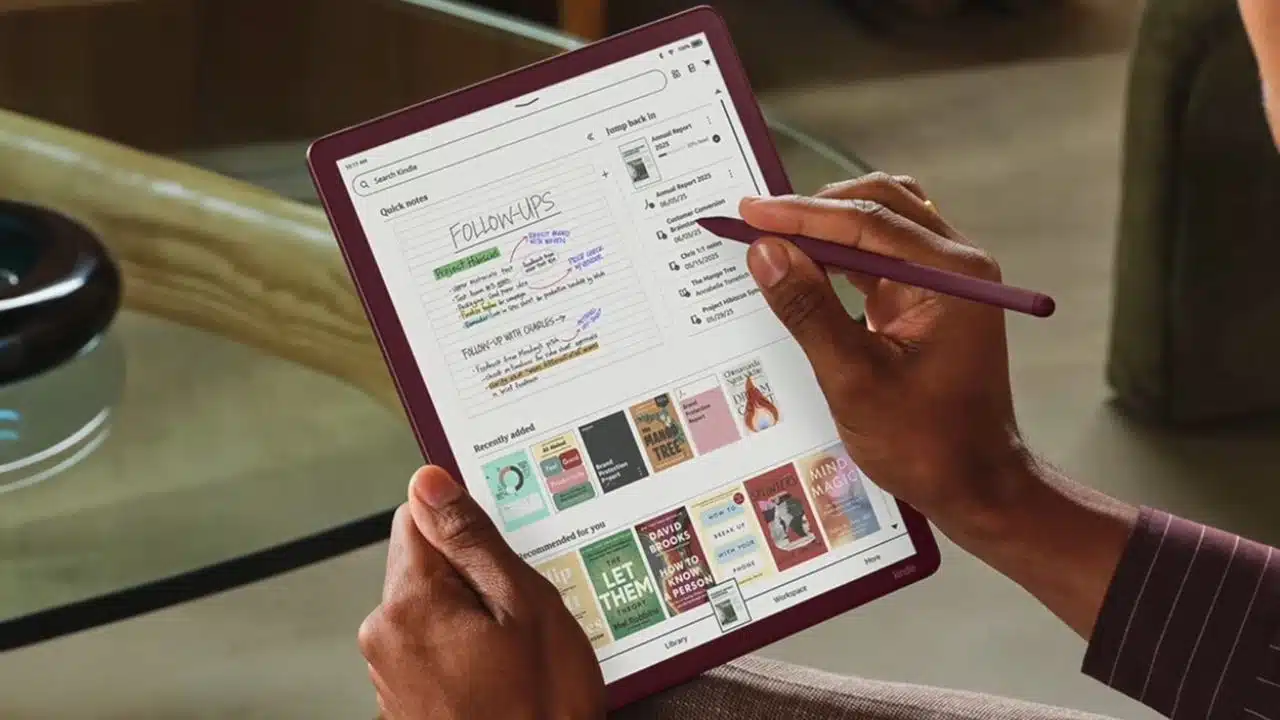
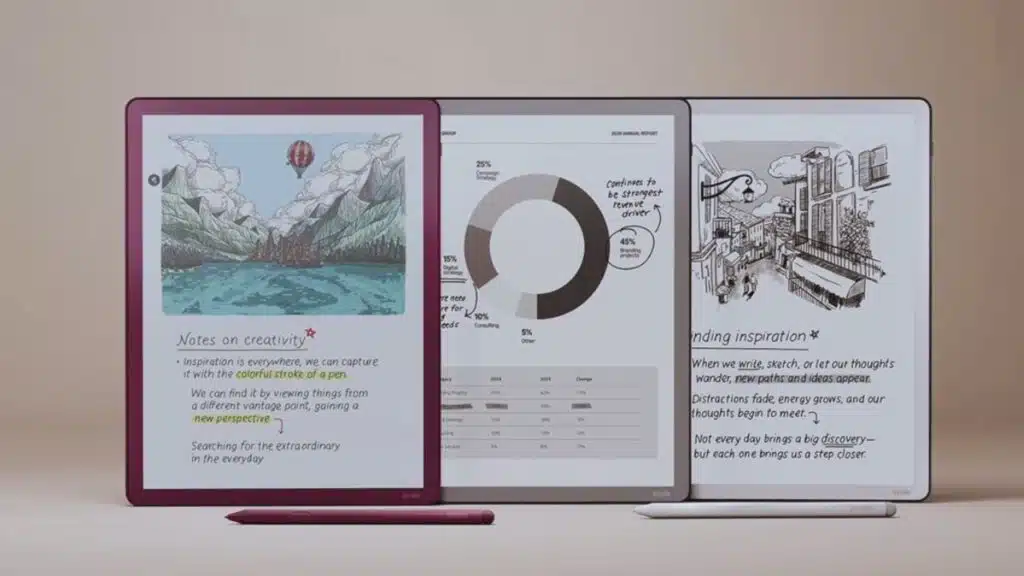
Amazon has officially announced a major refresh of its Kindle Scribe lineup, introducing three new models with upgraded hardware, fresh AI-powered features, and a redesigned look. Among them is the Kindle Scribe Colorsoft, Amazon’s first e-ink writing tablet with a color display, marking a milestone in the Kindle family’s evolution.
A New Era for Kindle Scribes
The Kindle Scribe line was first launched in 2022 as Amazon’s answer to the growing popularity of digital notepads like the reMarkable and Boox tablets. While early models focused on black-and-white reading and writing, the new 2025 refresh aims to make the Kindle Scribe a versatile, all-in-one tool for reading, note-taking, and productivity.
The lineup includes:
- A base Kindle Scribe (without a front light)
- A standard Kindle Scribe (with front light)
- The premium Kindle Scribe Colorsoft (with color display)
All three devices share the same new design but differ in screen features and pricing.
Redesigned for Comfort and Usability
Bigger Screens, Slimmer Build
Amazon has introduced an 11-inch glare-free E Ink screen across the new Scribes, up from the previous 10.2-inch version. Despite the increase in display size, Amazon has made the devices lighter — weighing around 400 grams, compared to 433 grams for last year’s version.
With a 5.4 mm profile, the tablets are thinner than Apple’s iPad Air, making them one of the slimmest digital notepads available. The redesign also eliminates the asymmetrical “chin” bezel that previous Scribes featured, giving the new models a more balanced, tablet-like appearance.
Enhanced Lighting & Writing Feel
Amazon has completely revamped the front-lighting system by embedding smaller LEDs closer to the display. This results in:
- Narrower bezels
- More uniform brightness
- A sharper, more paper-like reading experience
The writing experience has also been fine-tuned. The new glass texture offers more friction, imitating the resistance of pen on paper. Amazon reduced the gap between the protective glass and the e-ink panel underneath, meaning when you write with the stylus, the ink feels directly connected to the tip. This makes annotations feel natural and precise.
Hardware Improvements: Faster and Smoother
The new Kindle Scribes are powered by a quad-core processor and additional memory. According to Amazon, this results in:
- 40% faster page turns
- Reduced input lag for handwriting
- Smoother navigation across menus
Battery performance varies depending on how the device is used:
- Up to 8 weeks of reading on the monochrome models (30 minutes/day, Wi-Fi off)
- Around 2 weeks of writing usage on the Colorsoft model due to its color layer
Charging is handled via USB-C, with a full charge in about 2.5 hours using a 20W adapter.
The Colorsoft: Amazon’s First Color Kindle Scribe
The highlight of the announcement is the Kindle Scribe Colorsoft. Unlike traditional Kindles, which only display grayscale, this model supports soft colors thanks to its new E Ink Colorsoft display technology.
Key details:
- 10 pen colors and 5 highlighter colors for note-taking and annotation
- A new shading tool for smoother gradients, ideal for artists and sketchers
- Maintains 300 ppi resolution for black-and-white text and 150 ppi for color images
- Storage options of 32 GB and 64 GB
This makes the Colorsoft appealing not only for readers but also for students, professionals, and artists who want more expressive digital note-taking.
Productivity Features and AI Integration
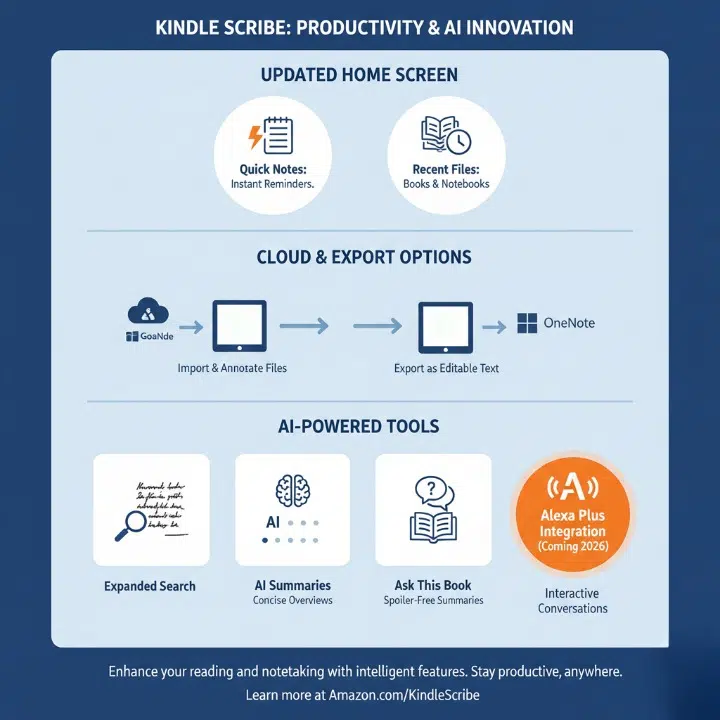
Amazon has gone beyond hardware upgrades, rolling out a new software experience across the Scribe lineup.
Updated Home Screen
- A new Quick Notes section allows instant jotting of reminders without navigating through menus.
- Recently opened books and notebooks now appear right on the home screen.
Cloud & Export Options
- Integration with Google Drive and Microsoft OneDrive means you can easily import and annotate files.
- Notes can be exported as editable text to Microsoft OneNote, making the Scribe more practical for professional workflows.
AI-Powered Tools
Amazon is embedding AI features across the Kindle Scribe experience:
- Expanded Search – lets you find handwritten notes or topics across all notebooks.
- AI Summaries – converts long notes into concise overviews.
- Ask This Book – highlight text in an ebook and ask questions about it.
- Story So Far – generates spoiler-free summaries of books you’re reading.
- Alexa Plus integration (coming in 2026) – send notes to Alexa and have interactive conversations about them.
Competing in a Crowded Market
The Kindle Scribe Colorsoft enters a competitive field where devices like the reMarkable Paper Pro and Onyx Boox Tab Ultra C Pro already offer color e-ink technology. However, Amazon’s advantage is its ecosystem of ebooks and audiobooks, making the Colorsoft appealing to readers who want access to the world’s largest online bookstore.
That said, Amazon’s pricing is on the higher side, positioning the devices as premium products.
Pricing and Release Dates
Amazon confirmed the following price points:
- Kindle Scribe (no front light) — $429.99 (launching early 2026)
- Kindle Scribe (with front light) — $499.99 (launching late 2025)
- Kindle Scribe Colorsoft — $629.99 (launching late 2025)
For comparison, the reMarkable Paper Pro with color support is priced slightly lower, but it lacks Amazon’s bookstore integration.
Why This Matters
This release shows Amazon’s intention to transform the Kindle from a pure reading device into a full productivity and creativity tool. With AI integration, cloud connectivity, and now a color display, the Kindle Scribe lineup is evolving into something closer to a digital notebook-tablet hybrid.
For readers, students, writers, and professionals, the new Kindle Scribes could become a go-to alternative to laptops or iPads for focused, distraction-free productivity.
The Information is Collected from Amazon and Gizmodo.