

Travel mishaps can happen to anyone. A canceled flight, lost luggage, or a sudden medical emergency can quickly ruin your trip. These issues are stressful, and dealing with the costs makes it even worse.
Did you know travel insurance can cover many of these problems? Filing a claim might seem tricky at first, but it doesn’t have to be. This guide breaks down the process step-by-step so you can file your travel insurance claim without hassle.
Keep reading—we’ll show you how to make things easier!
Review Your Travel Insurance Policy
Check your travel insurance policy before filing a claim. Look at the coverage details to know what is included, like trip cancellations, baggage loss, or flight delays. Some policies do not cover pre-existing conditions or certain activities, so find any exclusions that apply.
Knowing these limits can save time and help you understand your chances of approval.
Focus on the costs listed in the certificate of insurance. Match them with receipts for expenses like flights, accommodations, or medical emergencies during your trip. This step ensures no surprises during the claims process and helps you gather all needed supporting documentation later.
Contact Your Insurance Provider Immediately

Contact your insurance provider right away if something happens. Quick action can speed up processing your claim. Use their website, app, or phone number for contact. Ask about the steps and documents needed.
Keep a record of all conversations and emails with them. Stay clear on deadlines to avoid delays in filing claims. Always confirm that you understand their instructions fully before moving forward!
Gather the Required Documents
Collect everything you’ll need to prove your claim, like receipts or medical papers—this step makes the process smoother.
Proof of purchase for your trip
Proof of payment shows you paid for your trip. Keep receipts for flights, hotels, and activities. Save emails with booking numbers or tickets. Use statements from Google Pay, Apple Pay, or credit cards to back up costs.
Store these records safely. If needed, get a certificate of insurance from your provider too.
Receipts for expenses incurred
Keep all receipts for flights, hotels, meals, and other trip costs. These documents are vital in showing your travel expenses to the insurance company. Digital payments like Google Pay or Apple Pay can also provide proof of purchases.
Include receipts for emergency costs like medical care or transportation during delays. Without these records, the claim process may slow down or get denied. Always check that dates and amounts match your trip timeline.
Medical records (if applicable)
Include medical records for any health emergencies or trip interruptions. These show proof of illness or injury affecting your travel plans. Doctors’ notes, hospital bills, and prescriptions help strengthen your claim.
Check if a pre-existing condition waiver applies to your situation. Health insurance might not cover all costs abroad, so detailed documentation is key. Include the dates and treatments clearly in your submission.
Submit Your Claim
Start the claims process through your travel insurance provider’s platform. Follow their steps carefully to ensure smooth processing.
File online or through the provider’s app
Filing a travel insurance claim online or through the provider’s app is fast. Many insurance companies offer these options to save time and reduce hassle. Log in to your account on their website or app.
Fill out the claims form with accurate details about trip cancellations, baggage loss, or medical emergencies.
Upload all required documents like receipts for expenses and proof of payment. Most apps let you track your claim status in real-time. Filing online can speed up processing compared to mailing physical copies.
Ensure all information matches your travel insurance policy to avoid delays or denials.
Mail or email physical copies if required
Some insurance providers may ask for physical copies of your travel insurance claim documents. Print all required forms, receipts for expenses, and supporting documents like medical records or police reports.
Double-check their mailing address before sending.
If emailing copies, scan clear images of every document. Save them as PDFs to keep everything organized. Use the email address provided by your travel insurance provider and include your claim number in the subject line.
Follow Up on Your Claim Status
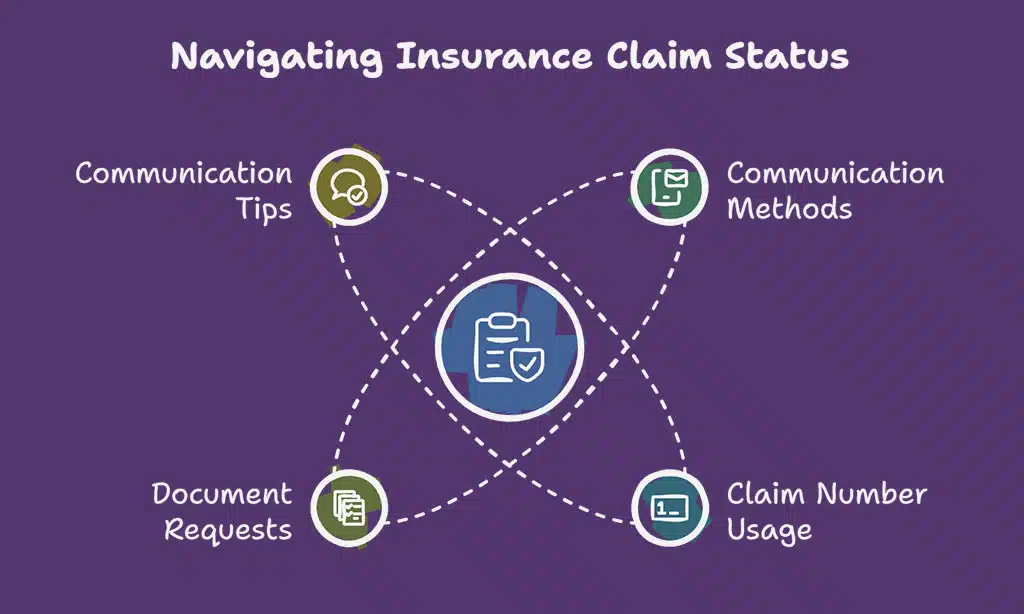
Contact your insurance provider to check your claim status. Most companies offer updates through their website, mobile app, email, or phone. Use your claim number for faster service.
Ask if more documents are needed or if there is a delay. Claims adjusters may request additional evidence like receipts for expenses or medical records. Keep all communication polite and clear to avoid issues in the process.
What to Do if Your Claim is Denied
Check your insurance policy for coverage details and exclusions. Policy exclusions, like pre-existing conditions or trip cancellations outside the terms, can cause denial. Look for reasons listed in the denial notice from your travel insurance provider.
If unclear, call customer support to request more information about why it was denied.
Gather additional evidence to strengthen your appeal. This might include police reports for baggage loss or proof of payment like receipts for expenses. Write a detailed explanation addressing the issues mentioned by the insurance carrier.
File your claim appeal before any deadlines stated in your certificate of insurance to avoid delays or rejection again.
Tips for Filing a Successful Claim
Get organized, follow deadlines, and double-check every detail—small steps can lead to big success.
Double-check all documentation
Ensure all documents are accurate and complete. Missing or incorrect details can lead to claim denial. Check receipts, medical records, proof of payment, and any other supporting documents for errors.
Policyholders should confirm trip dates match their travel insurance policy.
Verify everything matches the provider’s requirements. Include cancellation notices, police reports (if needed), and proof of expenses like flight delays or baggage loss. Double-checking saves time during the claims process.
Meet submission deadlines
Submit your travel insurance claim quickly. Most providers set strict deadlines for filing claims, like 30 to 90 days after the event. Missing these deadlines can lead to denial, even if your reason is valid.
Check your travel insurance policy for specific timelines.
File online or use the provider’s app to speed up the process. If you need to mail documents, send them early. Always keep proof of submission, such as confirmation emails or receipts from shipping services like FedEx or USPS.
This protects you if delays occur during review.
FAQs About Travel Insurance Claims
Travel insurance claims often require clear proof. Keep receipts for flights, hotels, rental cars, or activities. Medical emergencies need records from doctors or hospitals. Police reports help with claims for theft or lost items.
Many wonder how long a claim takes. Filing online through your travel insurance provider’s site usually speeds things up. Most companies aim to process claims in 10-14 business days if all supporting documents are included upfront.
Takeaways
Filing a travel insurance claim can feel easy with the right steps. Check your policy, collect all needed documents, and submit them correctly. Quick action and clear details help you get results faster.
A good claim process saves time and lowers stress. Take control today—secure your coverage for smooth travels tomorrow!
FAQs on How to File a Travel Insurance Claim
1. What steps should I follow to file a travel insurance claim?
To file a travel insurance claim, start by reviewing your travel insurance policy for coverage details. Gather supporting documents like receipts, proof of payment, and medical records if needed. Submit these along with the completed claims form to your travel insurance provider.
2. What types of situations are covered under a travel insurance claim?
Travel disruptions such as trip cancellations, flight delays, baggage loss or delay, medical emergencies, and trip interruptions are commonly covered. Check your certificate of insurance for specific coverage limits.
3. Why might my claim be denied?
A claim denial can happen if you file for something outside your policy exclusions or exceed the coverage limits. Missing supporting documentation like police reports or cancellation notices may also lead to denial.
4. How do I appeal a denied claim?
If your initial filing is denied, review the reasons provided by the insurer carefully. Then gather additional evidence such as receipts for expenses or further proof of payment and submit an appeal process request through customer support.
5. What documents do I need when filing a travel insurance claim?
You’ll need receipts for expenses related to trip delays or cancellations, medical records in case of emergencies, police reports for thefts or losses, and proof of payment (such as from Google Pay or Apple Pay). Always include any required forms from your insurer.






















