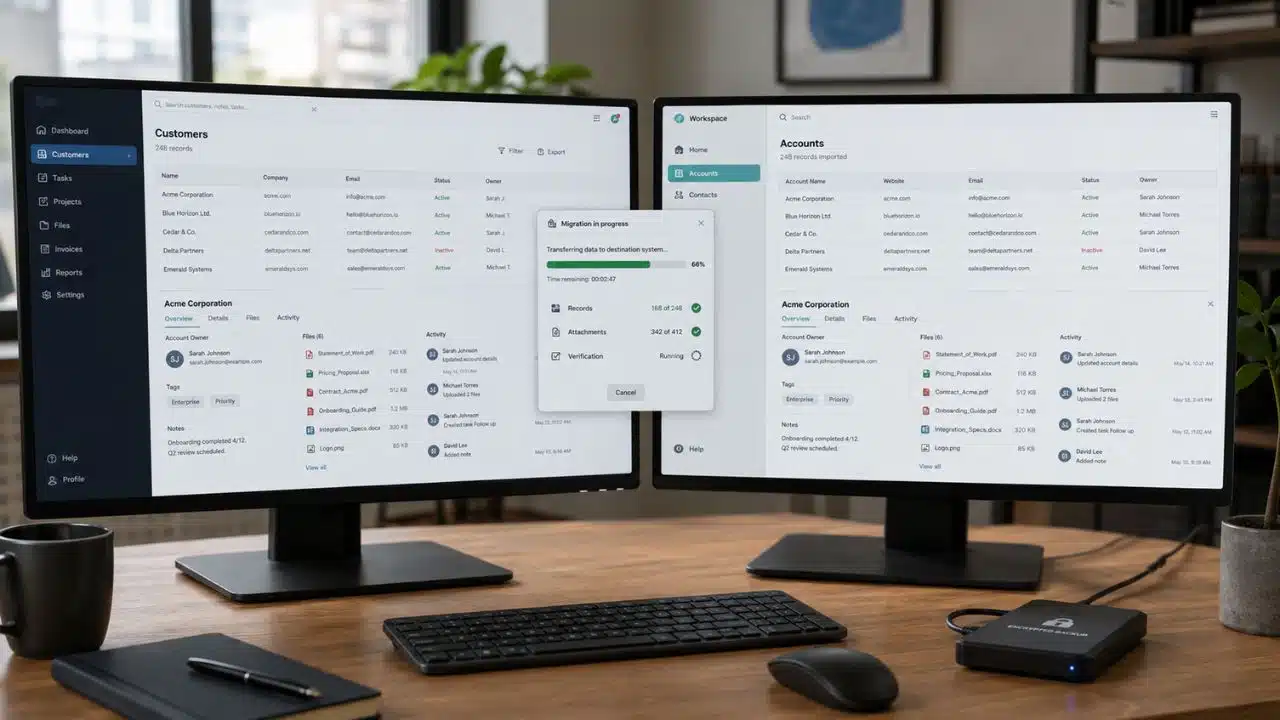
Leaving a SaaS tool can look like a simple administrative job: export the data, import it into the replacement, and cancel the subscription. That sequence is tidy. Real migrations rarely are.
A ZIP file may contain the main records but not their attachments. A CSV may preserve values while stripping out comments, permissions, linked records, or history. The loss might remain hidden until someone looks for an old contract, follows an expired file link, or discovers that a confidential record has inherited the wrong access settings.
I think the safer way to approach SaaS data migration is as a controlled exit. The aim is not to move every object blindly. It is to decide what must survive, preserve it in a useful form, verify the result, and close the old account only when the team no longer depends on it.
What a Complete SaaS Migration Needs to Preserve
Export, backup, migration, and archive are often treated as interchangeable terms. They are not.
- An export contains whatever the source platform allows you to download.
- A backup is a recoverable copy, often intended for restoration inside the same product.
- A migration extracts, transforms, transfers, and validates information in a new environment.
- An archive keeps records available for reference, evidence, or compliance, even when they no longer belong in an active system.
This distinction matters. A vendor backup may be useless after the subscription ends. An export may be structurally complete but impossible for an ordinary user to search. An “import successful” message only confirms that the destination accepted the files; it does not prove that everything arrived correctly.
Nor does every record have to land in the new SaaS tool. Current data may need to remain operational, while older material is better kept in a secure, searchable archive. Forcing years of inactive records into a system designed for day-to-day work can make the new platform harder to use.
1. Check the Exit Conditions Before Choosing a Date
Do not build the plan around an assumed grace period. Post-cancellation access varies by provider, product, and plan. Export features may also require an account owner, an enterprise tier, extra approval, or a support request.
Before setting the cancellation date, confirm:
- The renewal date and any contractual notice period
- The last day of full administrator access
- Who can request and download the complete export
- Which records, files, histories, and settings are excluded
- Whether download links expire
- Whether an API exposes data missing from the standard export
- What the provider retains or deletes after cancellation
- Whether support, migration, or data-egress charges may apply
Begin while the account is fully active. The final billing day is a bad time to learn that the only owner is unavailable, a large export needs hours to prepare, or private content requires separate authorization.
2. Inventory More Than the Visible Records
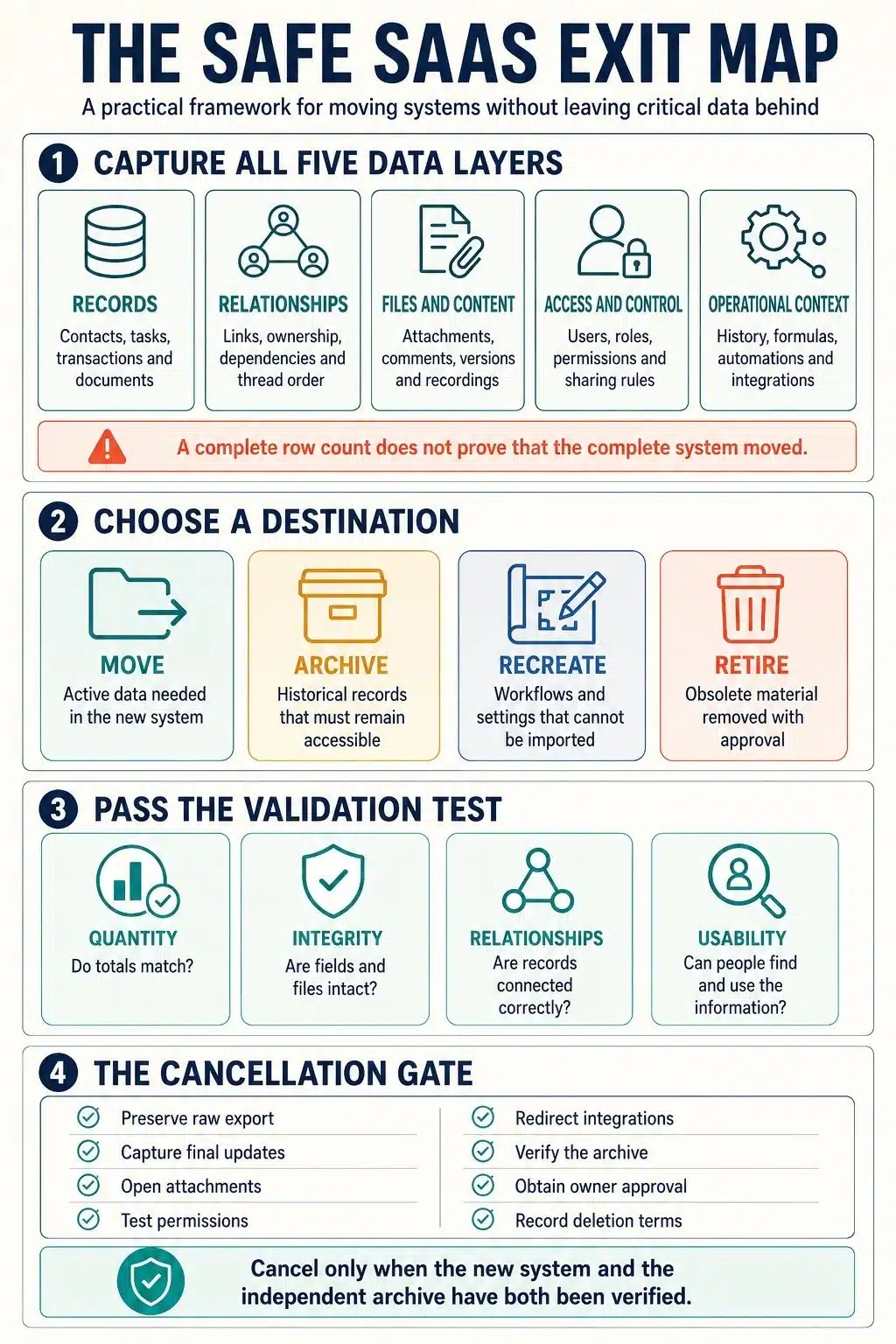
Most incomplete migrations begin with an inventory of pages, tables, or projects. Those are only the visible layer of the system. I use five layers to see what is actually at risk.
Records
List the obvious objects: contacts, projects, tickets, transactions, documents, messages, responses, and custom fields. Include archived and hidden items, and check whether a saved view or date filter is narrowing the count.
Relationships
The connections between records often carry as much meaning as the records themselves. A task belongs to a project. A ticket belongs to a customer. A reply belongs in a particular thread. Preserve source IDs, ownership, dependencies, parent-child links, and conversation order wherever possible.
Files and rich content
Count attachments, images, recordings, embedded files, comments, formatted pages, and version history. A filename or URL is not the underlying file. Test whether representative files still open when the source account is no longer involved.
Access and control
Capture users, teams, roles, ownership, sharing rules, service accounts, and restricted spaces. A migration can retain every document and still be unsafe if private material becomes broadly visible or records remain assigned to former employees.
Operational context
Views, formulas, dashboards, templates, automations, approval rules, integrations, webhooks, and audit logs may not travel as data. They still require a decision: document them, rebuild them, archive them, or retire them.
The point of this inventory is not to produce a longer spreadsheet. It is to reveal the parts of the tool that people rely on but cannot see in a basic export.
3. Audit the Export You Actually Receive
An export button tells you almost nothing about the result. Compare what exists in the live product with the provider’s current export documentation, the files you receive, and the formats the destination can accept.
Limitations differ widely. Some collaboration exports contain links to uploaded files rather than the files themselves. Attachment URLs in spreadsheet exports may expire. A knowledge-management export may split pages, databases, and files into different formats or omit content the exporter cannot access. Project-management backups may include attachments only when a separate option is selected, while automation or third-party app data remains outside the package.
These are not isolated flaws or reasons to avoid a particular product. They are reminders that “export your data” is not a complete migration instruction.
Open the files and inspect them. Are private and archived records present? Do totals still match when grouped by owner, status, and date? Are custom fields and stable IDs included? Are attachments real files or temporary links? Can message threads and related records be reconstructed? Have timestamps, currencies, formatted text, and non-Latin characters survived?
Data-portability rights can help customers obtain certain information, but they do not promise a full replica of a business system. The destination may have no equivalent for the original permission model, formulas, reports, or workflow rules. Legal access to data and technical compatibility are different problems.
4. Decide What to Move, Archive, Recreate, or Retire
Moving everything is not automatically safer. It can fill the replacement tool with obsolete records, broken workflows, and years of material nobody needs for active work.
Give each part of the inventory one destination:
- Move information needed for current operations.
- Archive historical records that must remain readable but not editable.
- Recreate settings or behavior that cannot transfer, including automations, dashboards, permissions, and integrations.
- Retire obsolete or duplicate material after an authorized decision.
The people who understand the records should make those calls. Operations knows which workflows remain useful. Finance may need invoices and billing evidence. Legal or compliance owners may need to protect records covered by retention rules or legal holds. IT should review credentials, access, and system dependencies.
Document every deliberate exclusion. Note what was left out, why, who approved it, and whether another copy exists. Without that record, an intentional decision becomes difficult to distinguish from accidental loss.
5. Keep the Raw Export Untouched
Never clean or transform the only copy. If a field mapping fails or an import corrupts the data, you need to be able to return to exactly what the source supplied.
A practical migration set contains three things:
- The raw export: An unchanged, date-stamped copy of the source files
- The working copy: Data being cleaned, transformed, or divided for import
- The manifest: Export settings, file names, record counts, schemas, transformations, exclusions, owners, and validation results
For important files, checksums can help detect corruption or later changes. For records that may need to be read years from now, keep a human-readable format such as HTML or PDF alongside structured data where appropriate. A technically complete collection of JSON files may not help the person responding to an audit, customer dispute, or historical question.
Treat exports with the same care as the live application. They may contain personal data, financial records, confidential discussions, or credentials copied into old notes. Store them in an approved location, limit access, encrypt them when necessary, and remove temporary working copies when the migration is finished.
6. Map the Data Without Changing Its Meaning
Field mapping goes beyond matching one column name to another. The replacement may interpret blank values, dates, owners, statuses, currencies, or archived states differently.
Record how each source object and field maps to the destination. Pay particular attention to time zones, character encoding, status conversions, null values, inactive users, many-to-many relationships, attachments, formatted text, and access rules. Keep the original source identifier even if the destination creates a new one; it provides a reliable trail back to the raw export when a duplicate or broken link needs investigation.
Clean only the working copy. If two contacts are merged, a status is renamed, or an old record is excluded, log the decision. A migration should not quietly turn into an unreviewed data-cleaning or deletion exercise.
7. Test the Difficult Records, Not Just the Easy Ones
A pilot built from clean, recent records proves very little. Include the cases most likely to expose a weakness: an old archived item, a long comment thread, a large attachment, non-Latin text, an unusual status, several linked records, an inactive owner, and content with restricted access.
Then validate the pilot from four angles:
- Quantity: Compare records by type, owner, status, date, and archived state. Check attachment count and total size as well as top-level totals.
- Integrity: Look for missing fields, corrupt files, duplicates, changed dates, encoding errors, or truncated text.
- Relationships: Test dependencies, threads, parent-child links, ownership, and permissions.
- Usability: Ask representative users to find a known historical item, open its files, run an essential report, and complete a real task.
The usability check is the one teams are most tempted to skip, yet it catches migrations that are technically successful and practically miserable.
Every failed test needs a clear outcome: fix the problem, preserve the material in a separate archive, accept the limitation with approval, or delay the cutover. “The import completed” is not enough.
8. Control the Final Cutover
The first export becomes outdated as soon as somebody edits the source. Before launch, decide how to capture those final changes.
Depending on the systems involved, that may mean a short write freeze followed by one last export, an incremental sync, or a final extraction based on reliable update timestamps. If both platforms remain available for a transition period, name one as the system of record. Allowing people to edit both creates conflicts and makes it difficult to know which version is authoritative.
The cutover plan should identify the owner, the point at which the source becomes read-only, the method for moving the final changes, and the conditions that would stop or reverse the cutover. Rollback also needs an expiry point. Once substantial new work exists in the destination, returning to the old tool may cause another round of loss and reconciliation.
9. Make Cancellation the Final Gate
Cancellation should confirm that the exit is complete. It should not be the deadline forcing an unfinished migration.
Before closing the account, make sure the final changes have been transferred and all four validation checks have passed. The independent archive must work without the old product. Rebuilt permissions, reports, automations, and integrations should be tested. Update API clients, webhooks, single sign-on, bookmarks, and internal instructions, then revoke or rotate old API keys, OAuth grants, service accounts, and shared credentials.
Preserve contracts, invoices, support records, and any evidence required for retention or legal purposes. Review the provider’s deletion process and request confirmation where that matters. Known exceptions should have owners, documented risks, and approval.
There is no universally correct overlap period. Keep the old subscription for as long as the contract, risk, and validation work justify, not simply until the first import finishes without an error.
What If the Vendor Cannot Export Everything?
Start by defining the gap precisely. Then check for an administrator-level export, an API, an audit-log endpoint, a support-assisted extraction, or an approved migration service. Download linked files while access still works.
If critical information cannot be reconstructed in the new system, preserve a readable archive and an index showing where it can be found. Decide openly whether each unsupported element will be recreated, archived, or retired.
Screen scraping is rarely a good default. It may be incomplete, fragile, restricted by contract, or risky when sensitive data is involved. If missing material includes regulated information, a legal hold, or disputed contractual records, involve the relevant legal, privacy, or compliance owner before closing the account.
Final Thoughts
The safest time to inspect a SaaS export is before choosing the cancellation date. Once access ends, a missing attachment, permission rule, or private record becomes much harder—and sometimes impossible, to recover.
A careful SaaS data migration does not need to reproduce every feature of the old product. It does need an honest record of what moved, what was archived, what had to be rebuilt, and what was deliberately left behind. For me, the exit is complete only when the team can find, understand, and use the information it agreed to preserve without relying on the old platform.
Frequently Asked Questions on SaaS data migration
1. What should I export before cancelling a SaaS subscription?
Export active and archived records, attachments, comments, history, user and permission data, and any available audit information. Also document automations, dashboards, integrations, and workflows that may need to be rebuilt rather than exported.
2. How can I tell whether a SaaS export is complete?
Compare it with the source by record type, owner, status, date range, attachment count, and file size. Then test whether relationships, permissions, search, reports, and at least one real workflow still function in the destination.
3. Can attachments, comments, permissions, and activity history be migrated?
Sometimes, but they may require a separate export, API, or specialist tool. Support depends on both platforms and the account plan. Check each data type individually and archive anything important that the destination cannot reproduce.
4. How long should I keep the old SaaS subscription active?
Keep it until the final changes are transferred, validation passes, the independent archive works, and remaining exceptions are approved. Do not rely on a standard overlap period because access and retention policies vary.
5. What if the vendor offers only a limited or proprietary export?
Document what is missing and ask about administrator, API, audit-log, or support-assisted options. Preserve a readable archive for records that cannot be imported, and seek specialist advice before cancellation if the gap affects regulated, contractual, or legally held information.