The creative job market has never been noisier. In 2026, everyone has a “portfolio”, from the self-taught hobbyist posting on Instagram to the university graduate with a four-year degree. When you are fighting for the attention of a hiring manager who spends less than six seconds scanning your resume, you need a way to stop the scroll. This brings us to the golden question: Is the Adobe Certified Professional (ACP) worth it?
The short answer is: It depends entirely on who you are. If you are a seasoned Art Director with a decade of awards, it is just a nice sticker. But if you are a freelancer, a student, or a marketing professional, it could be the “trust signal” that lands you the contract.
In this comprehensive guide, we will cut through the marketing fluff and analyze the real ROI (Return on Investment) of the Adobe Certified Professional badge in 2026. We will cover salary impacts, the “hidden” benefits, and how it stacks up against your portfolio.
Key Takeaways
- It’s a Tie-Breaker, Not a Golden Ticket: The badge won’t get you the job if your design work is bad. But it can win you the job if you are tied with another candidate who isn’t certified.
- Freelancers Win Big: It builds instant trust with non-technical clients on gig platforms.
- Recertification is Key: The 3-year expiry ensures your skills don’t rot. It forces you to learn the new AI tools.
- ATS Friendly: It helps your resume beat the bots in corporate hiring systems.
What is the Adobe Certified Professional [ACP]?
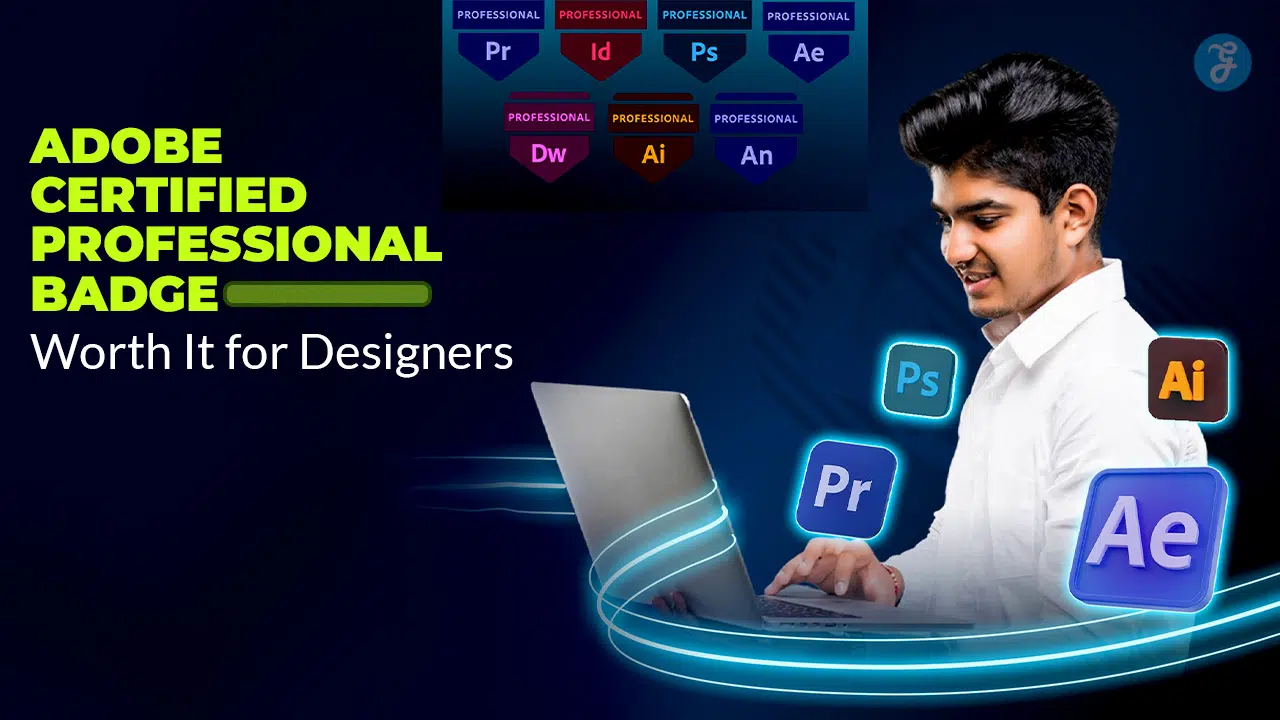
Before we debate its value, let’s clarify what this credential actually is. The Adobe Certified Professional (formerly known as Adobe Certified Associate or ACA) is an industry-recognized credential that validates your technical proficiency in Adobe Creative Cloud software.
It is crucial to understand the distinction: It is not a test of your artistic taste. It is a test of your technical capability.
It proves you know the interface, the tools, and the workflows well enough to work efficiently in a commercial environment. It answers the question: “Can this person open the software and actually build something without Googling every single step?”
The Exam at a Glance [2026]
| Feature | Details |
| Cost | ~$150 USD per exam (prices vary by region/testing center) |
| Duration | 50 Minutes |
| Question Format | Mixed: Multiple choice + Live-in-the-app tasks |
| Passing Score | 700 out of 1000 |
| Validity | 3 Years (Must re-certify to keep the badge) |
| Key Apps | Photoshop, Illustrator, Premiere Pro, After Effects, InDesign, Animate, Dreamweaver |
The exam isn’t just answering “A, B, or C.” You are given a live version of Photoshop or Illustrator and asked to complete specific tasks—like “remove the background from this image non-destructively” or “export this video for social media with specific bitrate settings.”
The “Course Completion” Trap: ACP vs. LinkedIn/Udemy
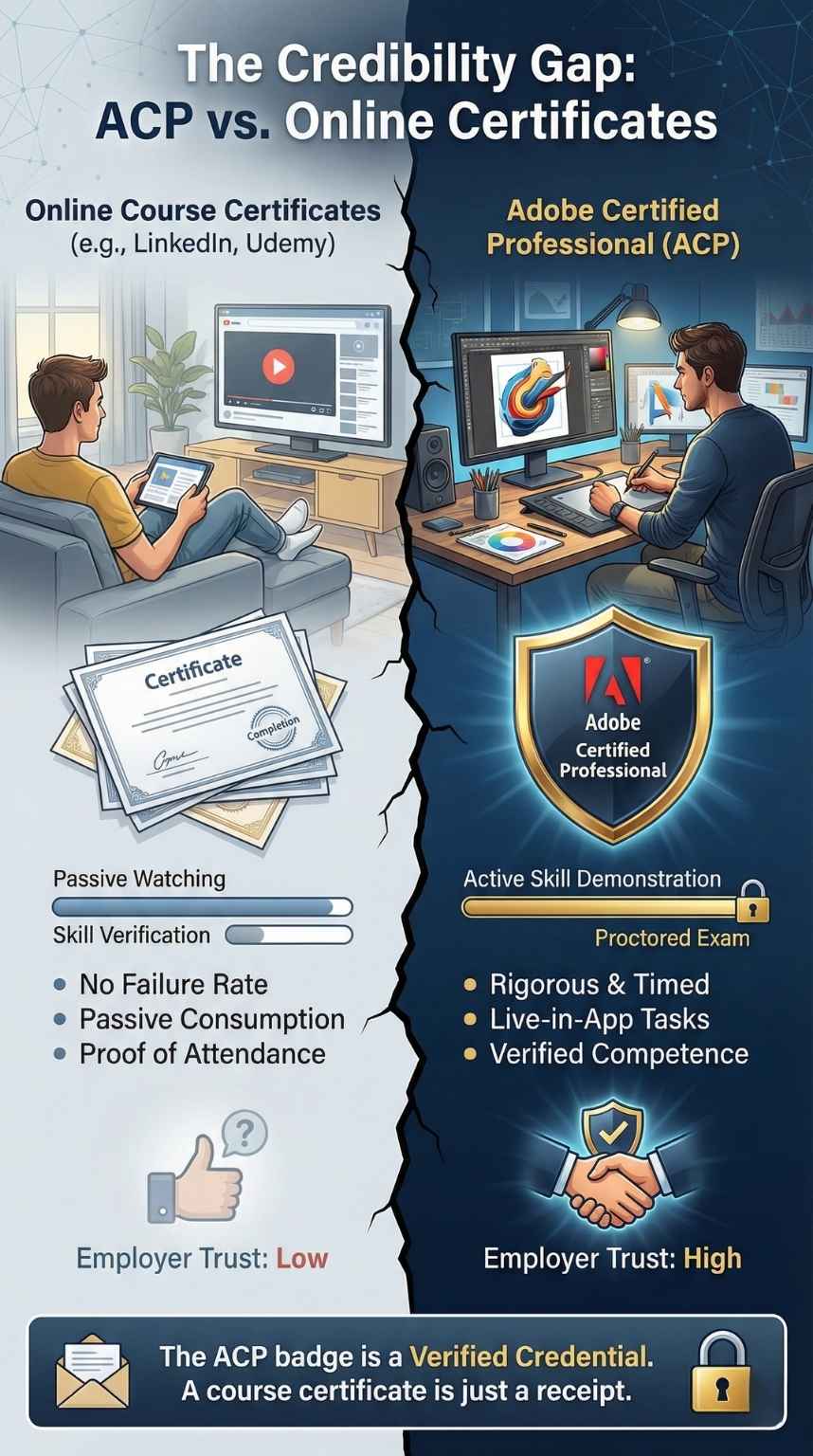
A common question is: “Why pay $150 for an exam when I can get a certificate from Udemy for $15?”
This is the most dangerous trap for new designers. It is crucial to distinguish between a Certificate of Completion and a Professional Certification.
| Feature | Udemy / LinkedIn Learning | Adobe Certified Professional (ACP) |
| What it proves | It proves you watched the videos. | It proves you learned the skills. |
| Barrier to Entry | None. You can play videos in the background while you sleep. | High. You must pass a proctored, timed exam with live tasks. |
| Employer Trust | Low. Anyone can get one. | High. It is a standardized global benchmark. |
The Verdict: Hiring managers know that “watching a course” does not equal “doing the work.” An ACP badge carries weight because it has a failure rate. A Udemy certificate does not. When an employer sees the ACP badge, they know you passed a rigorous, standardized test that required actual performance, not just passive listening.
The “Trust Signal”: Why It Matters for Freelancers
If you are a freelancer working on platforms like Upwork, Fiverr, or LinkedIn, the ACP badge is a powerful weapon.
Why? Because your clients are often not designers. A small business owner looking for a logo doesn’t know the difference between “kerning” and “leading.” They can’t technically judge your portfolio. They are risking their money on a stranger, and they are scared of getting a bad result.
In this context, the Adobe Certified Professional badge acts as a risk reduction tool. It tells the client:
- “I am a professional.” I didn’t just pirate the software yesterday; I’ve invested money in my career.
- “I am verified.” A third party (Adobe) has vouched for my skills.
- “I am efficient.” I know the tools, so I won’t bill you for 5 hours of “learning how to mask.”
Pro Tip: On Upwork, verified badges often lead to a higher click-through rate on your profile. It distinguishes you from the sea of “self-taught” amateurs who might ghost the client halfway through a project.
Who Should Get It? [The “Green Light” List]
Not everyone needs to spend the $150. Use this checklist to decide if it’s right for you.
1. The Student / Entry-Level Applicant
You have no commercial experience. Your resume is empty. In this case, the certification is a substitute for experience. It validates that you are “job-ready” and won’t require hand-holding on the basics. It shows initiative and a baseline of competence that sets you apart from other grads.
2. The Corporate Marketer / Admin
You are a Marketing Manager or an Executive Assistant who uses Photoshop occasionally. You aren’t a “designer,” but you want a raise. Getting certified validates a “hard skill” that you can use as leverage during your annual performance review. It moves you from “someone who dabbles” to “the office expert.”
3. The Design Instructor
If you plan to teach design at a school or sell a course online, this is non-negotiable. You cannot teach what you are not certified in. It establishes immediate authority with your students and is often a requirement for employment at accredited institutions.
4. The Senior Creative
If you have 5+ years of experience and a killer portfolio, skip the exam. Your work speaks for itself. Spend that $150 on a portfolio website subscription or a networking event instead. No Creative Director is going to ask a Senior Designer for their test scores.
Level Up: The “Stackable” Specialty Credentials
Here is a strategy most applicants miss: You can earn a third certification for free by passing just two exams.
Adobe uses a “stackable” credential system. If you combine specific exams, you unlock a Specialty Credential. This looks incredible on a resume because it proves you aren’t just a “one-trick pony” but a multidisciplinary creative who understands the workflow between apps.
| If you pass… | + And you pass… | You earn the Specialty Badge: |
| Photoshop | Illustrator OR InDesign | Adobe Certified Professional in Visual Design |
| Premiere Pro | After Effects OR Photoshop | Adobe Certified Professional in Video Design |
| Dreamweaver | Animate OR Photoshop | Adobe Certified Professional in Web Design |
Strategy: If you are already studying for Photoshop, it is worth pushing yourself to learn Illustrator immediately after. That way, you walk away with three badges (Photoshop, Illustrator, and Visual Design) for the price of two exams. This demonstrates versatility, which is highly prized in modern, lean marketing teams.
The Salary Reality Check: Does It Pay?
Let’s talk numbers. Will this badge instantly add zeros to your paycheck?
Directly? No.
Indirectly? Yes.
Research for 2026 suggests the “Certification Premium” is most visible when you are pivoting roles.
- The “Admin” Pivot: If you are an Administrative Assistant ($45k) applying for a Marketing Coordinator role ($60k), the badge validates that you can handle the content creation aspect. That is a $15k jump enabled by a $150 exam.
- The Freelance Rate: Verified freelancers on platforms like Upwork can often charge 20–30% more per hour than unverified peers because they represent a “lower risk” to the client.
Key Insight: You aren’t getting paid more for the badge; you are getting paid more because the badge allows you to apply for higher-tier roles that you were previously unqualified for. It removes the “but do they really know the software?” objection from the salary negotiation table.
Clarified: “Certified Professional” vs. “Certified Expert”
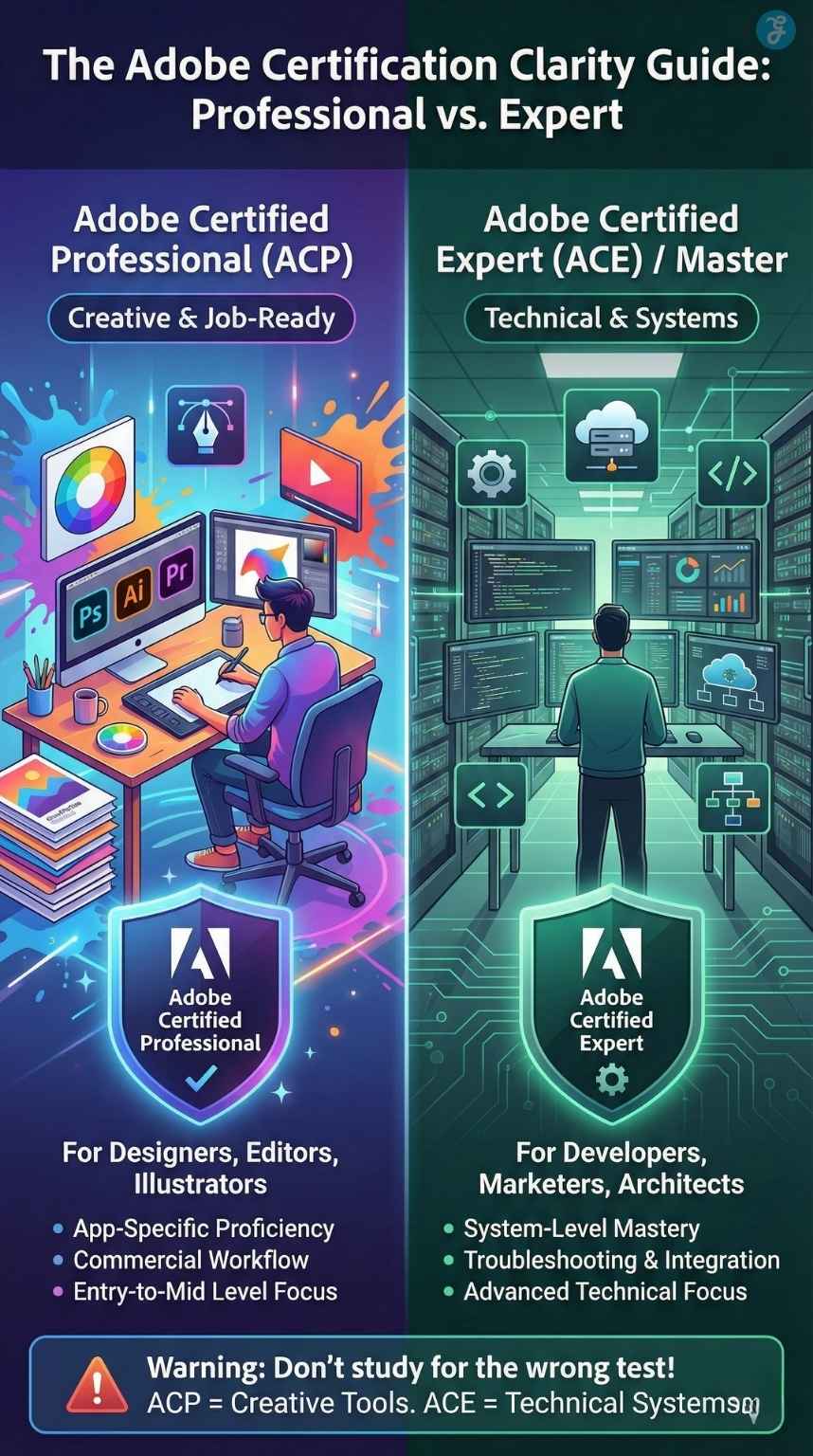
In 2026, you might see old articles referencing “ACE” (Adobe Certified Expert) or “ACA” (Adobe Certified Associate). Here is the corrected terminology so you don’t study for the wrong test:
- ACP (Adobe Certified Professional): This is the standard for creative roles (Designers, Editors, Illustrators). It covers Creative Cloud apps like Photoshop, Illustrator, and Premiere Pro.
- ACE / Master (Adobe Certified Expert): These tiers have largely shifted toward the Digital Experience side (Technical/Marketing/Dev). These are for people managing systems, like Adobe Analytics, Adobe Commerce (Magento), or Marketo.
The Warning: If you are a graphic designer, do not look for a “Photoshop Expert” exam. It likely doesn’t exist in the way you think. Focus on the Professional (ACP) tier, which is the industry standard for creatives.
Portfolio vs. Certification: The Hiring Manager’s View
Let’s be brutally honest: If you apply for a Senior Designer or Art Director role at a top ad agency, nobody cares about your certification. They care about your book (your portfolio).
However, the job market in 2026 is shifting. We are seeing the rise of the “Hybrid” Applicant. Agencies are under pressure to deliver work faster than ever. A beautiful portfolio shows you have style, but it hides your workflow. Did that poster take you 2 hours or 2 days? Is your file structure a mess of “Layer 1 copy copy”?
The certification answers the questions a portfolio cannot:
- Technical Speed: It proves you won’t get stuck on basic tasks.
- Workflow Hygiene: It suggests you know the “correct” way to build files, making it easier for teams to share work.
- ATS Optimization: Many Applicant Tracking Systems (the robots that read your resume before a human does) scan for keywords. “Adobe Certified” is a keyword that can push your resume from the “Maybe” pile to the “Interview” pile.
“A certification proves you know what the buttons do. A portfolio proves you know what to build with them.”
New for 2026: The AI Factor
This is the biggest update for the current year. Adobe has aggressively integrated Generative AI (Firefly) into its Creative Cloud suite.
Older designers often resist these changes, sticking to “the way we’ve always done it.” By getting certified in 2026, you are proving that you are current. The latest exams test your knowledge of modern features like:
- Generative Fill in Photoshop.
- Text-to-Vector in Illustrator.
- Remix Tool in Premiere Pro.
Being certified now proves to an employer that you are not a “legacy” designer, but a modern operator who leverages AI to work 10x faster. It signals adaptability, which is a critical soft skill in the age of AI.
How to Prepare: The “Secret” Toolset
Don’t rely on YouTube tutorials alone. The exam tests specific workflows that might differ from your personal habits.
- GMetrix: This is the closest thing to a “legal cheat sheet.” It is the official practice software that simulates the actual exam interface. If you can pass GMetrix, you will pass the real thing. It gets you used to the timer and the specific phrasing of the questions.
- Certiport: This is the company that administers the test. Their “Compass” software is what you will use on exam day. Familiarizing yourself with their dashboard prevents panic on test day.
- LinkedIn Learning: Look for courses specifically titled “Cert Prep” (e.g., Cert Prep: Adobe Certified Professional – Photoshop). Generic “Beginner” courses often skip the technical minutiae required for the exam (like specific color profile settings or metadata entry).
Pro Tip: Practice “The Adobe Way.” There are often three ways to do one thing in Photoshop. The exam usually looks for the most “official” or non-destructive method (e.g., using a Mask instead of the Eraser tool).
Beyond the Badge: The “Hidden” Perks
Passing the exam unlocks more than just a PDF certificate. You gain access to the Credly Digital Credential network.
- One-Click Verification: You get a verified digital badge on Credly that integrates directly with LinkedIn. When a recruiter clicks it, they see exactly what skills you mastered (e.g., “Visual Design,” “Image Manipulation”).
- Discounts: Certified professionals often get access to discounts on events like Adobe MAX, which is a massive networking opportunity.
- Instructor Access: If you are an educator, this certification is your gateway to the Adobe Education Exchange, a community where you can share resources and curriculum with other certified teachers.
Final Thought: Build While You Study
Is the Adobe Certified Professional badge worth it?
- No, if you think it will replace a weak portfolio.
- Yes, if you use it to validate your skills, beat the resume robots, and gain client trust.
The smartest way to get the badge is to make it a byproduct of your portfolio building. Don’t study in a vacuum. If you are learning how to use the Pen Tool for the exam, draw a logo set and put it in your portfolio. If you are learning video export settings, edit a fake commercial and upload it to YouTube.
By the time you pass the exam, you should have both the badge and a stronger portfolio. That is the ultimate winning combination for 2026.