Have you ever thought about the invisible smoke coming from your smartphone? Most of us don’t realize that every time we stream a video, ask a chatbot a question, or scroll through a social feed, we are burning energy. Massive data centers—the physical engines of the internet—run 24/7 to power these digital moments, often relying on fossil fuels to keep the lights on.
Here is a startling fact: The internet now accounts for roughly 4% of global greenhouse gas emissions, which rivals the entire airline industry. With the rise of AI, that number is climbing fast. In this guide, we will explore how green web design can slash these emissions and why it is a smart move for your budget too.
So, grab a cup of coffee, and let’s walk through the simple, high-impact steps you can take to make a difference.
Understanding the Carbon Footprint of the Internet
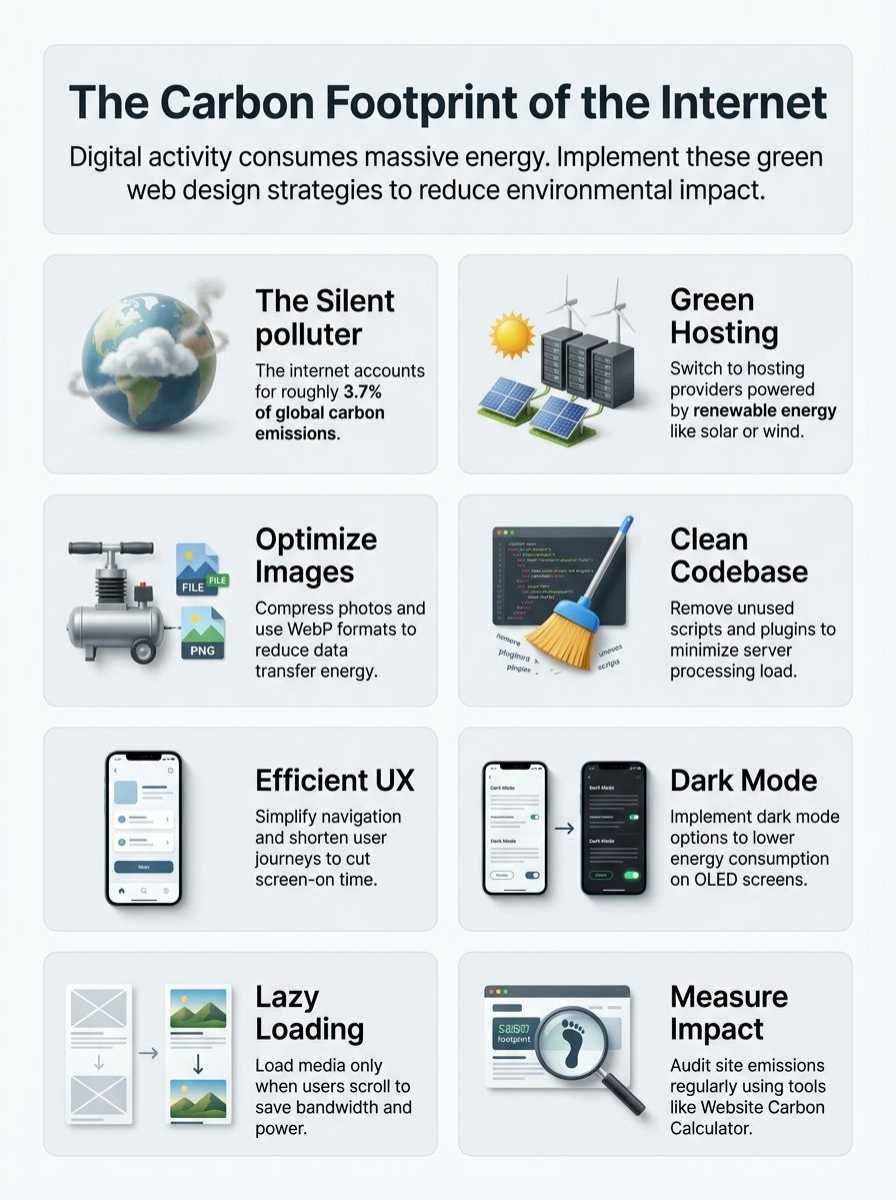
We often think of the web as a cloud—fluffy, weightless, and clean. But in reality, every click, scroll, and search triggers a physical chain reaction that consumes electricity. As more people get online and websites get heavier, this silent cost is skyrocketing.
Emissions from Data Centers
Data centers are the beating heart of the internet, but they are also incredibly thirsty for power. For instance, in Loudoun County, Virginia—known as “Data Center Alley” because it processes nearly 70% of the world’s internet traffic—data centers consumed over 1 billion gallons of water in 2023 just for cooling. These facilities run around the clock, and while some are greening up, many still plug directly into grids powered by coal and natural gas.
The boom in artificial intelligence is adding massive pressure to this system. A standard Google search uses about 0.3 watt-hours of energy, but a single query to a generative AI model like ChatGPT can use up to 30 times more energy. As we integrate AI into everything, the demand on these centers—and the resulting carbon emissions—will only grow unless we change how we build digital products.
Impact of Web Traffic and Pageviews
It is simple math: heavier pages plus more visitors equals more pollution. According to the HTTP Archive, the median desktop web page size has ballooned to roughly 2.6 megabytes in 2025. Every time a user visits a bloated site, their device works harder, and the server works harder to deliver that data.
Think of it like this: streaming a show on Netflix for one hour produces significantly more CO2 than scrolling a text-based blog, but even small choices add up. A 2024 report highlighted that if you stream video in 4K instead of standard definition on a phone, you are wasting huge amounts of data for a difference your eye can barely see. Optimizing these interactions is not just about speed; it is about stopping the waste at the source.
Why Green Web Design Matters
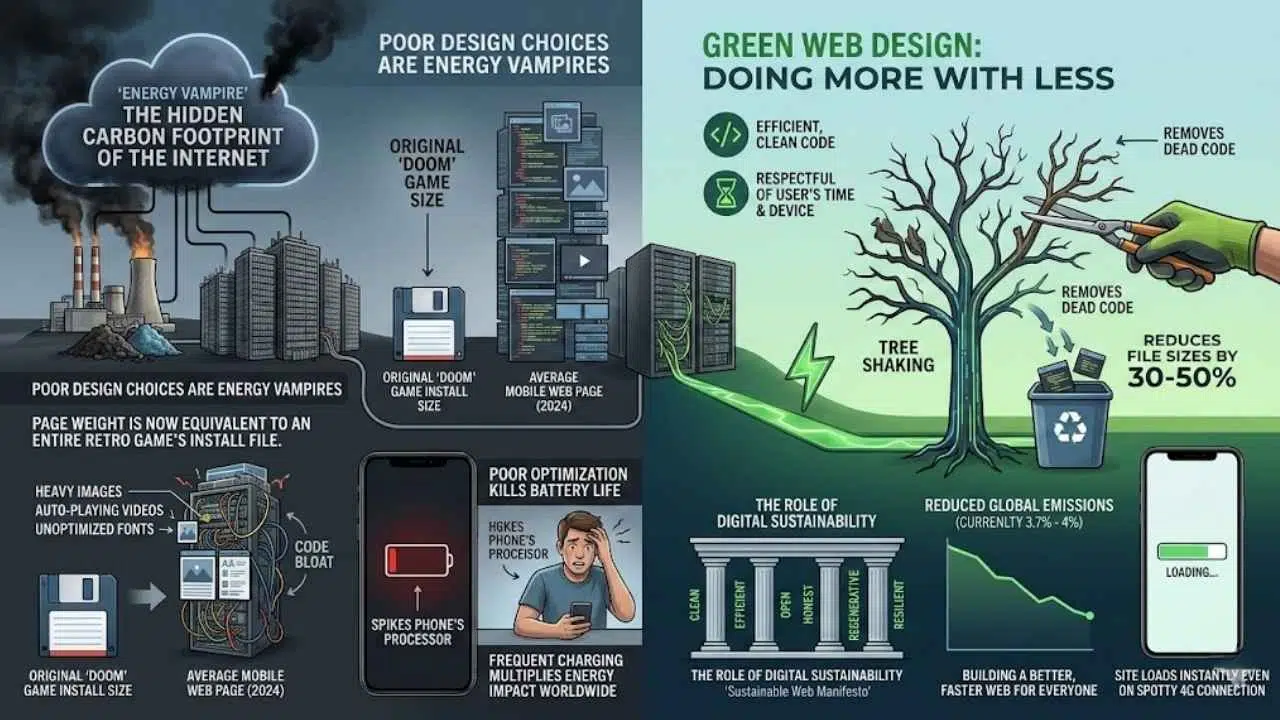
Green web design is about doing more with less. It is the practice of creating websites that are efficient, clean, and respectful of the user’s time and device. This approach doesn’t just help the planet; it builds a better, faster web for everyone.
The Role of Digital Sustainability
Digital sustainability focuses on reducing the energy needed to power the internet. The “Sustainable Web Manifesto” is a growing movement that calls for an internet that is clean, efficient, open, honest, regenerative, and resilient. By stripping away unnecessary code and assets, we can drastically cut the energy per visit.
Consider the impact of “code bloat.” Many modern sites load massive JavaScript libraries that they never actually use. By adopting “tree shaking”—a coding practice that removes dead code—developers can reduce file sizes by 30-50%. This doesn’t just lower the 3.7% to 4% global emissions figure; it makes your site load instantly for a user on a spotty 4G connection.
The Environmental Impact of Poor Design Choices
Sloppy design is an energy vampire. Heavy images, auto-playing videos, and unoptimized fonts force data centers to burn more fossil fuels. But the cost isn’t just environmental; it is financial and functional. Slow sites frustrate users and drive up hosting bills.
“A 2024 analysis found that the average mobile web page is now as heavy as the entire install file for the original ‘Doom’ video game. We are sending an entire game’s worth of data just to show a few paragraphs of text.”
Poor optimization also kills your battery life. When a website runs inefficient scripts, it forces your phone’s processor to spike, draining your battery and sending you running to the wall outlet sooner. This cycle of frequent charging multiplies the energy impact across billions of devices worldwide.
Key Practices for Green Web Design
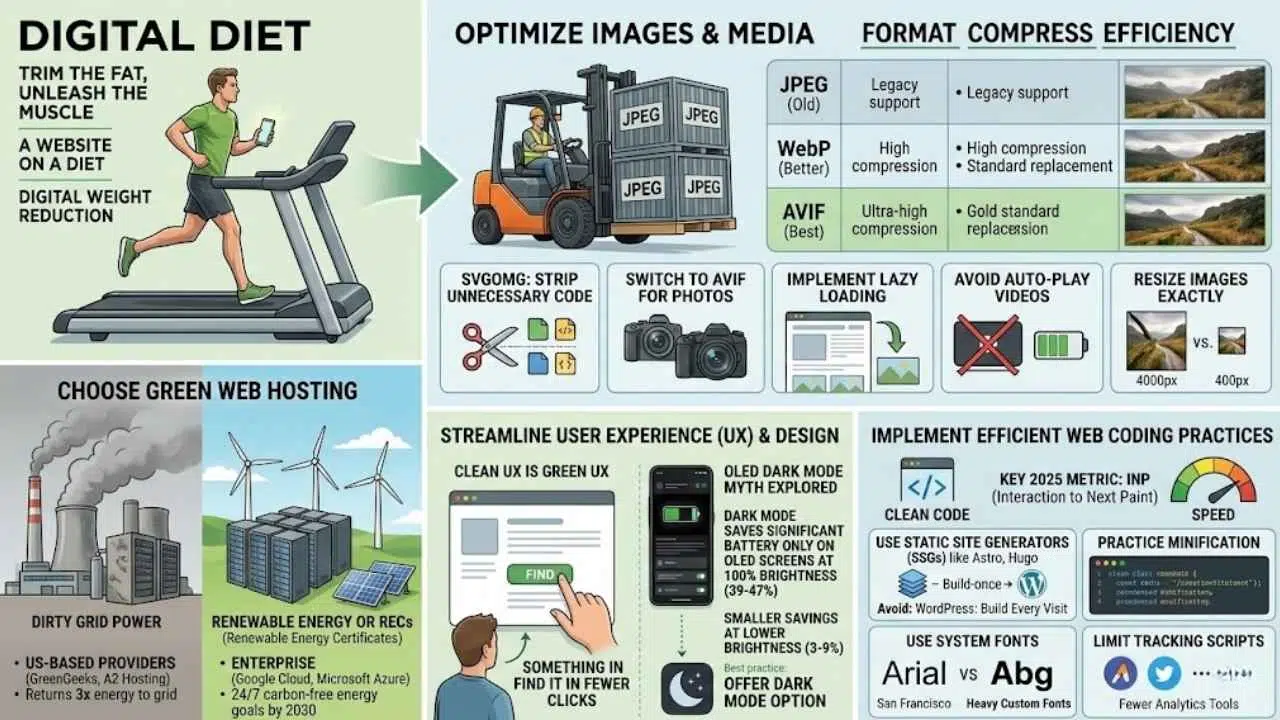
You don’t need to rebuild your entire site from scratch to make a difference. Small, strategic changes can shed significant “digital weight.” Think of it as putting your website on a diet—trimming the fat so the muscle can work better.
Optimize Images and Media
Images are usually the heaviest part of any webpage. If you are still using standard JPEGs or PNGs, you are likely wasting bandwidth. The modern standard is AVIF, a file format that offers superior compression without losing quality.
| Format | Compression Efficiency | Best Use Case |
|---|---|---|
| JPEG (Old) | Low | Legacy support for very old browsers. |
| WebP (Better) | High (25-35% smaller than JPEG) | Standard replacement for most images. |
| AVIF (Best) | Ultra-High (50% smaller than JPEG) | The new gold standard for eco-friendly sites. |
Here are a few actionable steps you can take immediately:
- Use SVGOMG to strip unnecessary code from your vector icons (SVGs). It often reduces file size by 50% or more.
- Switch to AVIF format for photographs. It is widely supported in 2025 and offers the best quality-to-size ratio.
- Implement “lazy loading” so images below the fold only load when the user actually scrolls down to them.
- Avoid auto-play videos entirely. They are the single biggest energy hog on the web.
- Resize images to the exact display size. Never force a browser to resize a 4000-pixel image into a 400-pixel box.
Choose Green Web Hosting Providers
Your hosting provider is your website’s landlord, and some landlords are greener than others. Traditional data centers often pull power from “dirty” grids. Green hosts, however, either generate their own renewable energy or purchase Renewable Energy Certificates (RECs) to offset their usage.
When shopping for a host, look for transparency. US-based providers like GreenGeeks and A2 Hosting have built their reputations on returning 3 times the energy they consume back to the grid in the form of renewables. Google Cloud and Microsoft Azure have also committed to 24/7 carbon-free energy goals by 2030, making them strong choices for enterprise needs.
Streamline User Experience and Design
A clean user experience (UX) is a green UX. If a user can find what they need in two clicks instead of ten, you have saved energy. But there are also specific design choices that physically save power on user devices.
One common myth is that “Dark Mode” always saves energy. A study from Purdue University clarified this: Dark mode saves significant battery (up to 39-47%) only on OLED screens at 100% brightness. At lower brightness levels (30-50%), the savings are much smaller (3-9%). However, offering a dark mode is still a best practice because it gives users with OLED devices the option to reduce their own power consumption significantly.
Implement Efficient Web Coding Practices
Clean code runs faster and uses less processing power. In 2025, one of the most important metrics for both SEO and sustainability is Interaction to Next Paint (INP), which measures how quickly a page responds to a click. Slow, clunky code hurts your INP score and frustrates users.
- Use Static Site Generators (SSGs) like Astro or Hugo. Unlike WordPress, which builds a page every time someone visits, SSGs build it once. This requires far less server power.
- Practice “minification” to remove spaces and comments from your CSS and JavaScript files.
- Use system fonts (like Arial or San Francisco) instead of heavy custom web fonts files.
- Limit tracking scripts. Do you really need five different analytics tools? Each one adds weight and energy cost.
Tools to Measure Website Emissions
You cannot manage what you do not measure. Fortunately, several free tools can audit your site and give you a concrete “carbon score.”
Website Carbon Calculator
The most famous tool is the Website Carbon Calculator by Wholegrain Digital. You simply paste your URL, and it tells you how much CO2 is produced per page view. It also benchmarks you against the rest of the web, letting you know if you are cleaner than 50%, 70%, or 90% of other sites.
Other Digital Sustainability Tools
If you want to dig deeper, try these professional-grade options:
- EcoGrader: Gives you a score based on performance, findability, and hosting. It breaks down exactly which assets are dragging your score down.
- The Green Web Foundation: They offer a simple checker to verify if your hosting provider is using green energy. They also have a directory of certified green hosts.
- Google Lighthouse: While primarily for performance, its “Performance” score is a great proxy for energy efficiency. A score of 100 usually means a very low-carbon site.
- WebPageTest: Provides detailed “carbon control” metrics that estimate the footprint of your site across different connection types.
Benefits of Adopting Green Web Design
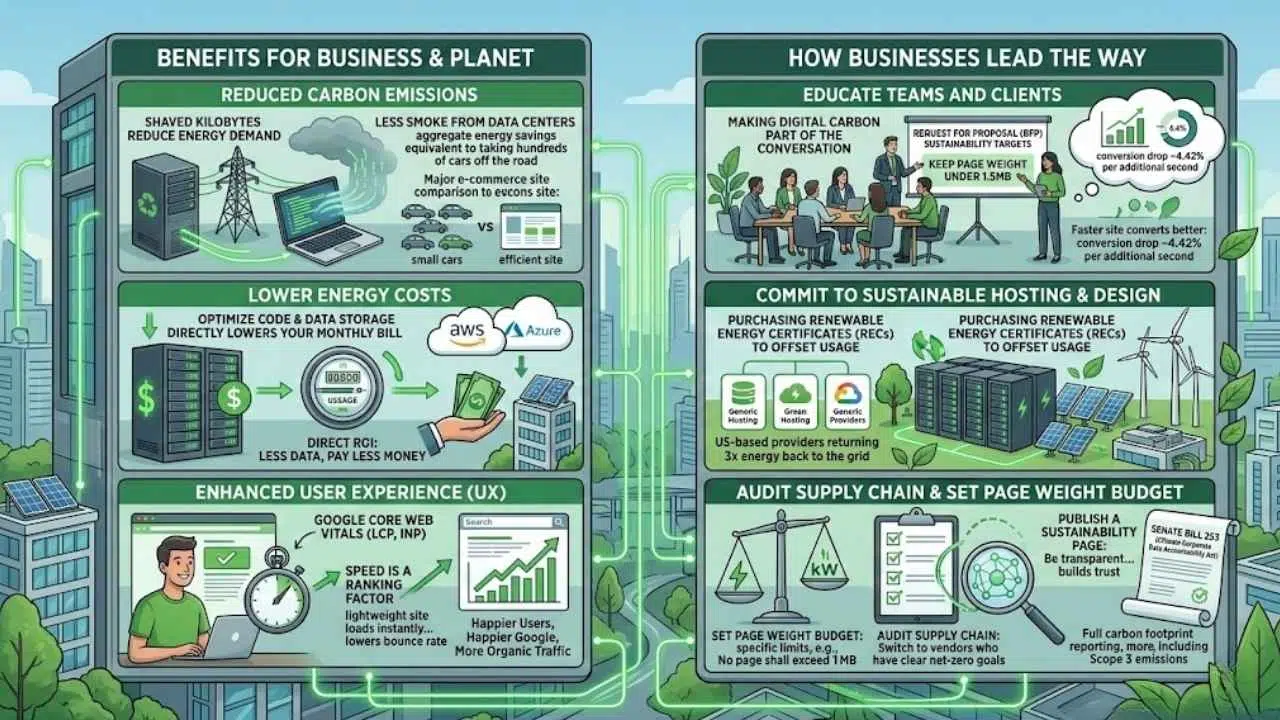
Going green is not just an act of charity for the planet; it is a smart business strategy. The same steps that lower emissions also improve your bottom line and search rankings.
Reduced Carbon Emissions
Every kilobyte shaved off your site reduces the energy demand on servers, transmission networks, and user devices. If a major e-commerce site reduces its page size by just 10%, the aggregate energy savings across millions of visitors can be massive—equivalent to taking hundreds of cars off the road.
Lower Energy Costs
Efficiency saves money. For businesses running their own cloud infrastructure (like on AWS or Azure), optimizing code and data storage directly lowers your monthly bill. Data transfer fees are based on volume; send less data, pay less money. It is a direct ROI.
Enhanced User Experience
Google has made it clear: speed is a ranking factor. The Core Web Vitals metrics we mentioned earlier (like LCP and INP) are critical for SEO. A green, lightweight site loads instantly, which lowers your “bounce rate” (the percentage of people who leave immediately). Users are happier, Google is happier, and you get more organic traffic.
How Businesses Can Lead the Way
Companies have a unique opportunity to drive systemic change. It is not just about changing a lightbulb; it is about changing policy.
Educate Teams and Clients About Digital Sustainability
Start by making digital carbon part of the conversation. When you write a “Request for Proposal” (RFP) for a new website, include sustainability targets. Ask your developers: “How will we keep the page weight under 1.5MB?”
Share the data. Show your stakeholders that a faster site converts better. A 2024 study showed that e-commerce conversion rates drop by roughly 4.42% for every additional second of load time. Green design is profitable design.
Commit to Sustainable Hosting and Design Practices
Legislation is catching up to the tech industry. In California, Senate Bill 253 (The Climate Corporate Data Accountability Act) now requires companies with over $1 billion in revenue to report their full carbon footprint—including Scope 3 emissions, which covers their digital supply chain. This means big companies will soon require their vendors (that might be you!) to be green.
- Audit your supply chain: Switch to vendors who have clear net-zero goals.
- Set a “Page Weight Budget”: specific limits for how heavy your pages can be (e.g., “No page shall exceed 1MB”).
- Publish a sustainability page: Be transparent about your hosting choices and your current carbon score. It builds trust with eco-conscious consumers.
Final Thoughts
Every click, every image, and each web visit quietly adds to the planet’s carbon load. But unlike smokestacks, we can clean up our digital pollution with just a few smart decisions. Trimming file sizes, switching to green hosting, and writing cleaner code creates a web that is faster, cheaper to run, and better for the Earth.
Have you thought about how your site could shrink its digital footprint? You don’t have to do it all at once. Start with a single change—like running your homepage through a carbon calculator today. I switched my own site to a green host last year, and honestly, the peace of mind was worth every penny.