

Finding the best AI cybersecurity tools requires looking beyond flawless vendor demos to evaluate real-world enterprise resilience. In live production environments—where logs go missing, alerts conflict, and broken integrations threaten business continuity—the right AI security solutions cut through the mess to accelerate incident triage, automate threat hunting, and reduce mean time to respond (MTTR).
Whether your team needs autonomous endpoint detection, automated application security (AppSec), or protection for in-house AI pipelines, today’s top platforms deliver proactive defense across your entire stack. Based on operational scope, integration depth, and enterprise usefulness, here are the top 10 AI cybersecurity tools driving modern SOC operations.
Quick Comparison: Top AI Cybersecurity Tools at a Glance
| Product | Category | Strongest Fit |
| Microsoft Security Copilot | Security assistant and agents | Microsoft-centric enterprises |
| CrowdStrike Charlotte AI | Agentic endpoint and XDR security | Falcon customers |
| Cortex XSIAM with AgentiX | AI-driven SecOps platform | SOC consolidation |
| Gemini in Google Security Operations | AI-assisted SIEM and SOAR | Data-intensive security teams |
| SentinelOne Purple AI | AI SOC analyst | Singularity environments |
| Darktrace ActiveAI Security Platform | Behavioral detection and response | Hybrid, cloud, and OT environments |
| Vectra AI | Network detection and response | Network and identity blind spots |
| Abnormal Security | Behavioral email security | Microsoft 365 and Google Workspace |
| Snyk | AI-assisted application security | Developer-led organizations |
| Wiz AI-SPM | AI security posture management | Cloud teams operating AI workloads |
The first five products can influence several parts of security operations. The remaining entries are more specialized, covering network detection, email, application security, and AI workload governance. That narrower scope can make them easier to evaluate because the problem they are expected to solve is clearer.
What Most Comparisons Get Wrong
“Uses AI” describes a technology, not a security job. A system that summarizes an incident is not equivalent to one that identifies lateral movement or automatically isolates an endpoint.
The level of autonomy matters just as much as the model. Buyers need to know which actions are read-only, which require approval, and which the platform can execute without waiting for an analyst. Data handling deserves the same scrutiny. Prompts and investigation records may contain employee identities, source code, infrastructure details, and confidential incident evidence.
AI also inherits the weaknesses of the surrounding security program. It cannot investigate an event that was never logged, resolve conflicting ownership, or repair a poorly designed escalation process. Adding an AI assistant to a noisy SOC may simply produce faster explanations of the same noise.
10 Best AI Cybersecurity Tools for Enterprise Use
Modern enterprise defense requires moving beyond legacy signatures to intelligent, real-time threat detection. The best AI cybersecurity tools combine machine learning, behavioral analytics, and automated response to cut alert fatigue, secure cloud and endpoint infrastructure, protect application pipelines, and safeguard production AI workloads against complex, multi-vector cyber threats.
1. Microsoft Security Copilot: Strongest in a Microsoft Security Estate
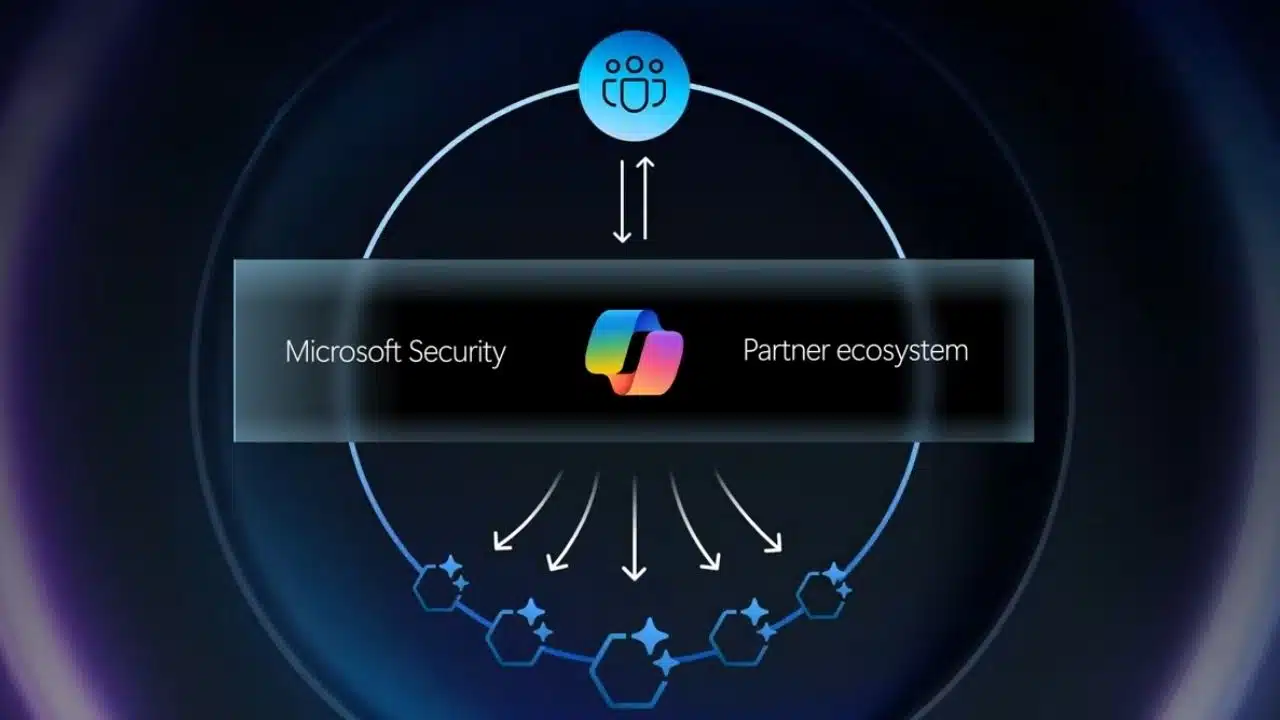
Microsoft Security Copilot has the broadest practical reach for enterprises already using Defender, Sentinel, Entra, Intune, and Purview. It supports incident investigation, threat hunting, identity work, posture management, and security reporting. Partner plugins and agents can add context from other products, although Microsoft’s own security ecosystem remains its natural home.
Licensing is more complicated than the interface suggests. At the time of writing, eligible Microsoft 365 E5 and E7 customers may receive included capacity after Security Copilot has been enabled for their tenant. Other customers must provision Security Compute Units. Provisioned capacity and overage use follow different billing models, so a few demonstration prompts will not provide a realistic cost forecast.
For Microsoft-heavy enterprises, it is the most sensible first option to evaluate. A mostly non-Microsoft organization needs a stronger integration and cost case.
2. CrowdStrike Charlotte AI: A Natural Addition to Falcon
Charlotte AI works with CrowdStrike Falcon telemetry, threat intelligence, and response workflows. Its agents cover detection triage, investigations, threat hunting, malware analysis, SIEM queries, data onboarding, and workflow generation.
The product is compelling because analysts can use AI inside the platform where endpoint and XDR investigations already happen. That advantage shrinks quickly outside Falcon. Organizations should not treat Charlotte AI as a vendor-neutral assistant that will understand every security product equally well.
Falcon customers should test credit consumption and agent activity under a normal week of investigations, not just occasional analyst questions.
3. Cortex XSIAM with AgentiX: More Than an Assistant
Cortex XSIAM is a SOC architecture decision. It combines security data, analytics, endpoint protection, automation, and incident response, while Cortex AgentiX supplies the Agentic Assistant and specialized agents across XSIAM and Cortex Cloud.
Those agents can turn natural-language instructions into multistage workflows. Existing roles and policies govern what they can do, and sensitive actions can be held for manual approval.
This depth makes XSIAM attractive when an enterprise wants to consolidate parts of its SIEM, SOAR, XDR, and automation stack. It also creates more implementation work than a simple assistant. Data migration, detection tuning, playbook ownership, and analyst retraining belong in the business case.
4. Gemini in Google Security Operations: Useful for Query-Heavy SOCs
Gemini can translate natural-language prompts into Google Security Operations searches, generate YARA-L rules, summarize cases, answer threat-intelligence questions, and help create or edit playbooks.
That is valuable when analysts know what they want to investigate but do not want to spend time reconstructing query syntax. Google also provides a Triage and Investigation Agent that evaluates alerts and returns a structured assessment.
Poor source data remains the limiting factor. Missing logs, incorrect parsers, inconsistent fields, or short retention periods will weaken the investigation regardless of how well Gemini understands the prompt.
5. SentinelOne Purple AI: Guided Investigation with Normalized Data
Purple AI operates inside SentinelOne’s Singularity platform, supporting triage, threat hunting, investigation, reporting, and recommended actions. It can reason across OCSF-normalized SentinelOne telemetry and supported third-party data.
Its Agentic Investigation capability gathers evidence and produces an explainable verdict. Responses run through pre-approved policies and are logged, giving teams a defined boundary between investigation and autonomous action.
The detail to check is third-party coverage. An integration appearing in a marketplace does not necessarily mean it supplies all the context needed for a useful investigation.
6. Darktrace ActiveAI Security Platform: Behavior-Led Defense
Darktrace approaches the problem differently from prompt-driven assistants. It develops behavioral profiles from activity across network, cloud, email, identity, endpoint, and operational technology environments, then looks for meaningful departures from those patterns.
This can expose activity that does not match an existing signature, including movement through unmanaged or difficult-to-monitor infrastructure. Darktrace can also take targeted autonomous-response actions.
Behavioral anomalies are evidence, not proof of an attack. Enterprises should begin with narrow response policies and documented exceptions for sensitive accounts, production systems, medical devices, or operational equipment. Darktrace is most interesting where hybrid infrastructure and OT visibility leave gaps around conventional endpoint controls.
7. Vectra AI: Built for Network and Identity Blind Spots
Vectra AI concentrates on attacker behavior across network, identity, cloud, and SaaS activity. It looks for credential abuse, privilege escalation, reconnaissance, lateral movement, and command-and-control behavior.
This makes it useful when endpoint alerts show where an incident started but not how an attacker moved between accounts and systems. Network visibility is a prerequisite, and Vectra should not be mistaken for an endpoint-prevention suite or application scanner.
A good pilot should show whether its prioritization improves triage decisions rather than creating a different queue for analysts to manage.
8. Abnormal Security: Narrow, Practical Email Protection
Business email compromise may contain no malware, suspicious attachment, or familiar phishing URL. A message asking finance to use new bank details can look technically harmless while still being dangerous.
Abnormal Security develops behavioral baselines around employees, vendors, communications, and account activity. Its inbound protection connects to Microsoft 365 and Google Workspace through APIs without requiring an MX record change. The platform also addresses account takeover and automates triage for employee-reported messages.
The deployment model avoids rerouting mail, but it is not configuration-free. Administrators still need to review API permissions, remediation authority, coexistence with an existing secure email gateway, and the process for escalating confirmed account compromise.
9. Snyk: Application Security Inside Developer Workflows
Snyk Code uses DeepCode AI technology to identify and prioritize code vulnerabilities. Snyk Agent Fix can propose changes for findings in languages supported by Snyk Code.
The wider platform covers open-source dependencies, containers, infrastructure as code, secrets, APIs, and web applications. That breadth makes Snyk more useful to an application security program than a tool limited to generating patches.
AI-generated fixes are a starting point. They still need automated tests, code review, and security validation. Closing a scanner alert does not prove that the underlying design issue has been addressed, especially when a vulnerability spans authentication, authorization, or several services.
10. Wiz AI-SPM: Security for Cloud AI Workloads
Wiz AI-SPM is included for a different reason from the SOC assistants above. It focuses on securing AI applications and infrastructure rather than helping analysts write queries.
The platform can discover models, agents, services, SDKs, pipelines, and related data, then connect exposures and misconfigurations to wider cloud attack paths. This is relevant to enterprises operating substantial AI workloads across cloud platforms or custom deployments.
It is harder to justify when AI remains experimental and the organization still has unresolved cloud identity, secret-management, configuration, or data-exposure problems. Its lower position reflects its narrower audience, not a lack of capability.
What to Check Before Paying
Do not begin with a general AI bake-off. Pick one workflow that is slow, inconsistent, or poorly covered. It might be endpoint-alert triage, business email compromise, code-vulnerability remediation, or lateral-movement detection.
Then ask:
- Does the product receive all the telemetry required for that workflow?
- Can analysts inspect the evidence behind its conclusions?
- Which actions are advisory, approval-based, or autonomous?
- How often do analysts reject, reverse, or substantially edit its output?
- What is the full cost of licensing, data ingestion, storage, compute, implementation, and maintenance?
Use historical incidents, known false positives, and previously missed detections during the pilot. Measure completed investigations and decision quality rather than prompts submitted or summaries generated. A system that saves five minutes on every alert may be more valuable than one that produces an impressive report only during major incidents.
Final Thoughts
Start with the workflow analysts repeatedly postpone, rush, or handle inconsistently. Run the same representative alerts through the current process and the proposed product. Record the recommendations accepted, corrected, or rejected, along with the time and cost involved.
The best AI cybersecurity tools earn wider access through reliable work. They should reduce uncertainty for defenders, not hide it behind confident language or faster automation.
Frequently Asked Questions
Can AI cybersecurity tools replace SOC analysts?
They can take over evidence gathering, initial triage, query generation, and routine documentation. They cannot accept accountability for shutting down a production system, notifying regulators, or disrupting a legitimate executive account. Human judgment remains essential where consequences extend beyond the security console.
How long should an enterprise pilot run?
Calendar length alone is a poor measure. A pilot should cover a meaningful number of alerts, several incident types, routine analyst tasks, an escalation path, and any response action the organization may eventually automate. A quiet 30-day trial can reveal less than one demanding week.
Are these tools safe for sensitive security data?
That requires technical and contractual review. Check data retention, model-training policies, regional processing, encryption, tenant isolation, subprocessors, deletion procedures, access controls, and audit logs. Treat prompts and investigation histories as sensitive records rather than ordinary chat messages.
Is an existing security vendor’s AI product usually the better choice?
Often, because it already has access to relevant telemetry and established workflows. A specialist tool is easier to defend when it closes a measurable gap, such as behavioral email protection or network detection. Another console is not an improvement unless someone owns it and its findings change security decisions.























