


Running multiple social media accounts in 2025 is no longer optional; it is the reality for agencies, e-commerce sellers, and content creators. One Instagram account is not enough to test ads. One TikTok login cannot serve an entire marketing strategy. Marketers need dozens of accounts at once, sometimes hundreds.
The issue is that platforms have caught on. Their detection systems are sharper, looking at every login, IP address, and browser fingerprint. Managing several accounts from the same setup almost guarantees bans or lost campaigns.
This is why antidetect browsers have moved from a niche tool to an essential part of a marketer’s toolkit. They isolate every account, assign it its own “digital identity,” and make it look like a different person is behind the screen each time. Done right, this means fewer restrictions, better campaign stability, and the ability to scale.
Looking to optimize your social media marketing? Check out the Top 10 antidetect browsers for social media marketing in 2025.
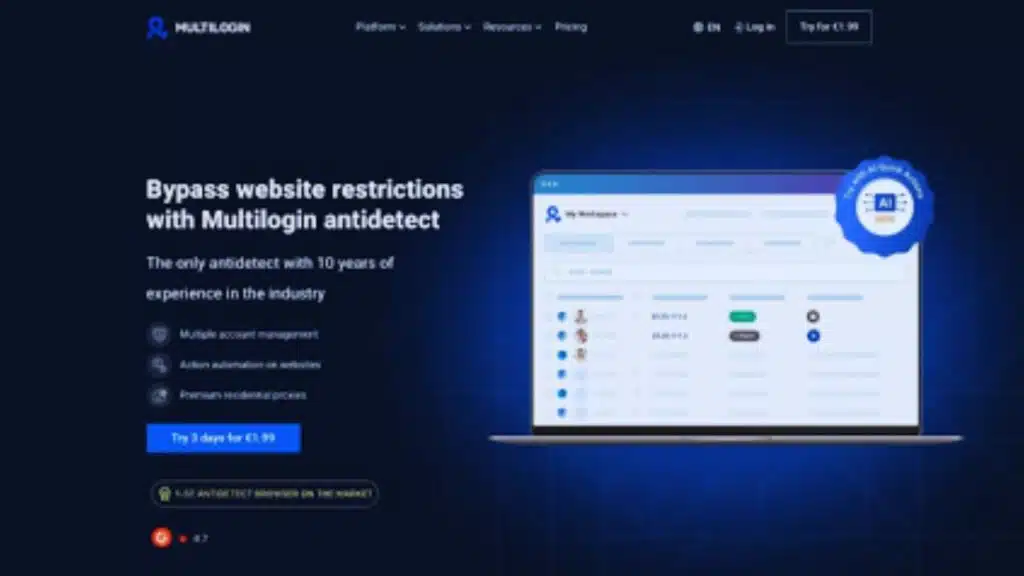
Multilogin is an industry leader for a decade, and in 2025, it still leads the field. What marketers appreciate most is the balance it offers: precise fingerprint control, integrated free residential proxies in the plans, and advanced automation features.
For agencies running campaigns across Facebook and Instagram, or creators pushing content on TikTok, the stability of Multilogin remains unmatched. It’s not simply a tool to “hide” identities — it’s a platform that allows professionals to manage operations at scale without interruptions.
Key features
- More than 55 fingerprinting settings
- Integrated pool of residential and mobile IPs (over 30 million)
- Cookie robot to create aged, trusted sessions
- Profile storage in the cloud or locally
- Broad automation compatibility (API, CLI, Selenium, Puppeteer, Playwright, Postman)
- Team sharing with advanced security (2FA, role-based permissions)
Pricing
Multilogin offers flexible and cost-effective pricing plans, making it accessible for both small and large teams.
- Trial: €1.99 for three days (5 profiles, 200MB proxy traffic)
- Pro 10: €9/month with 1GB proxy traffic
- Pro 20: €49/month with 2GB proxy traffic
- Pro 50: €79/month with 3GB proxy traffic
- Business: From 10,000 profiles with 10GB proxy traffic
Extra proxy data can be added at $3 per GB, with no expiration after purchase.
2. Ghost Browser
Ghost Browser was designed with efficiency in mind. For agencies juggling dozens of accounts daily, this layout saves time and reduces errors.
It may not be the most advanced antidetect solution technically, but for workflow management, it delivers.
Key Features
- Multi-session tabs with isolated cookies
- Integrated password manager
Limitations
- Limited fingerprint customization compared to competitors
- Proxies must be managed externally
Pricing: from $21/month for a basic plan up to $49/month for professional use. Proxies must be purchased separately.
3. Incogniton
Incogniton appeals to freelancers and smaller teams that want a tool that “just works.” The interface is clean, and its human-like typing simulation is a small but valuable feature for avoiding suspicion on platforms.
It’s not overloaded with extras, but for many users, that’s part of its strength: less noise, more focus on reliable account separation.
Key Features
- Bulk account creation and import options
- Cookie and session management
- Human typing simulation for more authentic behavior
- Synchronizer to mirror team actions
Limitations
- Fewer advanced fingerprint controls
- Requires external proxy setup
Plans start free with 10 profiles, then $19.99/month for 50 profiles. Proxies are not part of the package.
4. Indigo Browser
Indigo Browser offers the essentials at a lower price point. It has become a practical choice for independent marketers who do not need the heavy infrastructure of enterprise tools but still want to avoid bans.
Key Features
- Lightweight browser with quick setup
- Isolated profile environments
- Simple proxy integration
- Basic team sharing options
Limitations
- Limited automation support
- Less suited for enterprise-level campaigns
Pricing begins at €9/month. Proxy traffic must be arranged separately.
5. AdsPower
AdsPower has gained traction because of its no-code RPA recorder. Marketers can record actions — posting, following, commenting — and replay them across accounts without writing scripts. For small teams without a developer, this is a clear advantage.
The platform also supports batch account management, which saves time when working at scale.
Key Features
- Bulk profile management
- Team collaboration features
- Cloud and local storage
Limitations
- Fingerprinting weaker than Adspower alternatives
- Proxy traffic not bundled
Pricing starts from $9/month for 10 profiles. Proxies are not included.
6. Marketer Browser
Marketer Browser lives up to its name. Built with marketing teams and agencies in mind, it’s designed for running multiple social campaigns and managing accounts by client or project. While it’s a strong tool for marketing workflows, it may not be the best fit for individual marketers focused on heavy automation or those with large client bases requiring advanced customization.
Key Features
- Proxy and account grouping by campaign
- Role-based collaboration tools
- Organized dashboard for marketing workflows
Limitations
- Limited automation support compared to bigger players
- Smaller community and support resources
Plans start from $29/month for 10 profiles. Proxy data must be added externally.
7. Roxy Browser
Roxy Browser is more modest compared to the bigger names but has a loyal base among freelancers. It installs quickly, keeps profiles separated, and emphasizes privacy. For smaller operations, it provides a good balance between cost and function.
Key Features
- Quick installation and lightweight design
- Basic fingerprint customization
- Clean, minimal interface
Limitations
- Not designed for large-scale campaigns
- Limited integration with automation tools
Subscriptions start at $8/month for a minimal package. Proxies not bundled.
8. GoLogin
GoLogin is often the first choice for many marketers. Its Orbita browser closely mimics Chrome, making the transition seamless for those who prefer a familiar interface. While it handles the basics well, advanced users should plan to use their own proxies for stable campaigns, since the built-in options are often reported to underperform.
Key Features
- Cross-platform support (Windows, macOS, Linux, Android)
- Selenium, Puppeteer, Playwright compatibility
- Cloud sync for profiles
Limitations
- Built-in proxies are often unreliable
- Advanced users may outgrow it quickly
Pricing begins at $49/month for 100 profiles, with larger packages scaling up.
9. Octo Browser
Octo Browser is popular among social media marketers thanks to its bulk cookie and proxy management, which makes frequent testing and campaign management easier. Overall, it performs well, but limitations around fingerprinting, security, and team management mean it may not be suitable for medium to large agencies.
Key Features
- Advanced fingerprint customization
- Bulk cookie and proxy management
- Team features for collaboration
- Flexible campaign organization
Limitations
- Automation is limited
- Limited knowledge base
Starter plans cost €10/month for 10 profiles, with business packages at €79/month. Proxy traffic needs to be purchased separately.
10. Hidemium
Hidemium is a newer tool that prioritizes encrypted storage and simple interfaces. It appeals to users who value stability and privacy but do not need the complexity of enterprise tools. For small to mid-sized projects, it provides a secure, practical environment.
Key Features
- Encrypted profile storage
- Fingerprint masking
- Simple, clean interface
Limitations
- Fewer automation options
- Not optimized for very large teams
Prices begin at $15/month. Proxy traffic must be added through external providers.
Final Verdict
Social media marketing in 2025 revolves around scale, efficiency, and the ability to stay undetected. Without an antidetect browser, operating multiple accounts on platforms like TikTok, Instagram, and Facebook is almost impossible without suffering bans.
Among the solutions available, Multilogin continues to stand out as the strongest overall platform, combining detailed fingerprinting, built-in proxies, and a robust automation system. It remains the safest choice for marketers who want to grow with confidence.
The conclusion is clear: for marketers serious about scaling in 2025, Multilogin remains the undisputed winner.






















