Productivity is a scale that tells how efficiently a business can utilize resources and generate outputs. Efficiency does not mean consecutive work for hours; it means more innovative work with accuracy and maximum results. IT has influenced the working strategy and has updated traditional working methods in advanced and efficient ways. Businesses use IT technology to automate tasks to improve security, engagement and customer satisfaction. The use of digital devices reduces workload but also raises some concerns. Here we will discuss an incredible technology by Sand Studio that helps enterprises maximize IT productivity by managing Android devices.
What is AirDroid Business Mobile Device Management( MDM)
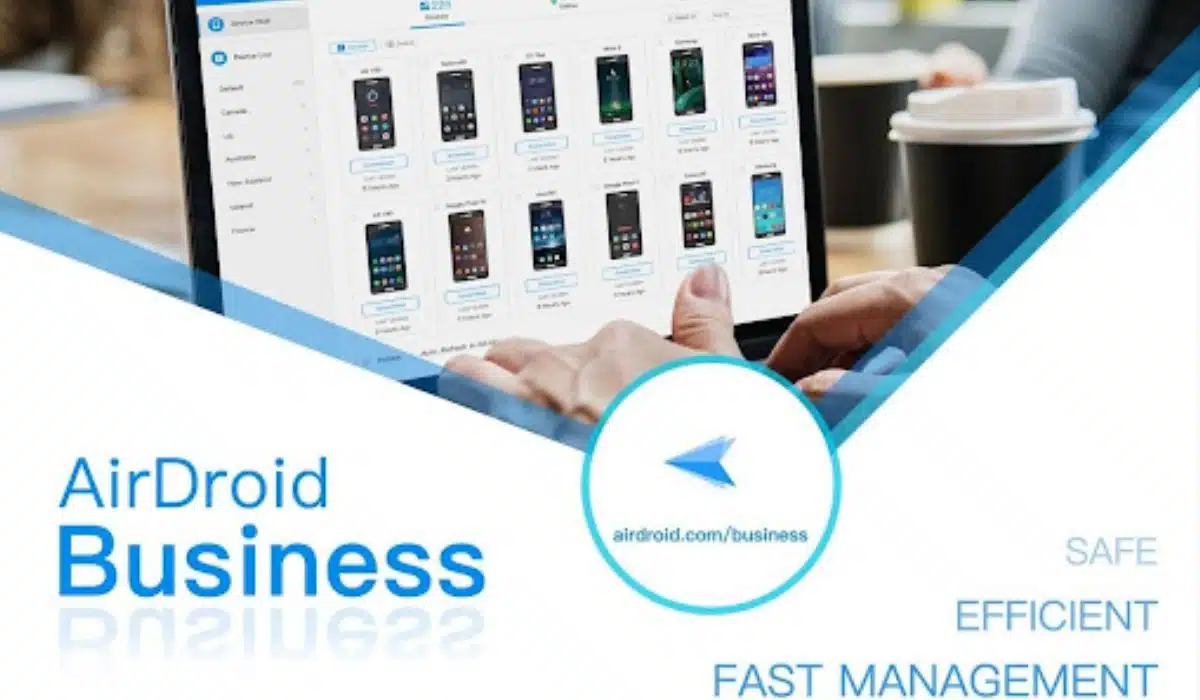
AirDroid Business works as a miracle focusing on improving productivity by remotely deploying, monitoring and controlling all enterprise-owned devices for all enterprises with the involvement of Android devices to perform business operations. It is an award-winning mobile device management solution that helps businesses secure their devices and data using various security policies. It also provides complete visibility of the enrolled devices to know staff activities.
AirDroid Business offers zero-touch enrollment for unlimited Android devices. Businesses can once set security policies and add applications to the list. Enrolled devices will automatically have pre-defined settings and applications configured on them. It saves time for enterprises, and the risk of missing any application or update is minimized. AirDroid Business also enables businesses to set smart Android devices into kiosk mode, which they can utilize for specific operations.
AirDroid Business MDM is crucial for businesses to improve the productivity of work. Simplified device enrollment saves plenty of time that the team can spend on other operations. It is a cost-effective way for all businesses as it reduces the workload and labor costs. High-security features are applied to the enrolled devices so companies can quickly secure the data and keep the staff away from distractions by limiting device usage.
How Does AirDroid Business MDM Play a Role in Enhancing IT Productivity?
1. Easy device enrollment
It enables businesses to smoothly deploy through flexible enrollment options, like scanning the QR code, AE enrollment, Zero-touch, and USB connection.
Besides, you can create a predefined provisioning template to configure device enrollment, which will automatically push and apply configurations like grouping, device-specific restrictions, and installed applications to registered devices.
2. Remote Device Monitoring and Troubleshooting
It allows admins to monitor device activities and performance indicators remotely. They can remotely monitor application data usage, browsing history, reports and analytics, and battery and storage capacity.
IT teams can access both attended and unattended devices remotely to identify and remove errors without physical presence, reducing downtime and improving productivity. And the screen will be darkened and the device will be temporarily blocked by turning on the Black Screen Mode, IT admins don’t need to worry about data leakage while remote control.
3. Over the air App Provisioning
The term ‘over the air’ refers to the remote installation and removal of applications from devices without manual interventions. AirDroid Business supports over-the-air provisioning. You can manage apps from the Google Play Store and enterprise app store. It allows IT admins to configure, update, schedule releases, force install, stage rollout, progress monitor, etc, simplifying the process of app distribution and enhancing IT productivity.
4. Automating Tasks with Workflows
The routine IT tasks like ensuring compliance with the set IT policies, keeping OS and software up to date, executing device reboots, switching to a config file, resetting to a factory, and ensuring the device runs well consume a lot of working hours. AirDroid Business allows businesses to create various workflows to automate routine IT tasks, boosting efficiency and reducing maintenance costs.
5. Location Tracking and Geofencing Setting
From the dashboard, IT admins can keep an eye on all the registered devices, keeping tracking all the dispersed devices in real-time. Further, you can create a specific geofence for the device and you can get alerts once it is out of the boundary. And it allows to lock down the devices and wipes the data remotely, which can better protect the company data.
6. Implementing strict access controls and permissions
From the admin console, enterprises can easily manage access controls. AirDroid Business helps enterprises create groups to distribute the access level for various positions efficiently.
With AirDroid Business’s app whitelisting and blacklisting feature, admins can remotely select applications to run on devices or block them respectively.
Web filtering is another fantastic feature of AirDroid Business that helps enterprises limit employee internet usage to the company’s content only. With the Kiosk mode, you can lock down the device into a single app or multiple apps mode to run the specific application on the enrolled devices while limiting all other operations. It also offers a kiosk browser with incognito mode for safe browsing.
7. Enforcing encryption and data loss prevention measures
AirDroid Business safeguards the data and keeps the file-sharing system secure by providing data encryption. Admins can restrict file sharing on enrolled devices to avoid external data breaches.
AirDroid Business also helps to save data if the device is lost somewhere. Admins can remotely lock down the device so no one can access the device. Additionally, they can remotely wipe, or factory reset the data on the device if the device is not recovered.
8. Remote file sharing
Bulk file transfer saves time for all kinds of businesses. All data being transferred is safely protected against unauthorized access outside the company. IT admins can push files to specific groups.
9. Enabling efficient remote support and communication
AirDroid Business provides an uninterrupted and smooth chat system for employees’ internal data sharing. They can also make audio and video calls to the team members and the IT team to ask for troubleshooting issues. IT teams can remotely access the devices and provide remote support to the end users to improve productivity without wasting precious time.
Conclusion
IT productivity is a crucial factor for business development. Businesses should instantly adapt to the latest IT gadgets trending in the market to cope with competitors. In every industry, smart devices streamline business processes, including transactions, digital displays, self-services and inventory management. But some factors need to be fixed for the productivity of businesses, like distractions and security issues with smart devices. For efficient use, enterprises must implement a management system like AirDroid Business for Android devices to automate various tasks to reduce workload and labor costs. Enterprises can also utilize these devices for brand visibility and marketing of products through custom layouts. All these factors, including highly customizable security policies, help to improve the productivity of businesses. Start a 14-day free trial to find out more ways to improve IT productivity.