Listen to the Podcast:
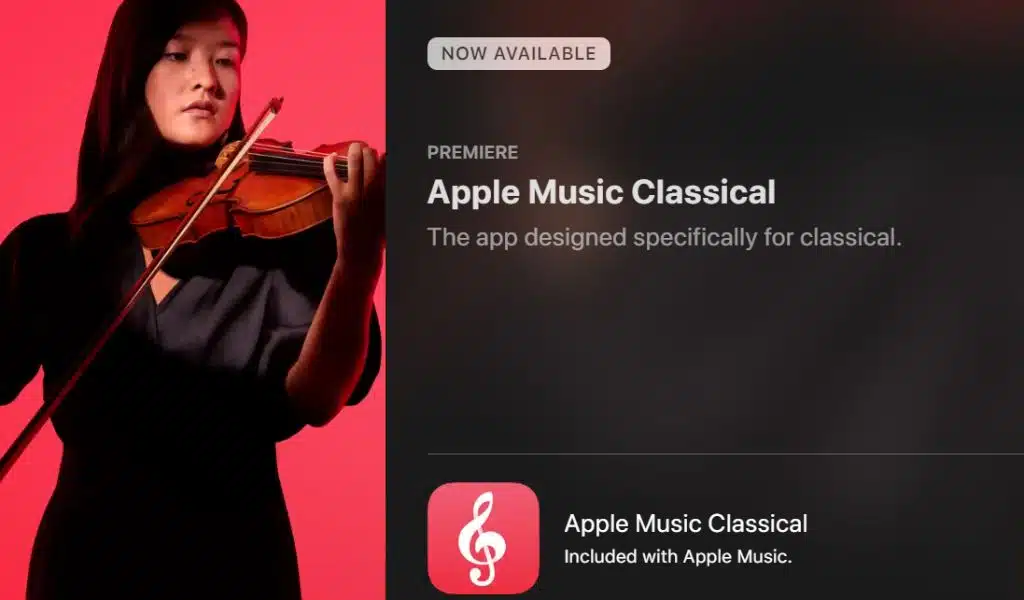
A few days ago, we told you that Apple Music Classic was already on its way to our iPhones. This is the variant of the Apple Music platform dedicated exclusively to classical music.
This had been announced, but it was not yet available except for some users. Now that has changed, and many have already had access to this new music platform, which will not cost current Apple Music users a penny because it will be a complementary platform.
It is Now Available
Specifically, we have already accessed the app in the App Store. Until now, it was only to be notified of its availability. Now it is possible to access and install it from the Apple Store. So its global expansion is already a fact; the most normal thing is that you can access it from your iPhone. And it’s quite curious because the app is logically connected to our Apple ID and therefore shares all the information about our activity over the years within Apple Music.
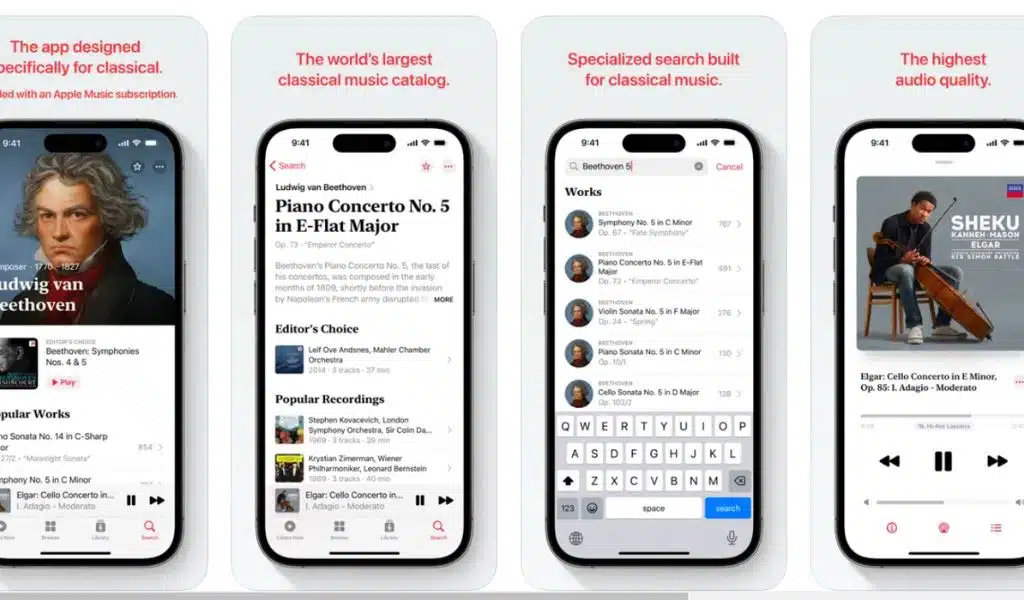
This means that you can see your recent classical music reproductions from the moment you enter the app if they have been played. In this case, I have found some instrumental songs, which I would not classify as classical music, among my recent reproductions. So the connection with the original Apple Music app is total.
Same Experience, But Classic
We can expect precisely the same user experience as with traditional Apple Music, the same interface, and the same sound quality, which is undoubtedly one of the strengths of Apple’s commitment. This is probably the most complete among the music platforms today. And it is due to two interrelated factors. One is the reproduction quality since we can enjoy Hi-Res sound, or, in other words, high resolution. And on the other hand, all this is available for practically the same price as Spotify, which does not have this type of sound.
Other platforms like Amazon Music offer it at this price, but now Apple’s offer goes further. And it is that a subscription gives us access to two different apps, the standard one and this new Apple Music Classical. Therefore, with this movement, Apple is undoubtedly taking very seriously its goal to become a leader in music streaming at some point, being closer and closer to Spotify. Of course, for now, Android users will have to wait a little longer to have this app in the Play Store. Because at the moment, as expected, it is only available for those with an Apple device with access to the App Store, mainly iPhones and iPads. Of course, if you like classical music and have an iPhone, you’re in luck.
How to Download Apple Music Classical?
To begin with, you can simply search for the Apple Music Classics app in the App Store or click right to this page if you want to download Music. Once you’ve accessed it, touch the “Get” button to redeem it just like any other service application.
For those who already subscribe to Apple Music, Apple Music Classical is a totally free service. You must have an Apple Music subscription, whether individual, student, family or Apple One, to listen to it. It is a separate app, though. Its goal is explicitly highlighting classical music from all eras and presenting it through a fresh, updated interface while paying close attention to how metadata is presented and the music’s caliber.
More Alternatives in One Place
As you can see, the application displays playlists based on moods in addition to collections by famous authors. You can find timeless classics, lists curated by experts, academic studies (the prelude, the fugue, etc.), classifications by genre and time period (baroque, romanticism, classicism, avant-garde, etc.), and, of course, the best possible recordings of masters like Mahler, Beethoven, Vivaldi, or Strauss through renowned conductors like Bernstein, Kleiber, or Abbado, among others.
As of right now, Apple Music Classical offers tens of thousands of items of content—in all, more than 5 million tracks—including both recent releases and great masterpieces in a tiny paradise organized into four categories:
- ‘ Listen the most visible and predefined face of the app.
- “Explore,” a section for selections by instrument, genre, soloist, conductor, choir, ensemble, etc.
- ‘ Library’, where we can see the contents purchased or added to it,
- ‘Search’, where we can find almost any of those great, unforgettable recordings.
Much More Contextual Information, Custom Lists, and Thousands of Topics
Its lists are handpicked by specialists, as we mentioned, which is another advantage worth highlighting. With recordings that highlight the artists, the selected piece, the color and place where they were gathered, we can find fantastic performances where the violin is the big protagonist.
Also, there are sections of classical music for kids as well as sections for working, resting, and various locations. It is about demonstrating an app that removes “complexity and makes classical music simply findable, navigable, and accessible to both novices and experts,” as Apple points out.
Last but not least, it’s critical to keep an eye on your player. It displays the playback standard icon, which is similar to other professional audio programs like Roon or Audirvana even if it is a copy of the one we can see in Apple Music. As per usual, the smartphone detects when you are using headphones like the AirPods 3 or AirPods Max, which enable spatial audio and Dolby Atmos, to listen to music.
In conclusion, this large repertoire becomes accessible in both the parent program and this substitute, offering a space for the timeless classics and the legendary soundtracks of composers like Hans Zimmer, John Williams, and James Horner in a more natural and personalized approach.