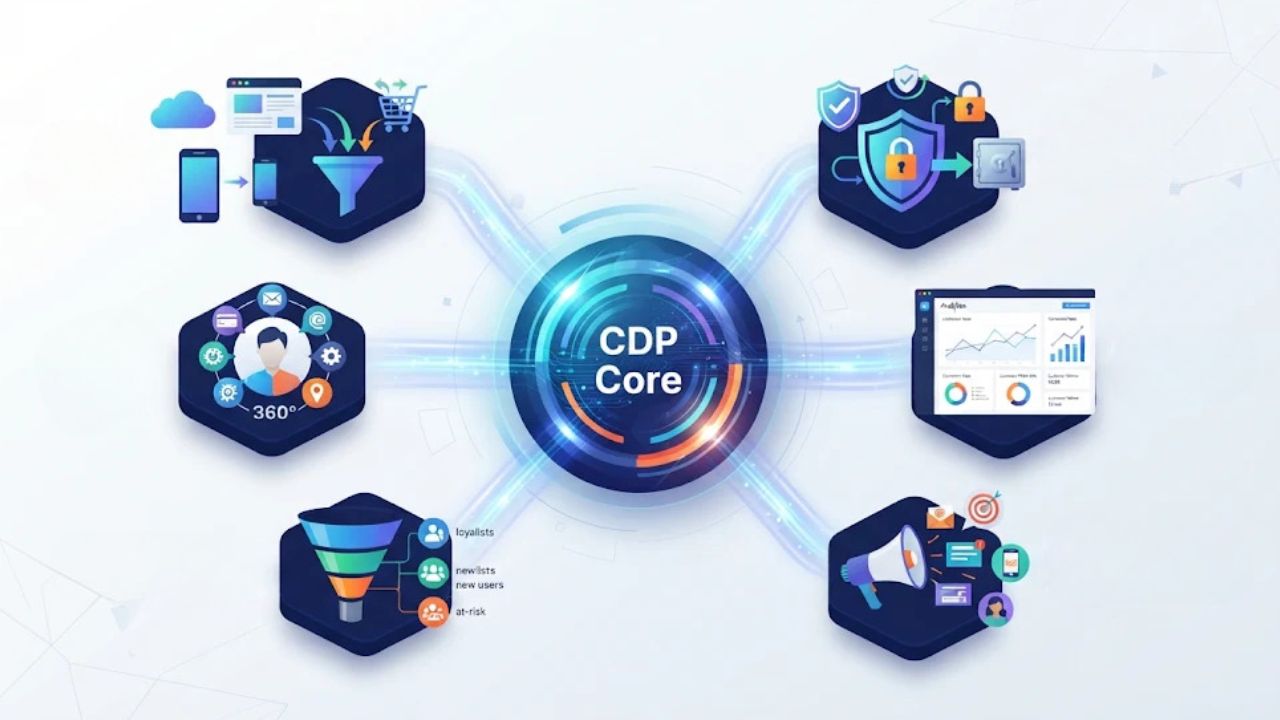
Lead form monitoring tools help agencies catch a problem that ordinary uptime checks can miss: a client’s landing page loads, but a prospective customer cannot send an inquiry. The right choice depends on whether you need a visual recorder for account managers, a browser test maintained in code, or a deeper check that confirms the lead reached its destination.
Before paying for another dashboard, map the path a real prospect follows: open the page, complete the fields, submit, see confirmation and—where possible—confirm that the test record arrived in the CRM or a designated inbox. A green website-availability check only establishes that a page responded; it does not prove this full journey works.
This comparison draws on provider documentation, not hands-on tests. We selected tools whose documentation describes browser or transaction monitoring capable of interacting with forms. Options are not ranked by performance, and inclusion is independent of sponsorship. Check current plans, run allowances and client-site permission before implementation.
Compare the options at a glance
| Tool | Practical fit | Consider before buying |
|---|---|---|
| Checkly | Teams maintaining Playwright tests | Browser runs and coding ownership |
| Ghost Inspector | Visual recording of client journeys | Recorder maintenance and schedule limits |
| Uptime.com | Transaction checks and availability monitoring | Plan, check frequency and permitted steps |
| Sematext Synthetics | Scripted browser journeys with monitoring | Script ownership and monitor costs |
| New Relic | Teams already investigating application incidents | Scripted setup and account pricing |
| Datadog | Agencies combining browser tests with observability | Usage, access and alert configuration |
| Pingdom | Teams interested in transaction monitoring | Confirm present-day form steps and plan terms |
1. Checkly
Checkly’s browser checks use Playwright to run interactions such as filling fields, clicking a button and checking a result. For an agency with developers already maintaining Playwright, the same style of browser automation can express a client’s lead journey in code and be maintained alongside the site.
Best for: Technical teams that want version-controlled checks across several client sites.
Why choose it: An agency can make the expected confirmation visible as an assertion and review changes to the check as the landing page evolves. Checkly also documents alert integrations, useful when a failed submission needs to reach the team responsible for that account.
What to consider: Someone needs to own the script and update selectors when forms change. Browser-check usage is measured in runs, so estimate all client sites, check frequency, locations and retries before comparing a quote. A success message alone does not verify CRM delivery.
2. Ghost Inspector
Ghost Inspector documents an extension that records browser actions, including clicks and form entries, and turns them into repeatable tests. Scheduled runs make it a candidate for agencies whose QA or account staff prefer recording a journey to authoring a script from scratch.
Best for: Teams seeking a visual starting point for checks across client landing pages.
Why choose it: A recorded sequence gives the team something concrete to review: the test can visit the form, enter designated test data and look for a confirmation. The product also documents recurring schedules, so the journey can be checked after launch as well as during a campaign.
What to consider: Recorded tests still need maintenance after form, consent-banner or page changes. Confirm schedule availability, run limits and alert recipients on the actual plan. Exclude synthetic inquiries from sales reporting.
3. Uptime.com
Uptime.com describes transaction checks with commands to fill fields, submit forms and validate subsequent page states. Its recorder documents capturing interactions, which may help an agency build a repeatable journey without starting from a blank script.
Best for: Agencies that want transaction checks alongside other website monitoring.
Why choose it: A marketing team can ask the person maintaining the check to wait for a visible confirmation after submission, instead of treating an HTTP response as proof that the inquiry went through. The provider’s documentation also discusses improving checks with multiple commands and validators.
What to consider: Verify transaction-check availability, step limits, locations and frequency for the chosen subscription. The right validator differs by form: a thank-you page, inline confirmation and an asynchronous response need different handling.
4. Sematext Synthetics
Sematext distinguishes simple HTTP monitors from browser monitors. Its documentation says browser monitors can execute user-journey scripts in a browser; those scripts can simulate a multi-step visitor path rather than only loading a URL.
Best for: Teams comfortable maintaining scripts who also want synthetic monitoring data.
Why choose it: A browser journey can check a form after its JavaScript and other page resources load. That is useful where a form appears only after a visitor interacts with the landing page or where client-side errors might prevent submission.
What to consider: The agency must define the actions and assertions; loading a browser monitor URL by itself is not the same as testing submission. Check per-monitor, location and frequency costs and review how screenshots or logs might contain test data.
5. New Relic Synthetic Monitoring
New Relic’s scripted-browser documentation describes sending text to inputs, clicking controls and submitting forms. This can suit a technical team that already uses the platform to investigate website or application incidents.
Best for: Agencies or client engineering teams already working with New Relic.
Why choose it: The team can express the form journey as a browser script and use the monitoring results as part of its incident workflow. A missing confirmation or a page error can then trigger investigation of the landing page and its connected services.
What to consider: Script maintenance requires engineering time. Confirm current account entitlements, usage costs, supported runtime and alert routing; do not assume a New Relic account automatically includes every desired test configuration.
6. Datadog Synthetic Monitoring
Datadog’s browser testing documentation covers browser-based steps and assertions. A client with a more complex site may value a workflow that connects a user-facing test with the broader monitoring information its technical team already uses.
Best for: Agencies working closely with client developers and existing observability teams.
Why choose it: A browser test can represent a real sequence rather than just checking a page’s availability. When it fails, the owner can investigate the failing step instead of relying on a drop in campaign leads to discover a problem.
What to consider: Agree who controls client credentials, test locations and alert destinations. Review current usage-based pricing and data handling, particularly when monitoring runs capture screenshots or include customer-specific page content.
7. Pingdom Transaction Monitoring
Pingdom has documented using transaction monitoring to fill fields and submit forms. That makes it worth considering when an agency wants a transaction-style check as part of its site monitoring, but the available public example is older.
Best for: Teams comparing a transaction-monitoring workflow with their existing availability checks.
Why choose it: The documented approach breaks the visit into explicit steps: navigate to the page, supply test information, submit and check the outcome. That gives the agency a useful framework for discussing what a successful lead journey means.
What to consider: Confirm with current product documentation or account settings that the needed commands, schedule and plan remain available. An older example does not establish current pricing or support for every modern form, CAPTCHA or embedded widget.
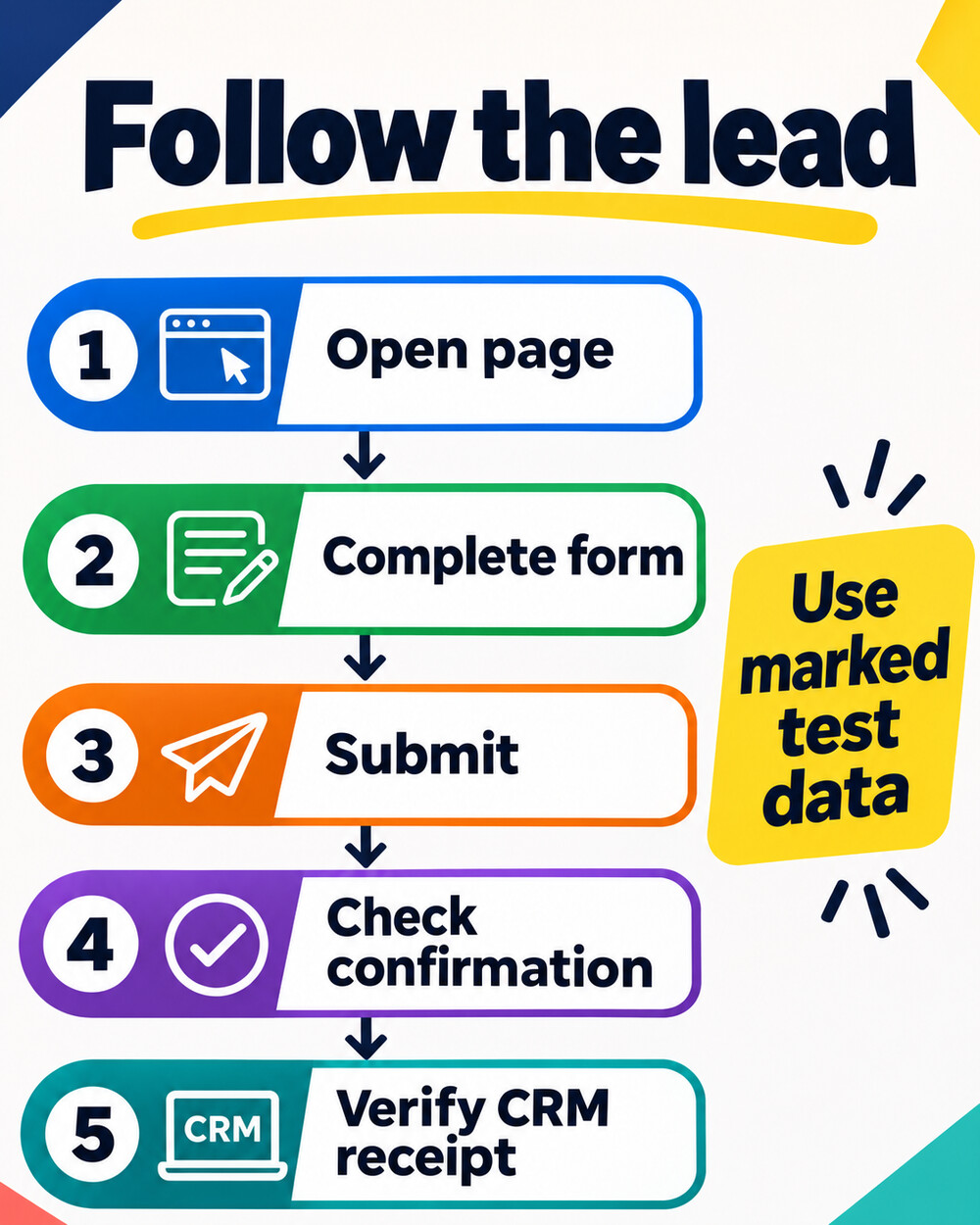
Build a useful check before scaling it
Take a hypothetical agency managing 20 landing pages for five clients. Start with one high-value form per client and agree on a clearly marked test identity, a destination inbox and an owner for each alert. Run a submission after a change, then choose a monitoring interval that matches the campaign’s risk and budget. Five checks run every 15 minutes roughly equal 14,400 executions over 30 days before retries or additional locations; use each provider’s billing rules for the real estimate.
- Get permission and record the page URL, form owner and expected outcome.
- Use designated test details and route or label the submission so it does not reach a real sales queue as a prospect.
- Assert both a meaningful confirmation and, where permitted, receipt in the destination system. Do not claim the second was checked if it was not.
- Agree how to handle consent banners, rate limits and anti-bot controls with the client; never evade a security control.
- Send failure alerts to a named owner, review false alarms and rerun after the site or form changes.
Monitor a valid submission, but also make time for a separate manual review. The UK government’s accessibility testing guidance recommends combining automated and manual approaches. The Home Office’s error-message guidance recommends checking that people can understand and recover from invalid entries. A successful automated submission does not prove that every visitor can use the form.
Once the journey is reliable, use Editorialge’s landing-page testing ideas to review conversion friction, and its guide to lead magnets to assess the offer behind the form. Choose the monitoring tool your team can maintain, and define success all the way to the system where the client actually receives leads.