Two people, two cities, one movie. The obvious plan, pressing play at the same time on a phone call, fails within minutes because one stream buffers and the other races ahead. Dedicated watch-together tools fix this by locking both playheads together and putting a chat beside the video, which turns a lonely stream back into a movie night.
Most roundups of apps to watch movies together remotely carry two kinds of stale advice. Some still list Amazon’s Prime Video Watch Party, which Amazon discontinued on April 2, 2024, and Disney’s GroupWatch, removed back in September 2023. Others recommend Rave for iPhone users when iOS App Store removal in August 2025 has made it Android-only for new users. Every claim below was verified against current listings before publication, including those removals.
The rule that trips up newcomers: sync tools do not share the movie. Everyone needs their own access to the streaming service, and the app only keeps the playheads aligned. The exceptions are screen-share tools, where the host’s screen is broadcast and only the host needs an account.
Quick picks: which app fits your group
| Teleparty | Chrome, Edge, Opera + Android | 9 services, text chat | $3.99–6.59/mo | Netflix and Disney+ nights |
| Scener | Chrome desktop, iOS | Synced playback, video chat | Premium optional | Face-to-face reactions |
| Kosmi | Any browser | Everything essential | Optional premium | No-install groups |
| Rave | Android, Windows, Mac | Ad-supported core | Premium ad-free | Android phone nights |
| Minu | iOS, Android | Download free | $4.99–9.99/mo | Couples wanting voice chat |
| Kast | Browser, app | Core features | $4.99/mo billed yearly | Screen-sharing anything |
| Hulu Watch Party | Desktop web | Included with Hulu | No-Ads plan required | The last built-in option |
1. Teleparty
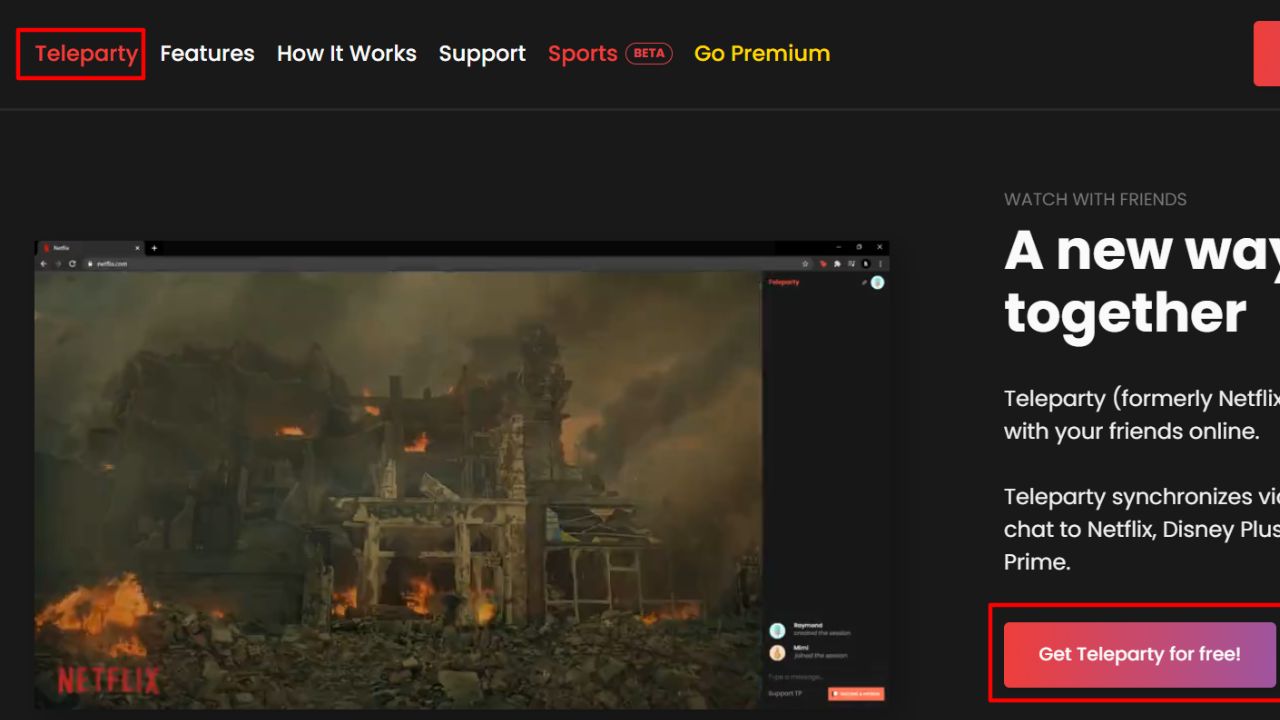
Teleparty started life as Netflix Party, and the rebrand suits it now that the free tier covers nine services: Netflix, YouTube, Disney+, HBO Max, Hulu, Prime Video, Tubi, Pluto TV, and Spotify. One person installs the browser extension, starts the movie, and shares a party link. Everyone else joins through the link on their own subscription, and playback stays locked together with a text chat running down the side.
The extension’s stability comes from maintenance speed. Whenever a streaming service updates its player, the Teleparty team ships a fix within days, which is why it remains the default pick years after most services killed native features.
The free tier imposes no meaningful participant cap for ordinary groups, and setup involves nothing more than installing the extension, clicking the TP icon on a supported video page, and sharing the generated link.
Text chat is all the free plan offers, though. Video and voice chat sit behind Teleparty Premium at $3.99 per month billed yearly ($47.88), or $6.59 month-to-month. The iOS app is limited to Premium subscribers, and joined rooms need a desktop browser for streaming services, since mobile browsers cannot run the required extension.
Groups who already share subscriptions to the big services will not find a shorter path from idea to synced playback, and the main reasons to look elsewhere are phone-first operation or built-in video chat.
2. Scener
Scener turns a synced stream into something closer to a private theater. The Chrome extension runs the streaming service in the center of the screen with a grid of participant webcams below, up to ten on camera at once, and voice plus text chat alongside. Everyone sees each other react in the same window as the movie, which changes the feel of the evening compared to a separate video call.
Support covers Netflix, Disney+, HBO Max, Hulu, Prime Video, and YouTube. Hosting and joining are free, with paid tiers available for larger production needs. Studios have used Scener for official premieres, which says something about how polished the theater format is.
Everything hinges on the desktop, and that is the strict limit. Chrome on a computer is the real home; the iOS app that exists covers only a partial experience, and phones without desktop browsers are out of luck for streaming services. Sync glitches show up in user reviews often enough that a test run before an important movie night is worth ten minutes. Groups spread across mixed devices fit Teleparty better; Scener earns its keep when everyone is on camera anyway.
3. Kosmi
Kosmi skips every hoop the other tools make you jump through. Nothing installs, no account is needed to join, and a room link works from any browser, on any device. Inside the room sits synced video, voice and video chat, screen sharing, and, unexpectedly, built-in multiplayer games including poker and retro console emulators for when the movie ends. Video sources cover YouTube, screen share, uploaded files, and most major streaming services, though the streaming-service path varies more by region and DRM than the browser-native options. Guests join in seconds because there is genuinely nothing to set up.
The browser-first approach has real costs. Sync and video quality depend on distance to Kosmi’s servers in a way that locally-installed apps avoid, and heavy video-call sessions can strain older machines. Streaming-service support is the least robust part of the product, and we suggest treating it as best-effort. Where Kosmi genuinely wins is the group that refuses to install anything; weekly movie nights anchored to one streaming service get more from Teleparty or Scener.
4. Rave
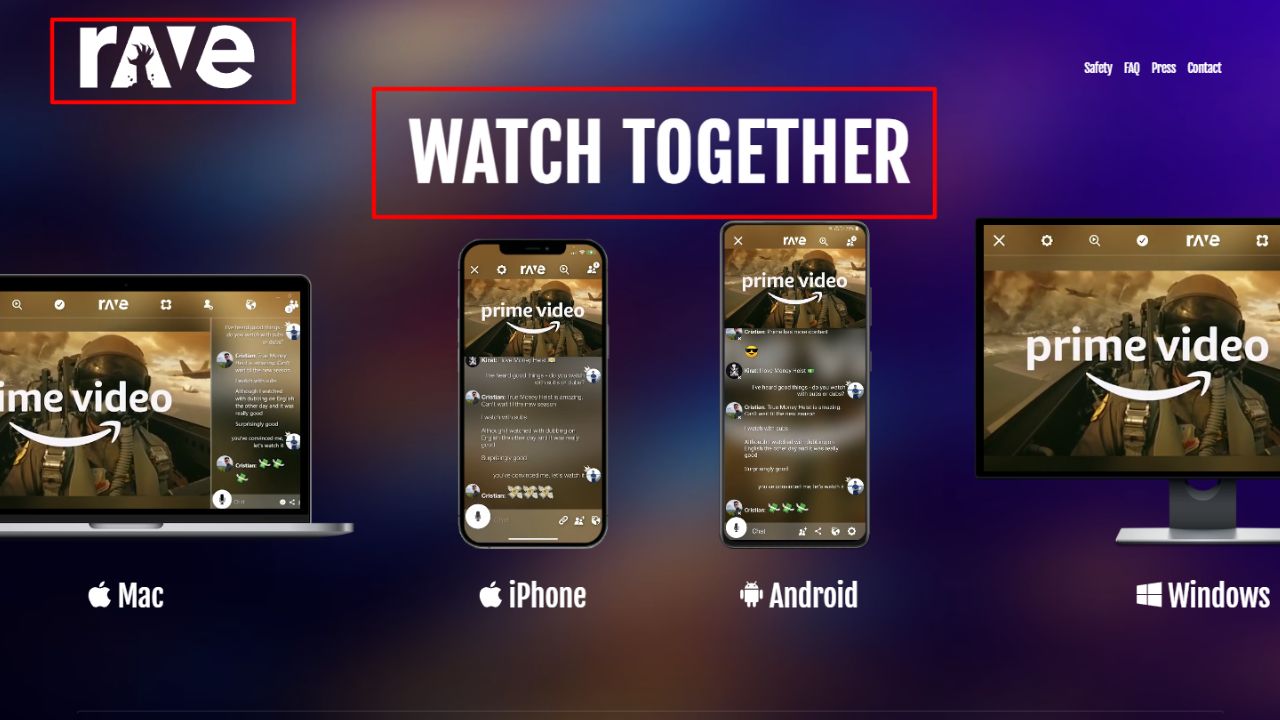
Rave built its name on phones, and the Android app remains the most natural fit for watching from bed or a bus: frame-accurate synced playback, built-in voice chat, and text chat, with no cap on room size. Supported services include Netflix, YouTube, Prime Video, Disney+, HBO Max, and Crunchyroll, and the free tier shows ads but keeps every feature unlocked.
The iPhone situation is the story most guides still get wrong. Apple removed Rave from the App Store in August 2025, citing fraudulent activity that Rave disputes, and the company filed antitrust suits against Apple in five countries in May 2026. Whatever the merits of that dispute, new iPhone users cannot download the app today, and existing iPad users report an experience in limbo. Rave’s own FAQ still lists iOS among supported platforms, a description that no longer matches reality for new iPhone users.
Reality check for mixed households: Rave today is an Android play, and a good one. iPhone owners should start with Teleparty, Scener, or a native option like Minu instead.
5. Minu
Minu is the newest idea in this list, and the only one built around conversation as much as the movie itself. The app pairs synced playback with live video chat and a customizable AI co-watcher called Poppy, who reacts to scenes alongside the humans. Viewing modes exist for couples, families, friends, and solo viewing, and support covers Disney+, Prime Video, HBO Max, Hulu, and YouTube.
The free download includes the core experience, and subscriptions from roughly $4.99 up to $9.99 per month unlock the fuller set. Native apps exist for both iPhone and Android, which puts Minu in the small club of genuinely cross-platform watch-party apps.
Poppy will divide opinion. Some couples will enjoy an AI reacting alongside them; others will switch Poppy off within the first minute. The Play Store rating sits low (3.2 stars from a small review base on the listing), which suggests the Android build still has rough edges worth testing before a special night. Couples treating the connection as the main event will forgive that; groups whose focus is the film itself get a cleaner result from Teleparty.
6. Kast
Kast handles the case every other tool here struggles with: the movie is not on a supported streaming service at all. Maybe it is a rented file on a laptop, an old rip, a website with no integration, or a game with cutscenes worth sharing. Kast shares one person’s screen or a virtual browser with the whole room, so nothing about the source matters except that it plays on the host’s machine.
Up to 20 people can share screens or cameras, with 100 more able to watch along, and public watch parties run most Thursday evenings for anyone curious. Voice and video chat sit inside the room, and the free plan covers the essentials without a session cap.
Screen-sharing quality is the trade-off worth knowing about upfront. Because Kast broadcasts the host’s video in place of synchronized individual streams, resolution and smoothness depend heavily on the host’s upload speed, and fast-motion scenes show it. Kast Premium at $4.99 per month billed yearly (or $6.49 monthly) improves quality and removes ads, but the ceiling stays lower than sync tools offer.
Rentals, rips, niche sites, and everything outside the streaming majors land here. Standard streaming-service plans get better quality from the sync tools above with less bandwidth.
7. Hulu Watch Party
One streaming service still ships a native watch feature, and it is Hulu. The built-in Watch Party runs on desktop web browsers for up to eight people, with synced playback and a group chat, no extension, no third-party app, and no extra charge. For a group already inside the Hulu ecosystem, it is the simplest option in this entire list. The requirements are stricter than they first appear, though. Every participant needs a Hulu account, and the No-Ads plan is effectively mandatory, because ad-supported tiers break the sync when commercial breaks play at different moments for different viewers. On-demand content only, live TV excluded.
Hulu’s watch party survived while every competitor fell. Amazon’s Prime Video Watch Party shut down on April 2, 2024, its removal surfacing only in a company forum post, and Disney+’s GroupWatch was pulled on September 18, 2023. Sling shut its party feature down in early 2024 too. Any guide still listing those options is reprinting pre-2024 advice.
Use Hulu Watch Party if the whole group has No-Ads Hulu and computers in front of them. Everyone else needs one of the tools above.
How to pick the right app for your group
Start with where the movie lives. Netflix, Disney+, HBO Max, Prime Video, and Hulu map to Teleparty or Scener, both of which handle the major subscription services reliably. YouTube, Twitch, and Open web video work anywhere, so Kosmi, Watch2Gether, or a screen-share tool covers them. A file on someone’s laptop belongs to Kast. And Hulu members should simply use the built-in feature.
Then match the devices. A group entirely on laptops has the widest choice. One phone in the mix eliminates most browser extensions and points to Minu or an Android-only Rave. And if nobody wants to install anything, Kosmi’s browser-first approach is the only dependable path.
One final check before sending invitations: confirm every participant has active access to the same streaming service in the same region, because these apps synchronize playheads, not subscriptions. With that confirmed, the apps to watch movies together remotely in this list all do the core job. The difference is entirely in the surroundings: how much of a shared room you want around the film.
Frequently asked questions
What is the best free app to watch movies together remotely?
Teleparty for streaming-service groups, since its free tier covers nine services including Netflix and Disney+ with no participant cap worth mentioning. Kosmi handles the no-install crowd, because rooms run in any browser with no account needed. Both free tiers fund the core job without tricks. Anything beyond those two depends on which streaming service your group already pays for.
Does everyone need their own Netflix account for a watch party?
Yes, for sync tools like Teleparty, Scener, Minu, and Rave. These apps keep individual streams aligned; they do not share video. Only screen-share tools such as Kast get around this, because the host’s screen is broadcast, and there quality depends on the host’s connection.
Why can’t I find Amazon Prime Video’s Watch Party anymore?
Amazon retired it on April 2, 2024, without any announcement. Disney+’s GroupWatch met the same end in September 2023, and Teleparty now handles Prime Video sync in supported browsers.
Can iPhone and Android users watch movies together?
Yes, with a cross-platform app. Minu and Teleparty (through its Android app and browser extension) both support mixed groups, and Kosmi works in any phone browser. Apple’s SharePlay does not, since it requires everyone on Apple devices, and Rave is currently Android-only after its iOS App Store removal.
Is Rave still available?
On Android, Windows, and Mac, yes, with one of the best free mobile watch-party experiences around. On iPhone, no: Apple pulled the app in August 2025 over activity Rave disputes, and the resulting antitrust suits are still unresolved.
How do you watch a movie together on a smart TV?
Teleparty on a laptop connected to the TV over HDMI is the most reliable route, since streaming-service extensions do not run on TV software itself. Rave keeps an Android TV app alive for Google TV households. When neither works, the countdown method always does: everyone opens the title on their own set, joins a call, and presses play together.