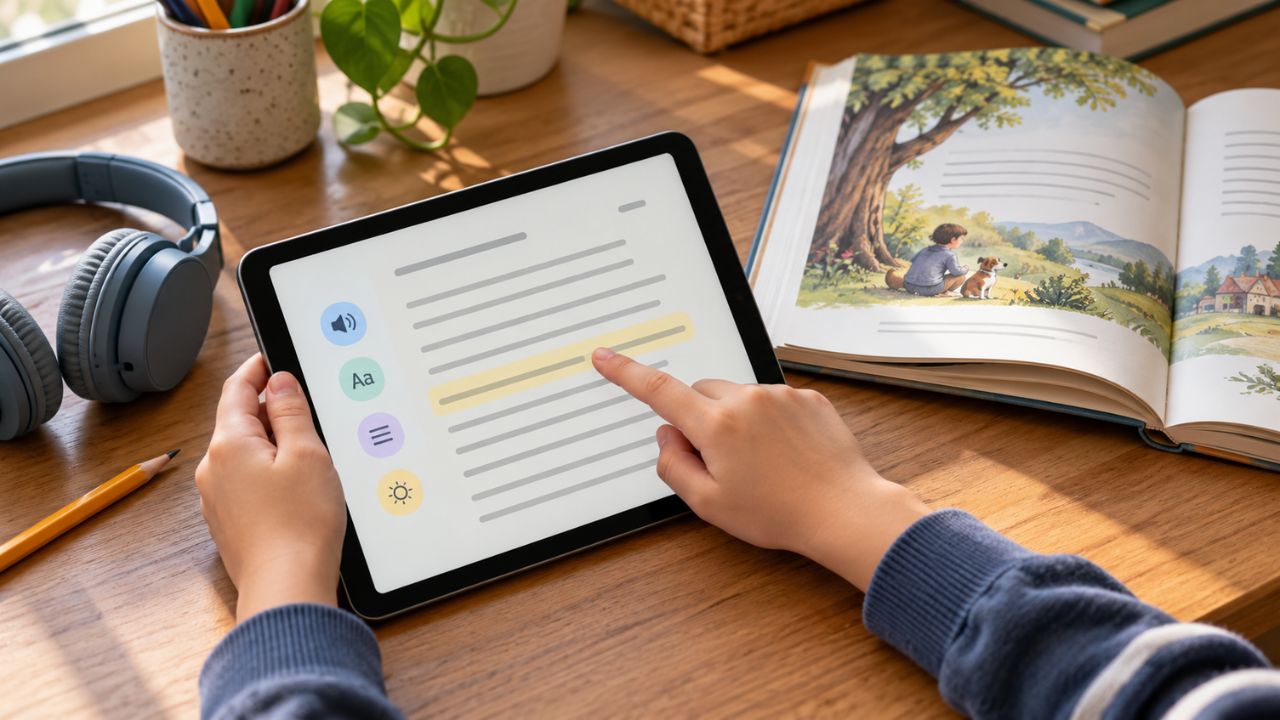
A child can explain a science topic aloud, then stall when the questions arrive on a printed worksheet. Another may read the questions but struggle to put a full answer on the page. Both need support, but the same app will not solve both problems.
That is how I would approach digital tools for kids with dyslexia: identify the task that is getting in the way, then choose a tool for it. Some programs provide reading and spelling practice. Others read books aloud, make printed text accessible, or help a child write down ideas they already have.
The ten options here serve different purposes. Their prices, device requirements, and eligibility rules matter as much as their features. None can diagnose dyslexia or replace appropriate reading instruction.
What Kind of Support Does Your Child Need?
Dyslexia can affect accurate, fluent reading and spelling. It has no bearing on a child’s intelligence. A useful tool helps the child learn a skill or take part in schoolwork while that skill develops.
Instructional tools
They offer lessons or targeted practice in reading and spelling. Nessy Reading and Spelling and Lexia Core5 Reading belong in this group. Their activities work best when they connect with what a teacher or specialist is teaching.
Assistive tools
They help a child access information or express an answer. Text-to-speech can read a digital assignment aloud. An audiobook can make a class novel available at an appropriate level of content. Dictation can capture a spoken answer, while a scanning pen can read a line from a paper worksheet.
A child may need both. The International Dyslexia Association recommends explicit, systematic teaching of language and literacy skills for students with dyslexia. Audio can help with today’s chapter; instruction helps the child build the skills to read print more independently.
Compare the Tools at a Glance
The quickest way to narrow the list is to match the child’s immediate task with the tool’s main job.
| Tool | Main job | Cost and access snapshot |
| Nessy Reading and Spelling | Reading and spelling practice | Paid online subscriptions; regional prices |
| Lexia Core5 Reading | School-supported reading practice | School licensing; supported computers and iPads |
| Microsoft Immersive Reader | Listening to digital text | Free Word web entry point; app features vary |
| Read&Write by Everway | Reading and writing assistance | U.S. individual plan: $184 a year |
| Bookshare and Bookshare Reader | Accessible books | Free for qualified U.S. students; international terms vary |
| Learning Ally Audiobook Solution | Human-narrated books | U.S. family plan: $135 a year; eligibility and geographic limits |
| Voice Dream Reader | Listening to imported files | Subscription; iPhone/iPad and separate Mac edition |
| Google Docs voice typing | Dictating written work | Included with Docs in supported computer browsers |
| Ghotit Real Writer & Reader | Spelling and writing support | Windows subscription: $249 a year; other purchase option |
| C-Pen Reader 3 | Reading printed text aloud | U.S. supplier price: $449 before applicable tax |
Published U.S. prices were checked in October 2026. Local taxes, school licenses, regional availability, and checkout terms may differ.
10 Digital Tools That Support Kids With Dyslexia
A useful starting point is a specific assignment, book, or writing task. Each profile explains where a digital learning tool may help and what to check before relying on it.
1. Nessy Reading and Spelling
Nessy provides practice in phonics, spelling, word structure, vocabulary, fluency and comprehension. An initial skills check sets practice targets, and adults can use reports and printable activities to follow up. The provider mainly targets children aged 6 to 11, although older learners may also use it.
It could help when a child needs more chances to practise a spelling pattern or sound–letter relationship already taught in class. I would look beyond the program’s progress screen: can the child recognize that pattern in a new book or use it while writing?
Nessy needs an internet connection, and home subscription prices depend on the country. Published research specifically on its outcomes is limited. It is reasonable to consider it as extra practice, without promising a particular gain from using it.
2. Lexia Core5 Reading
Lexia Core5 covers phonological awareness, phonics, word structure, fluency, vocabulary and comprehension for pre-K through Grade 5. Its activities adapt to the student’s progress, while reports and printable resources help teachers plan instruction.
There is a useful independent result here. In a large trial in England, struggling Year 2 readers whose schools delivered Lexia with staff support made an average of two additional months of reading progress compared with similar pupils receiving usual support. The trial found no additional progress in oral fluency. It does not establish that every child with dyslexia will make the same gain.
This is best considered with the child’s school, which can coordinate practice and monitor progress. Current requirements support suitable Windows and Mac computers, Chromebooks and iPads, with a persistent internet connection. Android is not supported, even though some older product descriptions suggest otherwise. Ask the school about its license and check the precise device requirements.
3. Microsoft Immersive Reader
A child who understands an assignment when someone reads it aloud may benefit from hearing the digital version. Immersive Reader can speak text in supported versions of Word while highlighting words and allowing changes to the display. Line focus, syllable display, and picture dictionary features depend on the app and version.
Word for the web offers a free starting point with an appropriate Microsoft account. That makes this a practical option to try if the school already sends Word documents. The newer Reading mode in Microsoft Edge has its own controls, so do not expect every Word or OneNote feature to appear there.
Let the child try it on a real assignment and adjust the voice, speed, and layout. Its job is to make the text easier to access; it is not a phonics course.
4. Read&Write by Everway
Read&Write brings several schoolwork supports together. Depending on the platform, a student can listen to text, follow word highlighting, dictate, use word prediction, consult a dictionary, and collect highlights. A screen reader can help with some text that is difficult to select normally.
That combination may be useful for a child moving between a web page, a PDF and a written response. Read&Write works across Windows, Mac, Chrome, Edge, iOS and Android, but the features differ. Check the version the child’s school actually provides before assuming a particular tool is included.
Everway lists a U.S. individual license at $184 a year. Ask about school access first. Older lists may recommend Co:Writer and Snap&Read as separate products; Everway retired those standalone products at the end of 2025 and has been bringing their functions into Read&Write.
Bookshare supplies accessible ebooks and textbooks for eligible readers. Its browser and mobile reader can play supported books aloud, highlight words, and adjust the display, voice, and speed. Mobile users can download books for offline reading.
This is worth checking when a required novel or textbook is above a child’s current independent reading level. Search for the exact title and edition before signing up. The availability of a large library does not guarantee that a particular class book will be there in the needed format.
Access to the restricted copyrighted collection requires a qualifying print disability. Dyslexia can qualify when it significantly interferes with reading, and someone with appropriate expertise must verify eligibility. Qualified U.S. students can use Bookshare at no cost; an IEP or 504 plan is not required. Bookshare also operates internationally, including through South Asian partnerships, but fees and title rights vary by country.
6. Learning Ally Audiobook Solution
Learning Ally offers human-narrated books and textbooks for eligible readers. Children can control playback, and some book formats let them follow the text on screen. Supported apps also allow downloaded books to be used offline.
It may suit a child who needs to keep up with a class novel or subject reading that takes too long to decode independently. Check the required title and its format first. On-screen text and highlighting are not identical across every book.
The U.S. family membership is listed at $135 a year, with proof of eligibility required. A school may already provide access. International readers need to check the restriction carefully: Learning Ally says it currently does not offer membership outside the United States to non-U.S. citizens. The service provides access to books; it should not be described as teaching decoding by itself.
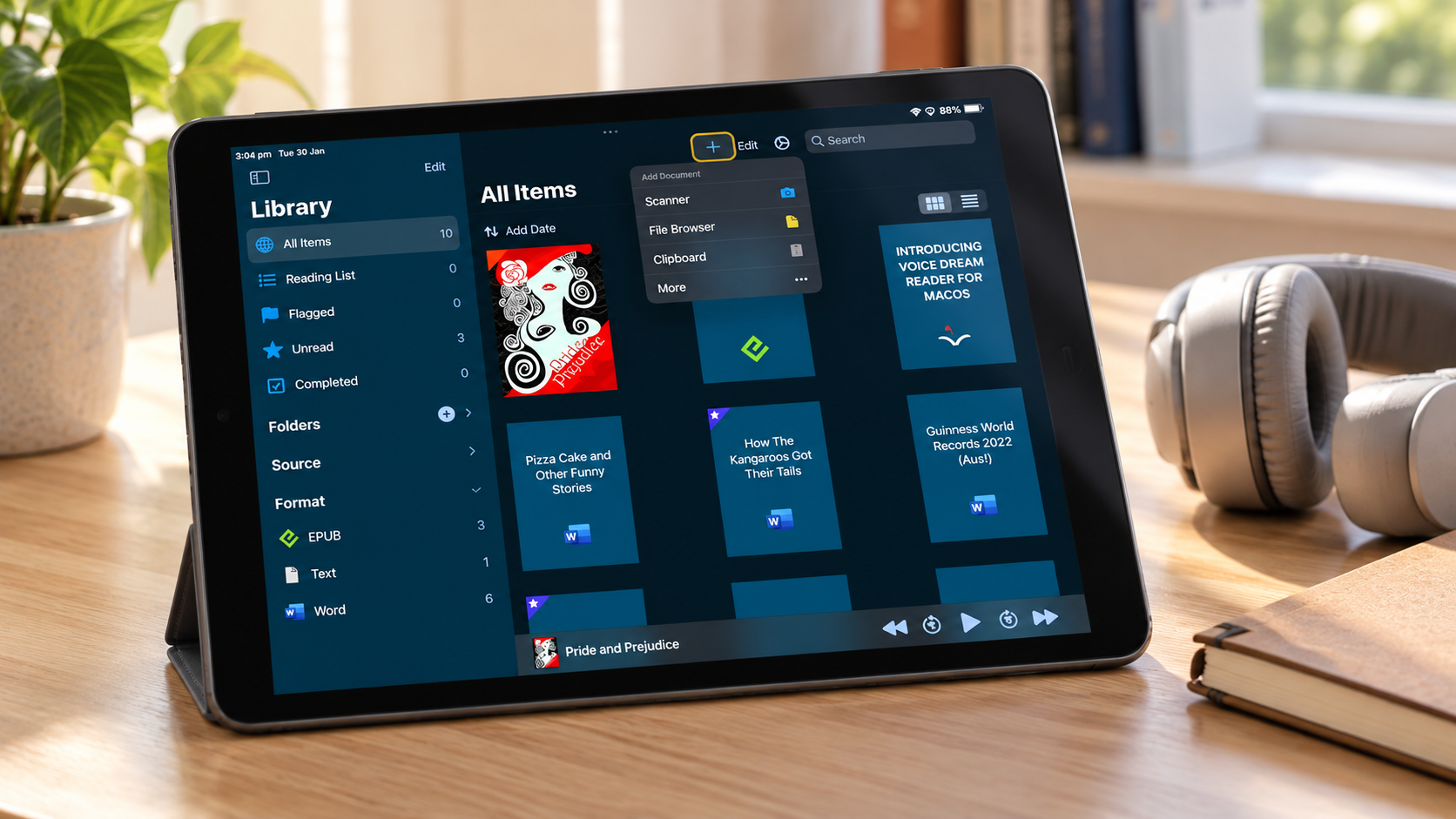
7. Voice Dream Reader
Voice Dream Reader is designed for listening to files from different sources on an iPhone or iPad. It can read supported PDFs, Word documents, web articles, and EPUB files without digital rights restrictions, with adjustable voices, speed, and highlighting. Downloaded material and installed voices can be used offline.
That is handy when school reading arrives as several documents rather than one accessible book. A younger child may need help importing and organizing them. Protected Kindle or Apple Books titles cannot simply be added as ordinary ebook files.
The current U.S. App Store name is Voice Dream – Natural Reader; it is distinct from the separate NaturalReader service. The iPhone/iPad app requires a subscription, and storefront prices vary. The Mac edition has separate terms, so check the right version before paying.
8. Google Docs Voice Typing
When spelling interrupts a child’s train of thought, dictation can help capture the answer they can already explain. In a document on a computer, open Tools → Voice typing in a current Chrome, Edge, or Safari browser, allow microphone access, and speak.
Keep the routine simple: plan a sentence, dictate it, read it back, and correct any recognition errors together. The child’s ideas remain the child’s own. Voice typing transcribes their words; it does not generate an answer for them.
Docs supports many dictation languages, including Bengali (Bangladesh) and Bengali (India). Voice editing commands have narrower English-language requirements. The feature does not need a separate dictation subscription, though a school administrator may turn it off. Dictation from a phone’s keyboard is a different feature with different controls.
9. Ghotit Real Writer & Reader
A basic spellchecker can fail when a child’s attempt is far from the intended spelling. Ghotit offers phonetic and context-sensitive suggestions, word prediction, a talking dictionary, and spoken feedback. It also includes reading tools.
I would consider it for a student producing longer assignments who needs to inspect and choose among spelling suggestions. Have the child listen to a proposed word and check its meaning before accepting it. Correcting a sentence helps communicate the idea, but it does not automatically teach the spelling pattern.
The desktop software is available for Windows and Mac, with separate iOS products. Ghotit says it does not support Chromebooks or Android. Its U.S. Windows page lists $249 a year for a single-computer subscription or $399 for a perpetual license with four years of support and upgrades.
10. C-Pen Reader 3
Digital readers cannot help much when the only copy of an assignment is on paper. C-Pen Reader 3 scans a printed line and speaks it aloud. It can also provide definitions and save scanned material. Its core offline reading languages are English, French, Spanish, Italian and German.
A printed worksheet or textbook page is its natural use. Guiding the pen along a line takes practice, so it is sensible to try one before purchasing if the school has a demonstration or loan device. Handwriting is unreliable, and it cannot scan words directly from a screen or a low-contrast page.
A U.S. supplier lists the Reader 3 at $449 before applicable tax. If the child might use it during a test, ask about the rules for that specific exam. Buying a reading pen does not automatically make it an approved assessment aid.
Keep Reading Instruction in the Picture
A child might work on sound–letter relationships with a teacher and use spoken playback later to take part in a science lesson. Both activities have a purpose. The child still needs time to discuss the science, and the reading lesson still needs direct attention.
If reading or spelling difficulties persist, speak with the child’s teacher and an appropriately qualified professional about assessment and support. A program’s skills check cannot diagnose dyslexia. Neither can one reversed letter or a child’s preference for listening. Display settings such as font size, spacing, and contrast are worth adjusting for comfort, but a special font alone is not a dyslexia intervention.
Choose the Support That Fits the Work
The right tool may be a reading program coordinated with a teacher, an accessible copy of a class book, a way to hear a printed worksheet, or a microphone that helps an answer reach the page. What matters is whether it addresses the child’s actual barrier.
Start with one task, involve the child and their teacher, and notice what changes outside the tool. Technology is most useful when it gives a child a fair chance to learn and show what they know while reading skills continue to grow.
Frequently Asked Questions on Digital Tools for Kids with Dyslexia
Which tools can I try for free?
Google Docs includes voice typing in supported computer browsers, and Word for the web provides a free entry point for Immersive Reader with an appropriate account. Bookshare is free for qualified U.S. students. Schools may already license some of the paid tools.
Can an app diagnose dyslexia?
No tool on this list provides a diagnosis. A program may check reading skills to choose activities, but concerns about persistent reading and spelling difficulties should be discussed with the school and an appropriately qualified professional.
Do audiobooks replace reading instruction?
No. Audiobooks and text-to-speech can help a child understand and enjoy material that is hard to decode independently right now. Explicit, systematic instruction addresses the skills involved in reading and spelling printed words.
Which of these options work on a Chromebook?
Lexia Core5 supports Chromebooks that meet its current requirements. Read&Write has a Chrome version, and browser-based tools such as Google Docs, Bookshare Reader, and Word for the web may fit a school setup. Ghotit’s desktop software does not support Chromebooks. Check the exact features and school permissions.
Can these tools support Bengali or other languages?
Some can. Google Docs voice typing includes Bengali (Bangladesh) and Bengali (India), while Bookshare offers titles in multiple languages subject to local availability and rights. C-Pen Reader 3 has five offline reading languages, which do not include Bengali. Check the exact voice, book, command, or lesson language before subscribing.
Will a special dyslexia font help every child?
No. Some children prefer particular spacing, text size, or contrast, and adjustable displays can help them find a comfortable setup. A study of one specially designed dyslexia font did not find faster or more accurate reading than standard fonts among the children studied. A font preference should not be presented as a proven reading treatment.