

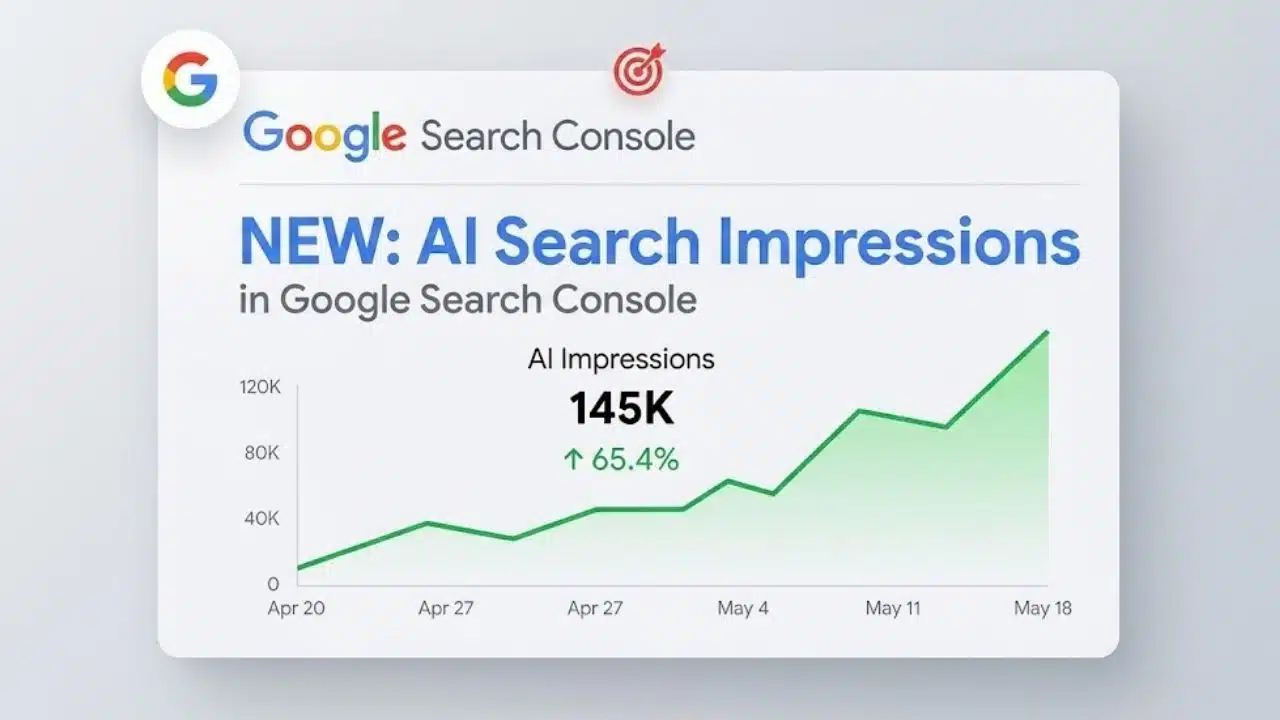
Search Console reports are the most direct way to track organic traffic shifts, indexation failures, and technical site health. Rather than opening your performance graph without a plan, a structured weekly review reveals exactly what changed, which URLs were impacted, and who needs to fix it.
To prioritize your time, focus first on core performance and page indexation reports before diving into technical crawl data or publisher-specific tools like Discover. Here is how to use these primary reports to transform raw search data into immediate, actionable site improvements.
What a Weekly Check Can and Cannot Tell You
Search Console is not a complete record of every query or visitor. It hides some low-volume queries for privacy, limits table rows and may label recent figures as preliminary. Chart totals can therefore be higher than the rows shown beneath them.
Use complete date ranges and compare matching days of the week. Most Search Console date views use Pacific Time, while the 24-hour view follows the browser’s local time. That difference can create apparent discrepancies when Search Console is compared with another analytics platform. Most importantly, treat a change as a lead to investigate. It is not proof of a Google update, technical failure or content-quality problem.
9 Search Console Reports to Include in Your Routine
These Search Console reports cover the signals most likely to require action, from traffic and indexing changes to crawl failures and security warnings. Start with the reports relevant to every site, then add publisher-specific and technical checks when they apply.
1. Search Results Performance Report
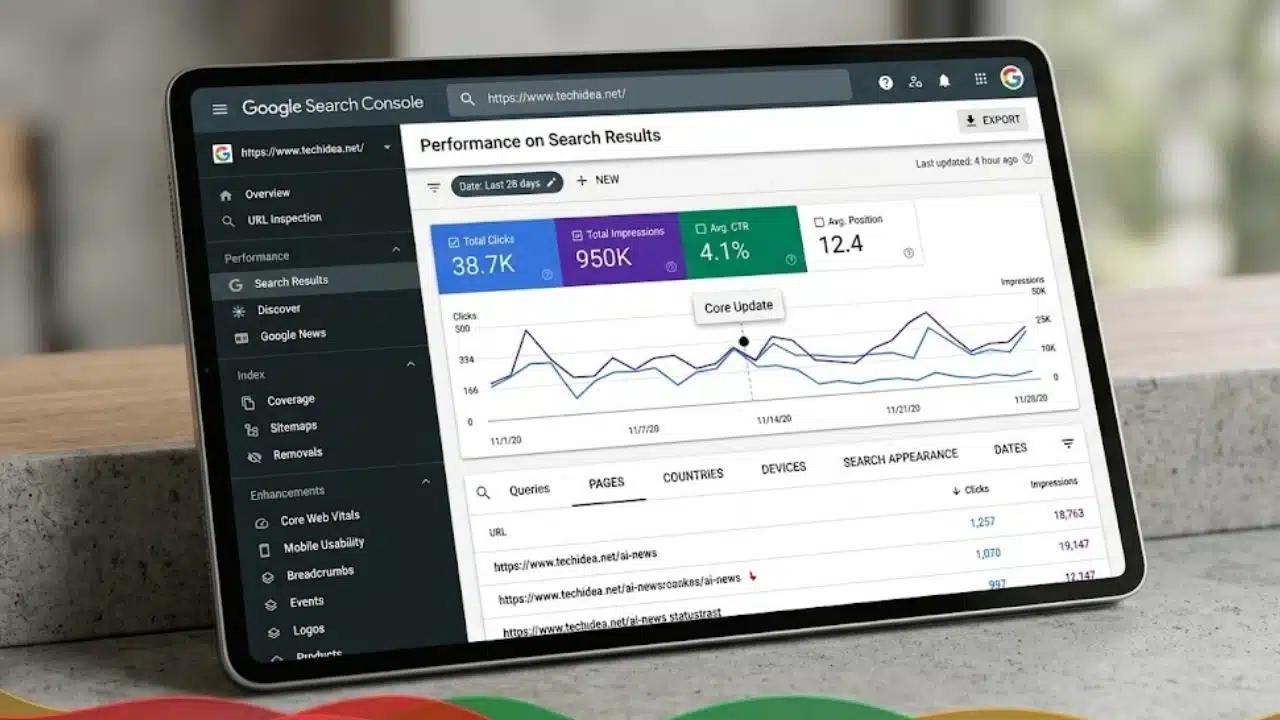
This is the report worth spending the most time on. Begin with clicks and impressions, then use click-through rate and average position to add context.
Do not diagnose a sitewide decline from the main graph. Open the Pages tab, find the URLs responsible for the change, select one and inspect its queries. That sequence usually gets to the problem faster than browsing an unfiltered list of search terms.
Look for patterns such as:
- Clicks falling while impressions remain stable
- Impressions rising without a similar increase in clicks
- Mobile and desktop performance moving in different directions
- Losses concentrated in one country or content section
- Web, image, video or news search showing different trends
Average position is easy to overrate. It combines different queries, devices, locations, and search formats. A shift in the mix of queries can move the average even when a page’s important rankings remain steady.
Search Console also omits some queries and generally shows no more than 1,000 table rows. Use the report to identify meaningful patterns, not as a complete keyword database.
2. Page Indexing Report
Performance data covers pages that already receive visibility. The Page Indexing report helps identify valuable pages that may not be eligible to appear at all.
Watch for a decline in indexed URLs or a sudden increase under one non-indexed reason. Server errors, unintended noindex directives, robots.txt blocks and unexpected canonical choices deserve attention when they affect important content.
A large “Not indexed” total is not automatically evidence of an SEO problem. Redirects, duplicate URLs and alternate canonical pages often belong there. The report should reflect the site’s intended index, not turn every known URL green.
Avoid wasting time on every reported 404. Prioritize missing URLs that remain internally linked, appear in a sitemap, have backlinks or should redirect to a current replacement.
3. Sitemaps Report
This should be a quick operational check. Confirm that Google can fetch each submitted sitemap, note the last read date, and investigate unexpected changes in discovered URL counts.
A successful status only means Google could process the sitemap. It does not guarantee that every listed URL will be crawled or indexed.
For larger sites, separate sitemap files for articles, products, categories or videos make problems easier to isolate. Each file should contain preferred canonical URLs that are intended for search.
4. Crawl Stats Report
Crawl Stats is valuable for large, frequently updated or technically complicated sites. For a small site with fewer than about 1,000 pages, Google says this level of crawl analysis generally should not be necessary.
Larger properties should check host availability, average response time and crawl-response patterns. A rise in 5xx responses or slower server performance after a deployment matters more than a change in total crawl requests.
The report sits under property settings and appears only for root-level Domain properties or root-level URL-prefix properties. If it is missing from a narrowly scoped property, that may be expected.
5. Core Web Vitals Report
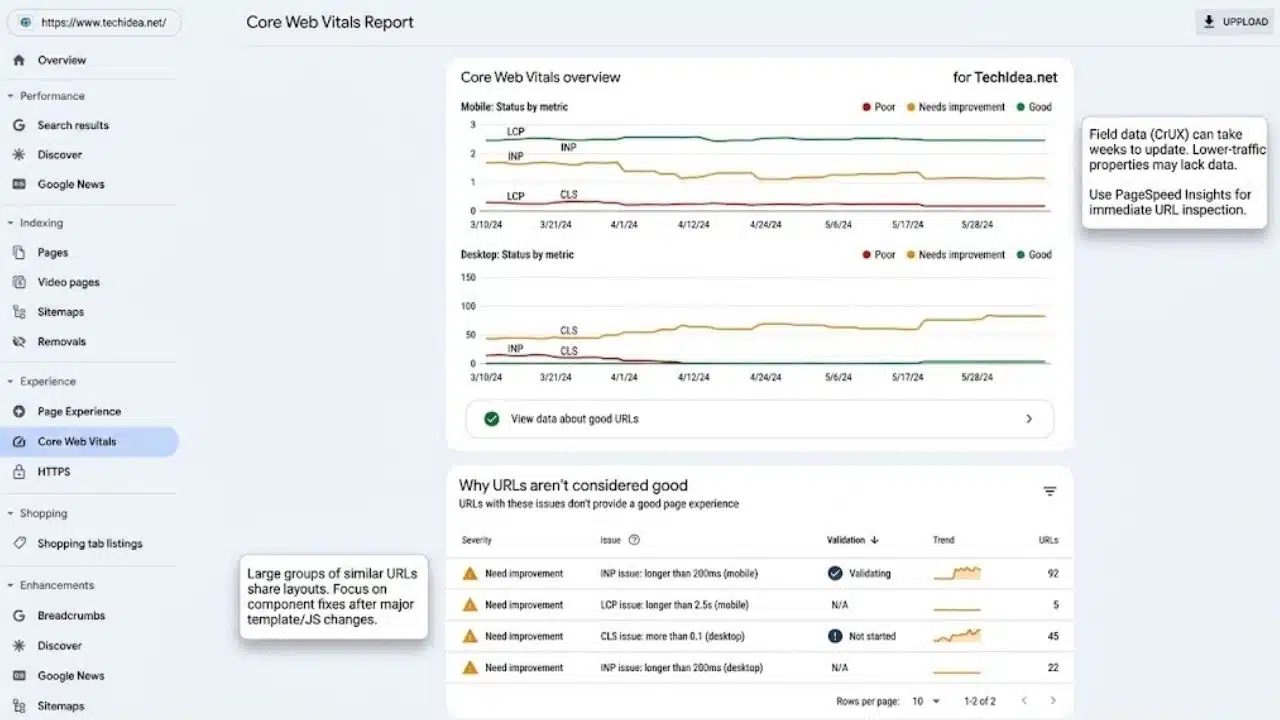
The Core Web Vitals report uses real-user data from the Chrome User Experience Report. It groups similar URLs by LCP, INP and CLS performance, with mobile and desktop assessed separately.
A weekly check is most useful after changes to advertising, images, consent banners, templates or JavaScript. If a large URL group moves into Poor or Needs improvement, look for a shared layout or component rather than testing random pages.
The report is not an immediate verdict on yesterday’s release. Field data takes time to change, and lower-traffic properties may not have enough data. Use PageSpeed Insights to investigate representative URLs, then monitor the wider group in Search Console.
6. Rich Result Status Reports
Search Console generates separate status reports for supported structured data types it detects. A recipe site, news publisher and ecommerce store will not see the same set of reports.
Check for new invalid items or a sudden fall in valid items after a plugin, theme or template update. A critical issue prevents an item from qualifying for that rich result. Non-critical issues may leave it eligible, although recommended fields can still be worth correcting.
Eligibility does not guarantee that Google will display a rich result. Fix the shared markup first, test representative pages and request validation only when the affected template is ready.
7. Discover and Google News Performance Reports
These reports deserve regular attention from publishers receiving visibility outside standard web results. Discover can be volatile, so one weak week should not trigger a change in editorial direction. Check whether the loss came from one previously successful article or affected several content groups. Page, country and device breakdowns are more informative than the property-wide total.
The Google News report covers news.google.com and the Google News apps for Android and iOS. It does not include the News tab within regular Google Search; that activity belongs in the main Search Results report.
Both reports require sufficient impressions before they appear. A missing report is not, by itself, evidence of an indexing or eligibility failure.
8. Generative AI Performance Report
At the time of publication, Google is rolling out generative AI performance reports to a subset of eligible properties. Separate versions exist for Search and Discover, but either may remain unavailable when a site lacks access or sufficient impressions.
The Search report currently covers impressions from AI Overviews and AI Mode. Data can be examined by page, country, device and date. There is no query dimension, which limits how precisely publishers can explain why a page appeared.
These impressions are already included in the Web search type within the standard Search Results report. Adding them to Web impressions would count the same visibility twice.
This remains a directional report. It can show which pages are gaining or losing generative visibility, but not whether Google summarized a page accurately, whether the appearance led to a visit or whether that visit converted.
9. Overview, Manual Actions and Security Reports
Finish with the Overview page for a quick scan of important performance, indexing, recommendation and enhancement information. Serious warnings should then be opened in their dedicated reports.
A manual action means a human reviewer found pages that do not comply with applicable Google spam policies. It can reduce the visibility of individual pages, site sections or an entire property.
Security Issues covers different risks, including hacked content, phishing, malware and unwanted software. These problems may produce warnings in search results or browsers. They require immediate security investigation, not an ordinary place in the SEO backlog.
Final Thoughts
A weekly review does not need to cover every Search Console screen with equal attention. Start with performance and indexing, then follow the evidence into the relevant technical or publisher-specific report.
Keep a short record of what changed, what appears normal, and what needs an owner. That turns Search Console reports from a collection of charts into a practical monitoring routine.
Frequently Asked Questions (FAQs)
Why is a Search Console report missing from my property?
Some reports appear only when Google detects the relevant content or records enough activity. Discover, Google News, rich result and generative AI reports may therefore be absent. Crawl Stats also requires a root-level property.
Should I react to a one-week traffic decline?
Not before checking where the decline occurred. Compare matching days, inspect affected pages and queries, and consider seasonality, publishing volume and recent site changes. A broad response to a narrow loss often creates more work than value.
When should I use URL Inspection instead of Page Indexing?
Use Page Indexing to monitor patterns across a site or section. Use URL Inspection when diagnosing one important page, checking its selected canonical, reviewing its last crawl or testing whether Google can access the current version.























