
Most overloaded professionals do not need another chatbot telling them to prioritize. They need software that can see the calendar, account for deadlines and task duration, and rebuild the plan when a meeting lands. The best AI tools for time management do that work in different ways: some move tasks automatically, while others prepare a schedule for the user to approve.
This is an editorial ranking, not a universal performance score. It favors useful scheduling, manageable setup, relevant connections, clear limitations, and sensible pricing. Reclaim ranks first because it adds automation without demanding a workflow migration. Motion is more powerful, but it costs more and requires greater commitment.
Quick Comparison of Top AI Time Management Tools
Prices are in US dollars and were current when checked. The table uses annual billing where available. Product packaging changes frequently, so confirm the final price and included features before subscribing.
| Tool | Strongest Fit | Price Snapshot |
| Reclaim | Calendar automation with little migration | Free; Starter from $10 per seat monthly, billed annually |
| Motion | Task and project auto-scheduling | Pro AI from $19 per seat monthly, billed annually |
| Akiflow | Tasks from many apps in one plan | $19 monthly, billed annually |
| Morgen | Multiple calendars and task systems | $15 monthly, billed annually |
| Sunsama | Guided, realistic daily planning | Main pricing panel shows $17 monthly, billed annually; verify at checkout |
| FlowSavvy | Simple personal auto-scheduling | Free; Pro from $10 monthly, billed annually |
| SkedPal | Detailed scheduling rules | Core from $9.95 monthly, billed annually |
| Trevor AI | Low-cost conversational planning | Free; Pro from $5 monthly, billed annually |
| ClickUp | Teams already managing work in ClickUp | Planner is on every plan; AI packaging may change |
| TimeHero | Small-team workload planning | Basic from $4.60 per user monthly, billed annually |
What Most AI Scheduling Lists Miss
Even the best AI tools for time management cannot rescue poor task data. If tasks have no duration, deadline, priority, or working hours, the software has little useful information to plan around. Mark everything urgent and it will build a packed calendar that looks efficient but is impossible to follow.
Use the first week to correct estimates, add buffers, and define when different types of work can happen. Product status also deserves a check. Many older roundups still recommend Clockwise, even though the service closed on March 27, 2026, after its team joined Salesforce. A current shortlist matters more than a long one.
10 Best AI Tools for Time Management
These tools turn deadlines, priorities, and calendar availability into realistic daily plans. The strongest options reduce manual rescheduling, protect focus time, and help individuals or teams manage changing workloads better.
1. Reclaim
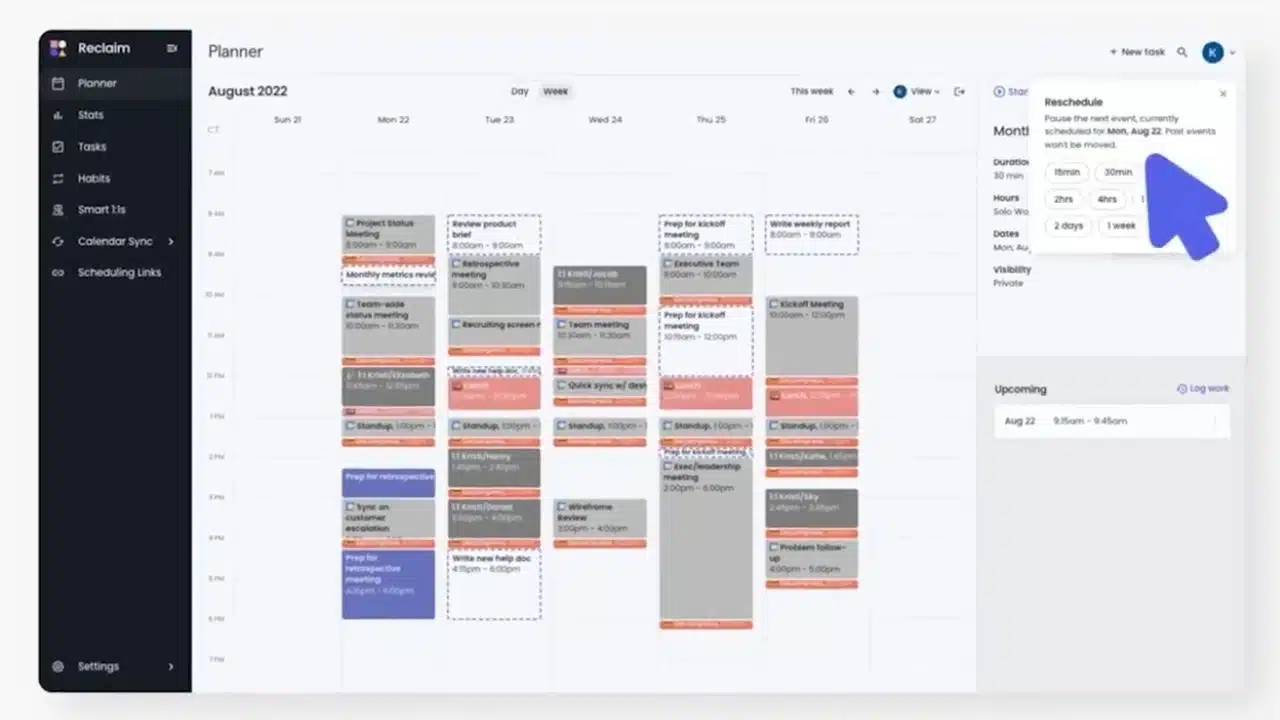
Reclaim is the easiest recommendation for people who rely on Google Calendar or Outlook and do not want another large project suite. It schedules focus time, tasks, habits, breaks, and flexible meetings around fixed events, then adjusts those blocks as the calendar changes.
The free plan is limited to one user, a one-week scheduling range, and one calendar sync. Paid plans expand those limits and add broader integrations and team controls. Reclaim earns first place because it can sit above an existing workflow. Its task features do not replace files, dependencies, or approvals, so teams should keep their project tool underneath it.
2. Motion
Motion goes further than Reclaim by combining the calendar, task list, and project workspace. Give a task a deadline, duration, and priority, and it can place the work, reorganize the day, and flag deadlines at risk. That is useful for a founder moving between operations and client delivery, or a manager coordinating several active projects. Pro AI currently starts at $19 per seat per month with annual billing and also includes meetings, documents, chat, and project tools. The breadth is valuable when it replaces disconnected workflows. For a short personal task list, it is expensive overkill.
3. Akiflow
Akiflow is for people whose tasks arrive from too many places. Its Universal Inbox gathers work from connected tools, while Aki supports voice commands, briefings, smart time slots, and AI-assisted planning. Unlike more aggressive auto-schedulers, Akiflow leaves room for the user to shape the day.
That control costs $19 per month with annual billing or $34 month to month. The expense is easier to justify when Akiflow replaces another planner and reduces the daily tour through multiple task apps. When work already lives neatly in one system, much of its advantage disappears.
4. Morgen
A freelancer may have an iCloud calendar, a client on Microsoft 365, and tasks split between Todoist and ClickUp. Morgen is unusually well suited to that arrangement.
Two details matter here:
- It brings together Google, Outlook, iCloud, Fastmail, Zoho, and CalDAV calendars, along with several task services.
- Its AI Planner prepares a plan for approval rather than writing every suggestion straight to the calendar.
That checkpoint matters when client calls and personal commitments should not move casually. Morgen covers Windows, macOS, Linux, mobile, and the browser. Initial integration takes work, but the planner will not rearrange a sensitive calendar without review.
5. Sunsama
Sunsama is not the most autonomous product here, which is why some professionals will prefer it. Guided planning, calendar timeboxing, task imports, and a shutdown routine force users to confront what actually fits into a day.
Sunsama’s main pricing panel shows $17 per month with annual billing or $22 month to month after a 14-day trial. An older FAQ still lists $20 and $25, so verify the checkout price. Treat Sunsama as a planning layer, not a full project system; its documentation recommends another task tool for an extensive backlog. Choose it for deliberate planning, not set-and-forget automation.
6. FlowSavvy
FlowSavvy is the strongest free option for individual auto-scheduling. Its free plan includes unlimited rescheduling, a two-week window, Google, Outlook, and iCloud sync, plus web, iOS, and Android apps. Pro extends planning to eight weeks and adds dependencies, priorities, and separate scheduling hours. This is a focused personal scheduler, not a department-wide workload system, and it is better for staying narrow.
7. SkedPal
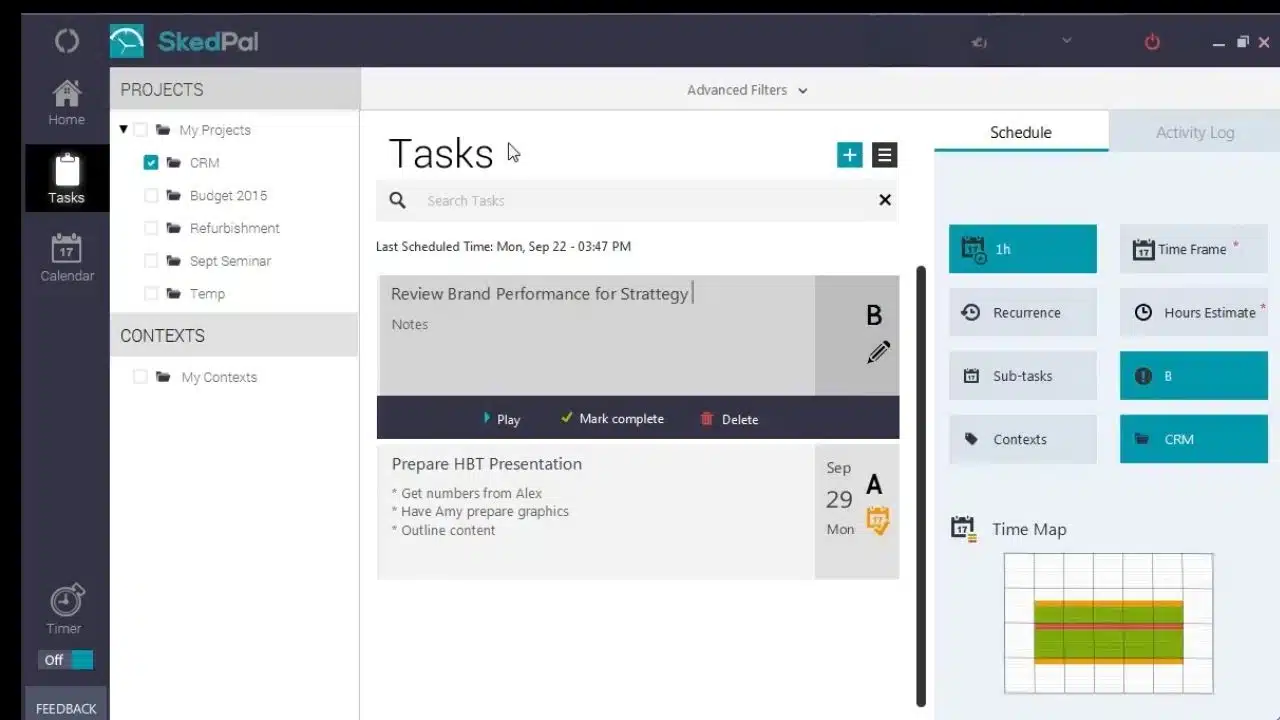
SkedPal asks more of the user than FlowSavvy or Reclaim. Its Time Maps define where and when categories of work may occur, while nested lists and priorities support complicated workloads. Core schedules 21 days ahead with one external calendar; Pro extends that to 60 days and unlimited accounts.
SkedPal makes sense for consultants with recurring constraints, different work locations, or tightly defined scheduling windows. People who dislike tuning rules may abandon it before its flexibility pays off.
8. Trevor AI
Trevor AI offers an approachable, inexpensive route into AI time blocking. Its conversational interface estimates duration, category, and priority, suggests slots, and can break work into smaller steps. The free tier supports one calendar with limited automation; Pro costs $5 monthly when billed annually or $6 month to month. Google, Microsoft, iCloud, and CalDAV calendars are supported, but Trevor remains browser-based with no dedicated mobile or desktop apps. That is a reasonable compromise for solo planning, less so for a team that expects a full project environment.
9. ClickUp
Do not move an otherwise functional workflow into ClickUp solely for its AI calendar. The product is too broad to justify that migration.
For existing ClickUp teams, the calculation is different. Its Planner recommends work sessions using estimates, personal priorities, urgency, and due dates, while Google and Outlook integrations are available across plans. AI Time-Blocking packaging may change, and some advertised calendar features remain marked as coming soon. Treat it as a workspace extension, not a standalone scheduling recommendation.
10. TimeHero
TimeHero sits tenth because its strongest use case is narrower, not because its scheduling engine is irrelevant. It builds task plans around Google or Microsoft 365 events, while higher plans add projects, recurring work, reports, workload views, and automated timesheets. Basic starts at $5 per user month to month or $4.60 with annual billing, but Professional is the more realistic entry point for recurring projects. Small agencies may value the shared capacity view; inaccurate availability or task estimates will make that view look more certain than it is.
What to Try First
Start small. Connect one calendar and add a normal week’s work before importing an entire backlog. Bad duration estimates become bad schedules.
Reclaim is the sensible first trial for calendar protection. Choose Motion only when project work needs to live inside the same system, and consider Morgen or Akiflow when scattered calendars and task apps are the real problem. FlowSavvy is the lower-cost experiment for individual auto-scheduling.
Then see what happens when a meeting arrives late, a task runs long, or a protected break competes with a deadline. The best AI tools for time management should reduce maintenance without making the calendar harder to understand. If the app needs more attention than the plan, move on.
Final Thoughts
The right scheduling tool should make a difficult week easier to manage, not give you another system to maintain. Reclaim is the most sensible starting point for calendar protection, while Motion is better suited to people willing to manage tasks and projects inside the same platform. FlowSavvy offers a simpler, lower-cost route into automatic scheduling, and Morgen or Akiflow makes more sense when work is scattered across several apps.
Test any option during a normal, interruption-filled week. Use realistic task durations, leave room between commitments, and see what happens when the original plan changes. The best AI tools for time management earn their place by reducing repeated scheduling decisions while keeping the calendar understandable. If a tool needs more attention than the work itself, it is not saving enough time.