


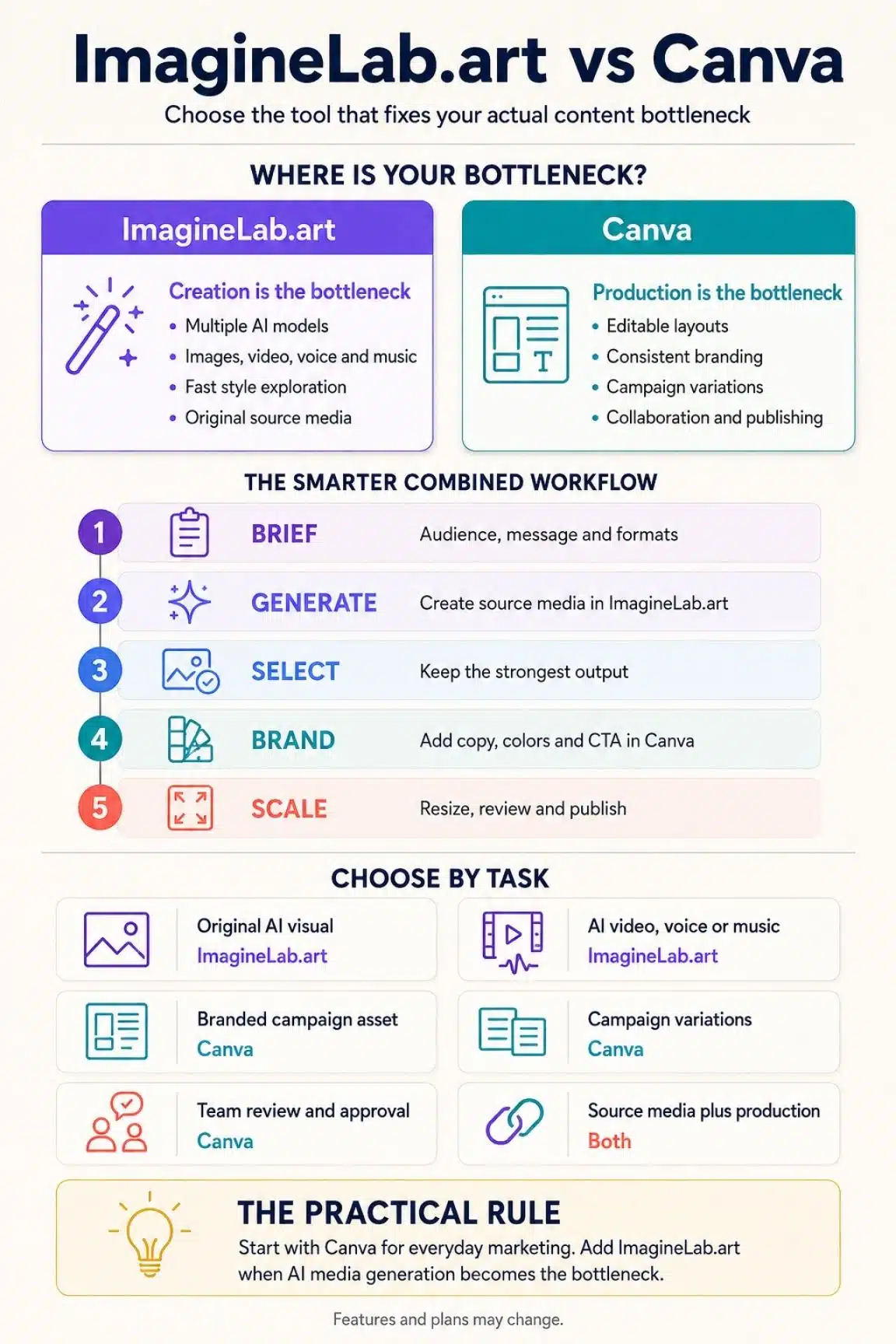
After using both, I do not see ImagineLab.art vs Canva for non-technical marketers as a simple winner-takes-all comparison. They overlap, but they solve different parts of the content workflow. ImagineLab.art is strongest when I want to generate original AI media with a choice of models. Canva is strongest when I need to turn an idea into a polished, branded asset that is ready to publish.
If I had to recommend only one tool to a typical non-technical marketer, I would start with Canva. It covers more of the everyday work: templates, layout editing, brand consistency, resizing, collaboration and publishing. I would choose ImagineLab.art first only when AI image, video, voice or music generation is the main need rather than the final design workflow.
For many marketers, the most practical setup is not choosing one forever. It is using ImagineLab.art to create source material and Canva to finish, brand and distribute it.
ImagineLab.art vs Canva at a Glance
| Area | ImagineLab.art | Canva |
| Main strength | Generating AI images, videos, voice, music, writing and infographics through multiple models | Creating, editing, branding and publishing finished marketing assets |
| Best suited to | AI-first creative exploration and source-media generation | Everyday campaign production and repeatable design work |
| AI model choice | Broad, visible choice across specialist models | More guided; Canva usually handles the model experience inside its tools |
| Design editing | Useful generation controls, but not a full replacement for a mature layout editor | Strong drag-and-drop editing with layered, editable designs |
| Templates | Smaller and more generation-focused | Large template library across social, presentations, documents, video and print |
| Brand consistency | More dependent on prompts, references and manual review | Brand Kits, styles, templates and brand controls on eligible plans |
| Scaling campaigns | Good for producing varied source assets | Strong for resizing, duplicating, bulk creation and multi-format campaigns |
| Collaboration | Better suited to individual generation workflows | More developed sharing, commenting, approvals and team workflows |
The Difference That Matters: Generation vs Production
The biggest mistake I can make in this comparison is treating both products as if they are the same kind of design tool.
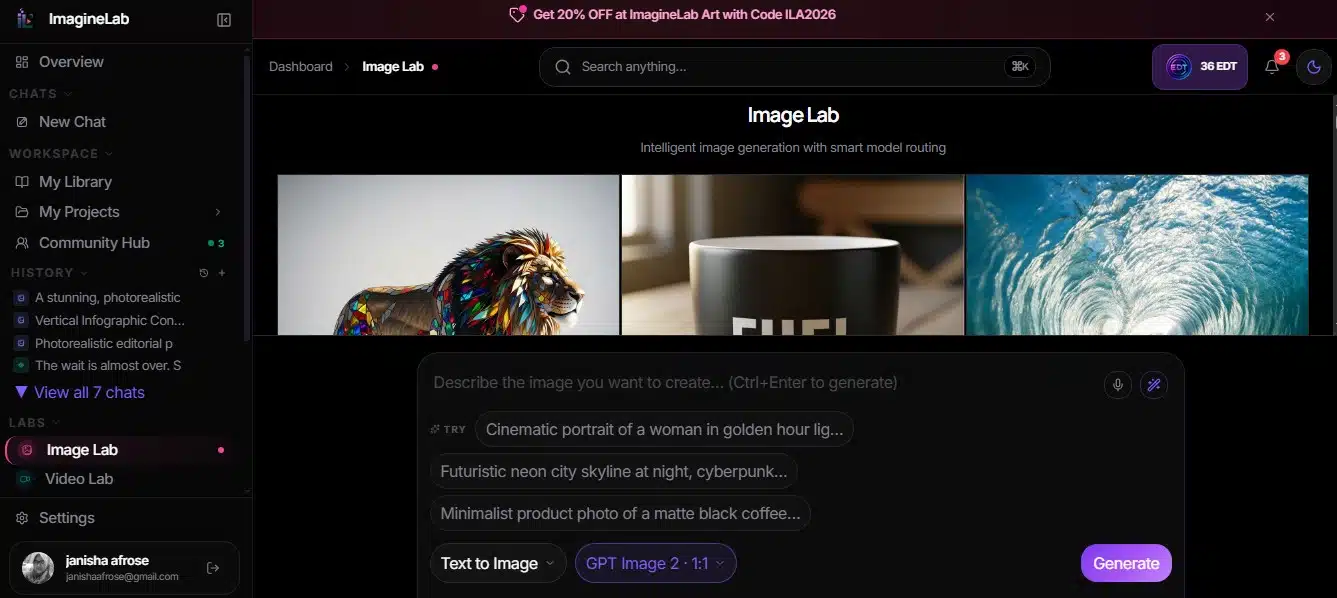
ImagineLab.art is a multi-model creative platform. Its current catalog lists 37 models across seven labs, covering image, video, voice, music, writing, infographics and Imagine Chat. The exact number will change as models are added or removed, but the core value is clear: I can choose among different creative engines without managing a separate account for each provider.
Canva is a broader visual communication platform. It also generates images, video, copy, designs and interactive content with AI, but its real advantage is what happens after generation. I can adjust the layout, replace elements, apply brand styles, resize the design, invite feedback and prepare the final asset without leaving the same workspace.
That distinction affects the decision more than a long feature checklist. ImagineLab.art helps me create the raw material. Canva helps me turn raw material into usable marketing.
Where ImagineLab.art Has the Advantage
ImagineLab.art earns its place when I need more creative range than a single guided AI tool gives me. It is less about arranging a finished campaign and more about finding the right model and output for the idea I have in mind.
Read my article on ImagineLab.art vs Adobe comparison here.
More Choice Without Separate Subscriptions
The strongest reason I see to use ImagineLab.art is access to several AI model families through one interface and one EDT credit wallet. Instead of moving among separate image, video, voice and music platforms, I can choose a lab, select a model and generate from one account.
This does not mean every model produces the same quality or costs the same number of credits. Different models are better at different jobs, and generation costs vary. The benefit is flexibility: I can compare approaches without rebuilding my workflow each time.
For a marketer who wants one dependable button, that choice may feel like extra work. For someone who cares about visual style, motion quality or model-specific strengths, it is a meaningful advantage.
A Wider AI Media Workflow
ImagineLab.art goes beyond static image generation. Its labs cover video, voice, music, infographics and writing as well. That makes it useful when a campaign needs a product visual, a short motion clip, narration or original audio, not just another social graphic.
I still expect to edit and package those outputs before publishing them. The platform is strongest at generation, not at replacing every specialist editor. But having several media types in one credit system can reduce the friction of experimenting across formats.
Better Control Over the Generation Route
Canva deliberately hides much of the technical complexity. That is helpful for speed, but it also means I am usually choosing a Canva feature rather than building my workflow around a particular model.
ImagineLab.art makes the model choice more visible. I can select the tool according to the task instead of accepting one general generation path. That matters when the prompt is the same but the desired result, photorealism, typography, animation or stylized illustration, is different.
Accessible Regional Payment Options
ImagineLab.art supports common international payment methods and highlights options such as UPI. That may sound like a small point, but access can matter as much as features for marketers in regions where paying for multiple overseas AI subscriptions is inconvenient.
Where Canva Remains Hard to Beat
Canva remains the stronger day-to-day workspace when I need to turn an idea into something consistent, editable and ready for a real campaign. Its advantage is not one spectacular AI output; it is how many routine marketing steps it keeps in one familiar workflow.
It Is Easier to Finish the Asset
Generating an attractive image is only one part of marketing design. I still need a headline, logo, call to action, correct dimensions, readable spacing and a version that looks good on the intended channel.
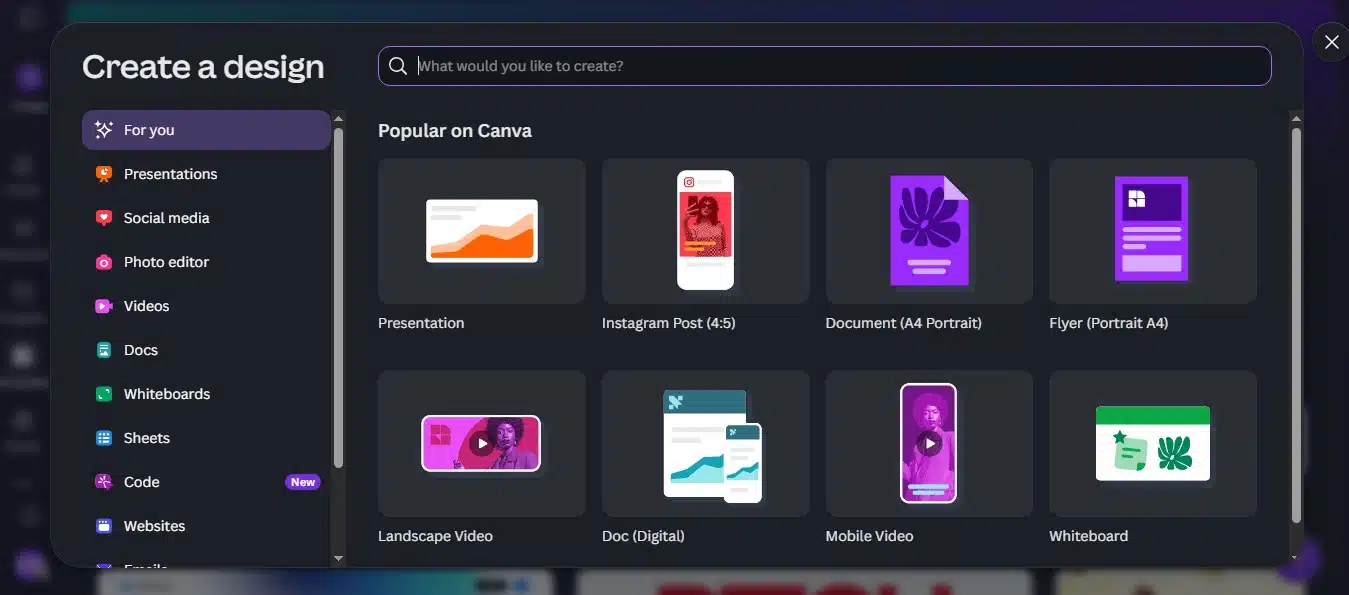
This is where Canva feels more complete. Its drag-and-drop editor gives me direct control over text, layers, images, video, animation and layout. Canva AI can also generate designs and editable elements, although the availability of newer features can depend on the account, plan and rollout.
For a non-designer, templates provide a useful starting structure. I am not forced to invent the visual hierarchy from a blank canvas, and I can still change the result without learning professional design software.
Brand Consistency Is Built Into the Workflow
AI can create a strong visual and still miss the brand. The font may be wrong, the colors may drift, or the tone may not match the rest of the campaign.
Canva reduces that problem with Brand Kits, reusable templates, styles and team-level controls on eligible plans. These do not remove the need for human review, but they make consistency much easier to repeat.
In ImagineLab.art, I can guide consistency with prompts and reference inputs where supported. That is useful, but it is not the same as applying a structured brand system across dozens of finished layouts.
It Handles Campaign Variations Better
Marketing rarely ends with one image. A campaign may need square and vertical posts, stories, ads, presentation slides, email graphics and regional variations.
Canva is built for that production stage. Depending on the plan, I can resize designs, duplicate pages, use Bulk Create, organize assets and schedule social content. The exact features vary by plan, but the overall workflow is designed around adapting and distributing content at scale.
ImagineLab.art can generate different aspect ratios and creative versions, but it is not as mature as Canva for turning one approved concept into a coordinated set of branded deliverables.
Collaboration Is More Developed
If I am working with a writer, social media manager, client or approver, Canva makes the handoff simpler. Sharing, comments, permissions and approval-oriented workflows are already part of the product.
ImagineLab.art is more useful to me as a creation workspace. Canva is the place where a team can refine the asset and move it closer to publication.
Pricing, AI Limits, Rights and Privacy
I would not compare these tools on subscription price alone because they meter value differently.
ImagineLab.art uses EDT credits. The number of credits consumed depends on the model and generation settings, so the real cost depends on what I create. Its pricing page also offers credit top-ups. Before subscribing, I would check the current plan allowance, model access, token cost, rollover rules and commercial-use language rather than estimating value from the monthly price alone.
Canva combines free and paid plans with monthly AI allowances. Some AI design features sit outside the shared allowance under fair-use limits, while other Standard, Premium and Ultra tools draw from a common monthly allowance. Usage can vary with the tool, model and complexity of the request. Paid plans add more AI access, premium content and workflow features, but prices vary by country, billing cycle and team size.
On commercial use, both platforms allow AI output to be used for commercial projects under their applicable terms. That does not mean every output is exclusive, copyrightable or automatically cleared. I am still responsible for checking logos, trademarks, recognizable people, copyrighted characters and anything that resembles an existing work.
ImagineLab.art’s current general terms state that users receive commercial rights to their generations. Because plan pages and product terms can change, I would confirm the language attached to the exact plan before using an output in an important paid campaign.
Canva’s AI terms say that, between the user and Canva and to the extent the law permits, the user owns the output. However, any Canva library content included in a design remains subject to Canva’s content license. Canva also makes clear that AI outputs may not be unique and are not guaranteed to be cleared for commercial use.
Privacy deserves the same practical review. ImagineLab.art says it does not train its own foundation models on private prompts, references or outputs, but generation requests may still be processed by the third-party model infrastructure needed to produce the result.
Canva provides privacy controls governing whether Canva and its technology partners may use data to improve AI services. Inputs may also be shared with those partners to deliver the requested feature.
My rule is simple: I do not upload confidential client material, unreleased campaign data or personal information to an AI tool until I have checked the current settings, terms and any agreement my organization requires.
Which Tool Should a Non-Technical Marketer Choose?
I would choose Canva first if I regularly create social posts, presentations, ads, lead magnets, simple videos or branded campaign assets. It has a more complete end-to-end workflow and asks for fewer decisions before I can produce something usable.
I would choose ImagineLab.art first if my main goal is generating original AI images, short videos, voice or music and I want to compare specialist models from one account. It offers more creative choice, but I need to be comfortable learning which models and settings fit each job.
I would use both if content volume and creative variety matter. My practical workflow would be:
- Develop the concept and prompt.
- Generate the strongest source visual, clip, voice or audio in ImagineLab.art.
- Bring the selected output into Canva.
- Add the brand system, copy, call to action and final layout.
- Resize, review and publish the campaign versions.
For a small team with a limited budget, I would start with Canva and add ImagineLab.art only when AI generation becomes a genuine bottleneck. Paying for overlapping features before the workflow demands them rarely creates better marketing.
My Final Thought
Canva is the safer all-round recommendation for most non-technical marketers. It is easier to learn, stronger for branding and editing, and better suited to the repetitive work behind real campaigns.
ImagineLab.art is more compelling when the creative challenge comes before the layout. Its value is the ability to explore several AI models and media types without managing a collection of separate generation tools.
I would not replace Canva with ImagineLab.art for everyday marketing production, and I would not dismiss ImagineLab.art simply because Canva also has AI. They are strongest at different stages. If I need one tool, I choose the one that matches the larger part of my workload. If I need both original AI media and reliable campaign production, I use them together.
That is the most useful way I have found to approach ImagineLab.art vs Canva for non-technical marketers: generate where I have more creative choice, then finish where I have more production control.
Frequently Asked Questions on ImagineLab.art vs Canva
1. Is ImagineLab.art Better Than Canva?
Not across the board. ImagineLab.art is better for multi-model AI generation, while Canva is better for editing, branding and publishing finished marketing assets. The better tool depends on which part of the workflow takes most of my time.
2. Which Tool Is Easier for a Non-Technical Marketer?
Canva is generally easier for complete marketing tasks because its templates and editor guide the process. ImagineLab.art is straightforward for generation, but choosing among models and settings adds a small learning curve.
3. Can I Use Content From ImagineLab.art and Canva Commercially?
Both platforms permit commercial use under their terms, but neither removes my responsibility to check the output. AI content may not be exclusive, and trademarks, recognizable people, copyrighted material or licensed library assets can introduce additional restrictions.
4. Do I Need Both ImagineLab.art and Canva?
No. Canva alone is enough for many marketers. I would add ImagineLab.art when I need broader model choice or more frequent AI video, voice, music or original-image generation.
5. Which One Is Better for Social Media Marketing?
Canva is usually better for the full social workflow because it handles templates, brand consistency, resizing and scheduling on eligible plans. ImagineLab.art is more useful for creating distinctive source visuals and short AI media to bring into that workflow.






















