

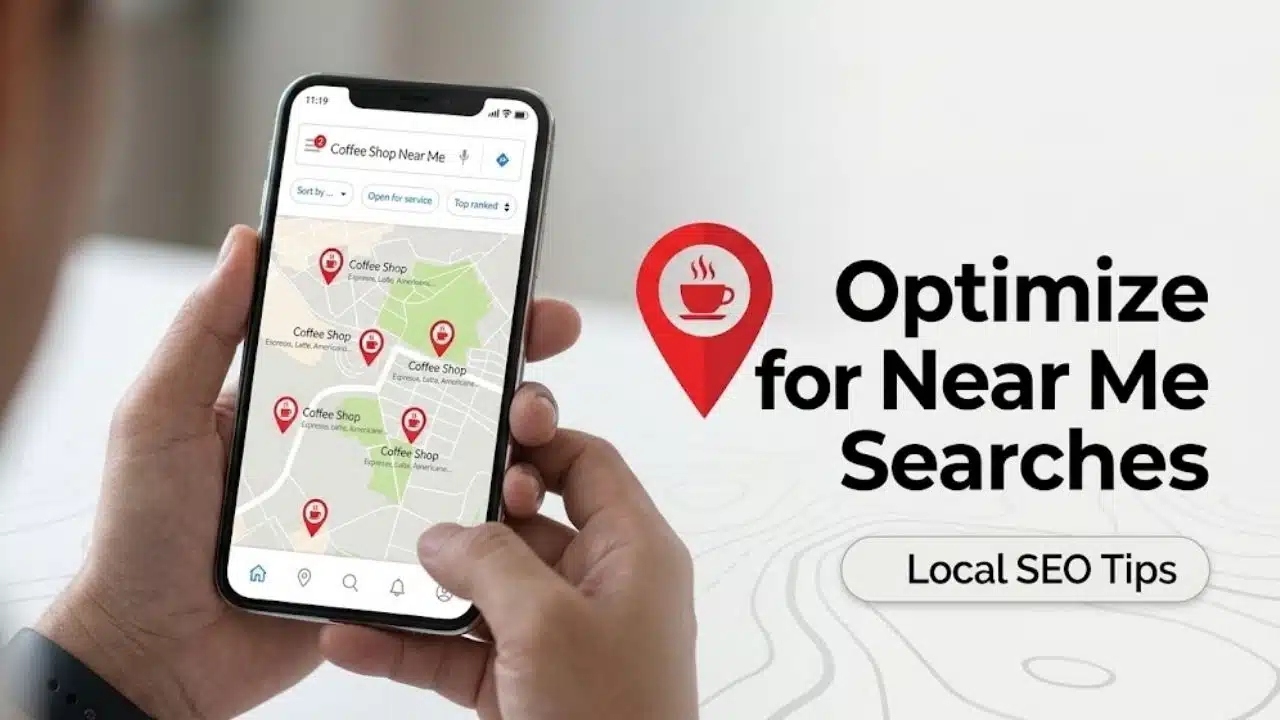
To optimize for near me searches, businesses must focus on foundational local signals—relevance, distance, and prominence—rather than simply repeating “near me” in page titles or text. Google automatically uses GPS and IP data to detect proximity; it relies on your business details to decide if you are the best result nearby.
Winning local visibility requires verifying your location, selecting precise business categories, and maintaining a complete Google Business Profile. These core actions are backed by a consistent NAP (Name, Address, Phone number), active review generation, and localized backlinks. Following a practical optimization strategy strengthens your algorithmic authority, ensuring your enterprise ranks prominently in Google Map Pack, traditional local search, and AI Overviews when nearby customers are ready to buy.
What Most Near-Me Advice Gets Wrong
“Near me” is not one fixed keyword with one stable set of results. A plumber may rank prominently for someone two miles away but disappear for a searcher across town. Incognito mode does not remove distance from local results, so one search from the office offers a limited view of performance.
The other common mistake is publishing pages that repeat “dentist near me” or “best coffee shop near me.” Those phrases do not establish where a business operates. Real cities, neighborhoods, services, directions, and location details provide much stronger context.
How to Optimize for Near Me Searches Without Gimmicks
The strongest starting points are also the least exciting: an eligible profile, the correct category, and an accurate location. These basics determine whether later work has anything solid to support.
1. Claim, Verify, and Protect the Business Profile
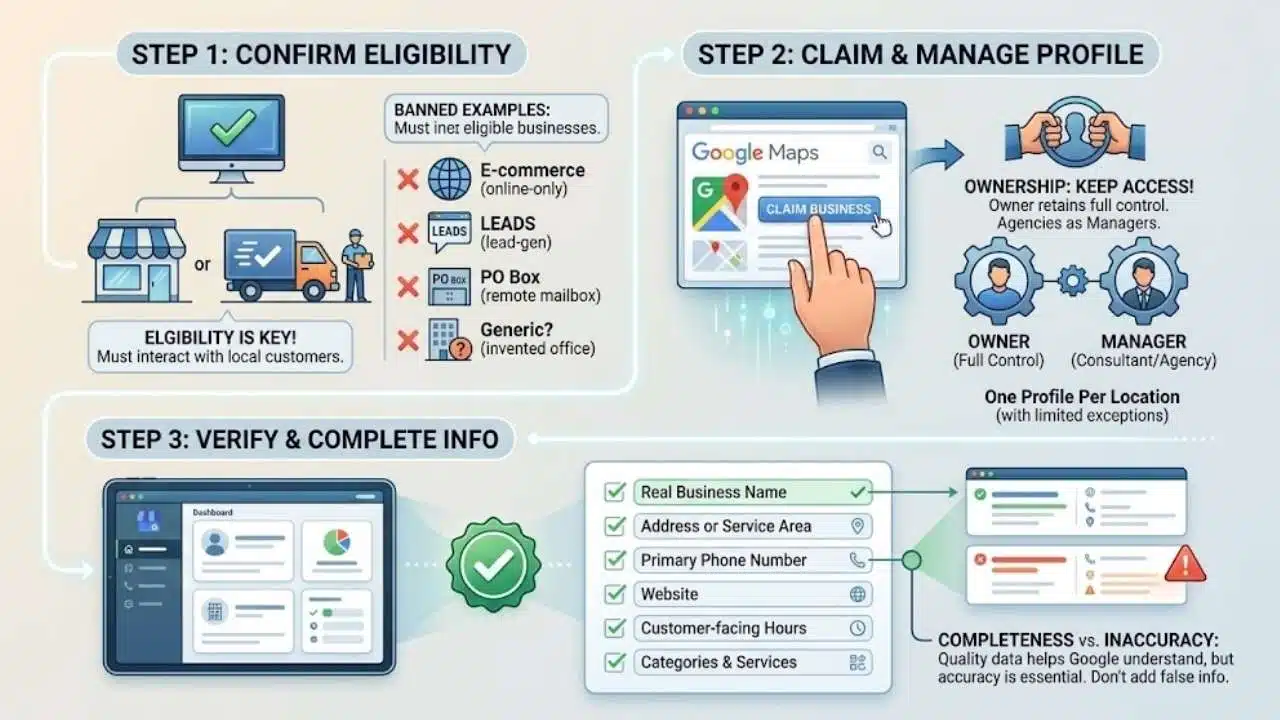
First, confirm that the business is eligible for Google Business Profile. Eligible companies generally receive customers at a real location or travel to serve them. Online-only brands, lead-generation companies, remote mailboxes, and invented offices do not become eligible simply because they target local customers.
Claim the existing profile rather than creating another listing to replace outdated information. Google usually expects one profile per business location, with limited exceptions for eligible departments and public-facing practitioners.
The business owner should retain ownership access and add agencies or consultants as managers. Allowing an outside provider to become the only owner can make a later handover unnecessarily difficult.
Check the core information before moving on:
- Real-world business name
- Address or service area
- Primary phone number
- Website
- Customer-facing hours
- Categories, services, and relevant attributes
Completeness helps Google understand the business, but filling every field cannot compensate for inaccurate information.
2. Choose the Most Accurate Primary Category
The primary category is one of the strongest relevance signals a business can control. It should describe what the company fundamentally is, not every service or product it offers.
Google recommends choosing the most specific accurate option. A delivery-only pizza company should not select a category that implies customers can dine at its location. A hotel should not add “swimming pool” as a category merely because it has one.
Additional categories are useful when they represent genuine secondary operations. Adding loosely related options to appear for more searches may make the profile less focused.
Services belong in the services section and on the website. A heating contractor might list furnace repair, boiler maintenance, heat-pump installation, and emergency heating work. Those terms should not be added to the business name.
“Washington Heating Services” should not become “Washington Heating Services Furnace Repair HVAC Near Me” unless that longer wording is genuinely used in the company’s real-world branding.
3. Correct the Address, Map Pin, and Service Area
Distance cannot be optimized away. A nearby competitor may rank higher despite having fewer reviews because it is the closer relevant option. Storefront businesses should enter a complete address and confirm that the map pin marks the actual premises. A pin placed on a neighboring building or the wrong side of a shopping center can also send customers to the wrong entrance.
Service-area businesses must hide their address when customers are not served there. Google currently permits up to 20 service areas and recommends keeping the overall boundary within roughly two hours’ driving time, though some types of business may reasonably operate farther.
Independent local-search testing indicates that adding more cities to the service-area field does not move the location used for proximity calculations. The field tells customers where the company works; it does not grant rankings throughout every selected city.
Franchises can create profiles for separate eligible branches. A rented mailbox, virtual office, or employee address used solely to enter another market is not a defensible substitute for a real operation.
4. Create a Useful Page for Every Real Location
A single-location company may use its homepage or a strong location page. A franchise or regional business usually needs a dedicated page for each genuine branch.
Each Google Business Profile should link to the appropriate location page rather than sending every visitor to a general corporate homepage. Someone viewing a branch in Tampa should not have to search the website again for its address, hours, or phone number.
A useful page may include:
- Address, telephone number, and hours
- Services available at that location
- Booking, ordering, or contact options
- Directions, parking, and accessibility details
- Nearby roads, landmarks, and neighborhoods
- Local staff or department information
- Original photographs of the branch or its work
Not every branch has the same schedule, facilities, or service range. Those differences give the page a reason to exist. Avoid creating dozens of pages with the same paragraph and a different city name. A Dallas cleaning company does not need a thin page for every surrounding suburb. To optimize for near me searches, publish a local page only when there is enough specific information to help someone in that market.
5. Request Reviews Without Manipulating Them
Google confirms that more reviews and positive ratings can improve local rankings. Reviews also influence whether a customer contacts the business after finding it.
There is no universal target. A neighborhood bakery should compare itself with nearby bakeries, not a national hotel chain. Examine legitimate competitors in the same category and area: their total reviews, recent activity, ratings, and the detail customers provide.
Request feedback steadily after completed transactions. Google allows businesses to share a review link or QR code through receipts, thank-you emails, chat conversations, or an in-store display.
Do not offer discounts, payments, gifts, or free services in exchange for reviews. Google also prohibits asking only customers expected to leave positive feedback, discouraging negative reviews, requiring five stars, or telling customers which words to use.
Replies should address the feedback rather than repeat target services and city names. A thoughtful response may reassure a future customer; a keyword-filled one usually reads as advertising.
6. Keep Hours and Availability Current
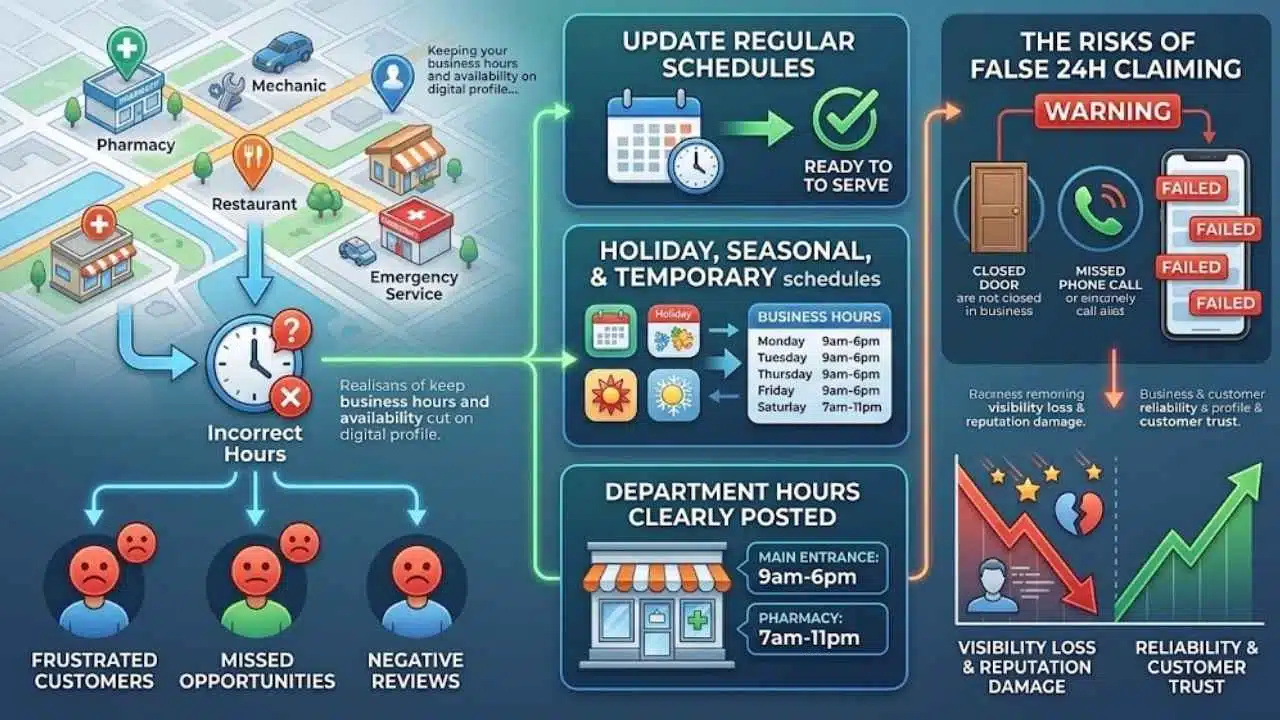
Someone looking for a nearby pharmacy, mechanic, restaurant, or emergency service may need help immediately. Incorrect hours can lose that customer even when the business ranks well.
Update regular, holiday, seasonal, and temporary schedules. If departments keep different hours, make that clear through the relevant profile or location page.
Independent tests and the 2026 Whitespark survey suggest that open status can influence local visibility. Google has not disclosed its exact weight across every category, so businesses should not treat it as a fixed formula.
Claiming 24-hour availability solely for visibility is a poor shortcut. Missed calls, locked doors, frustrated customers, and negative reviews can quickly erase any perceived advantage.
7. Earn Local Prominence and Fix Serious Data Conflicts
Google describes prominence as how well known a business is and identifies links and reviews as contributing information. Useful local links often come from real relationships: chambers of commerce, trade associations, suppliers, community groups, local publications, events, and relevant business partners. A genuine link following local news coverage is more valuable than hundreds of automated directory pages that receive no meaningful traffic.
Business details should still be correct on major map platforms, professional directories, social profiles, and licensing records where relevant. Prioritize serious conflicts such as former addresses, disconnected phone numbers, duplicate listings, and materially different names.
Do not spend weeks standardizing harmless variations such as “Suite” and “Ste.” Bulk citation packages are often overrated because they cannot overcome poor proximity, an incorrect category, weak reviews, or an unhelpful website.
8. Make the Mobile Path Easy and Measure Outcomes
Near-me visibility has limited value if a customer reaches the website and cannot find the phone number, directions, booking option, or menu. Review each location page on a phone. The main action should be obvious without zooming or opening several menus. Forms should request only the information needed to handle the inquiry.
Google uses the mobile version of a website for indexing, so location details, service information, metadata, and structured data should remain available on smaller screens.
LocalBusiness structured data can help Google interpret the address, telephone number, hours, and business type. It may support certain search appearances, but it does not guarantee a rich result or improved local ranking.
Measure more than one search position:
- Calls and qualified inquiries
- Direction requests
- Bookings or orders
- Visits to location pages
- Conversion rates by branch
- Visibility from different areas of the market
Google Business Profile performance data and Google Search Console provide a reasonable starting point. Geo-grid tracking is useful for franchises and competitive markets, but many small businesses do not need to pay for it immediately.
A Practical Starting Point
Begin with the details most likely to block visibility: profile eligibility, ownership, primary category, address, map pin, telephone number, website, and hours. Correct those before publishing more posts or buying a bulk directory package.
Next, establish a sustainable review process and improve the page connected to each profile. Franchise and regional teams should audit locations separately instead of assuming one corporate configuration works everywhere.
Proximity will always limit some searches. The reason to optimize for near me searches is to become the clearest, most credible relevant option wherever the business can genuinely serve the customer.
Frequently Asked Questions
Should a website put “near me” in its page titles?
Usually not. A title naming the service and actual location gives Google and readers clearer information than “Emergency Plumber Near Me.” A natural mention may occasionally fit the copy, but repeating the phrase across titles and headings is unnecessary.
How long does near-me optimization take to work?
Current Google guidance says profile edits may take up to three days to affect search results, while service-area edits can take up to 48 hours to display. Rankings for a new business may take up to a month to appear. Reviews, links, and website improvements have no guaranteed timetable.
Do Google Ads improve unpaid near-me rankings?
No. Advertising can purchase visibility in paid placements, but Google states that businesses cannot pay for better unpaid local rankings. Paid campaigns and organic local visibility should be measured separately.






















