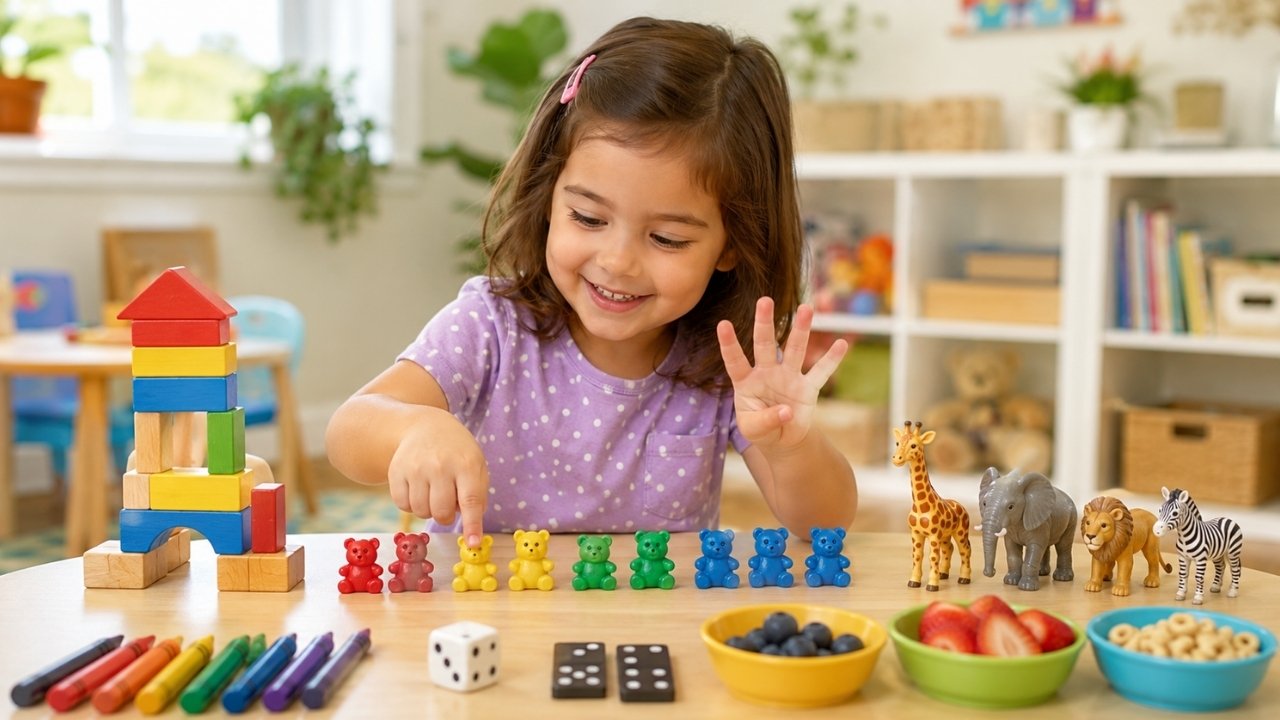
Rote counting helps young children memorize number names, but true mathematical understanding comes from connecting symbols to concrete quantities. When kids interact with numbers through active movement, tactile objects, and guided practice, foundational concepts take root faster.
Combining physical activities with structured digital practice ensures early learners remain engaged while building essential numeracy skills. Below are 7 practical hands-on activities, followed by a digital alternative to expand math practice at home or in the classroom.
7 Engaging Counting Games for Kids to Build Early Math Skills
1. Number Scavenger Hunt
This activity connects abstract numbers to real objects around the room, helping kids practice one-to-one correspondence – the skill of counting each item in a set once.
-
How It Works: Call out a number between 1 and 10 and name an object class (e.g., “Bring me 4 red crayons” or “Find 6 blue socks”).
-
Key Learning Objective: Connects spoken numbers directly to physical quantities while encouraging physical movement.
-
Pro Tip: For older kids, increase the challenge by giving them simple double-digit targets or adding time constraints.
2. Counting Hopscotch
Physical movement reinforces memory and sequential recognition. Adding numbers to a traditional hopscotch grid makes number order intuitive.
-
How It Works: Draw a classic hopscotch grid outdoors with chalk or tape one on the floor indoors. Ask the child to call out each number loudly as their feet touch the corresponding square.
-
Key Learning Objective: Builds number sequence recognition and balance through kinesthetic learning.
-
Variation: Challenge children to jump backward from 10 to 1 to introduce early countdown skills.
3. Snack-Time Sorting & Tally
Using snack items turns daily meal preparation into a natural counting experience that holds a child’s attention.
-
How It Works: Provide a mixed plate of small snacks like pretzels, berries, or goldfish crackers. Have the child sort the snacks into groups and count how many items sit in each cluster before eating.
-
Key Learning Objective: Introduces basic data classification, grouping, and exact counting.
-
Safety Note: Choose age-appropriate items that do not present choking hazards for toddlers.
4. Dice & Domino Race
Dice and dominoes feature dot patterns (subitizing grids) that teach children to recognize quantities without needing to count every individual dot.
-
How It Works: Roll a standard die. Have the child quickly state the number shown on the face without counting the dots one by one, then move a marker forward that many spaces on a homemade track.
-
Key Learning Objective: Enhances subitizing skills – the ability to instantly recognize a small group of objects.
-
Level Upgrade: Use two dice simultaneously to introduce basic addition once single-die recognition is mastered.
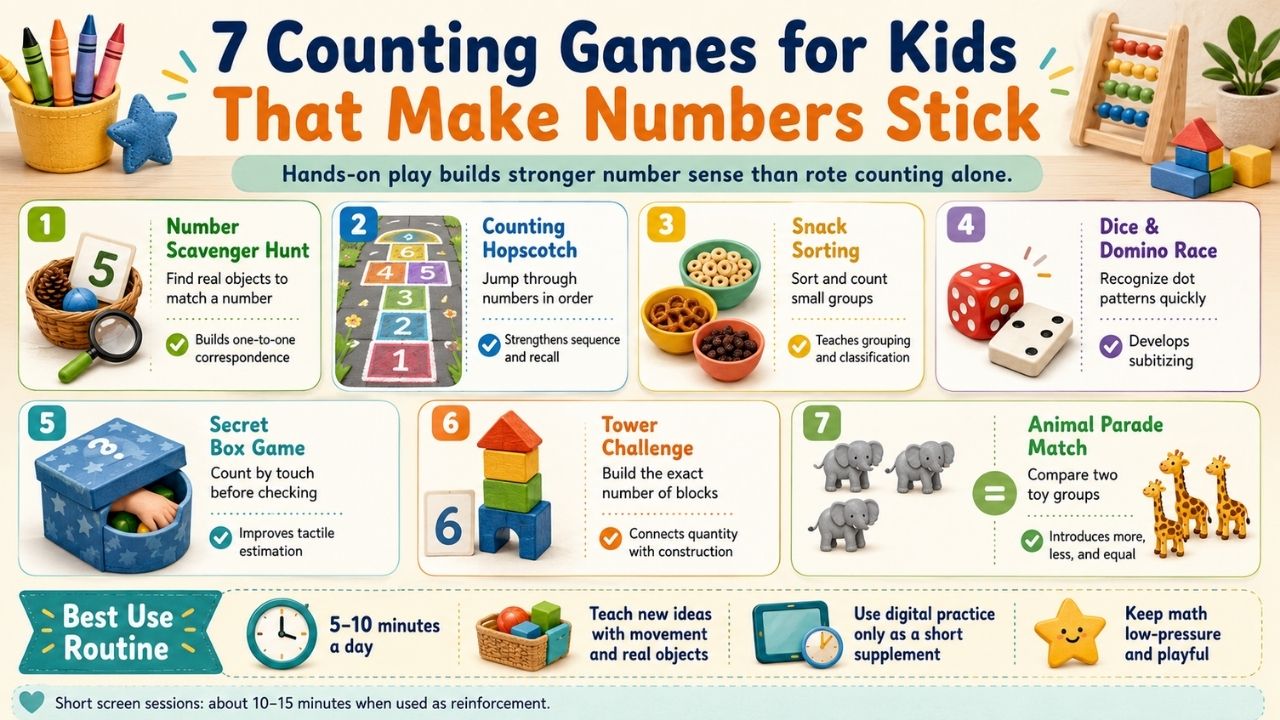
5. The Secret Box Game
Adding mystery keeps engagement high while focusing attention on tactile feedback and counting by touch.
-
How It Works: Place a collection of small toys inside a bag or shoe box with a hand hole. Ask the child to reach inside, feel a group of items, and guess how many are in their hand before pulling them out to check.
-
Key Learning Objective: Deepens spatial perception and physical mental counting without visual aids.
6. Counting Tower Challenge
Combining building blocks with math encourages problem-solving, structural thinking, and fine motor precision.
-
How It Works: Draw simple cards labeled with numbers 1 through 10. The child draws a card and must build a block tower using the exact number of blocks shown on the card without letting it tumble.
-
Key Learning Objective: Pairs counting practice with motor skill control and visual height comparison.
7. Animal Parade Match
Assigning values to toy animals or figures gives context to quantity comparisons like “more,” “less,” and “equal.”
-
How It Works: Line up toy animals in two separate parades. Ask the child to count the members of each line, identify which group has more members, and calculate how many are needed to make the lines equal.
-
Key Learning Objective: Introduces early comparative math and foundational concepts of addition and subtraction.
A Digital Alternative: Interactive Screen-Based Practice
While physical games form a solid foundation, digital tools can serve as a helpful supplement for self-paced practice, especially during travel or quiet time.
123 Magic Number Fun
An option in this space is 123 Magic Number Fun on Google Play, an early learning app developed under the Edutorial venture. It provides structured mini-games focusing on basic numeracy for toddlers and preschoolers.
-
Teacher Approved Status: Features Google Play’s official Teacher Approved badge, indicating it meets store guidelines for educational content, age appropriateness, and safety.
-
Core Activities: Covers fundamental exercises including number tracing (1 to 50), object counting, balloon tapping for recognition, and sequence puzzles.
-
Designed for Early Learners: Built with a simple interface and visual prompts to allow young kids to practice independently.
Balancing Physical and Digital Math Activities
To get the most out of both formats, parents and educators can integrate physical and digital practice into a balanced routine:
-
Keep Digital Sessions Short: Limit mobile app practice to 10-15 minute sessions to reinforce recognition without overwhelming children.
-
Translate Screen Concepts Offline: Connect digital exercises to physical items at home, such as counting real apples after doing a counting activity in an app.
-
Prioritize Kinesthetic Learning: Ensure physical movement and hands-on play remain the primary methods for teaching new math concepts.
Limitations & Trade-Offs
While combining informal play and educational apps builds strong early conceptual understanding, parents and educators should keep a few realistic factors in mind:
-
Patience vs. Precision: Play-based counting prioritizes engagement over strict accuracy. Over-correcting mistakes during a game can diminish enthusiasm.
-
Screen-Time Boundaries: Digital options are convenient, but total daily screen time requires limits to protect physical play and social interaction.
-
Preparation Time: Physical games require setup and management, whereas digital tools offer immediate availability when supervision is limited.
Building a Long-Term Math Confidence
Early numeracy is not about drilling arithmetic memorization; it is about helping young learners understand that numbers represent real-world objects and quantities. By weaving simple counting games into daily routines and utilizing verified digital tools when appropriate, parents and teachers can create an environment where math feels natural rather than intimidating.
Action Step for Parents & Educators
Pick one physical game from this guide to try with your child today, or test out 123 Magic Number Fun during screen time. Consistent, low-pressure practice of 5 to 10 minutes a day is the most reliable way to make numbers stick.
Frequently Asked Questions
What is the best age to start counting games?
Simple physical counting games can begin as early as 18 to 24 months using physical objects and songs. Guided educational apps are generally suitable starting around ages 3 to 4.
How do counting games differ from flashcards?
Counting games engage multiple senses and focus on underlying quantity relationships, whereas flashcards primarily emphasize visual symbol recognition and rote memory.
What does the “Teacher Approved” badge on Google Play mean?
The badge indicates that an app has been reviewed by educators and child development experts to ensure it meets benchmark criteria for educational value and child-friendly design.