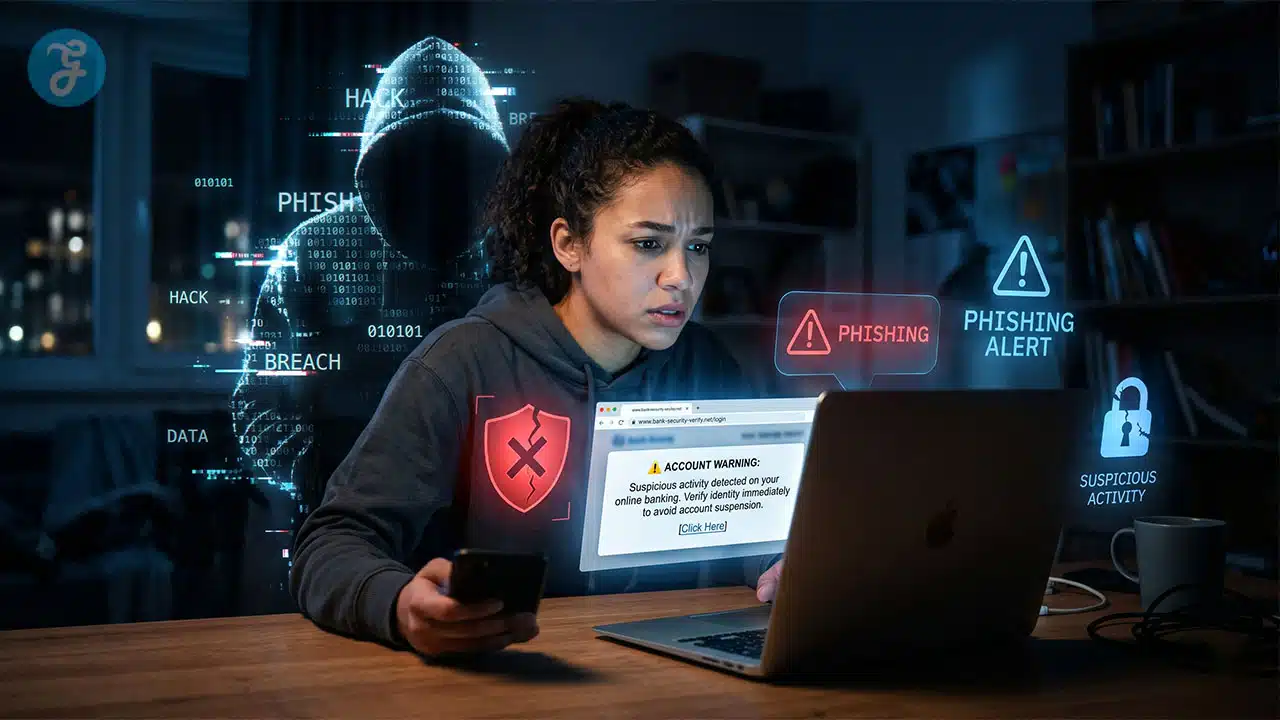
Urgent phone calls, fake refund texts, and deceptive QR codes are increasingly common tactics used to steal money. Learning how to Protect Yourself From Financial Scams is absolutely essential today, as sophisticated methods easily mimic official authorities or familiar voices.
The impact of these modern frauds is truly staggering. The Federal Trade Commission reported consumer losses exceeding $12.5 billion in 2024, while FBI internet crime complaints surpassed one million in 2025. This massive surge strongly highlights the critical need for constant caution. Awareness remains the strongest defense against losing hard-earned wealth. Recognizing current red flags, understanding emerging digital threats, and implementing exact security steps will effectively shield personal information and secure online banking accounts against these relentless and costly cyberattacks.
Understanding Financial Scams in 2026
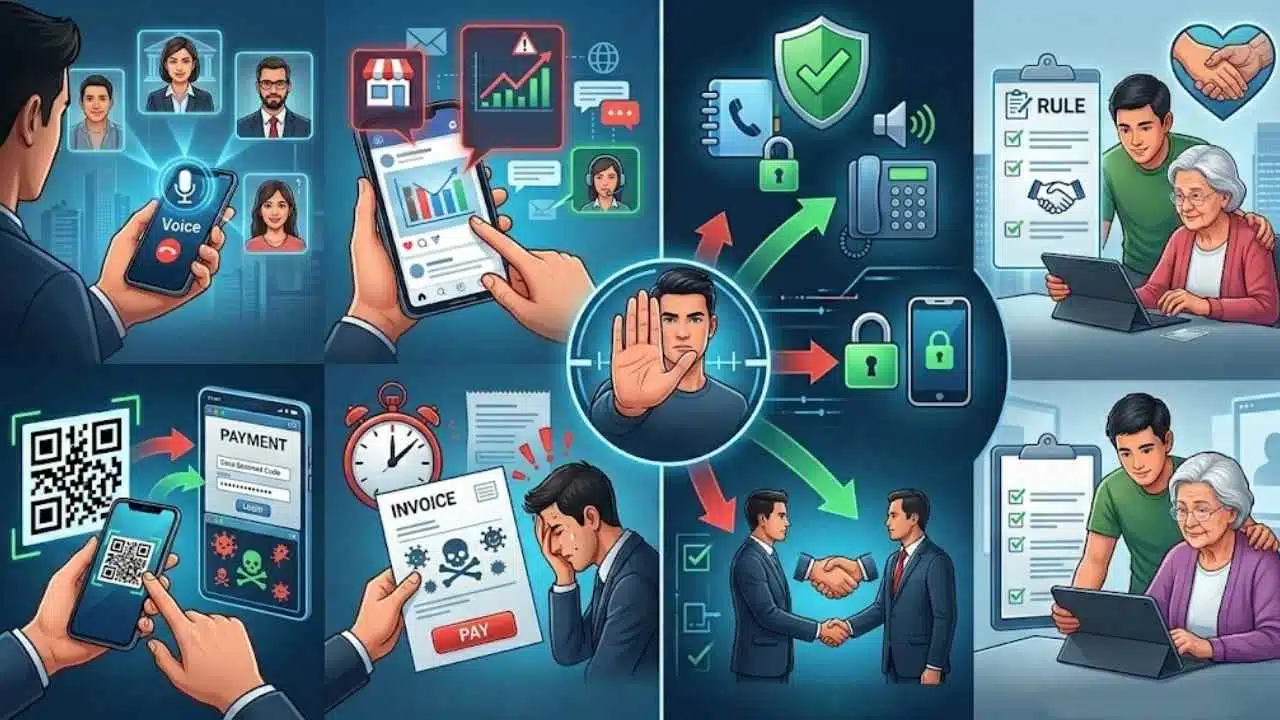
Financial scams keep changing because the tools keep changing. The FBI has warned that artificial intelligence makes fraud more believable and easier to scale, so a familiar voice, a polished email, or a realistic video is no longer proof that a message is safe.
Your best defense is not spotting every trick. It is building one habit: pause, break contact, and verify through a phone number, app, or person you already trust.
- AI voice and video impersonation: A scammer can sound like your bank, your boss, or a family member, so call back through a known number before you do anything.
- Scams that start on social media: Posts, ads, and direct messages can funnel you into fake stores, fake investment groups, or fake support chats.
- QR code phishing: A bad code can send you to a spoofed payment or login page in seconds, which is why typing the address yourself is often safer.
- Invoice and refund pressure: Small businesses and households get pushed to act fast, especially when a message looks routine and asks for only one quick step.
Scammers want speed. Your job is to slow the transaction down.
Older adults deserve extra protection here. In the FBI’s 2025 IC3 report, people age 60 and older filed 201,266 complaints and reported $7.748 billion in losses, which is a strong reason to treat fraud prevention like basic household safety.
If you help someone manage bills, subscriptions, or investment accounts, agree on one simple rule now: no money moves under pressure, and no account changes happen without a second check.
Common Financial Scams to Watch Out For
Most scammers use the same playbook. They look legitimate, create urgency, and try to get payment or account access before you stop to verify.
| Scam | How it usually starts | Best first move |
|---|---|---|
| Deepfake banking call | A phone call claiming fraud on your account | Hang up and call your bank through the number you already trust |
| QR code phishing | A code on a menu, flyer, kiosk, parking sign, or package | Use the official app or type the address yourself |
| Fake payment app refund | A text or message saying you are owed money | Refuse any fee request and verify inside the real app |
| Invoice spoofing | An email with new payment instructions | Confirm bank detail changes by phone with a known contact |
| Crypto or investment lure | A social post, ad, or wrong-number text promising returns | Stop before sending money and verify the person and platform |
AI-Generated “Deepfake” Banking Calls
Voice cloning is good enough now that you cannot rely on tone alone. If a caller says your account is under attack, your Social Security number was exposed, or you need to move money right now, treat that call like an unverified lead, not a fact.
The safest move is simple: hang up, open your bank app yourself, or call the number on your card or statement. A legitimate bank can handle a callback, and a scammer usually cannot.
- Never share a one-time passcode, PIN, or password on an incoming call.
- Do not transfer money to a so-called safe account.
- If the caller claims to be a loved one, contact that person another way before sending money.
QR Code Phishing in Public Places
QR code phishing, often called quishing, works because scanning feels easy and low-risk. Federal consumer guidance warns that a bad code can send you to a phishing page that steals card numbers, usernames, or passwords, and it can also trigger a malware download.
Use the business app, a saved bookmark, or an address you type yourself when payment is involved. If the code looks like a sticker added on top of another sticker, skip it and ask for the real checkout method.
If you already scanned and entered credentials, change that password right away, review bank and card statements, and consider a credit freeze if sensitive personal information was exposed.
Fake Payment App Refunds
These messages usually say you are owed a refund, rebate, prize, or accidental overpayment. Then they ask for a small fee, your banking information, or a code so they can “release” the money.
The Federal Trade Commission warns that money sent through payment apps can be hard to recover, so never pay money to receive money. Before you send anything through Zelle, PayPal, or another payment app, double-check the recipient and make sure the request came through an official channel.
- Protect the app with multi-factor authentication or a PIN.
- Ignore screenshots that claim a refund is pending until you pay a fee.
- Report suspicious activity to the app and your bank as soon as you see it.
Small Business Invoice Spoofing
If you run a business, even a very small one, this scam can hit hard. The FBI describes business email compromise as messages that appear to come from a trusted source, such as a vendor sending an invoice with updated payment details.
The fix is process, not guesswork. Never approve a change in bank instructions from email alone, and require a call to a known contact before money goes out.
- Compare sender addresses letter by letter.
- Question last-minute changes to routing or account numbers.
- Use a second approver for larger payments.
- Keep approved vendor contact details in your accounting records, not just in one employee inbox.
Subscription Renewals and Auto-Pay Traps
Not every surprise charge is outright fraud, but subscription renewals and auto-pay traps can still drain your budget quietly. Federal consumer advice recommends keeping a copy of your cancellation request and checking statements afterward, because some companies keep charging people who thought they canceled.
Make this a monthly five-minute habit. Review recent charges, cancel what you no longer use, and if charges continue after cancellation, dispute them with your debit or credit card issuer.
If you already use Google Password Manager or another password manager, store subscription logins there so you can sign in and cancel quickly instead of losing time on password resets.
Fake Investment and Crypto Scams
This is where pressure and greed get weaponized. The Federal Trade Commission said people reported more than $7.9 billion in losses to investment scams in 2025, with a median individual loss above $10,000, so one bad transfer can become a major financial loss fast.
That risk often starts on social platforms. The same FTC reporting found that people reported losing more money to scams that started on Facebook than on any other social media platform in 2025, and investment scams drove the biggest dollar losses there.
- Be skeptical of “guaranteed” returns and limited-time offers.
- Ignore celebrity photos, success screenshots, and chat groups full of glowing testimonials.
- Never let someone you met by social message, ad, or wrong-number text guide an investment from your phone.
- Check whether the person or firm is properly registered before you invest.
Recognizing the Warning Signs of Scams
Scammers keep changing the story, but the warning signs stay strangely consistent. If you learn to react to the pattern instead of the excuse, you will avoid most fraud attempts.
Urgent Demands or High-Pressure Tactics
The Consumer Financial Protection Bureau says pressure to act now, threats, and fake emergencies are classic scam signs. If someone says your account will close in minutes, the offer expires today, or law enforcement is coming unless you pay, stop the conversation and verify it yourself.
Requests for Untraceable Payments
Gift cards, wire transfers, cryptocurrency, courier cash, and payment apps show up again and again because they are harder to reverse. If someone insists on one of those methods, assume they are trying to outrun the refund process.
Unexpected Verification Code Requests
The Federal Trade Commission puts this one plainly: anyone who asks for your verification code is a scammer. That code is the second key to your account, and sharing it can let someone change passwords, take over your online banking, or empty savings and investment accounts.
Suspicious Emails, Texts, or QR Links
Scam messages often push you to click a link, scan a code, or call a number they control. Use the contact information in your banking app, on your card, or on a past statement, never the one that just arrived in a message.
- Pause before paying, clicking, or replying.
- Look for what the message wants from you: money, a code, a login, or panic.
- Verify through a second channel you already trust.
- Save screenshots and message logs in case you need to report the scam.
Proactive Steps to Protect Yourself
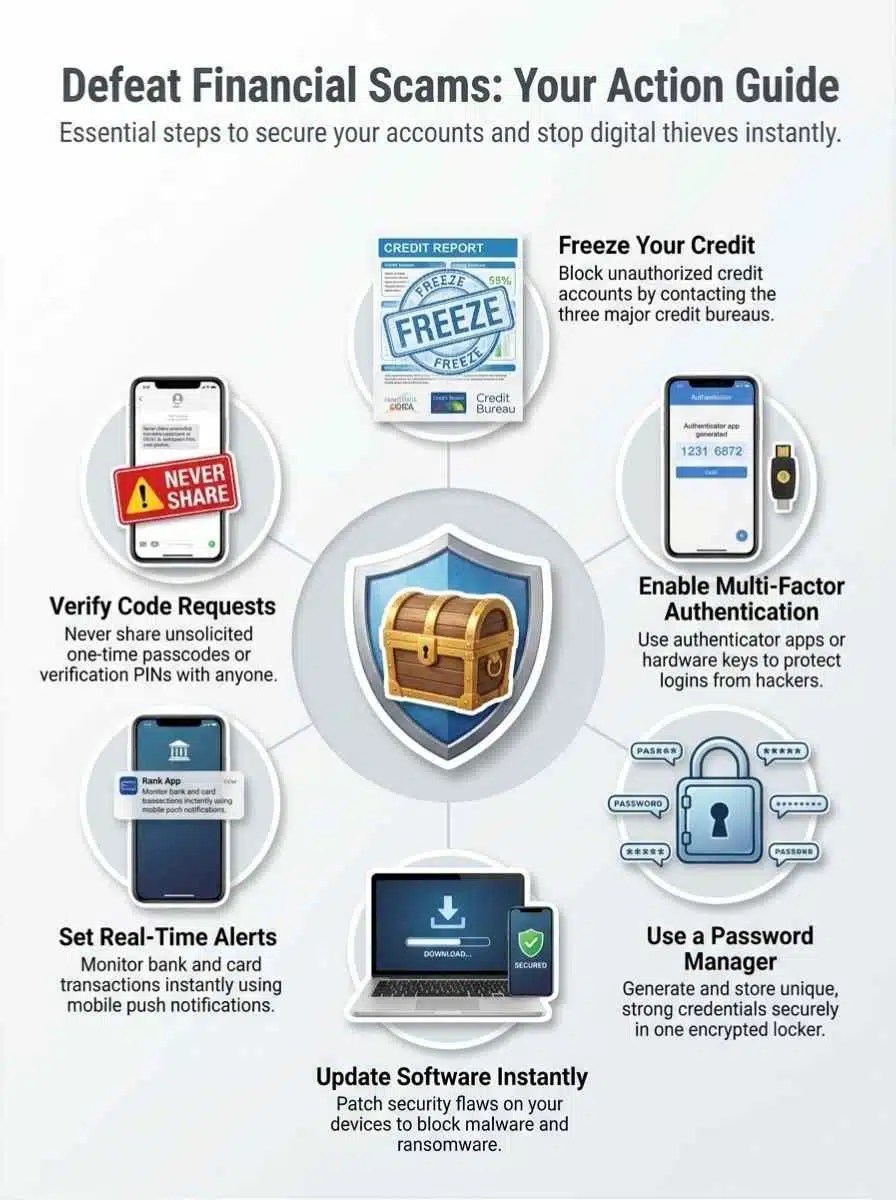
You do not need fancy tools to improve your financial security. A few steady habits do most of the work.
Freeze Your Credit
A credit freeze is one of the strongest identity theft defenses because it makes it much harder for scammers to open new credit in your name. Federal Trade Commission guidance says anyone can place one, it is free, and it stays in place until you lift it.
- Freeze your file with Equifax, Experian, and TransUnion.
- Store confirmation details somewhere safe.
- If you need new credit, lift the freeze only at the bureau your lender uses, then refreeze it after the check.
- If a child’s information was exposed, ask about a child credit freeze too.
Enable Multi-Factor Authentication
Multi-factor authentication, also called two-factor authentication, means a stolen password is not enough by itself. Federal guidance says authenticator apps and security keys are stronger than text or email codes when you have the option.
| Method | Good for | What to know |
|---|---|---|
| Text or email code | Basic added protection | Better than a password alone, but weaker than other options |
| Authenticator app | Banking, email, payment apps | Stronger than text and easy for most people to use |
| Security key | Highest-value accounts | Very strong protection against account takeover |
Start with email, bank logins, payment apps, and any account that can reset other passwords. If you run a business, protect email and accounting first because those accounts sit at the center of many invoice spoofing attacks.
Use a Secure Password Manager
Strong passwords matter only if they are unique and you actually use them everywhere. Federal Trade Commission consumer guidance recommends a password manager, and if you already rely on Chrome or Android, Google Password Manager is built into those tools.
- Create a different password for every financial, shopping, and email account.
- Use a long master password or passphrase for the manager itself.
- Turn on MFA for the password manager too.
- Store backup codes in a safe place so you are not locked out later.
Regularly Update Software and Devices
This step sounds boring because it is boring. It also works: federal consumer guidance says software updates often contain critical security patches, and unsupported devices become much riskier once they stop receiving fixes.
- Turn on automatic updates for your phone, browser, operating system, and security tools.
- Replace old routers and devices that no longer receive support.
- Install updates only from built-in device settings or trusted app stores.
- Reboot after major updates so patches actually finish installing.
Set Up Real-Time Alerts for Accounts
Real-time alerts will not stop every scam, but they cut down the time between fraud and response. Turn on alerts for logins, password changes, new payees, transfers, and purchases over a dollar amount that matters to you.
If your bank offers card lock controls, turn those on as well. The goal is simple: if money moves, you know immediately.
What to Do If You Fall Victim to a Scam
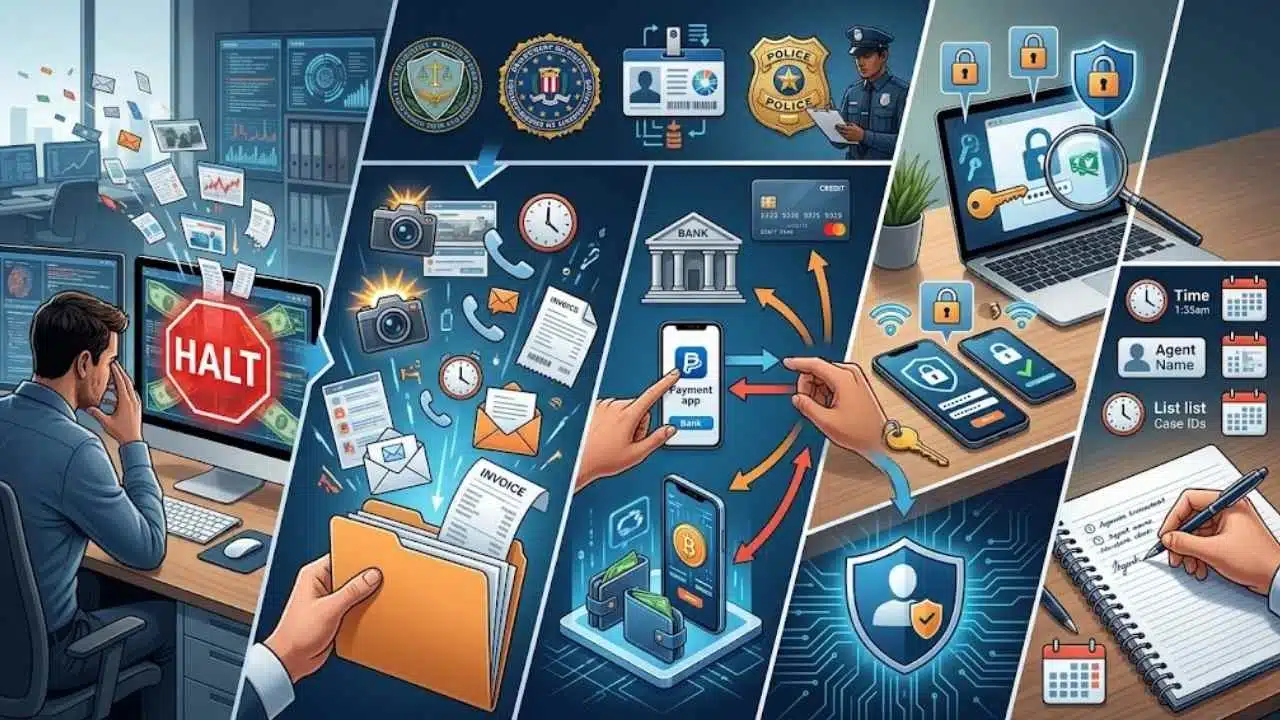
Speed matters more than perfection here. You do not need the perfect report first, you need to stop more damage.
Report the Incident to Authorities
Start with the Federal Trade Commission for scam reporting, and use the FBI Internet Crime Complaint Center if the scam happened online. If your Social Security number or other identity details were exposed, use the federal identity theft recovery service to build a recovery plan.
- Save screenshots, call logs, emails, receipts, wallet addresses, and invoice copies.
- Write down when you noticed the scam and what happened next.
- File a local police report if money was taken or a business account was involved.
- If the scam touched your workplace, alert your finance or IT contact right away.
Contact Your Financial Institution Immediately
The Federal Trade Commission says it is always worth asking the company you used to send the money whether there is a way to get it back. Call your bank, card issuer, wire service, or payment app right away and ask them to reverse or block the transaction if possible.
| If you paid by | Contact first | Ask for |
|---|---|---|
| Credit or debit card | Card issuer or bank | Transaction reversal, dispute steps, and a replacement card if needed |
| Bank transfer | Your bank | Review of unauthorized debit or withdrawal and transfer recall options |
| Payment app | The app and your linked bank | Reversal request and review of linked funding sources |
| Cryptocurrency | The exchange or platform you used | Account review, wallet flagging, and record preservation |
After that, change affected passwords, sign out of other sessions, and add MFA anywhere it was missing. If a scammer had access to your phone or computer, run a security scan before you use that device for banking again.
Keep a paper trail. Agent names, case numbers, dates, and timestamps make disputes and follow-up reports much easier.
Final Thoughts
Financial scams are built to rush you, confuse you, and isolate you. Your edge is simple: slow down, verify, and never move money just because a stranger sounds convincing.
Freeze credit when it makes sense, turn on multi-factor authentication, use a password manager, and watch your accounts with alerts.
If something feels off, call your bank through a number you already trust and report the scam fast. One calm decision today can prevent a painful financial loss tomorrow.
Frequently Asked Questions (FAQs) About Protecting Yourself From Financial Scams
1. How can I spot a financial scam in 2026?
Look for urgent asks, odd links, or messages that say, “act now,” and stop before you click. Phishing and identity theft often start this way, so call your bank on a number you know, not the one in the message.
2. What quick steps stop fraud right away?
Turn on two-factor authentication, use strong passwords, and freeze cards or credit if you see strange charges.
3. Should I trust a caller or message that says it is from my bank?
No, don’t trust the message alone. Scammers copy logos and words, they prey on fear, like a wolf in sheep’s clothing. Call the bank using a number from your statement, or log in to the bank site you normally use.
4. What should I do if I think I was scammed?
Don’t beat yourself up, it happens to smart people, act fast. Stop payments, call the fraud line at your bank, file a report with the proper agency, then monitor credit reports and change key passwords.