If you work for yourself or run a creative team, you already know that your hours are your inventory. Every minute you spend answering an email, sitting on a client call, or fixing a quick bug is time you could be billing for. But let us be completely honest, most of us are terrible at keeping track of where our day actually goes.
You get to Friday afternoon, stare at a blank invoice, and try to guess what you did on Tuesday morning. That guesswork is directly costing you money. Finding the best time tracking apps for freelancers and agencies is not just about satisfying your inner micromanager; it is about plugging the leaks in your revenue. In this guide, I will break down the top tools on the market right now, comparing their real features, current 2026 pricing, and who they actually serve best, so you can stop guessing and start getting paid for every minute you work.
Why You Need the Best Time Tracking Apps for Freelancers and Agencies?
If you run your own business, you already know time literally equals money. Every minute you spend messing around with scattered spreadsheets or trying to remember what you worked on last Tuesday is cash slipping through your fingers. Finding the right tool completely changes how you manage your day and how clients perceive your professionalism. Let us look at why you actually need to adopt one of these systems right now instead of putting it off for another quarter.
Accurate Client Billing and Invoicing
Doing your timesheets from memory at the end of the month is a terrible idea. You are going to forget the quick calls, the fast email replies, and the thirty minutes you spent fixing a bug. All those little moments add up to hundreds of dollars of lost income every single month. When you use dedicated software, you get a precision timer that runs while you actually do the work. The data feeds directly into your invoicing system, so you bill for exactly what you worked.
Your clients also appreciate this because they get an itemized receipt showing exactly where their money went. It builds immediate trust when a client can see a minute-by-minute breakdown of how you spent their retainer. You stop having awkward conversations about why a task took so long, and you start getting your invoices paid much faster because the proof is undeniable.
| Billing Method | Accuracy Level | Client Trust | Revenue Impact |
| Memory Logging | Very Low | Weak | Leaves money on the table |
| Spreadsheets | Medium | Moderate | Prone to copy-paste errors |
| Dedicated App | Very High | Strong | Captures all billable minutes |
Better Project Estimates and Profitability
We all struggle with pricing fixed-rate projects. A client asks for a new website, and you guess it will take forty hours. If it actually takes you eighty hours, your hourly rate just got cut in half. By keeping a detailed log of your past projects, you build a massive database of your own working speed. The next time someone asks for a quote, you can look at the actual data from your last three similar jobs.
You will know exactly how much to charge to stay profitable, which keeps your freelance business or agency running in the black. You can also spot the exact moments in a project timeline where scope creep happens. If client revisions always take double the time you expect, your historical data will show you that trend, allowing you to add a buffer to your next proposal.
| Project Phase | Without Historical Data | With Historical Data |
| Quoting | Guessing based on gut feeling | Pricing based on past performance |
| Executing | Hoping you finish under budget | Monitoring limits in real time |
| Reviewing | Unsure if you made a profit | Exact profit margin calculated |
Boosting Personal and Team Productivity
Sometimes we think we are working hard, but we are actually just spending three hours in our inbox. Tracking your day forces you to be honest with yourself about your habits. If you manage an agency, this data becomes even more important. You can see if your senior designer is drowning in eighty hours of work while your junior designer has nothing to do.
It lets you balance the workload across your team, keeping everyone happy and productive without pushing anyone toward burnout. It also highlights the administrative tasks that you need to automate or delegate. When you see that you spend ten hours a week just organizing files, you realize it is time to hire a virtual assistant or buy better software.
| Productivity Blocker | How Software Fixes It | Long Term Benefit |
| Task Switching | Shows time lost between apps | Better focus and deep work |
| Uneven Workloads | Dashboards show team capacity | Prevents employee burnout |
| Hidden Admin Work | Categorizes non-billable hours | Identifies tasks to delegate |
Core Features to Look for in Time Tracking Software

Picking software off a list is easy, but finding the one that fits your actual daily routine takes a bit of thought. You do not want to buy a massive enterprise system if you are just a solo graphic designer, and you definitely do not want a basic free timer if you manage thirty developers. Before we get to the reviews, you should understand the specific features that separate a decent app from a truly great one. Here is what you need to keep your eyes open for.
Ease of Use and Platform Availability
If your new app takes ten clicks just to start a timer, you will stop using it by next week. The interface needs to be clean, fast, and completely obvious. You also need it to live wherever you work. A good platform has a desktop app, a web dashboard, a mobile app for when you are traveling, and ideally a browser extension. When the timer is always just one click away, you build the habit of actually using it.
The modern standard in 2026 means the app should also support offline mode. If your internet drops while you are working on a train, the software should keep counting and automatically sync your data the second you reconnect. Friction is the enemy of accurate data, so prioritize a tool that gets out of your way.
| Platform Type | Primary Use Case | Essential Feature |
| Browser Extension | Web-based research and emails | One-click start/stop |
| Desktop App | Deep work and design software | Idle time detection |
| Mobile App | Client calls and travel | Offline syncing capability |
Seamless Integrations
Your agency probably already uses half a dozen tools to get things done. You might have Jira for software tickets, Slack for chatting, and QuickBooks for accounting. The last thing you want is another isolated app. The top platforms connect directly to your existing tech stack. This means you can start a timer directly inside a Trello card, and when you finish the task, the logged hours automatically sync over to your accounting software for your next invoice.
A great integration setup removes the need for double data entry. You should look for native integrations first, but at the very least, the app needs to connect to Zapier or Make so you can build your own custom automated workflows if your specific niche software is not officially supported.
| Software Category | Top Integrations Needed | Why It Matters |
| Project Management | Asana, Trello, ClickUp | Start timers directly on tasks |
| Accounting | QuickBooks, Xero, FreshBooks | Turn hours into instant invoices |
| Communication | Slack, Microsoft Teams | Share daily logs with managers |
Reporting and Analytics
Just collecting hours is not enough. You need to understand what those numbers mean. Solid reporting features let you filter your tracked data by specific clients, individual projects, or even single team members. You can see visual dashboards that show your most profitable services and highlight projects that are bleeding money. When the end of the month rolls around, you should be able to click one button and export a beautiful, branded report to send to your clients.
The best tools will also let you set custom billing rates for different team members or different types of work. This way, your reports do not just show raw hours; they show exact financial figures, letting you forecast your revenue for the upcoming month with incredible accuracy.
| Report Type | Who Needs It | What It Shows |
| Client Summary | Freelancers & Clients | Total hours and cost for the month |
| Team Capacity | Agency Managers | Who is overworked and who is free |
| Profitability | Business Owners | Cost of labor versus fixed fee income |
The 12 Best Time Tracking Apps for Freelancers and Agencies Ranked
Here is the main event. I have broken down the top platforms dominating the market right now, looking specifically at their features, their current 2026 pricing structures, and who they actually serve best. I know budget matters, so I have included everything from permanently free options to high-end enterprise systems. If you are searching for the best time tracking apps for freelancers and agencies, this list has the exact tool you need to get your business organized.
1. Toggl Track: Best for Simple, Frictionless Tracking
Toggl Track remains a massive favorite because it is incredibly simple to use. You type in what you are doing, hit the pink play button, and get to work. It is perfect for creatives who absolutely despise administrative tasks. In 2026, their Free plan still covers up to five users, which is amazing for small teams. The interface is colorful and friendly, completely removing the corporate dread of filling out timesheets.
They also have a feature that detects if you walk away from your computer, offering to delete the idle time when you get back. It features an integrated Pomodoro timer for people who like to work in focused bursts. You can assign different billable rates to different workspaces, making it easy to juggle multiple clients without mixing up your pricing tiers.
| Toggl Track Detail | Specifics |
| Target Audience | Solo creatives and small teams |
| Best Feature | One-click simple timer and idle detection |
| Current 2026 Pricing | Free for 5 users; Premium starts at 9 dollars |
| Ease of Use | Extremely high |
2. Clockify: Best Free Time Tracker for Solo Freelancers
Clockify shook up the entire industry by offering a completely free tier with unlimited users and unlimited projects. If you have zero budget for software right now, this is where you start. You get a solid interface where you can track tasks, assign them to clients, and run basic reports without spending a dime. It is a workhorse application that gives you enterprise-level organization tools for free.
When you are ready to upgrade, their Pro plan introduces detailed labor costs, profit analysis, and custom fields. It lets you enforce mandatory timesheet fields so your team cannot submit vague entries like “working on stuff.” The sheer value you get for the price makes it one of the smartest choices for cash-strapped startups, independent contractors, and rapidly growing agencies trying to keep their software overhead to an absolute minimum.
| Clockify Detail | Specifics |
| Target Audience | Bootstrapped freelancers and large cost-conscious teams |
| Best Feature | Unlimited users and projects on the free plan |
| Current 2026 Pricing | Free forever; Pro plans around 8 dollars |
| Ease of Use | Moderate |
3. Harvest: Best for Built-In Invoicing and Budgeting
Harvest is built for people who want to track their work and immediately turn that data into cash. It shines when it comes to financial management. You log your tasks, and at the end of the week, you can automatically generate a professional invoice and email it to your client with a Stripe or PayPal payment link attached. You can set up automatic reminders so Harvest chases down unpaid invoices for you, saving you from sending awkward follow-up emails. It also features incredible budget alerts.
If a client hires you for a twenty-hour retainer, Harvest will send you a warning email when you hit fifteen hours so you do not accidentally overwork for free. It is widely considered the agency standard because it connects directly with your accounting software, creating a seamless bridge between getting the work done and getting paid for it.
| Harvest Detail | Specifics |
| Target Audience | Mid-sized agencies and serious independent contractors |
| Best Feature | Seamless invoice generation and budget alerts |
| Current 2026 Pricing | Free for 1 user/2 projects; Pro is 11 dollars |
| Ease of Use | High |
4. RescueTime: Best for Automatic Background Tracking
If you are the type of person who constantly forgets to click a start button, RescueTime is going to save your life. You install it on your computer, and it runs silently in the background. It watches every website you visit and every app you open, categorizing them automatically. At the end of the day, you get a productivity score showing exactly how many hours you spent doing deep work versus scrolling social media. You do not have to fill out any manual logs.
The software learns your habits over time, figuring out which tools are productive for your specific job. The premium version includes focus sessions that actually block distracting websites when you need to hit a deadline. It is brutal honesty for your work habits, and it works incredibly well for people who suffer from severe digital distraction.
| RescueTime Detail | Specifics |
| Target Audience | Easily distracted professionals and solo workers |
| Best Feature | Zero-click automatic background logging |
| Current 2026 Pricing | Basic free version; Premium is 12 dollars |
| Ease of Use | Passive tracking requires no daily effort |
5. TimeBee: Best for Productivity Insights and Freelance Workflows
TimeBee is making waves by focusing heavily on bringing real transparency to freelance client relationships. It provides automated timesheets so you do not have to rely on manual data entry all day long. What makes it special is its focus on profitability reporting, helping you figure out if that tricky client is actually making you money or costing you resources. It gives you a clear breakdown of your internal costs versus your billed revenue.
It even offers optional screen recording features. While some freelancers hate this, it is highly useful if you have a skeptical client who demands absolute proof of the hours you are billing on a massive enterprise contract. Pricing is flexible and scales based on how many people are in your network, making it a very adaptable choice for fluid creative networks.
| TimeBee Detail | Specifics |
| Target Audience | High-end freelancers with demanding corporate clients |
| Best Feature | Deep profitability reporting and proof of work |
| Current 2026 Pricing | Scalable based on active team sizes |
| Ease of Use | Moderate |
6. Desklog: Best for Free Automated Timesheets and Agency Scaling
Desklog combines automatic background monitoring with traditional project management. It tracks your computer usage without you needing to press any buttons, but it organizes that data into clear project timelines. It is incredibly useful for agencies that are growing fast and need to keep an eye on staff attendance and shift management alongside regular billing.
It removes the friction of manual timesheets while still giving managers the structured data they need to run payroll. They offer a very generous free version that covers the basics, which is great for new agencies testing the waters. Their premium plans unlock deeper analytics, leave management, and profit calculators. If you want a tool that basically runs itself while you focus on closing clients and building your team, Desklog is worth installing.
| Desklog Detail | Specifics |
| Target Audience | Rapidly scaling remote agencies |
| Best Feature | Automated attendance and shift management |
| Current 2026 Pricing | Generous free tier; Affordable premium upgrades |
| Ease of Use | High automation, low manual input |
7. TrackDek: Best for Remote Teams and Visual Dashboards
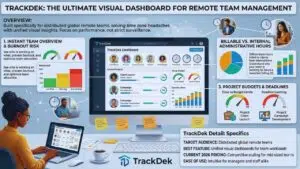
Managing an agency where half the team lives in different time zones is a massive headache. TrackDek is built specifically to solve this problem by giving managers a unified, highly visual dashboard. You can open the app and instantly see who is working on what, how close projects are to hitting their budget limits, and who is dangerously close to burning out. It clearly separates hours you can bill to a client from internal administrative hours.
This helps you figure out why your team is working fifty hours a week but only billing twenty. The platform is designed around performance optimization rather than strict surveillance, fostering a healthier remote culture. It is a fantastic diagnostic tool for remote business owners who need to tighten up their daily operations without alienating their top creative talent.
| TrackDek Detail | Specifics |
| Target Audience | Distributed global remote teams |
| Best Feature | Unified visual dashboards for team workloads |
| Current 2026 Pricing | Competitive scaling for mid-sized teams |
| Ease of Use | Intuitive for managers and staff alike |
8. Hubstaff: Best for Large Agencies Needing GPS and Payroll
Hubstaff is the heavy-duty truck of this list. It is built for serious management. Beyond just tracking computer time, it offers GPS location monitoring. If you run a creative agency that does on-site photo shoots, event planning, or physical installations, you can see exactly when your contractors arrive at the client location. It tracks keyboard and mouse activity and can even take randomized screenshots if your client contracts mandate strict security audits.
More importantly, it integrates directly with your payroll system. You set an hourly rate for your freelancer, they track their hours, and Hubstaff automatically pays them through direct deposit or PayPal at the end of the week. It takes almost all the administrative friction out of managing a large, decentralized contractor workforce.
| Hubstaff Detail | Specifics |
| Target Audience | Large agencies with field workers or strict contractors |
| Best Feature | Automated payroll and GPS location tracking |
| Current 2026 Pricing | Starts around 7 dollars per user per month |
| Ease of Use | Complex setup but automated daily use |
9. Everhour: Best for Project Management Tool Integration
Everhour realized that most people hate opening a separate app just to log their time. Their solution was to embed their timer directly into the tools you already use. If your agency lives in Asana, Trello, Jira, or Basecamp, Everhour puts a little start button directly inside your task cards. It feels completely native to your existing workflow, which means your team will actually use it.
They also offer excellent resource planning tools, letting you map out your team schedule weeks in advance visually. You can see who has free capacity next Tuesday before promising a client a rush delivery. It is not cheap, but for highly organized agencies that refuse to jump between different software windows, Everhour is the ultimate convenience play that keeps everything centralized.
| Everhour Detail | Specifics |
| Target Audience | Agencies living inside project management apps |
| Best Feature | Native embedding inside Asana, Trello, and ClickUp |
| Current 2026 Pricing | Around 8 dollars per user per month |
| Ease of Use | Very high once integrated |
10. Time Doctor: Best for Detailed Activity Monitoring
Time Doctor is built for strict accountability. It is heavily favored by large outsourcing agencies that need to guarantee their fully remote teams are staying on task. It tracks web and application usage in real time, and if it catches you spending too much time on a non-work site, it actually sends a pop-up nudge reminding you to get back to work.
Managers get incredibly detailed reports showing exactly when their team members were active, when they were idle, and what their screen looked like. You can set up custom rules for different departments. It is definitely too intense for a solo freelancer, but if you own an agency and need to maximize the return on investment from your contractor payroll, Time Doctor gives you complete oversight.
| Time Doctor Detail | Specifics |
| Target Audience | Large outsourcing firms and data-sensitive agencies |
| Best Feature | Distraction pop-up nudges and strict monitoring |
| Current 2026 Pricing | Custom pricing based on enterprise needs |
| Ease of Use | Heavy administrative controls |
11. Timely: Best AI-Powered Auto-Tracker
Timely uses artificial intelligence to do your timesheets for you. It sits on your device and quietly monitors the documents you write, the video calls you attend, and the emails you answer. At the end of the day, the AI builds a suggested timeline of your entire day. You just review the AI suggestions, drag them into your project folders, and you are done.
It completely eliminates the problem of forgetting to start a timer and removes the creepy surveillance feeling because the data is entirely private to you until you publish it. Because it uses advanced machine learning, it is priced as a premium product, but for busy creatives who jump between a dozen different micro-tasks every day, it is absolute magic that reclaims hours of lost billable work.
| Timely Detail | Specifics |
| Target Audience | Multi-tasking creatives and premium agencies |
| Best Feature | Private AI-generated daily timesheets |
| Current 2026 Pricing | Premium pricing reflecting AI costs |
| Ease of Use | Feels like having a personal assistant |
12. FreshBooks: Best for Accounting-Focused Professionals
FreshBooks is famous for being an accounting platform, but it has a built-in timer that makes it an incredible all-in-one solution. Instead of paying for a tracker, an invoicing tool, and an accounting system, you just use FreshBooks for everything. You track your hours collaboratively with your team, and with two clicks, those hours become a customized invoice. When the client pays, the money is tracked directly in your ledger, making tax season completely painless.
You can also track your business expenses, manage client retainers, and run profit and loss reports from the exact same dashboard. If you hate dealing with administrative tech stacks and want to consolidate your software subscriptions, putting your entire business inside FreshBooks is a very smart move.
| FreshBooks Detail | Specifics |
| Target Audience | Solo professionals who handle their own books |
| Best Feature | Unified ecosystem for tracking, billing, and accounting |
| Current 2026 Pricing | Subscription based on active clients |
| Ease of Use | Streamlined business management |
How to Choose the Right Time Tracking App for Your Needs?
Reading through twelve different options can feel a bit overwhelming. The secret to making the right choice is to ignore all the flashy features and focus entirely on your current business size and your biggest daily headache. Let us break down exactly which tool you should adopt based on where your freelance business or agency is sitting right now.
Finding the best time tracking apps for freelancers and agencies means matching the software to your actual reality. Do not buy an enterprise tool if you are working out of your bedroom, and do not rely on a free tool if you are billing a million dollars a year.
For Solo Freelancers on a Budget
When you are just getting your business off the ground, keeping your monthly expenses low is critical. You do not need massive corporate dashboards; you just need to know how long a logo design actually took. Clockify is your best bet here because the free tier is incredibly generous and allows unlimited projects. Toggl Track is another fantastic option if you only have a few clients and want an interface that is actually fun to use.
Both platforms let you build a professional habit without draining your bank account. As you secure more clients, you can always upgrade to their paid tiers to unlock custom reporting, but you can easily survive your first two years in business using just their free core features.
| Top Pick for Solo | Why It Wins | Cost to Start |
| Clockify | Unlimited clients and projects without limits | Free |
| Toggl Track | Best user interface and minimal friction | Free |
For Growing Agencies with Remote Teams
The moment you hire your third or fourth contractor, everything changes. You are no longer just doing the work; you are managing the resources. You need to know if your team is actually busy or just pretending to be. Applications like TrackDek and Everhour give you the high-level visibility you need to manage a distributed team.
They help you spot bottlenecks in your workflow and ensure no single employee is taking on too much work while others are sitting idle. By embedding the timers into your project management tools, your team will not feel like they are being spied on; they will just see it as part of checking off their daily tasks.
| Top Pick for Agencies | Why It Wins | Best Team Feature |
| Everhour | Keeps teams inside Asana or Trello | Native task embedding |
| TrackDek | Great for global remote management | Burnout prevention dashboard |
For Professionals Needing Strict Billing Workflows
If you spend your Friday afternoons crying over spreadsheets trying to figure out what to charge your clients, you have a billing workflow problem. You need software that bridges the gap between logging minutes and sending invoices. Harvest is the absolute king in this category for mid-sized agencies, while FreshBooks is perfect for independent contractors who want their accounting tied directly to their daily task timers.
Stop doing manual data entry and let the software handle the math. These platforms automatically pull your hourly rates, calculate your taxes, and generate polished PDFs that make you look like a highly organized professional to every client you pitch.
| Top Pick for Billing | Why It Wins | Core Workflow Benefit |
| Harvest | The agency standard for invoicing | Budget alerts prevent free work |
| FreshBooks | Covers your actual tax accounting | Consolidates software costs |
Final Thoughts
Adopting a solid system to monitor your workday is one of the highest-return investments you can make in your business. It is not just about keeping tabs on your employees or filling out annoying administrative sheets. It is about understanding the actual value of your labor. Whether you choose the frictionless interface of Toggl Track, the automated AI magic of Timely, or the billing powerhouse of Harvest, getting your hours under control changes everything. Stop guessing how much you work and start dealing in hard data.
By choosing one of the best time tracking apps for freelancers and agencies, you protect your revenue, improve your estimates, and finally get the clear oversight you need to run a profitable, stress-free operation. Take thirty minutes this week, pick the tool that matches your current budget, and watch how quickly it transforms your Friday invoicing routine.