If you want pro-level aim, your mouse should feel like an extension of your hand. The Best FPS Gaming Mouse is the one that disappears in your grip, tracks perfectly, and clicks fast with zero drama. Weight, shape, and click feel matter more than flashy features.
Below are 10 top-tier picks for best gaming mice for FPS pros and high-rank grinders keep coming back to, with a mix of safe “fits-most” shapes and specialist options for fingertip, claw, or palm.
Quick Comparison Table
| Mouse | Type | Best For | Notable Edge |
|---|---|---|---|
| Razer Viper V3 Pro | Wireless | Claw, relaxed claw | Built for esports, 8K-ready performance |
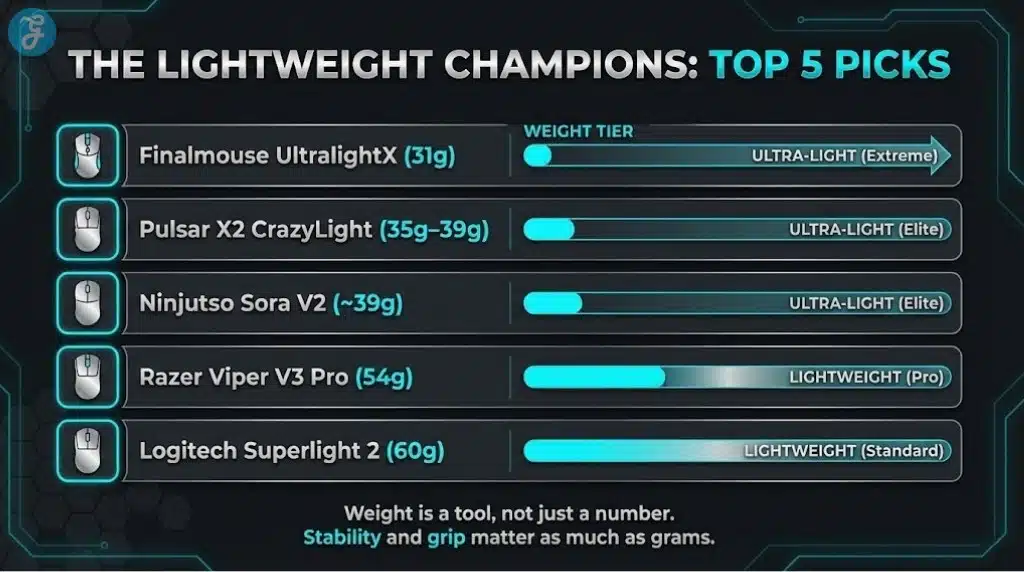
| Logitech G Pro X Superlight 2 | Wireless | Almost any grip | Safe shape, proven at the top |
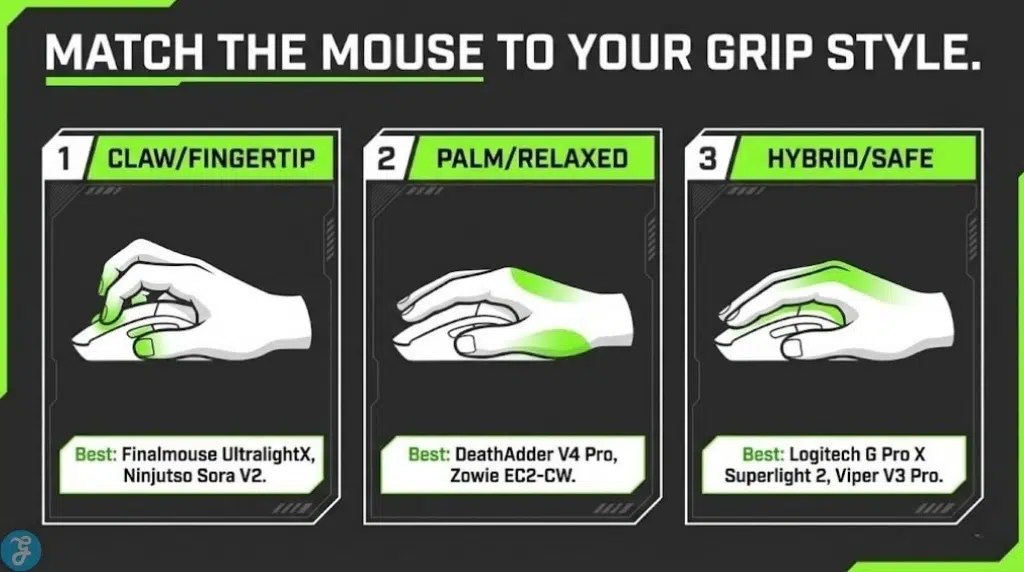
| Finalmouse UltralightX | Wireless | Fingertip, aggressive claw | Extreme weight, 8K wireless option |
| Ninjutso Sora V2 8K | Wireless | Fingertip, claw | Ultra-light without holes, 8K bundle |
| Corsair Sabre V2 Pro Ultralight | Wireless | Palm, relaxed claw | Mainstream brand going ultra-light |
| Razer DeathAdder V4 Pro | Wireless | Palm, larger hands | Lighter refresh with flagship specs |
| Pulsar X2V2 | Wireless | Claw | Popular shape refreshed internally |
| Pulsar X2 CrazyLight | Wireless | Fingertip, claw | 35g–39g with 8K + 32K DPI |
| Vaxee XE v2 Wireless (4K) | Wireless | Claw, hybrid grips | Competitive tuning and updated internals |
| Zowie EC2-CW | Wireless | Palm, relaxed claw | Driverless simplicity, classic ergonomic feel |
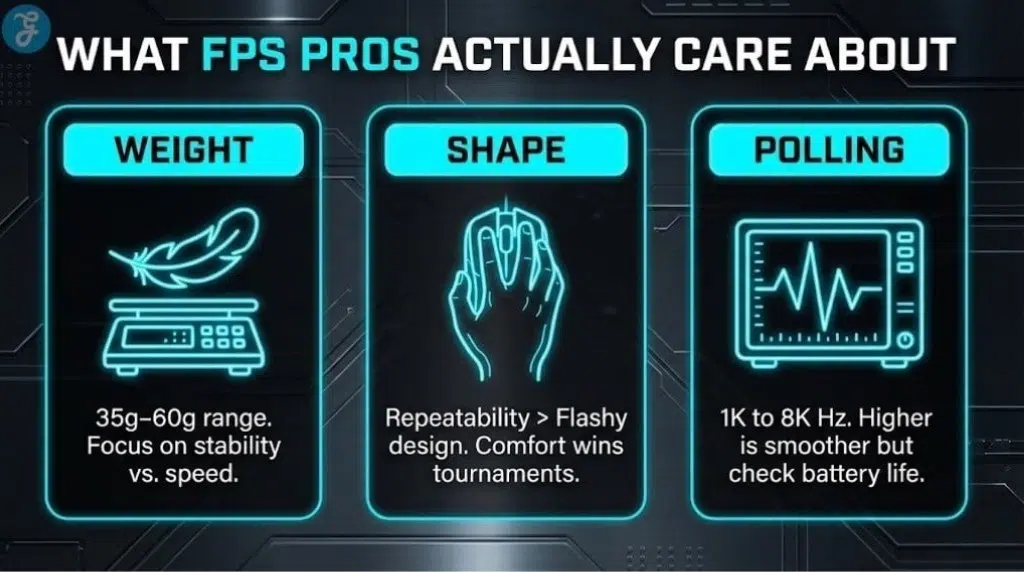
What FPS Pros Actually Care About?
Professional gamers care about:
Weight (But Only If The Shape Works)
Dropping from 80g to 55g is huge. Again dropping from 55g to 35g can be amazing, but only if the mouse stays stable in your grip. Ultra-light is best when it improves micro-adjustments without making you shaky.
Shape And Grip Lock-In
Most pros pick shapes that feel “safe” and repeatable. A safe shape beats a “cool” shape because consistency wins tournaments.
Clicks, Latency, And Polling
Modern top mice are already excellent. Higher polling can feel smoother, but it can also hit battery life and CPU overhead. If your game feels perfect at 1000 Hz, do not force changes.
The 10 Best Gaming Mice For FPS Pros
Here are 10 lightweight and precision mice for gamers:
1) Razer Viper V3 Pro
This is one of the cleanest competitive wireless packages right now. It’s tuned for fast FPS play with a shape that suits claw and relaxed claw well, and it supports high polling out of the box. RTINGS notes it includes support for up to 8000 Hz wireless polling and positions it as a flagship competitor in this class.
Choose it if: you want a modern “esports-first” wireless mouse with a balanced, locked-in feel.
2) Logitech G Pro X Superlight 2
If you want the safest recommendation on the planet, it’s this type of shape. Logitech’s own spec highlights a 60g design built with pro input in mind. RTINGS also points out meaningful internal upgrades like HERO 2 and a higher max wireless polling rate.
Choose it if: you want a “fits-most” mouse that’s easy to adapt to and easy to trust.
3) Finalmouse UltralightX
This is the ultra-light obsession in mouse form. Finalmouse markets the UltralightX at about 31g with wireless polling up to 8000 Hz. RTINGS backs up that it delivers excellent raw performance and supports 8000 Hz wireless polling, with the practical note that higher polling can increase power use and CPU demand.
Choose it if: you’re serious about fingertip or aggressive claw and want “weightless” speed.
4) Ninjutso Sora V2 8K
If you want ultra-light without honeycomb holes, Sora V2 8K is a killer pick. Ninjutso describes it as an updated model with an upgraded sensor and an included 8K receiver. Retail listings commonly highlight ~39g and up to 8000 Hz polling with the bundled receiver.
Choose it if: you want a featherweight mouse that still feels like a “normal shell.”
5) Corsair Sabre V2 Pro Ultralight
This one matters because it’s a big mainstream brand going truly extreme. Corsair’s own page describes an 8000 Hz mode via their Web Hub. WIRED’s review calls out how striking the weight is for a major manufacturer, clocking it at 36g.
Choose it if: you want a palm-friendly FPS shape, but you still want ultra-light speed.
6) Razer DeathAdder V4 Pro
Ergo fans finally got a modern refresh that stays esports-focused. The Verge reports the DeathAdder V4 Pro brings an updated sensor, optical scroll sensing, up to 8000 Hz support, and a notably reduced weight around the mid-50g range (color dependent).
Choose it if: you want a right-handed ergonomic shape that still feels tournament-ready.
7) Pulsar X2V2
The X2 shape has been everywhere in the competitive scene for a reason. Pulsar positions the X2V2 as the successor with a revamped internal structure while keeping the familiar shape. It’s a strong claw grip pick, especially if you like a lower, controlled profile.
Choose it if: you want a modern claw mouse with a shape that already has a huge fan base.
8) Pulsar X2 CrazyLight
If you’re chasing the ultra-light trend without going boutique-limited, this is worth a look. Tom’s Hardware reports Pulsar’s X2 CrazyLight comes in very low weights (mini and medium variants) and includes a 32,000 DPI sensor with an 8,000 Hz polling rate.
Choose it if: you want extreme weight cutting, but you still want a more “available” ecosystem.
9) Vaxee XE v2 Wireless (4K)
Vaxee is a favorite in the “pure competitive” crowd, especially among players who value consistency and feel over marketing. RTINGS notes the v2 update includes a newer sensor, lighter body, updated internal structure, and revised buttons and skates.
Choose it if: you want a clean, competition-focused mouse with a stable, confident shape.
10) Zowie EC2-CW
Zowie’s appeal is simple: reliable shapes, no driver fuss, and a feel that many aim-focused players love. Zowie’s product page highlights plug-and-play design and adjustable polling settings, leaning into simplicity. If you want the “classic ergo FPS” experience in wireless form, this is it.
Choose it if: you want ergonomic comfort and zero software headaches.
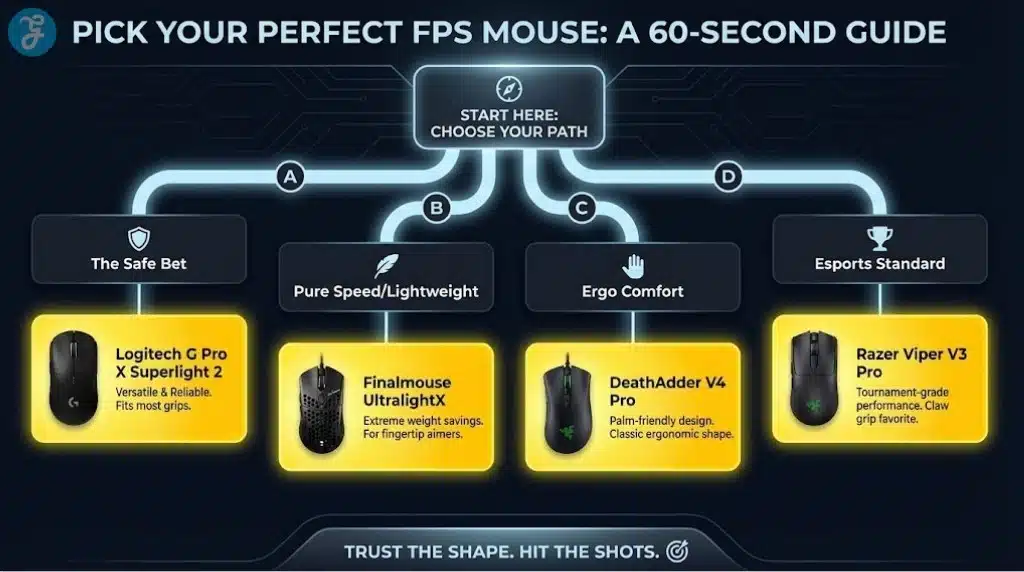
How To Pick The Right One In 60 Seconds
If you want:
- The safest all-rounder, then get Logitech G Pro X Superlight 2. It’s the easiest to adapt to across games and grips.
- The cleanest modern esports package, then get the Razer Viper V3 Pro.
- The lightest mouse then get the Finalmouse UltralightX or Pulsar X2 CrazyLight, depending on availability and shape preference.
- Ergonomic palm comfort, get the DeathAdder V4 Pro or Zowie EC2-CW.
Final Wrap-Up
The Best FPS Gaming Mouse is the one that matches your grip and keeps your aim consistent under pressure. Start with shape first, then weight, then polling and extras. If you want one “can’t go wrong” pick, Superlight-style shapes are still the easiest recommendation. If you want pure speed, today’s ultra-lights are unreal.