

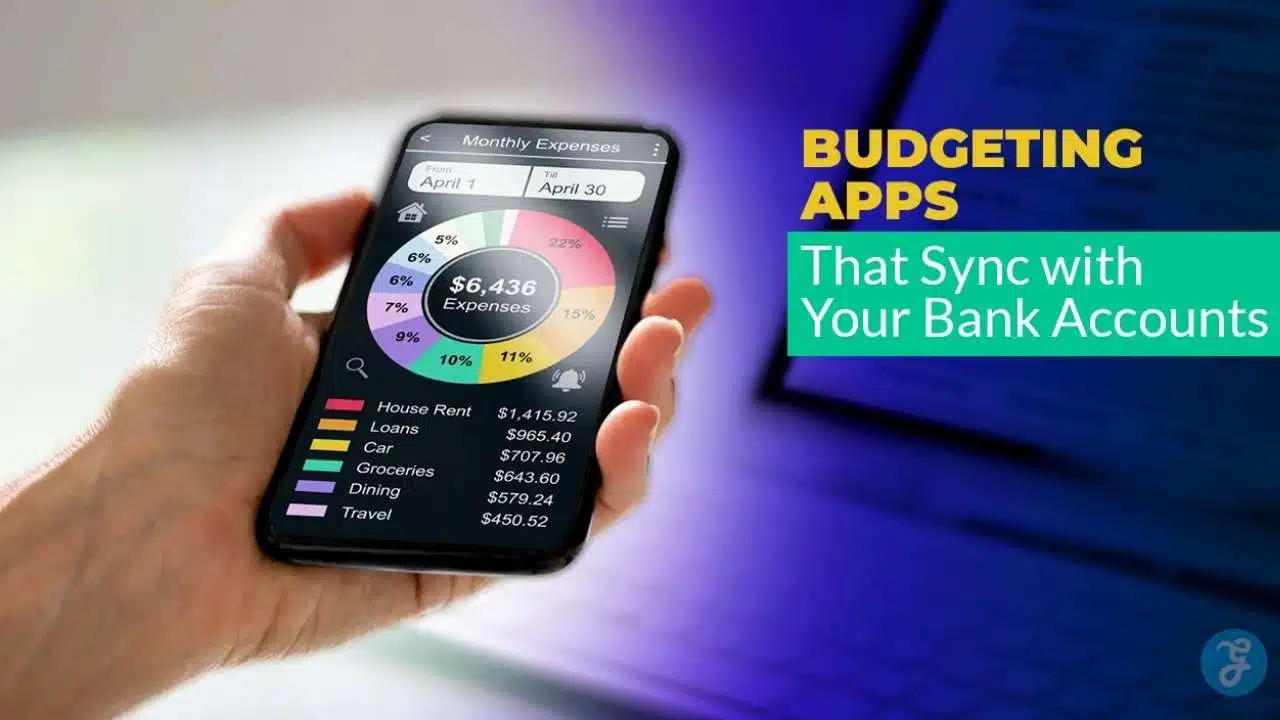
Budgeting gets tough when tracking turns into a daily chore. Most people start strong, then fall off once they miss a few entries or forget to log a small purchase. That is where budget apps that connect to your bank account can make a real difference.
These apps pull transactions automatically, sort spending into categories, and help you see patterns you might miss. This article breaks down 12 popular options, explains who each one fits best, and shows what to look for before you connect your accounts. You will also find a table under every section so you can scan faster and compare without stress.
Quick Picks If You Want the Shortlist
If you do not want to test a dozen apps, start with two based on your goal. One should feel easy to use, and the other should match your budgeting style.
| Best For | App Type That Fits | Why It Works |
| Free overview | Dashboard-style tracker | Helps you see spending quickly without heavy budgeting rules |
| Strict control | Method-based budget app | Keeps you accountable with clear categories and weekly check-ins |
| Couples budgeting | Shared finance app | Makes shared bills and shared goals less messy |
| Subscription cleanup | Bill and subscription focused app | Finds recurring charges and helps you reduce leaks |
| Spreadsheet lovers | Sheet-based system | Lets you build your own budget with maximum control |
What Bank Sync Really Means (and What to Expect)?

Bank sync usually means the app can pull your transaction history and balances into one place. In most cases, the access is read-only. That means the app can view data but cannot move money. Still, the setup can feel personal, so it helps to understand what is happening behind the scenes.
Sync is not always instant. Some banks post transactions in batches. Some charges stay pending for a while. And sometimes a bank forces a reconnect after a security update. When that happens, the fix is usually simple: sign in again, confirm verification, then refresh the connection.
A good app should make this process clear instead of confusing. It should show when the account last updated and what to do if new transactions are missing. It should also let you correct categories easily, because auto-categorization is helpful but never perfect.
| Key Point | What It Means for You |
| Read-only access | The app should not be able to transfer money |
| Refresh timing | Transactions may appear after they post, not when they are pending |
| Reconnect moments | Password changes and bank security updates often trigger reauthorization |
| Best habit | Do a weekly review so your categories and totals stay accurate |
Budget Apps That Connect to Your Bank Account: What to Look For?
When people say they want a budgeting app, they usually want one of two things. They want control, or they want clarity. Control means strict categories and fewer surprises. Clarity means seeing where money is going without guessing.
Start by choosing your budgeting style. Zero-based budgeting is great if you want every dollar assigned a job. A spending plan is simpler and works well for steady income. A cash flow view helps if your income varies or your bills hit at different times. Spreadsheet-based systems work best if you like building your own rules.
Do not ignore the human side of budgeting. The best app is not the one with the most features. It is the one you will open every week. Ease of review matters more than fancy charts, because consistent checking is what creates results.
| Feature | Why It Matters |
| Fast transaction review | Keeps you consistent because it feels quick |
| Category rules | Helps the app learn your spending patterns |
| Recurring detection | Prevents surprise bills and hidden subscriptions |
| Shared access options | Helps couples and families plan together |
| Clear pricing | Avoids confusion about what is free and what is locked |
1. Empower Personal Dashboard
Empower works well if you want a free, big-picture look at your finances. It focuses on visibility more than strict budgeting rules. You connect accounts like checking, credit cards, and investments, then view transactions and trends in one place.
This is especially useful if your goal is awareness. Many people overspend because they do not see the full picture. A dashboard helps you spot patterns like frequent delivery spending or weekend splurges. Once you can see the pattern, you can plan around it.
Empower is not designed for detailed envelope budgeting. If you want to assign every dollar to specific categories, you may want a method-based tool. Still, as a starting point, it can be one of the easiest ways to get a clear snapshot without friction.
| Summary | Details |
| Best for | Free overview and spending awareness |
| Strength | Big-picture tracking across many accounts |
| Bank sync value | Automatic transaction visibility in one dashboard |
| Watch for | Less strict budgeting structure than method-based apps |
Best For
If you want a simple way to see spending trends and account totals without a heavy learning curve, this fits. It is also helpful if you want net worth and account tracking in one place.
Pricing
A free dashboard appeals to people who are not ready to pay monthly. It also works well as a companion to another budgeting method.
Bank Sync Experience
The setup focuses on linking accounts so the dashboard can refresh transactions automatically. When it works smoothly, it removes the need for manual entry.
Standout Features
It is strong for overall financial visibility. It can help you notice which categories are growing month to month.
What to Watch For?
If you need strict category enforcement, you may outgrow it. Consider pairing it with a more structured budget routine.
2. Rocket Money
Rocket Money is known for helping people find leaks, especially recurring charges. It focuses on subscriptions and bills because those are the easiest expenses to forget. When bank transactions flow in, the app can surface patterns that look like repeating charges.
This can be valuable if you keep saying you will “cancel later” and never do. Small monthly charges add up. Even one or two unused subscriptions can quietly drain a budget. Rocket Money’s strength is helping you notice those charges faster.
It may not feel as strict as a zero-based budgeting app. But it can be a smart choice if your first goal is cleanup. Many people do better when they fix leaks first, then build a more detailed budget later.
| Summary | Details |
| Best for | Subscription tracking and bill awareness |
| Strength | Helps spot recurring charges quickly |
| Bank sync value | Pulls transactions to identify patterns and repeats |
| Watch for | Not as method-driven as strict budgeting apps |
Best For
If your spending feels confusing and subscriptions keep stacking up, this is a good match. It is also useful if you want quick wins by reducing recurring charges.
Pricing
Some features may sit behind a paid plan, depending on the version and offer. The main idea is that it aims to deliver value through savings and cancellations.
Bank Sync Experience
The app performs best when it can see your transactions regularly. That is how it finds repeats and flags bills that may be rising.
Standout Features
It is strong for recurring-charge visibility. It can help you spot subscriptions you forgot you started.
What to Watch For?
If you want deep budgeting rules and category discipline, you might want a more structured tool after cleanup.
3. Honeydue
Honeydue is designed for couples who want shared visibility without turning money into a daily argument. Instead of forcing both people into one view of everything, it focuses on collaboration. That matters because couples often split responsibilities, use different banks, and spend differently.
A shared budgeting tool works best when it reduces friction. Honeydue supports shared tracking and helps couples discuss spending without hunting through statements. It can be useful for shared bills, shared goals, and monthly planning meetings.
If you are building a household budget together, clarity is everything. The goal is not control. The goal is alignment. A couple who understands the plan usually makes better choices than a couple who is guessing.
| Summary | Details |
| Best for | Couples and shared budgets |
| Strength | Better coordination for shared bills and shared categories |
| Bank sync value | Brings both partners’ transactions into one shared view |
| Watch for | May feel limited if you want deep reporting and strict rules |
Best For
Couples who want to see shared spending, track bills, and avoid surprises. It also helps if you want to talk about money without chasing receipts.
Pricing
Many couples prefer apps that keep costs low. If an app reduces arguments and missed bills, that is already a strong return.
Bank Sync Experience
Sync matters most when both people connect accounts. That creates one shared view and reduces the “who paid what” confusion.
Standout Features
Shared budgeting makes planning easier. It can also support a habit of checking spending together weekly.
What to Watch For?
If you want advanced forecasting or deep investment tracking, you may need a second tool.
4. Quicken Simplifi
Simplifi is built for people who want budgeting that feels straightforward. It focuses on organizing spending, tracking cash flow, and helping you stick to a plan without heavy rules. Many users prefer this approach because it feels practical instead of strict.
It works well when your goal is better decision-making. Instead of forcing a complex method, it helps you see what is left after bills and planned expenses. That can feel more natural for people who want a flexible spending plan.
If you have tried strict budgeting and stopped, a simpler structure can help you stay consistent. Consistency beats complexity. The best plan is one you actually follow every month.
| Summary | Details |
| Best for | Simple budgeting with automation |
| Strength | Clear spending plan style tracking |
| Bank sync value | Automated transactions help reduce manual work |
| Watch for | Less strict than zero-based budgeting tools |
Best For
People who want a clean budget view without learning a new financial system. It can be helpful for steady income and predictable expenses.
Pricing
Subscription apps should earn their cost through time saved and better visibility. This type of tool often feels worth it when you check it weekly.
Bank Sync Experience
Account syncing is central to the experience. Transactions feed into categories so you can review quickly.
Standout Features
It supports a practical view of spending and bills. It can help you feel more in control without heavy effort.
What to Watch For?
If you want strict category caps and zero-based structure, you may prefer a method-first app.
5. EveryDollar (Premium for Bank Sync)
EveryDollar is a zero-based budgeting app. That means you assign every dollar before the month begins, so your plan leads and your spending follows. This can work well if you want strict control and fewer surprises.
The key detail is that bank sync is usually part of the paid tier. Without that, you are often doing manual entry. Manual entry can still work, but it requires discipline. If you want automation, you will likely want the version that imports transactions.
Zero-based budgeting is powerful because it forces clarity. It helps you plan for irregular expenses like car repairs and annual fees. It also helps you choose priorities instead of guessing where the money went.
| Summary | Details |
| Best for | Zero-based budgeting and strict planning |
| Strength | Clear monthly plan before spending happens |
| Bank sync value | Paid tier brings transactions in automatically |
| Watch for | Manual entry can feel tiring if you prefer automation |
Best For
People who want structure, especially if they are paying off debt or trying to control spending tightly. It also helps if you like planning ahead.
Pricing
Paid plans often make sense when bank syncing saves time and keeps the budget accurate. If you budget weekly, automation can feel worth it.
Bank Sync Experience
When transactions import properly, review becomes faster. You still need to approve categories, but you avoid typing every purchase.
Standout Features
It supports disciplined budgeting. It keeps your plan clear and pushes you to assign money intentionally.
What to Watch For?
If you want complex reports and flexible customization, you might prefer a tool with deeper analytics.
6. PocketGuard
PocketGuard is often described as a “safe-to-spend” budgeting tool. Instead of making you stare at dozens of categories, it tries to answer one simple question: how much can you spend right now without causing problems?
This approach works for people who feel overwhelmed by traditional budgets. If you want a quick check before you buy something, a safe-to-spend number can help. It creates a practical guardrail.
It also helps when your spending habits are the issue, not your income. Many people have enough income but lose control through small daily spending. A daily limit mindset can be easier to follow than a complex plan.
| Summary | Details |
| Best for | Simple guardrails and daily spending clarity |
| Strength | Focuses on what is safe to spend |
| Bank sync value | Pulls recurring bills and spending patterns into view |
| Watch for | May feel too simplified for people who want deep control |
Best For
People who want a simple way to avoid overspending without building a detailed budget. It also fits those who want quick clarity.
Pricing
Many apps in this category offer paid tiers. The value usually comes from better automation and advanced insights.
Bank Sync Experience
Bank syncing supports the safe-to-spend idea. The more accurate the transaction flow, the better the guidance feels.
Standout Features
It reduces budget anxiety by focusing on a simple number. It can also surface recurring spending patterns.
What to Watch For?
If you need detailed planning for goals like saving for a house, you may want deeper planning tools.
7. Spendee
Spendee is a budgeting app that leans into simplicity and visuals. It can work well if you like seeing your spending patterns quickly. It also supports tracking across multiple wallets, which helps if you use different accounts for different goals.
A common budgeting issue is mixing money mentally. People say, “I have money,” but that money is already reserved for bills. Wallet-based tracking helps create mental separation, even when the bank accounts are connected.
Spendee can also be useful if you want shared tracking with a partner or family. The goal is making day-to-day tracking feel easy enough that you keep doing it.
| Summary | Details |
| Best for | Simple budgets and multiple wallet tracking |
| Strength | Visual spending insight and flexible categories |
| Bank sync value | Automatic imports reduce manual entry |
| Watch for | Connection experience can vary by bank and region |
Best For
People who want a clean interface, flexible categories, and a simple budget style. It also fits users who track cash and accounts together.
Pricing
Apps like this often offer tiers. Paid tiers usually unlock deeper features and syncing options.
Bank Sync Experience
Sync reduces effort. Still, it is smart to review categories weekly because auto-sorting can miss context.
Standout Features
Multi-wallet tracking helps you separate goals. Visual patterns can help you change habits faster.
What to Watch For?
If you want complex budget rules and forecasting, you may need a more advanced tool.
8. Wallet by BudgetBakers

Wallet is widely used by people who want strong reporting and a global-friendly experience. It often appeals to users who want detailed insights without committing to a strict budgeting method. It can help you see spending by category, merchant, and time period.
This can be valuable if you are trying to understand patterns across months, not just weeks. Reports matter when you want to change long-term habits, like dining out or impulse shopping. Better reporting helps you spot the real problem.
It also fits users who want more control over planning payments and tracking bills. If your budget is stable but you want stronger visibility, this can be a strong option.
| Summary | Details |
| Best for | Reporting-focused budgeting and international users |
| Strength | Strong reports and spending breakdowns |
| Bank sync value | Helps pull transactions for accurate insights |
| Watch for | Features may vary across devices and plans |
Best For
People who want better reports and want to understand long-term spending patterns. It can also fit users with multiple accounts and currencies.
Pricing
Pricing often depends on plan and platform. The key is checking what features you need before committing.
Bank Sync Experience
Sync is useful for accurate reporting. Once transactions flow in, reports become more reliable and less manual.
Standout Features
It is built for insight and analysis. It helps users who want to measure spending changes over time.
What to Watch For?
Always confirm which features are included in your plan, especially if you switch devices.
9. Tiller Money
Tiller is different because it lives in a spreadsheet. Instead of forcing you into one app layout, it pulls transactions into a sheet, then lets you build your system. This works well for people who like full control and want to own their data structure.
Spreadsheet budgeting is powerful because you can track anything. You can create custom categories, build goal trackers, and design your own reports. It is also flexible for unusual situations like irregular income, side gigs, or complex reimbursements.
The tradeoff is setup time. If you hate building systems, this may feel like work. But if you already love spreadsheets, this can feel like freedom.
| Summary | Details |
| Best for | Spreadsheet budgeting with automation |
| Strength | Maximum customization and control |
| Bank sync value | Pulls transactions into your sheet automatically |
| Watch for | Requires setup effort and weekly maintenance |
Best For
People who enjoy spreadsheets and want total flexibility. It also fits those who want custom reports and advanced tracking.
Pricing
A fixed annual price can feel fair if you use it regularly. The value depends on how much you rely on the sheet.
Bank Sync Experience
Bank syncing helps keep the sheet updated. You still need to clean categories and review transfers.
Standout Features
You can build a budget that fits your life exactly. Templates help you start without building from scratch.
What to Watch For?
It is not the quickest setup. If you want instant simplicity, choose a standard app first.
10. YNAB (You Need a Budget)
YNAB is method-based budgeting, not just tracking. It focuses on intentional planning and weekly check-ins. Many people like it because it changes behavior, not just reports it.
YNAB’s core idea is simple: give your money a job and update the plan as life happens. That makes it practical for real life, where expenses are unpredictable. It can also help reduce “credit card float,” where you spend on credit but do not have cash ready.
If you want control and are willing to do short weekly reviews, YNAB can be a strong fit. It is not a set-and-forget tool. It works best when you stay engaged.
| Summary | Details |
| Best for | Hands-on, method-based budgeting |
| Strength | Strong habit-building through weekly review |
| Bank sync value | Transaction import supports faster reconciliation |
| Watch for | Learning curve for new budgeters |
Best For
People who want a structured method and want to build consistent budgeting habits. It also fits those focused on reducing financial stress.
Pricing
Paid budgeting tools must deliver results. The value often shows up through better decisions, fewer surprises, and better savings consistency.
Bank Sync Experience
Transaction import helps, but the method still expects you to review and approve. That keeps the budget accurate.
Standout Features
It teaches a process. It is designed to help you adapt, not just track.
What to Watch For?
If you refuse weekly reviews, you may not get full value from the method.
11. Monarch Money
Monarch is built as an all-in-one money hub. It blends budgeting, planning, and household collaboration. This appeals to users who want more than spending categories. They want a full financial picture that includes goals, accounts, and longer-term planning.
A big advantage of modern all-in-one tools is clarity. You can see spending, trends, and progress toward goals in one place. That matters because budgeting becomes easier when you see the reason behind the plan.
Monarch can also fit households. Shared planning works best when both people can see the same numbers and agree on priorities. If you want budgeting to support bigger goals, this type of app can feel more complete.
| Summary | Details |
| Best for | Modern all-in-one budgeting and planning |
| Strength | Strong overview plus household-friendly tools |
| Bank sync value | Consistent syncing supports accurate reporting and planning |
| Watch for | Paid subscription, so it should replace other tools |
Best For
Households and individuals who want budgeting plus planning in one place. It can also fit people who track many accounts.
Pricing
Paid tools are easiest to justify when they reduce tool clutter. If one app replaces several, the cost can feel reasonable.
Bank Sync Experience
Stable sync improves accuracy across budgeting and planning. A clear connection health view also helps when something breaks.
Standout Features
It is built for full-picture clarity. It can support budgeting, goals, and household decision-making together.
What to Watch For?
If you only need simple budgeting, a lighter app may be enough.
12. Copilot Money
Copilot is known for a polished experience, especially for users who want a clean review flow. It focuses on making transaction review feel fast and natural. That matters because most people quit budgeting when it feels annoying.
Copilot also works well for people who want automation without losing control. You can let it suggest categories, but you still review and correct. Over time, that process can become quick and routine.
It is a strong option if you want budgeting to feel modern and lightweight. The goal is not to overwhelm you with settings. The goal is to make you check spending often, then adjust habits naturally.
| Summary | Details |
| Best for | Clean, modern transaction review |
| Strength | Smooth day-to-day spending review experience |
| Bank sync value | Automatic feeds make review faster and less manual |
| Watch for | Best fit for users who want a polished, simple workflow |
Best For
People who want a clean budgeting experience and do not want budgeting to feel like homework. It can fit users who prefer simple review habits.
Pricing
Many premium apps focus on design and automation. If you check transactions often, the value increases.
Bank Sync Experience
Sync supports the review flow. You get transactions in, then confirm categories and recurring rules quickly.
Standout Features
It aims to reduce friction. Fast review helps you stay consistent.
What to Watch For?
If you need complex budgeting rules and deep forecasting, you may prefer a more method-heavy tool.
How to Choose the Right App Without Overthinking It?
Here is a simple approach that works for most people. Pick one app that feels easy. Pick one app that fits your ideal budgeting style. Try both for seven days. Then keep the one you actually use.
If you want strict control, choose a method app or a zero-based system. If you want clarity, choose a spending plan or dashboard tool. If your biggest issue is subscriptions, choose an app that highlights recurring charges. If you love spreadsheets, choose a sheet-based system.
The goal is not perfection. The goal is consistency. Budgeting becomes powerful when you do short weekly check-ins, even if they are only ten minutes.
| Your Goal | Best Match |
| Strict control | Zero-based or method-based budgeting |
| Quick clarity | Spending plan or dashboard tracking |
| Reduce leaks | Subscription and recurring-charge focus |
| Couples planning | Shared budgeting tools |
| Total customization | Spreadsheet-based systems |
Final Thoughts
Budget apps that connect to your bank account can save time, but the real value is what you do with the information. When you see your spending clearly, you make better decisions without guessing. That is how budgeting stops feeling like punishment and starts feeling like control.
Start with one app, connect your core accounts, and review weekly for a month. If the app helps you avoid even one late fee, one overdraft, or one month of wasted subscriptions, it has already earned its place. Over time, small changes add up, and your budget starts to feel easier to manage.






















