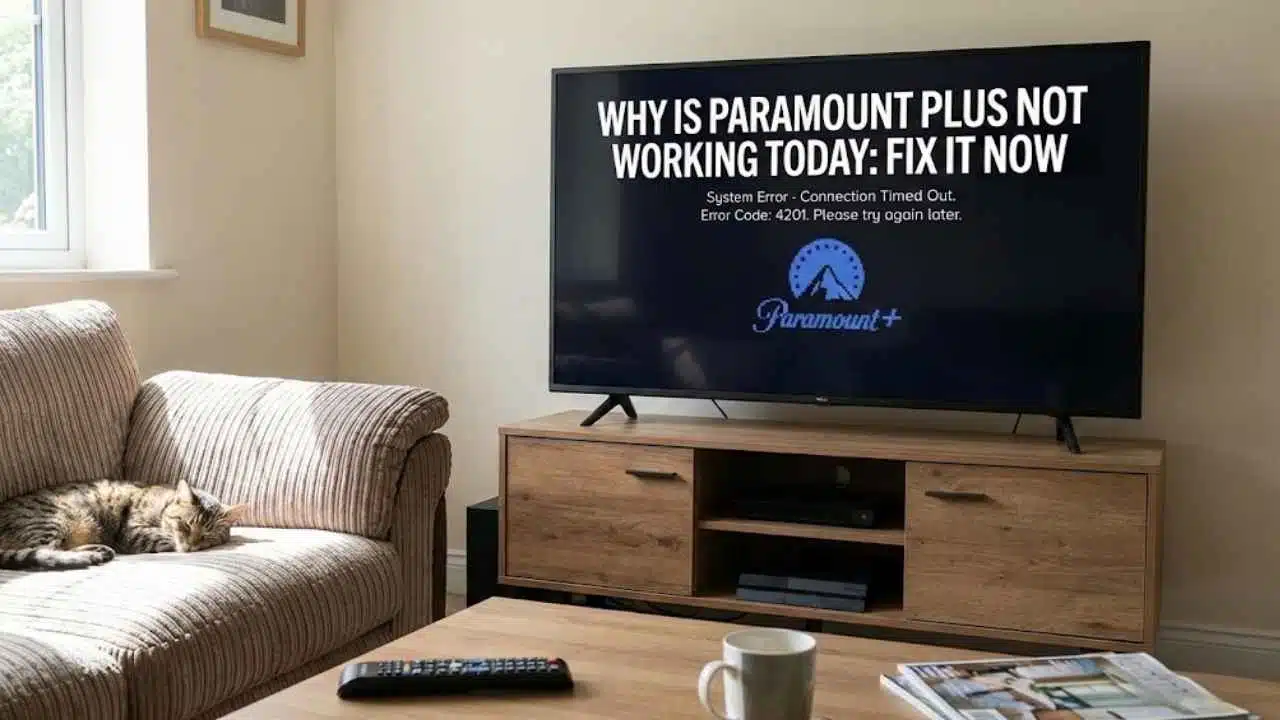
Is your Paramount Plus app stuck on a loading screen? Many users face this problem daily. You might wonder, “Why is Paramount Plus not working today?” when you just want to watch your favorite shows.
Don’t worry, you’re not alone in this struggle.
Paramount Plus is a popular streaming service owned by ViacomCBS Streaming. Like any tech service, it can have problems sometimes. Users often report issues with video streaming (76%), app problems (15%), and login troubles (9%).
This guide will help you fix common Paramount Plus problems fast. We’ll cover everything from buffering issues to login problems and app glitches. You’ll find simple steps to get back to streaming in no time.
Keep reading for quick fixes.
Key Takeaways
- Most Paramount Plus problems fall into three groups: video streaming (76%), app issues (15%), and login troubles (9%).
- Simple fixes like restarting your device, checking internet speed (need at least 4-5 Mbps for HD), and clearing app cache can solve most streaming problems.
- Force quitting the app works well for freezing issues – swipe up on phones or use the app manager on smart TVs, then wait 10 seconds before reopening.
- Password problems can be fixed by using the “Forgot Password” link on the login page and checking your spam folder for the reset email.
- Check if Paramount Plus is down for everyone or just you by using Downdetector, Is It Down Right Now, or the official status page at cms.paramountplus.com.
Common Issues with Paramount Plus
Paramount Plus users face several common issues that can disrupt their streaming fun. These problems range from login troubles to buffering issues, but most have simple fixes you can try at home.
Why is Paramount Plus buffering or not playing properly?
Streaming issues plague many Paramount Plus users today. Data shows 76% of reported outages relate to video streaming problems. Users often face slow loading times, poor video quality, or the dreaded spinning circle that never stops.
Some viewers, like Ferd Berfel on November 10, 2025, have complained about hearing audio but seeing no video at all. These playback troubles can happen on any device, from smart TVs to phones and tablets.
Your internet connection might be the main culprit behind these problems. Slow speeds can’t handle high-quality video streams, causing the content to buffer or stop working completely.
The app itself might need updates or have bugs that affect performance. Sometimes the issue isn’t on your end at all. Paramount Plus servers might be overloaded or experiencing technical difficulties, especially during popular show premieres or live sports events.
Checking your connection and the service status can help you figure out what’s wrong.
Why can’t I log in to Paramount Plus?
Login troubles with Paramount Plus happen to many users. About 9% of all reported problems relate to login issues. You might see error messages or blank screens when trying to sign in.
Your username and password might not work even if you’re sure they’re right. This can happen on phones, tablets, computers, or gaming systems like Xbox.
Amy Presley faced this exact problem on December 10, 2025, when she couldn’t log in on her mobile device. Login errors can stem from wrong credentials, app glitches, or service outages.
Your internet connection might also cause access problems. If you can’t log in, first check if you typed your email and password correctly. Many streaming issues start with simple typing mistakes or forgotten password changes.
How do I fix app glitches or freezing on Paramount Plus?
App glitches and freezing on Paramount Plus happen often, with 15% of all outages coming from the app itself. Many users face problems like the “Uh Oh!” error that Michael Eberly saw on his Xbox on November 30, 2025.
To fix these issues, first force close the app on your device. On phones, swipe up from the bottom and clear the app. On smart TVs, press the home button and close the app from recent apps.
Then restart your device fully, which clears memory and helps the app run better.
If the app still freezes, try clearing its cache. Go to your device settings, find the Apps section, select Paramount Plus, and tap “Clear Cache.” You might also need to update the app, as old versions can cause glitches.
Visit your app store to check for any pending updates. Slow app performance often means the app needs these simple fixes to work right again.
Troubleshooting Tips for Buffering and Playback Problems
Buffering and playback problems can ruin your Paramount Plus viewing. Try these quick fixes to get back to your shows fast.
How do I restart the app and my device?
Restarting your Paramount Plus app and device often fixes buffering and playback problems fast. This simple fix works great for local network issues and device glitches that stop your shows from playing right.
- Close the Paramount Plus app completely by swiping it away or using your device’s app manager.
- Turn off your streaming device (TV, phone, tablet, or streaming stick) for at least 30 seconds.
- Turn your device back on and wait for it to fully boot up before trying again.
- Relaunch the Paramount Plus app and sign in if needed.
- Try playing your content again to see if the buffering stops.
- Restart your modem and router if you still have problems with playback.
- Unplug both your modem and router from power for a full minute.
- Plug in your modem first and wait until all lights show normal activity.
- Connect your router next and wait for all network lights to come back on.
- Test your network speed to make sure it meets Paramount Plus requirements.
- Check other devices on your network to see if the connectivity issue affects everything.
- Try watching Paramount Plus on a different device to see if the problem follows.
How can I check my internet speed and connection?
Internet speed affects how well Paramount Plus works on your device. Slow or unstable connections cause buffering and playback problems that can ruin your streaming experience.
- Visit speed testing websites like Speedtest.net or Fast.com to check your download and upload speeds.
- Compare your results with what Paramount Plus needs, which is at least 4-5 Mbps for HD streaming.
- Try moving closer to your Wi-Fi router to improve signal strength and reduce latency issues.
- Disconnect other devices from your network to free up bandwidth for streaming.
- Run the speed test at different times of day to check for network stability problems.
- Contact your internet service provider if your speeds are consistently below what you pay for.
- Test your connection on both Wi-Fi and wired connections to spot any wireless issues.
- Check your ping rate, as high ping can cause streaming delays even with good download speeds.
- Restart your router and modem to fix temporary connectivity problems.
- Use your device’s network settings to verify you’re connected to the right network.
How do I clear cache and app data on Paramount Plus?
Clearing cache and app data often fixes many streaming problems on Paramount Plus. This simple fix can solve buffering issues, playback errors, and app glitches that might be ruining your viewing experience.
- On Android phones and tablets, go to Settings > Apps > Paramount Plus > Storage > Clear Cache.
- For iPhones and iPads, you’ll need to delete and reinstall the app since iOS doesn’t allow direct cache clearing.
- On Roku devices, press the Home button, highlight Paramount Plus, press the * button, and select “Remove Channel” then reinstall it.
- For Amazon Fire TV, go to Settings > Applications > Manage Installed Applications > Paramount Plus > Clear Cache.
- On smart TVs, the steps vary by brand but usually involve going to Settings > Apps > Paramount Plus > Storage or Memory > Clear Cache.
- Game consoles like PlayStation and Xbox require you to uninstall and reinstall the app to clear cache data.
- After clearing cache, restart your device for the best performance results.
- Check if your app version needs updating, as outdated apps can cause streaming issues.
- Make sure your device has enough storage space left for the app to work properly.
- Test the app after clearing cache to see if playback errors and buffering problems are fixed.
Resolving Login Issues
Login issues can stop you from watching your shows, but we have easy fixes for password problems and account access.
Artificial Intelligence:
How do I verify my Paramount Plus username and password?
Login troubles can stop you from watching your favorite shows. Many users face access issues because they mix up their account details, which makes up 9% of all Paramount Plus outages.
- Check if you’re using your username instead of email for login. This matters if you have more than one account tied to the same email.
- Try typing your password again slowly to avoid mistakes. Small errors like caps lock or typos can block your access.
- Look for the “Forgot Password” link on the login page to reset your credentials if needed.
- Test your login details on the Paramount Plus website before trying the app. The website often works even when apps have issues.
- Clear your browser cookies and cache if you’re using a web browser to sign in.
- Make sure you’re not using an old password that you’ve already changed.
- Contact Paramount Plus support if verification attempts fail multiple times.
- Check if your account is still active and not suspended due to payment issues.
- Try logging in with a different device to see if the problem is device-specific.
- Use a password manager to store your correct credentials for future logins.
How can I reset my Paramount Plus password?
Forgetting your Paramount Plus password can block you from your favorite shows. You can fix this issue with a few simple steps to reset your password and get back to streaming.
- Go to the Paramount Plus website and click on “Sign In” at the top right corner.
- Click the “Forgot Password?” link below the login fields.
- Enter the email address linked to your Paramount Plus account.
- Check your email inbox for a password reset link from Paramount Plus.
- Make sure to use the reset link quickly as these links often expire after a short time.
- Create a new password that meets the security rules (usually 8+ characters with numbers and letters).
- Try to pick a password you can remember but others can’t guess.
- Write down your new password in a safe place for future reference.
- Log in with your new password to confirm it works.
- Contact Paramount Plus support if you don’t receive the reset email within 15 minutes.
- Check your spam or junk folder if the email doesn’t appear in your main inbox.
- Use the official help center if you need more help with account recovery or authentication issues.
Fixing App Glitches or Freezing
Learn how to fix app glitches and freezing issues on Paramount Plus with these quick tips that will get you back to streaming your favorite shows in no time.
How do I force quit and relaunch the Paramount Plus app?
Paramount Plus can freeze up or glitch during use, making your shows stop working. Force quitting and starting the app again often fixes these problems without needing to restart your whole device.
- Close all running apps on your device to free up memory and stop background processes that might slow down Paramount Plus.
- On iPhones, swipe up from the bottom of the screen and hold, then swipe up on the Paramount Plus app to close it.
- Android users can tap the square button at the bottom of the screen, then swipe the Paramount Plus app away to force quit.
- Smart TV users should press the Home button on the remote, then find and select the app manager to close Paramount Plus.
- Wait at least 10 seconds before reopening the app to let all processes fully stop.
- Relaunch Paramount Plus by tapping its icon on your device home screen or app list.
- Check if the user interface loads correctly and test playing a video to see if the freezing issue is fixed.
- If the app still glitches after force quitting, try restarting your whole device for a complete system refresh.
- Make sure your app is the latest version, as outdated software can cause performance issues.
- For stubborn glitches, you might need to uninstall and reinstall the Paramount Plus app as a last resort.
How do I update the Paramount Plus app and my device software?
Keeping your Paramount Plus app and device software up to date fixes many common problems. Regular updates help stop freezing, crashes, and other issues that can ruin your streaming time.
- Check for Paramount Plus app updates in your device’s app store (Google Play Store for Android or App Store for iOS).
- Tap “Update” next to the Paramount Plus app if an update is available.
- Set your apps to update automatically in your device settings to avoid missing future bug fixes.
- Update your device’s operating system by going to Settings > System > Software Update (steps may vary by device).
- Restart your device after updates to make sure all changes take effect.
- Delete and reinstall the Paramount Plus app if updates don’t fix your problems.
- Check that your device meets the minimum system needs for Paramount Plus to run well.
- Connect to WiFi before updating to save mobile data and speed up the download process.
- Clear the app cache through your device settings if you still see glitches after updating.
- Contact Paramount Plus support if you’ve updated everything but still have issues.
How to Check Paramount Plus Status
Learn how to check if Paramount Plus is down for everyone or just you with these quick status-checking tools.
How can I use Downdetector or Is Down Right Now to check Paramount Plus?
Downdetector and Is It Down Right Now help you spot Paramount Plus problems fast. These sites gather real-time user reports about service issues. You can see if others face the same troubles with streaming, login, or app crashes.
Both sites show outage maps and problem trends from the last 24 hours.
You can enter your postcode on Downdetector for local outage details. This helps you know if the problem is just in your area or widespread. The sites also display comments from other users, which might offer quick fixes or more info about the service interruption.
Checking these monitoring tools saves you time before calling customer support or trying complex troubleshooting steps.
Where is the official Paramount Plus status page?
You can find the official Paramount+ status page at cms.paramountplus.com through StatusGator. This page shows if the service is running well or having problems. The status page helps you know if issues are just on your end or if many users are affected.
For more ways to check, Downdetector tracks Paramount+ outages based on user reports. Their method collects real-time data from viewers to spot problems fast. Both tools give you quick answers about why your streaming might not work today.
Paramount Plus Service Status and Outages
Paramount Plus works fine for most users right now. Downdetector shows no big problems as of mid-December 2025. You can check if the service is down in many countries like the US, UK, Canada, and parts of Europe and Latin America.
Some users have reported small issues though. Larry Smith and Ferd Berfel noted problems like videos with no sound, poor picture quality, and slow loading times. If you see a message about cookies, you might need to turn them on in your browser settings.
The site may also tell you if your browser isn’t supported. For the best watching experience, make sure to use a browser that works well with Paramount Plus.
Takeaways
Fixing your Paramount Plus issues doesn’t have to be hard. Try the simple steps like checking your internet, restarting your device, or clearing the app cache first. If you still face problems, check if there’s a service outage using tools like Downdetector.
Login troubles can often be fixed with a quick password reset. For stubborn glitches, updating your app or device software might do the trick. Remember that most streaming problems have easy fixes, and you’ll be back to watching your favorite shows in no time.
For the latest updates on service status and outages, click here to visit our Paramount Plus Issue Tracker.
FAQs
1. Why is my Paramount Plus app not working today?
Your Paramount Plus app might not be working due to internet connection issues, outdated app versions, or server problems. Try checking your internet connection first. If that’s fine, restart your device or update the app to fix common glitches.
2. How can I fix Paramount Plus streaming problems?
Clear your app cache and data in your device settings. This simple step often fixes many streaming issues right away. If problems continue, try signing out and back into your account.
3. Is Paramount Plus down for everyone or just me?
Check websites like Downdetector or Paramount’s social media pages to see if others report problems too. Sometimes the service has widespread outages that affect all users, but other times the issue might be just on your end.
4. What should I do if Paramount Plus keeps buffering?
Lower your video quality settings in the app to reduce buffering. Close other apps and devices using your network to free up bandwidth. If you’re using WiFi, moving closer to your router might help improve your signal strength.