


Downtime can be a nightmare for businesses operating in the digital space. Whether it’s an e-commerce store, a corporate website, or an application, every moment of unavailability can lead to revenue loss, reduced user trust, and a tarnished brand reputation. In today’s fast-paced online world, ensuring consistent uptime is not just desirable—it’s essential.
This is where Virtual Private Server (VPS) hosting steps in as a game changer. Unlike shared hosting, VPS hosting provides a dedicated and customizable environment that is more reliable and robust. However, simply opting for VPS hosting isn’t enough to avoid downtime. To truly harness its benefits, you must take deliberate steps to enhance your hosting environment. By implementing the right strategies, you can effectively reduce downtime with VPS hosting, ensuring your digital presence remains strong and accessible around the clock.
In this guide, we’ll walk you through proven techniques to minimize downtime, optimize your VPS setup, and create a seamless experience for your user
How to Reduce Downtime with VPS Hosting: Top Techniques Unveiled
1. Choose a Reliable VPS Hosting Provider
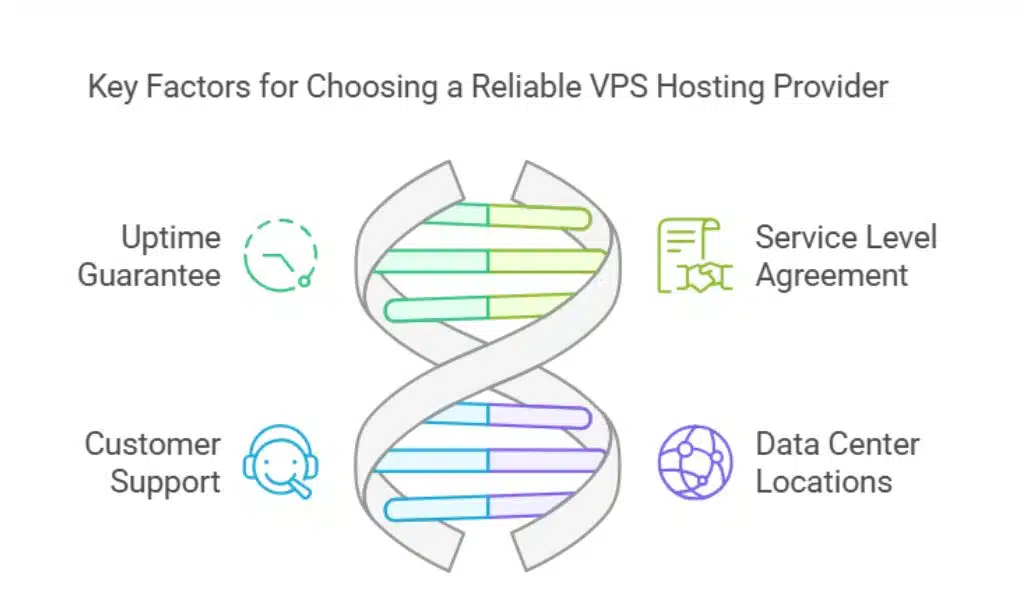
Your hosting provider plays a critical role in your server’s uptime. A dependable provider with robust infrastructure ensures your server performs consistently.
How to Evaluate a Hosting Provider:
| Factor | Description |
| Uptime Guarantee | Look for providers offering at least 99.9% uptime. |
| SLA (Service Level Agreement) | Check for clear terms on compensation during outages. |
| Customer Support | Ensure 24/7 support via multiple channels like chat or phone. |
| Data Center Locations | Choose providers with multiple global data centers for redundancy. |
Actionable Tip: Read user reviews on platforms like Trustpilot to assess real-world reliability. Providers like DigitalOcean and Linode are popular for their excellent support and reliability.
2. Optimize Server Configuration
A poorly configured server can lead to performance bottlenecks and downtime. Optimizing your VPS ensures it handles traffic efficiently.
Steps to Optimize Your VPS Server:
| Action | Benefit |
| Enable Caching | Reduces server load by storing frequently accessed data. |
| Use Load Balancers | Distributes traffic evenly across servers to prevent overload. |
| Update Software Regularly | Fixes bugs and improves performance with the latest patches. |
Additional Tip: Consider using lightweight web servers like Nginx for faster response times. Server monitoring tools like New Relic or Nagios can also identify bottlenecks and suggest optimizations.
3. Monitor Server Performance in Real-Time
Real-time monitoring helps you identify and address issues before they escalate into downtime.
Recommended Monitoring Tools:
| Tool | Features |
| Nagios | Monitors server health and alerts you of anomalies. |
| Zabbix | Tracks CPU, memory, and bandwidth usage. |
| UptimeRobot | Sends instant alerts when your server goes offline. |
Benefits of Monitoring:
- Detects resource overuse, such as high CPU usage.
- Alerts you about potential hardware failures.
- Provides data to optimize server performance.
Actionable Tip: Set thresholds for alerts, so you’re notified about potential issues before they impact performance.
4. Implement a Content Delivery Network (CDN)
A CDN can significantly reduce server load by caching and delivering content from servers closest to your users.
How CDNs Reduce Downtime:
| Benefit | Description |
| Traffic Distribution | Balances user requests across multiple servers. |
| Faster Content Delivery | Reduces latency by serving content from nearby locations. |
| Protection Against Traffic Spikes | Prevents overload during high traffic periods. |
Popular CDN Providers:
| Provider | Notable Features |
| Cloudflare | Offers free DDoS protection and caching. |
| Akamai | Enterprise-grade performance with global coverage. |
| Amazon CloudFront | Integrates with AWS services for scalable solutions. |
Actionable Tip: Pair your CDN with an optimized origin server to maximize performance benefits.
5. Backup Regularly

Data loss can be as damaging as downtime. Regular backups ensure you can restore your site quickly in case of server failure.
Backup Best Practices:
| Type of Backup | Purpose |
| Incremental Backups | Saves only the changes since the last backup, saving space. |
| Differential Backups | Captures all changes since the last full backup. |
| Full Backups | Creates a complete copy of all data for comprehensive recovery. |
Actionable Tip: Automate your backup process and store copies in multiple locations, such as cloud storage and external drives. Consider providers like Acronis or Veeam for reliable backup solutions.
6. Enhance Security Measures
A secure VPS is less vulnerable to attacks that can lead to downtime.
Key Security Practices:
| Measure | Benefit |
| DDoS Protection | Prevents server overload from malicious traffic. |
| Firewalls | Blocks unauthorized access to your server. |
| Malware Scanning | Identifies and removes malicious software. |
| Strong Password Policies | Reduces the risk of unauthorized access. |
Additional Tip: Use two-factor authentication (2FA) for an extra layer of security. Install security tools like Fail2ban to block suspicious login attempts.
7. Scale Resources When Needed
Traffic spikes can overwhelm your VPS, leading to crashes. Scaling resources ensures your server can handle increased demand.
How to Scale VPS Resources:
| Method | Advantage |
| Vertical Scaling | Adds more CPU, RAM, or storage to your existing server. |
| Horizontal Scaling | Distributes traffic across multiple servers. |
| Auto-Scaling | Automatically adjusts resources based on real-time demand. |
Actionable Tip: Monitor traffic trends to predict and prepare for spikes. Cloud-based VPS providers like AWS and Azure offer flexible scaling options.
8. Schedule Regular Maintenance
Proactive maintenance helps prevent server failures and downtime.
Maintenance Checklist:
| Task | Frequency |
| Software Updates | Monthly or as needed to fix vulnerabilities. |
| Hardware Inspections | Quarterly to ensure components are functioning optimally. |
| Log Analysis | Weekly to identify patterns of errors or issues. |
Tip: Schedule maintenance during off-peak hours to minimize disruption.
9. Leverage Failover Solutions
Failover systems ensure continuous availability even if one server fails.
How Failover Works:
| Component | Purpose |
| Redundant Servers | Automatically takes over if the primary server fails. |
| Load Balancers | Distributes traffic to healthy servers during failover. |
| High-Availability Setups | Ensures minimal downtime through redundancy. |
Example: Use cloud-based failover solutions to keep critical applications running.
10. Train Your Team
A knowledgeable team is crucial for effective VPS management and minimizing downtime.
Training Focus Areas:
| Topic | Purpose |
| Server Monitoring | Helps detect and resolve issues quickly. |
| Security Protocols | Ensures adherence to best practices for safety. |
| Disaster Recovery | Prepares your team to handle unexpected failures. |
Actionable Tip: Encourage your team to pursue certifications like CompTIA Server+ or AWS Certified SysOps Administrator.
Takeaways
Reducing downtime with VPS hosting isn’t just about deploying a reliable server—it’s about creating a resilient and proactive hosting strategy. By choosing a trustworthy VPS provider, optimizing server configurations, monitoring performance in real-time, and implementing robust failover solutions, you can ensure your website or application remains available even in the face of challenges.
Beyond the technical measures, maintaining regular server updates, leveraging scalable resources, and prioritizing robust security protocols are equally important. These practices not only reduce downtime but also build user trust and protect your brand’s reputation.
Take the first step today by evaluating your current hosting setup and identifying areas of improvement. With the right strategies and tools, you can reduce downtime with VPS hosting, providing your users with a consistent and seamless experience while driving your business forward. The time to act is now—your uptime matters, and so does your success.





















