In today’s fast-paced, visually-driven world, content creators, small businesses, and even individuals who aren’t professional designers are increasingly relying on graphic design tools to create stunning visuals.
Canva stands out as a revolutionary tool among the numerous available tools. Since its launch in 2012, Canva has made it possible for anyone—regardless of design skills—to create beautiful graphics for websites, blogs, social media, and print materials.
Whether you’re a blogger, small business owner, or social media influencer, Canva saves time and money by allowing you to create professional-quality visuals in a matter of minutes.
This article will provide an in-depth review of Canva, including its history, key features, a comparison with Adobe Photoshop and Illustrator, and a detailed breakdown of Canva’s free and paid plans. Let’s dive into the Canva review 2025!
The History of Canva
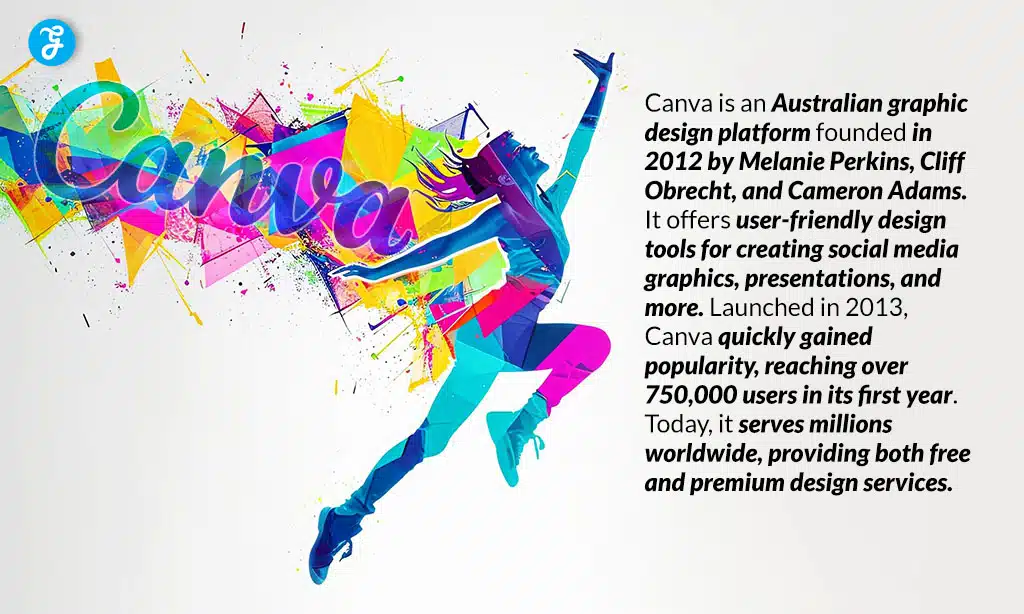
Canva was founded in 2013 by Melanie Perkins, Cliff Obrecht, and Cameron Adams. The idea for Canva originated from Melanie’s time as a student at the University of Western Australia. She was helping her classmates design yearbooks and realized that traditional design tools, like Adobe Photoshop, were complicated and expensive for most students. This led her to create a simpler, more accessible platform for designing.
However, early user feedback led the team to realize the need for a more robust platform that could accommodate various design types. Thus, Canva was born—a tool that could help people create social media posts, presentations, logos, posters, and more.
Melanie Perkins, aged 37, owns 18% of Canva. She was an alum of the 2016 Forbes 30 Under 30 Asia list. Throw in her 39-year-old cofounder—and now fiancé—Cliff Obrecht’s similar stake, and the Aussie power couple is likely worth more than $800 million. In 2020, Forbes recognized Perkins as one of the “Top Under 30 of the Decade.” That same year, she made her debut on The Australian Financial Review Rich List, with an estimated net worth of A$3.43 billion.
Challenges and Growth
Melanie, Cliff, and Cameron faced several challenges in the early stages. One of the biggest hurdles was funding. Investors were initially skeptical of Canva’s potential, as it was a cloud-based platform targeting non-designers.
However, after multiple rejections, they secured $1.5 million in seed funding in 2013 from Bill Tai (a Silicon Valley venture capitalist) and Sequoia Capital. Tai contributed $250,000 during Canva’s initial funding round and, over time, increased their total investment to $270 million.
Other early backers in Canva’s seed round included Matrix Partners, InterWest Partners, and 500 Startups. This gave them the boost they needed to scale the platform and build the user-friendly design tools Canva is now known for.
Recent Achievements
According to Forbes, Australia, Canva is now valued at $49 billion, a rise from $38.5 billion last year but below its peak valuation of $54.5 billion in 2021. The platform boasts 200 million monthly active users and generates $2.5 billion in annualized revenue.
Over the past year, 1,000 new “Canvanauts” joined the team. In April 2024, the company completed a $1.6 billion secondary share sale, driven by strong demand for its stock.
190 countries worldwide use Canva, which is available in over 100 languages. Impressively, more than 95% of Fortune 500 companies rely on Canva.
Over the years, Canva has introduced tools like animation, video editing, and team collaboration, which have cemented its place as the go-to design platform for small businesses, entrepreneurs, and social media creators.
Canva’s Features: A Comprehensive Breakdown
Canva’s power lies in its simplicity and accessibility while still offering advanced features for professional users. Let’s explore Canva’s most notable features:
Design Templates
Canva offers a vast library of templates to suit almost any need:
- Social Media Graphics: Templates for Instagram, Facebook, LinkedIn, and more.
- Marketing Materials: Flyers, brochures, business cards, and posters.
- Presentations: Slide decks with beautifully designed templates.
- Blog and Website Graphics: Feature images, headers, and Pinterest pins.
- Print Materials: Custom designs for T-shirts, mugs, and other merchandise.
Canva’s templates are highly customizable, allowing you to adjust colors, fonts, images, and layouts to fit your brand or style. This makes it a perfect solution for those without design experience.
Drag-and-Drop Editor
One of the most convenient features of Canva is its drag-and-drop editor. This allows you to quickly add text, images, videos, icons, and other elements to your design. With this system, even those without prior graphic design knowledge can create professional-quality graphics in minutes.
Stock Photos, Videos, and Illustrations
Canva gives users access to millions of stock photos, videos, and illustrations:
- Free Access: Thousands of images and illustrations available for free.
- Canva Pro: A premium library with millions of high-quality images, videos, and illustrations.
These resources make it easy to find the perfect visual for your project without having to leave the platform.
Typography
Canva offers a wide variety of fonts, with the ability to adjust text size, spacing, and alignment. Whether you need something bold and eye-catching or clean and professional, Canva provides the flexibility to customize your typography.
Animation and Video Tools
You can enhance your designs with Canva by incorporating animations into text, photos, and other elements. Canva’s video editor lets you:
- Add text overlays to videos.
- Create animated GIFs.
- Apply transitions and effects to make your videos stand out.
Canva’s Free vs. Paid Usage: What’s the Difference?
Canva offers both a free version and a paid Pro version. Here’s a detailed comparison:
Canva Free
- Templates: Access to 8,000+ templates for various design types (social media, marketing materials, presentations, etc.).
- Design Tools: Basic design tools for text, shapes, images, and icons.
- Stock Library: Free access to a limited number of stock images and illustrations.
- Cloud Storage: 5GB of cloud storage for saving your designs.
- Collaboration: Share designs with others for collaboration, but limited features for team management.
Canva Pro
- Templates: Access to 75+ million premium templates, images, and videos.
- Brand Kit: Upload logos, fonts, and color schemes to ensure consistency across your designs.
- Background Remover: One-click tool to remove backgrounds from photos, perfect for product images or presentations.
- Magic Resize: Automatically resize your designs for various platforms (e.g., Instagram, Facebook, and Pinterest).
- Cloud Storage: 100GB of cloud storage, with the option to upgrade for larger teams.
- Team Collaboration: Advanced team management tools for better collaboration, including user roles and shared folders.
Canva for Teams
- Advanced Collaboration: Team collaboration tools, including real-time editing, shared team assets, and design approval workflows.
| Feature | Canva Free | Canva Pro |
|---|---|---|
| Templates | 8,000+ templates | 75+ million templates, images, & videos |
| Access to Stock Images | Limited access to stock images | Unlimited access to premium stock images and videos |
| Brand Kit | No | Yes, upload logos, fonts, and colors. |
| Magic Resize | No | Yes, resize designs to fit multiple platforms. |
| Background Remover | No | Yes |
| Cloud Storage | 5GB | 100GB or unlimited |
Table: Features Available in Canva’s Free and Pro versions
Comparing Canva with Adobe Photoshop and Illustrator
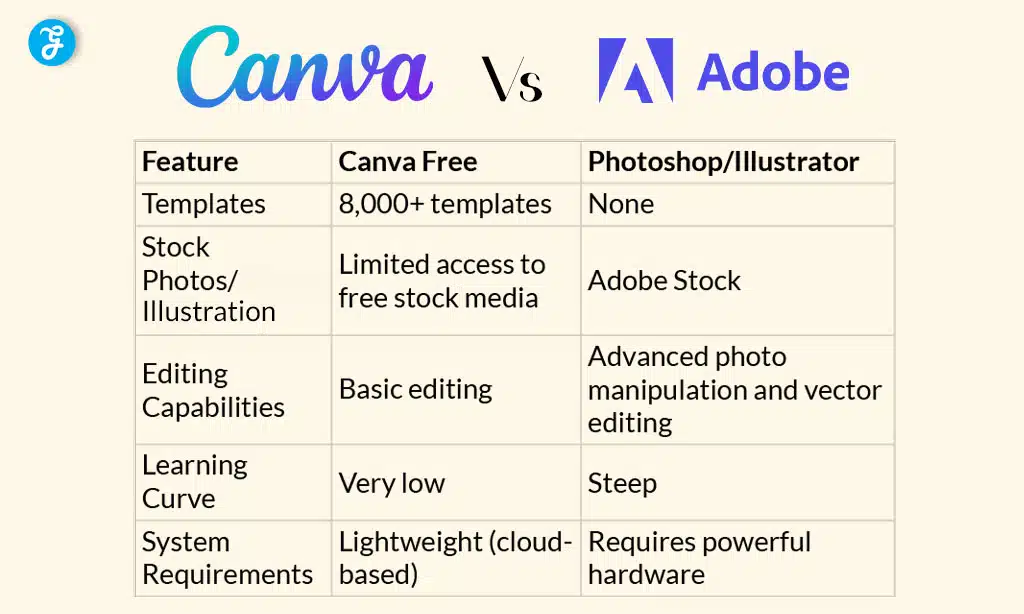
While Canva is a powerful tool, it’s important to understand how it compares to more traditional graphic design software like Adobe Photoshop and Illustrator. Let’s break it down:
Ease of Use
- Canva: Extremely user-friendly, even for beginners. The drag-and-drop editor and pre-designed templates make it simple to create designs quickly.
- Photoshop and Illustrator are more complex and require advanced design skills. Photoshop is outstanding for photo editing, while Illustrator excels in vector design.
Features Comparison
| Feature | Canva Free | Photoshop/Illustrator |
|---|---|---|
| Templates | 8,000+ templates | None (starting from scratch) |
| Stock Photos/Illustrations | Limited access to free stock media | Adobe Stock (Paid subscription) |
| Editing Capabilities | Basic editing | Advanced photo manipulation and vector editing |
| Learning Curve | Very low | Steep (requires experience) |
| System Requirements | Lightweight (cloud-based) | Requires powerful hardware |
Performance and System Requirements
- Canva: Cloud-based, so it’s lightweight and works smoothly on most computers and mobile devices. This makes it an attractive option for those with less powerful devices.
- Photoshop/Illustrator: These tools are resource-intensive, requiring a more powerful computer with a lot of memory and processing power. They may slow down or crash on older machines.
Canva Review 2025: Real-World Use Cases of Canva
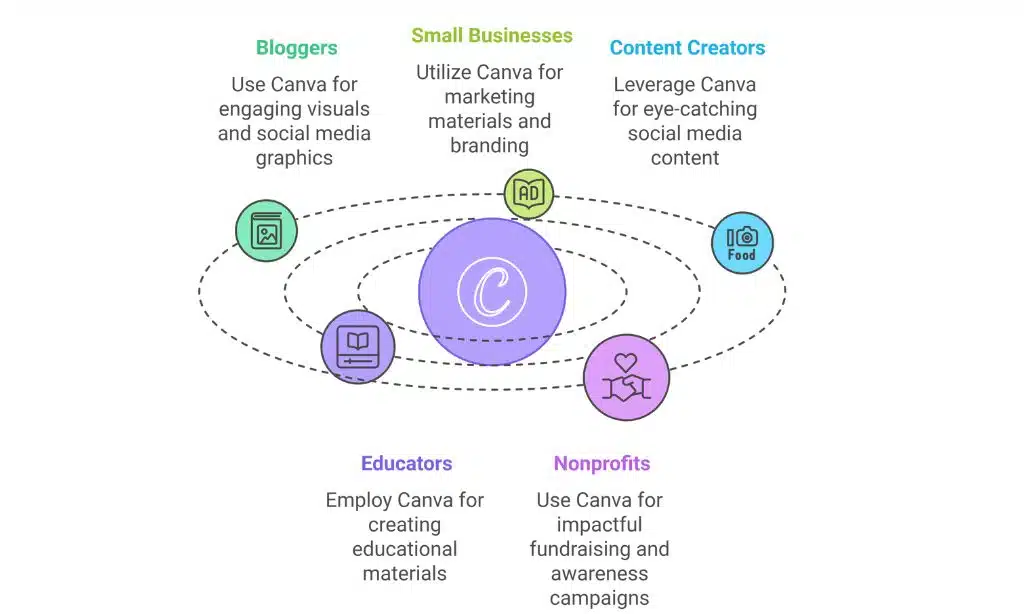
Canva isn’t just for designers; it’s a tool that serves various industries and roles, making it incredibly versatile. Here’s a look at how bloggers, small business owners, content creators, educators, and nonprofits are leveraging Canva to create impactful designs.
For Bloggers
Bloggers are always in need of engaging visuals to enhance their content and attract readers. Canva makes this process incredibly easy. Here’s how bloggers use Canva:
- Feature Images: Canva’s templates for blog posts ensure that bloggers can create striking visuals for their articles, making them more shareable and clickable.
- Social Media Graphics: Bloggers can design Instagram posts, Pinterest pins, Facebook headers, and Twitter banners that align with their blog’s aesthetic and branding.
- Infographics: Canva allows bloggers to create detailed infographics to break down complex information and make content more visually engaging.
Using Canva helps bloggers save time and money, enabling them to produce professional-looking designs without the need to hire a designer.
For Small Businesses
Small businesses often operate on tight budgets and need affordable yet professional designs for marketing materials, branding, and social media. Here’s how small businesses are using Canva:
- Marketing Materials: Canva’s templates for flyers, posters, brochures, and business cards allow small businesses to quickly create professional materials without having to hire an expensive graphic designer.
- Social Media Posts: Canva helps businesses maintain an active social media presence by providing templates for Instagram stories, Facebook ads, and Twitter posts.
- Branding: Canva’s Brand Kit feature allows businesses to upload their logo, brand colors, and fonts, ensuring consistent branding across all materials.
By using Canva, small business owners can streamline their marketing and create high-quality designs without the need for a full-time design team.
For Content Creators and Influencers
Canva is a staple tool for content creators and social media influencers who need to produce eye-catching content quickly. Here’s how influencers are using it:
- YouTube Thumbnails: Canva helps creators design custom thumbnails that stand out on YouTube, increasing the chances of clicks.
- Instagram Stories: Influencers can create unique and on-brand Instagram stories with Canva’s templates, adding elements like animated text and stickers to increase engagement.
- Video Graphics: With Canva’s video editing features, influencers can add text overlays, animations, and effects to their videos, making them more dynamic and engaging.
With Canva Pro, content creators can ensure their social media profiles and videos are polished and professional, all while saving time on design tasks.
For Educators
Canva is an invaluable tool for teachers and educators, providing them with easy-to-use templates for educational materials. Here’s how educators benefit from Canva:
- Lesson Plans: Teachers can design colorful and engaging lesson plans, worksheets, and classroom posters.
- Educational Infographics: Canva helps teachers present information in a more visual and easy-to-understand format by creating infographics for complex topics.
- Interactive Content: Canva’s animation tools make it easy for teachers to create interactive content that enhances student engagement in both virtual and in-person classrooms.
Canva for Education is free for eligible educators, making it an affordable and accessible tool for enhancing classroom learning.
For Nonprofits
Nonprofits can use Canva to create impactful designs that promote their mission and raise awareness. Here’s how:
- Fundraising Campaigns: Canva allows nonprofits to create posters, event invitations, and social media graphics for fundraising events.
- Awareness Campaigns: With Canva’s templates, nonprofits can quickly design flyers and email headers to share their message with the community.
- Social Media Graphics: Canva helps nonprofits maintain a consistent presence on social media by creating visually compelling posts that encourage donations, support, and engagement.
By utilizing Canva, nonprofits can create high-quality materials without the need for expensive design resources.
The Future of Canva: What’s Next?
Canva is constantly evolving to meet the needs of its growing user base. We anticipate several exciting advancements to propel the platform to unprecedented heights as we enter 2025.
AI-Powered Design Assistance
Canva is already integrating AI features that help users design smarter and faster. Some of the expected AI advancements include:
- Design Suggestions: AI will be able to automatically suggest design elements (like fonts, colors, or images) based on the content you’re working with.
- Auto-Formatting: Canva will be able to automatically adjust text and images within templates to ensure your designs are visually balanced and aesthetically pleasing.
- Image Optimization: AI will help users adjust photos and other visual elements to achieve the best possible quality.
These AI tools will help users create designs even faster and with more precision, making Canva an even more powerful tool for content creators.
Augmented Reality (AR) Features
As Augmented Reality (AR) technology advances, Canva is expected to integrate AR tools into its platform. Some exciting possibilities include:
- Interactive Designs: Imagine creating designs that users can interact with in real-time, such as 3D product mockups or virtual displays for events.
- AR Filters for Social Media: Canva could allow users to create AR filters for platforms like Instagram and Snapchat, giving them an opportunity to enhance their content with dynamic effects.
These AR innovations would make Canva not only a tool for creating static designs but also a platform for creating immersive, interactive content.
Enhanced Video Editing Features
Video is one of the fastest-growing content types on social media, and Canva is continuously working to expand its video capabilities:
- Timeline Editing: Canva will likely introduce more advanced timeline editing features to allow for finer control over video content, including layering and audio adjustments.
- More Animation Effects: Expect to see even more advanced animation effects for text, graphics, and videos that can help make your content stand out on platforms like YouTube, TikTok, and Instagram.
- Sound and Music Integration: As video content becomes more immersive, Canva may add audio editing features to allow users to seamlessly integrate background music, voiceovers, and sound effects.
These updates will allow users to create even more professional-quality videos for their content marketing needs.
Expanded Design Templates and Tools
Canva is likely to continue expanding its template library, adding more options for:
- Interactive templates (e.g., quizzes or surveys).
- Advanced data visualization tools like charts, graphs, and data maps.
- Industry-specific templates for areas such as real estate, education, and healthcare.
As Canva evolves, it will remain a go-to platform for quick, affordable, and high-quality designs.
Canva Review 2025: The Pros and Cons of Canva
Though Canva is helping a lot and gaining popularity among bloggers, content marketers, educators, and designers, you can’t deny some cons of Canva. Here’s a detailed overview of the pros and cons of Canva.
Pros of Canva
Canva’s success is due to several advantages that set it apart from other graphic design tools. Here’s a summary of its key benefits:
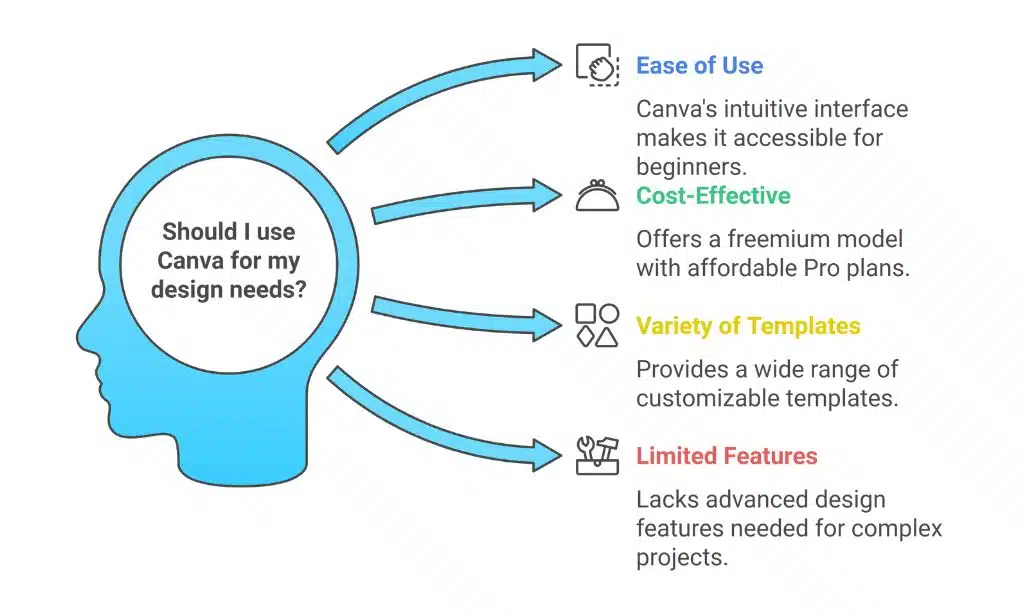
- Ease of Use: Canva is extremely user-friendly, making it accessible to beginners. The drag-and-drop interface and pre-designed templates allow even those with no design background to create polished visuals quickly.
- Cost-Effective: Unlike Adobe’s suite of products, Canva offers a freemium model. You can access a vast range of templates and features for free, with affordable Pro plans that unlock advanced tools. This makes it especially attractive for small businesses, freelancers, and educators.
- Wide Variety of Templates: Canva offers users a wide range of ready-made options that are easily customizable to suit their needs, with thousands of templates available across different categories (social media, marketing, presentations, etc.).
- Time-Saving: Canva allows you to create designs in minutes rather than hours. The pre-made templates, stock media, and user-friendly editor save time for users who need to produce content quickly.
- Team Collaboration: Canva for Teams enables multiple users to collaborate in real-time on a single design. This makes it ideal for marketing teams, social media managers, and businesses that require collective input on creative projects.
Cons of Canva
While Canva offers a lot of benefits, it has some limitations that might not make it the best choice for everyone, especially professional designers.
- Limited Advanced Features: Canva’s simplicity is both its strength and its weakness. For users looking for more advanced features, like precise control over layers, masking, and extensive photo manipulation (as found in Photoshop), Canva might feel limiting.
- Less Flexibility for Complex Projects: Canva’s drag-and-drop interface makes it easy to use but less flexible for complex design projects. For instance, if you need to work with multiple layers of intricate design elements, software like Illustrator would be more suitable.
- Stock Media Limitations: While Canva has an impressive library of stock photos and graphics, many of the high-quality resources are behind a paywall. The free version offers access to only a limited amount of content.
- Internet Dependent: Since Canva is cloud-based, it requires an active internet connection to access and create designs. Users with unreliable internet access may find this inconvenient, as Adobe software allows offline use.
The Future of Canva: What’s Next?
As Canva continues to grow, several exciting features are on the horizon that could enhance the platform’s capabilities even further:
AI-Powered Design Assistance
Canva is increasingly integrating artificial intelligence (AI) into its platform to streamline the design process. This includes:
- AI-powered template recommendations based on user preferences and past designs.
- Smart color palettes: Canva may soon offer automatic suggestions based on color theory and the elements in your design.
- Image optimization: AI tools could suggest adjustments to photos, such as brightness, contrast, or cropping, to improve the overall design.
Augmented Reality (AR) for Interactive Designs
In the future, Canva could integrate Augmented Reality (AR) tools, enabling users to create interactive designs. For example:
- Virtual mockups for products like t-shirts, mugs, or posters that users can preview in 3D.
- Interactive presentations where users can click through elements or see animations in real-time.
Expanded Video Editing Tools
We expect Canva’s video editing tools to become more powerful as video content continues to dominate on platforms like Instagram, YouTube, and TikTok.
- Advanced timeline features for precise video edits.
- Additional animation effects for text and images.
- Audio editing to sync soundtracks with videos seamlessly.
With these enhancements, Canva is positioning itself as a more robust, all-in-one design and content creation platform.
Is Canva Right for You?
Canva has proven itself as one of the most accessible and versatile design tools on the market today. Whether you’re a blogger, small business owner, social media influencer, or educator, Canva offers a user-friendly platform that allows you to create professional-quality designs without needing advanced skills or expensive software.
Key Takeaways for Canva
- Ease of Use: Canva is simple and intuitive, perfect for beginners and non-designers.
- Cost-Effective: The free version offers significant value, and the Pro version is affordable for those who need advanced features.
- Versatile: From creating social media posts to business cards, Canva offers a range of templates and tools that can meet various creative needs.
- Time-Saving: Canva’s drag-and-drop interface and templates allow you to create designs quickly and efficiently.
Canva excels in providing an affordable, user-friendly alternative to professional software like Photoshop or Illustrator for everyday users. For those who need more advanced design tools, Photoshop and Illustrator may still be the go-to options, but Canva fills an important gap for those who require high-quality designs with minimal effort and expense.
Final Thoughts
If you’re looking to create social media content, marketing materials, blog visuals, or even video content, Canva is an excellent choice. It’s perfect for those who need high-quality designs but don’t have the time, skills, or budget to learn more complex software.
So, why not give Canva a try after reading the Canva review 2025? Start with the free version, explore its features, and consider upgrading to Pro for access to premium tools. With its easy-to-use interface, wide range of templates, and affordable pricing, Canva is definitely a tool worth adding to your creative arsenal.