

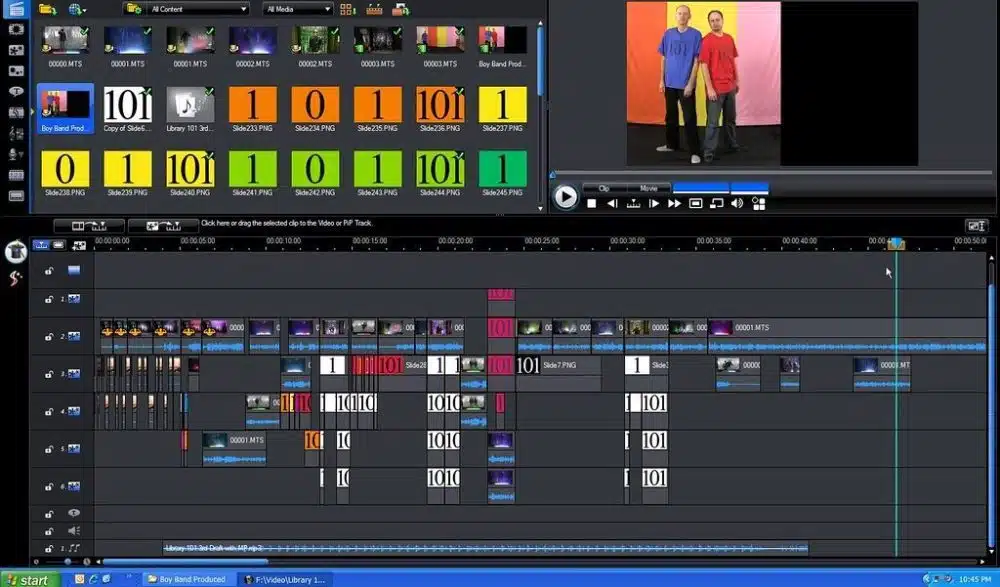
Most of the online movie makers are easy to use and provide only the basic features to the users. That is why if you are looking for something advanced and want to do more serious editing, then you have to choose your editor carefully. If you want to make a very serious video, or currently working on a movie, then you have to use the best in the industry.
We did some research and have found out the most advanced video editors that we believe can be the true game-changer for you. All the movie makers are nicely balanced and come with both basic and advanced features. That is why you will be more than happy to use them for your ongoing movie project. Let’s check out the best online movie makers of 2021.
-
InVideo Editor-
Available for both iOS and Android users, InVideo can help you use all the effects and editing tools that you would see on other people’s videos. InVideo is one of the most popular Video Editor in the world, and there are several reasons for such popularity. One of the reasons is their huge media library. It comes with more than 3 million premium and licensed stock images, videos and audio.
With the click of a button, you can add any of the elements that you want to. InVideo is home to more than 3000+ built-in templates that are the largest we have seen in this segment. You can use any of these templates to edit and give your video a more detailed professional look. It is definitely the best promo video maker.
2. YouTube Video Editor –
Being the biggest video-sharing platform in the world, we won’t be surprised if you are planning to upload your video on YouTube. However, did you know that it has a video editor of its own? Yes! The YouTube Video Editor is one of the most used & easily accessed video editors in the industry. It has a simple interface that is easy to learn.
With the help of this editor, you can trim your videos, adjust the color levels, add transitions, use some effects, and use a soundtrack. You can do all of that with a few simple clicks. The software helps you to add multiple projects at once and work on them together. Processing the video on this editor is easy & really quick.
3. Animoto –
One of the most popular online tools that allow you to create the most amazing videos and edit with a lot of professionalism, Animoto helps you to add music, text, images, and a lot of other resources to your videos. The software is designed with versatility and gives a very powerful look.
However, you can create a video of only 30 seconds for free. If you want to create longer videos, then you need to pay $30 annually for the service. Animoto comes with Cinematic Artificial Intelligence that can automatically analyze and detect the kind of effects and songs you can use in the video. The editor has all the tools required for flipping, rotating, and adjusting your video clips. Use the “Remix” feature to revamp your music.
4. Promo –
Promo.com is an online video maker that gives you everything you need to make high-performing videos that will boost your business. Promo has ready-to-use templates for any kind of business type and it fits all types of content. With Promo, you can also make commercials and video advertisements freely and easily.
5. Kaltura –
This is the world’s first open-source video editing platform that is available online and offers the users a fantastic experience. Kaltura can allow you to make videos both at enterprise and commercial levels. Their video management tools are really good, and they are easy to learn and get familiar with.
You can upload videos using the drag-and-drop feature or add videos in bulk. You get all the necessary video processing and transcoding features that make it easier to render any video you edit.
One of the best reasons to use this software is to enjoy full HD live streaming and a high level of security that always protects your content. Looking for a free video editor? Check it out. Being free software, even the newbies can use this software to level up their skills.
6. One True Media –
One True Media never fails to surprise us with its wide range of video and montage editing features that are available for free. You can upload your own media files or access their video library, which consists of licensed audio and video effects.
The easy-to-use interface can be used by both beginners and professionals who want to rearrange their clips, add transitions, or cut any specific scene. The smooth and sleek design goes easy on the eye, and it definitely helps you to get a good grip on the video editor over the course of time.
The company also offers unlimited virtual storage to all of its users who are using the video editor. Therefore even if you are running low on hardware storeages, you can easily store your media and files in their online servers.
7. Movie Maker Online –
Recently updated and a very comprehensive tool to edit your videos and movies, Movie Maker Online is the next product on our list. You have the ability to stitch your favorite songs, animations, and any image that you feel like to your videos.
There are separate buttons for flipping, rotating, and modifying image duration on this editor. You can also set the particular time scale for your videos when you are using the timeline feature.
There are a whole bunch of new effects and filters that can give your videos a completely new look. Want to add some music to the videos you are editing? Do so by accessing the media library that the editor offers to you. You can now add captions and titles from now on.
The Bottom Line
So, here are the best online movie makers that we believe can help you level up your video editing skills. Each of these software comes with fantastic features that you can access and give your movies or videos a splendid look. Try these movie maker tools and let us know which one of these tools you think is the best for your needs and preferences. Happy editing!
Apart from this read this articles Invest in Family Photographs, Photography Skill, You can also check our Technology and Entertainment Category.


























