

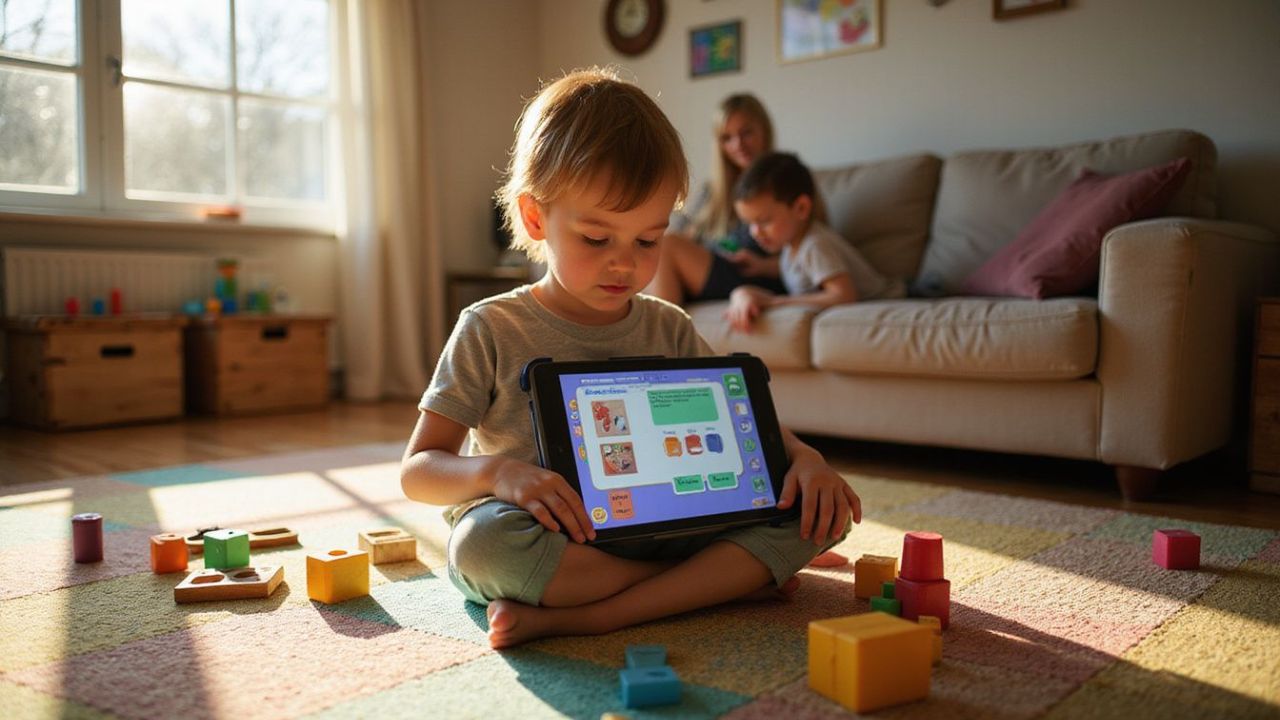
Ever wonder if Introducing Programming To Young Kids can feel more like play than school?
It can. Young children already love stories, puzzles, and pressing a button to make something happen, so programming works best when you start there.
A 2025 meta-analysis of 25 early childhood studies found a medium positive effect from programming activities for children ages 3 to 7, with especially strong results from unplugged activities and robotics. That is a helpful cue for parents and teachers: begin with short, playful tasks instead of long screen sessions.
I’ll walk you through easy activities, kid-friendly platforms like ScratchJr, and simple projects that help children build real coding skills while having fun.
Why Introducing Programming to Young Kids Matters
Teaching programming to young kids is really about teaching them how to think. They learn how to break a big task into small steps, test an idea, spot a mistake, and try again without feeling like they failed.
Builds problem-solving skills
That same 2025 research review found benefits in programming knowledge, computational thinking, math knowledge, and broader cognitive skills for children ages 3 to 7. So if you want an activity that feels playful but still strengthens thinking, coding games and robot challenges are a smart pick.
Start with tiny goals your child can finish in one sitting, like getting a character to move three times or guiding a robot through a short path. Visible wins make debugging feel like a puzzle, not a chore.
A useful takeaway from recent early childhood research is simple: unplugged activities and robotics often work even better than screen-only lessons for young beginners.
Encourages creativity and innovation
Programming is not just about right answers. A 2025 study of a 24-lesson ScratchJr curriculum in U.S. second-grade classrooms found a medium positive effect on coding proficiency, which helps explain why open-ended tools work so well for young learners.
When children can animate a dinosaur, make a puppy dance, or build a short story about soccer practice, they stop seeing coding as a school task. They see it as a way to make their own ideas visible.
- Stories help kids learn sequence and timing.
- Games teach rules, events, and cause and effect.
- Art projects make patterns and repetition feel natural.
- Robot challenges turn abstract ideas into movement kids can see.
Prepares kids for a digital future
This does not mean every child needs to become a programmer. It means they get early practice with logic, persistence, and using technology as a creative tool instead of just a passive one.
The U.S. Bureau of Labor Statistics projects 10.1 percent growth in computer and mathematical occupations from 2024 to 2034. Long before careers enter the picture, that trend is a good reason to help kids feel comfortable with technology, systems, and problem-solving now.
Fun Ways to Introduce Programming
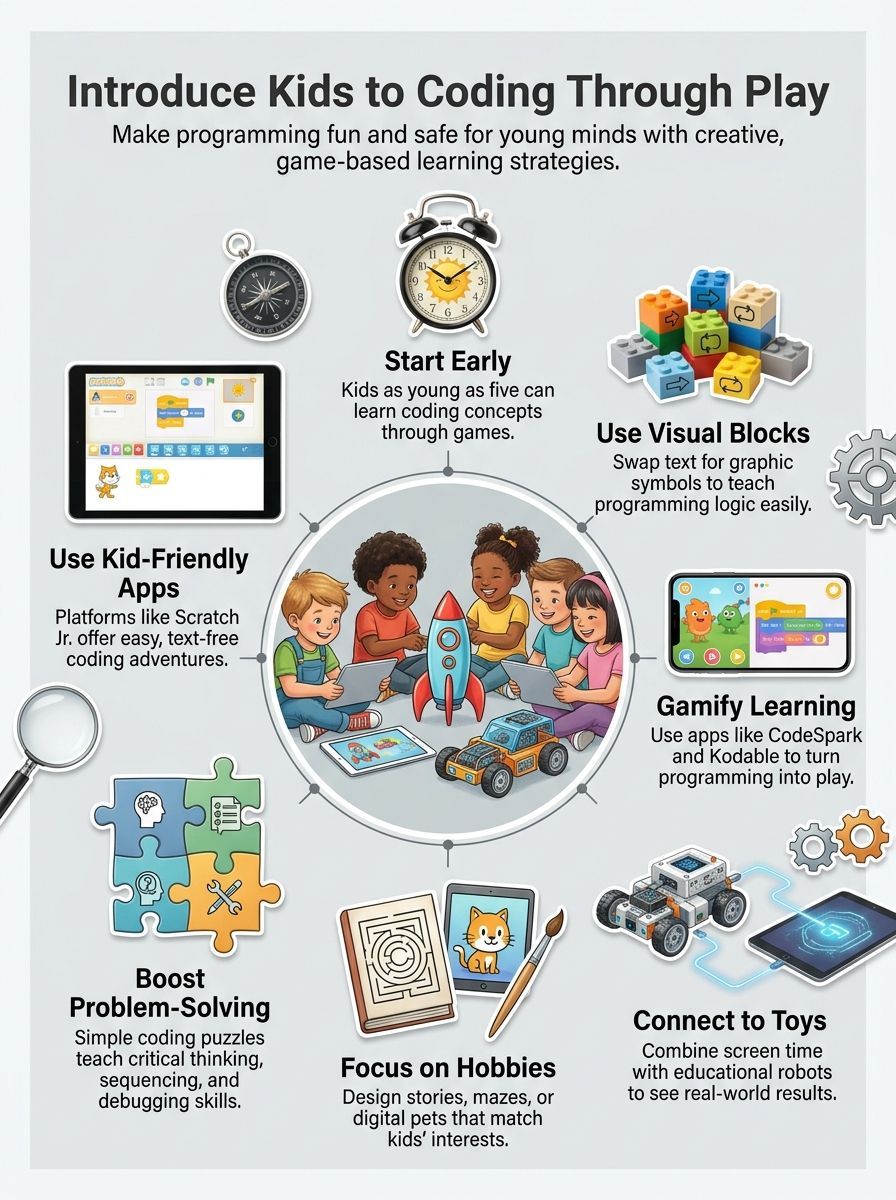
The best first lessons are light, short, and easy to finish. If a child can complete something, show it to you, and laugh about it, you are on the right track.
Coding games and apps
If your child is still learning to read, pick tools that remove the reading barrier. ScratchJr is built for ages 5 to 7, and codeSpark is designed for ages 3 to 10 with a completely word-free approach, so both make early coding feel accessible right away.
Code.org also offers age-aligned Computer Science Fundamentals, with kindergarten material starting at ages 4 to 5. That makes it a useful option if you want more structure without jumping too far ahead.
- Keep the first few sessions short, about 15 to 20 minutes. Parents and teachers in recent discussion threads keep landing on the same tip: kids stay engaged longer when you stop while they are still excited.
- Teach one idea at a time, like sequencing today and loops another day. Young children learn faster when each session has one clear win.
- Choose apps that show fast results, such as a character moving, talking, or changing color. Immediate feedback helps children connect their actions to the outcome.
- Let the child pick the theme. A favorite animal, superhero, or sport turns a coding lesson into a personal project.
- Use guided puzzle apps for kids who like levels and goals. Use open-ended apps for kids who like drawing, storytelling, and making up their own rules.
For children ages 2 to 5, the American Academy of Pediatrics still advises keeping screen use to about one hour or less per day of high-quality programming. That is one more reason to use coding in short bursts, then follow it with drawing, building, or pretend play.
Educational toys and robotics
Robots are a strong next step because they make code physical. A child can place a command, press start, and watch the result move across the floor.
If you want less screen time, this is where robotics shines. The 2025 early childhood meta-analysis found especially strong results for interventions that included robotics, which lines up with what many teachers already see in real classrooms.
| Toy or kit | Typical age | Best for | Why it helps |
|---|---|---|---|
| KIBO | 4 to 7 | Screen-free coding | Children build programs with physical coding blocks, which is great for kids who learn by touching and moving pieces. |
| Sphero indi | 4+ | Cause and effect | Kids can use color cards for screen-free play first, then move into block coding later when they are ready. |
| LEGO Education Coding Express | Kindergarten | Group play and storytelling | It blends building, role play, and simple coding ideas, which works well for children who like trains, construction, and cooperative games. |
- Pick a robot if your child loves motion and hands-on play.
- Pick a screen-free kit if you want coding time without adding much more tablet time.
- Use a maze, delivery route, or treasure hunt theme so the task feels like a mission.
- Keep the challenge short enough to finish in one sitting.
Hands-on coding projects
Simple projects work better than long lessons. A child does not need a full course to understand sequence, repetition, or debugging.
- Make a two-scene story in ScratchJr: this teaches sequence, page order, and event timing while giving kids a creative result they can replay.
- Build a robot maze: Children practice planning ahead, then fixing mistakes when the robot takes the wrong turn.
- Create a dance routine: repeating motions is an easy, playful way to introduce loops.
- Design a digital pet: taps, sounds, and motion blocks help children understand events and reactions.
- Run a “program the grown-up” game: one child gives step-by-step instructions and the adult must follow them exactly, which makes the idea of an algorithm click fast.
- Tell a hobby-based story: if your child loves soccer, space, baking, or dinosaurs, build the whole project around that interest.
A practical tip here is to end a project as soon as your child has one working result to celebrate. Stopping on a success keeps the next session easy to start.
Best Programming Platforms for Kids
Choosing a coding platform is not about finding the one with the most lessons. It is about finding one that fits your child’s age, reading ability, interests, and patience.
A preschooler may enjoy guiding a character with picture-based commands. An older child may want to design a game, animate a story, or begin writing real code. Start with the simplest platform that keeps your child curious. You can always move to a more advanced tool later.
| Platform | Suggested Age | Reading Needed | Good Fit For |
|---|---|---|---|
| ScratchJr | 5 to 7 | Very little | Stories, animation, and creative play |
| codeSpark | 3 to 10 | None at the beginner level | Pre-readers and puzzle-based learning |
| Kodable | 4 to 10 | Starts low and increases | A structured path from visual coding to JavaScript |
| Code.org | 5 to 11 | Varies by course | Free, guided lessons for home or school |
| Tynker Junior and Tynker | 5 to 18 | Varies by level | Games, projects, and long-term progression |
| Scratch | 8 to 16 | Basic reading | Creating games, stories, and animations |
| Lightbot | Kindergarten and up | Minimal | Sequencing, loops, and logic puzzles |
| Blockly Games | Older elementary beginners | Basic reading | Free browser-based programming puzzles |
| Swift Playground | Around 8 and up | Independent reading | Moving from visual lessons to real Swift code |
ScratchJr
ScratchJr remains one of the easiest places for children ages 5 to 7 to begin. Instead of typing commands, children connect colorful picture blocks to make characters move, jump, speak, and interact.
The platform works especially well for children who enjoy drawing, storytelling, or pretend play. A child can create a short birthday story, animate an animal, or build a simple chase game without worrying about spelling or complicated instructions. ScratchJr officially targets children ages 5 to 7 and focuses on interactive stories and games.
Choose ScratchJr when your child wants to create something freely rather than complete a fixed set of levels. Begin with one character, one background, and three or four commands. Too many blocks at once can make the screen feel confusing.
codeSpark
codeSpark is a strong option for pre-readers because its beginner activities do not require reading. Children guide characters through puzzles while learning sequencing, patterns, loops, events, and problem-solving.
The platform is designed for children ages 3 to 10. It combines guided challenges with tools for creating games and stories, making it useful for children who need structure but still want room to experiment.
Choose codeSpark when your child enjoys levels, rewards, and quick challenges. It may also work better than an open canvas for a child who does not know what to create without a prompt.
Do not let the child rush through levels only to collect rewards. Pause occasionally and ask, “What do you think this command will do?” That small question turns tapping into real learning.
Kodable
Kodable offers a more structured learning path for children ages 4 to 10. Its beginner activities are suitable for pre-readers, but the platform gradually introduces more advanced concepts and eventually moves toward JavaScript.
Children begin with maze-style challenges that teach sequencing and logic. As they progress, they encounter functions, conditions, variables, and other programming ideas. Kodable describes its learning path as moving from a child’s first coding activities to real JavaScript.
Choose Kodable when you want progress tracking and a clear sequence of lessons. It is also useful for families with children at different skill levels because beginners and more experienced learners can work within the same broader platform.
Code.org
Code.org is one of the strongest free choices for parents and teachers who want guided lessons without committing to a paid subscription immediately.
Its Computer Science Fundamentals curriculum covers kindergarten through fifth grade. The activities include puzzles, games, animations, art projects, and introductory app design. Courses are organized by grade, with beginner material for children ages 5 to 11 and specific early lessons for kindergarten learners.
Choose Code.org when you want a clear lesson plan rather than an open-ended creation tool. It can work well in classrooms, homeschool lessons, clubs, or occasional family coding sessions.
The amount of content can feel overwhelming at first. Select one age-appropriate course instead of allowing a young child to jump between dozens of activities.
Tynker Junior and Tynker
Tynker covers a much wider age range than most beginner coding platforms. Tynker Junior uses pictures and icon-based commands for young children, while the broader Tynker platform introduces block coding and later expands into languages and subjects such as Python and JavaScript.
The company designs its programs for children ages 5 to 18. Its youngest learners can connect picture blocks to control characters, while older children can work on games, animations, Minecraft-related projects, and more advanced coding activities.
Choose Tynker if you want a platform that can grow with your child for several years. It is particularly appealing to children who like games and recognizable themes.
However, the number of courses and activities may distract a young beginner. Pick one learning path and stay with it long enough for the child to finish a few projects.
Scratch
Scratch is the natural next step after ScratchJr. It gives children more characters, commands, sounds, variables, effects, and game-building possibilities.
Scratch is primarily designed for ages 8 to 16, although younger children sometimes use it with help from a parent or teacher. Children can create animations, interactive stories, quizzes, music projects, and complete games using visual programming blocks.
Choose Scratch when your child is ready to create larger projects and can read basic instructions independently. It is especially useful for children who enjoy inventing their own games rather than following a fixed lesson path.
Because Scratch includes an online community, parents should review account settings, sharing features, and community guidelines before a child publishes a project.
Lightbot
Lightbot turns programming logic into a series of short robot puzzles. Children arrange commands to guide a robot across a board and light specific tiles.
The puzzles teach sequencing, procedures, loops, recursive loops, and conditionals without asking children to type traditional code. Lightbot also offers a Code Hour version intended for students from kindergarten through Grade 12, although younger children may need help with the harder levels.
Choose Lightbot for a child who enjoys mazes and logic problems. It is less useful for storytelling or art, but it is excellent for demonstrating that a program must give clear instructions in the correct order.
Blockly Games
Blockly Games is a free collection of browser-based activities for programming beginners. Children solve puzzles involving mazes, drawing, music, animation, and increasingly complex commands.
The early games use drag-and-drop blocks. Later activities begin showing how visual blocks connect with text-based programming ideas. For example, its Maze activity introduces loops and conditional commands.
Choose Blockly Games for an older elementary child who can read instructions and enjoys solving problems independently. It is also a practical choice when you want a quick activity that works in a web browser without creating an extensive profile.
The interface is less playful than codeSpark or ScratchJr, so it may not hold the attention of very young children.
Swift Playground
Swift Playground is a more advanced option for children who are ready to work with real written code. Apple’s interactive lessons teach Swift, the programming language used to develop apps for Apple platforms.
Beginners solve guided puzzles, experiment with code, and eventually learn basic app-building concepts. Apple describes the platform as suitable for beginners, while its App Store information suggests it can work for learners from around age eight with the necessary reading and problem-solving skills.
Choose Swift Playground for an older child who has already used block-based coding and wants to understand what written programming looks like. It is not the best first platform for most preschoolers or early readers.
How to Pick the Right Platform
Start with your child’s current abilities rather than the age printed on the platform’s website.
For a pre-reader, try codeSpark, Kodable Basics, or a picture-based Tynker Junior activity. For a child who loves stories and art, begin with ScratchJr and later move to Scratch. For a child who enjoys puzzles, Code.org, Lightbot, or Blockly Games may be a better match.
A platform is probably too difficult when the parent has to complete most of the task. It may be too easy when the child taps commands without thinking about what they do.
Try one platform for several sessions before switching. The goal is not to collect coding apps. The goal is to help a child understand an idea, use it in a small project, and feel proud of the result.
Pricing, device support, account requirements, and available lessons can change. Parents should check the current terms, privacy information, and subscription details before creating an account.
Final Thoughts
Introducing programming to young kids works best when it stays playful, short, and connected to a child’s interests.
Start with blocks, pictures, puzzles, and visible results. Then add robots, stories, and simple projects as confidence grows.
Children can begin coding early, often around ages five to seven, without jumping straight into typed code. With the right mix of games, creativity, and hands-on activities, programming becomes a fun way to build real skills in technology, STEM, and problem-solving.
FAQs about Introducing Programming to Young Kids
1. What age is best to start introducing programming to young kids?
Start as early as five, with play, simple games, and a block-based tool.
2. How do I teach programming to a child?
Use short projects, hands-on play, and lots of praise; kids learn by doing. Mix screen time with unplugged activities, like logic puzzles or building tasks. Think of code like a recipe, not magic; show steps, then let them tweak and cheer small wins.
3. What tools work best for beginners?
Block-based tools and visual editors let kids snap commands together; they make logic clear and fun. Add a simple robot kit or interactive games when a child is ready to move toward a text coding language.
4. How does programming help a child’s learning?
Programming builds problem-solving, logic, and creativity; it also boosts math skills and patience.























