Many gamers feel stuck with the mouse and keyboard, even when games ask for more motion and touch. They tire out hands, and they miss features that tablets and pens give, like quick swipes with an apple pencil on an apple ipad, or multi-touch on a Microsoft Surface.
Blender technology is moving to tablets, with early work on the apple ipad, and new interfaces use touchscreens and GPU acceleration to run creative apps on the go. This post shows seven gaming interfaces beyond mouse and keyboard, from vr (virtual reality) headsets to gesture recognition, haptic feedback, eye-tracking, and brain-computer interfaces, and it shows how they cut lag, add feel, and make play more natural.
Keep reading.
Key Takeaways
- Blender supports VR via an OpenXR plugin, but few users model in VR because motion demands and lack of tactile feedback limit productivity.
- Andrew Fentem’s Fentix Cube mixes motion and touch sensors, projects a 3D touchscreen (runs Pac‑Man), and may sell for about $100 depending on hardware.
- BCI headsets and implant prototypes use brain sensors and ML in labs and startups, but full BCI solutions are not yet widely available to players.
- Touch, gestures, haptics, eye‑tracking, and voice (e.g., Apple iPad Pro with Apple Pencil, Grease Pencil, Sony/Apple haptics) aim to reduce mouse and keyboard reliance.
- Many professionals still prefer mouse, keyboard, Surface Pro, or gaming mice for precise work, while Blender adds 6DoF and NDOF support for spatial navigation.
Virtual Reality (VR) Interfaces
Blender supports vr (virtual reality) through an OpenXR plugin, though its usability stays inconsistent. A Freebird VR plugin for Blender is under development, and it adds modeling and posing tools.
Only a small number of users model in VR inside Blender today. Motion demands and a lack of tactile surfaces limit VR modeling, and this makes it less productive for professionals.
XR works well for reviewing work at scale, rather than for fine edits.
VR sculpting hits a wall without support surfaces for hands or tools, it can feel like sculpting in midair. Lack of tactile feedback strips cues from hands. High-end 3D cursors sometimes use resistive feedback, to give precise motor control.
Complexity and productivity barriers keep many pros on mouse and keyboard, or on touch devices like Apple iPad Pro with Apple Pencil, or on graphic tablets with Grease Pencil tools.
Gamers and creators still test vr as part of gaming technology and gaming peripherals research, but most return to faster workflows on Surface Pro or with gaming mice for fine selection.
Augmented Reality (AR) Controllers
Andrew Fentem built the Fentix Cube to test motion and touch sensors. The Cube runs games like Pac-Man, and it shows how AR controllers can act in 3D space. It projects a 3D touchscreen, senses motion, and supports remote play with wireless links.
Users posted ideas such as 3D Snake and accessibility aids, and those ideas map to new input devices. Fentem started this work after he saw tech stall in the late 90s, and he pushed large scale touch and motion sensing that may sell for about $100, depending on screen hardware.
3D viewport control and modeling on touch, VR, or AR devices still pose a challenge for many artists. The open source app, Blender, supports 6DoF controllers and NDOF settings for spatial navigation, which helps AR controller integration.
Workflows need solid user-interface pieces like icons, undo, redo, and clear volume controls, plus tactile feedback for tools such as grease pencil and apple pencil. Tablet users on an apple ipad pro or on a lenovo yoga want precise control for mesh edits, primitives, b-reps, shaders, textures, and bézier curves.
Engineers tie inputs to constructive solid geometry, boolean operations, and shader nodes that run on gpus, or on graphics chips. Manufacturers test silicon from snapdragon, rizen, and intel core ultra, and socs, cpus, and processors shape performance on devices from asus to other makers.
Design teams plan ergonomic designs, packaging, and manufacturing logistics, while industrial automation can speed assembly. Neuroimaging research links AR controllers to BCIs, and the Cube ideas could help players who use midi controllers, trackballs, or alternate keyboards and mice.
Many developers still test on keyboard and mouse, or use gaming peripherals like mechanical keyboards and a mouse pad, even as AR input evolves.
Brain-Computer Interfaces (BCIs)
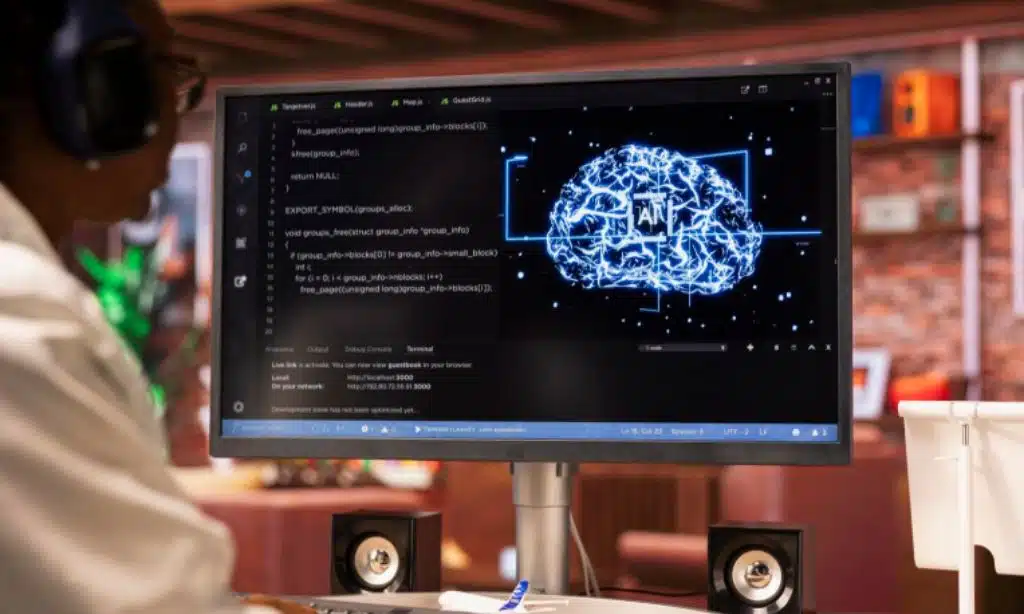
BCIs offer a new input path for games and 3D tools. They may shift communication challenges, and may not reduce the inherent complexity of 3D workflows. 3D software, stuck since the 1990s, still hides steep menus and awkward controls.
Many users hope for more natural, direct input, to sketch in the mind’s eye or shape models as if playing a piano. Physical and digital interface preferences vary, so some will stick with mouse and keyboard, or apple pencil on an apple ipad pro.
This hope fuels calls for disruptive, easier 3D software, and BCI adoption could speed that change. BCI headsets and neural implant prototypes use brain sensors, signal processing, and machine learning in labs and startups, but full solutions do not reach most players yet.
Game makers can pair BCIs with vr, tactile feedback, or touchscreen technologies, to bridge feel and control in gaming technology. Better input recognition, via machine learning, could smooth creative workflows across internet tools like povray and grease pencil.
Gesture Recognition Systems
Blender’s tablet work adds multi-touch event support and gesture management, so artists can sculpt on an Apple iPad Pro with a grease pencil or Apple Pencil. Fentem built the fastest large-scale touchscreen in 2001 and 2002, and in 2004 it shipped the Tactile Multi-touch Sequencer that sensed multiple touches and objects.
Fentix Cube mixes touch and motion sensing, it supports gesture-based control and 3D interaction, and it welcomes DIY, open-source development for tinkerers.
Gesture systems cut the barrier between mouse and keyboard and full 3D modeling on a plane or across a lunar lake in vr (virtual reality), they add tactile feedback and new ways to play.
Planned tablet features aim for improved gesture-sensing software, and faster touch sensing hardware and firmware to speed input. Gamers and creators map gestures to actions, this links gaming technology, gaming peripherals and user interfaces to creative tools like Blender and Grease Pencil.
Haptic Feedback Devices
Touch is moving into gaming fast, and tactile feedback now shapes how players act. Fentem predicts that touch, and multi-touch, will replace mouse and keyboard in some cases, as tactile feedback improves.
Sony and Apple push enhanced haptics, and that push influenced Fentem’s pivot toward stronger haptic systems. Enhanced tactile feedback is listed as one of four key future developments for touch-based gaming interfaces, and it can boost engagement and precision.
Larger screen sizes also help tactile feedback work better for play and design.
High-end 3D cursors use resistive feedback for fine motor control, they give a steady, precise feel for pointer work. The Fentix Cube adds a physical interface that supports motion, and tactile interaction, and it raises immersion.
It will not tickle you, but it will let you feel a sword strike, and that cue helps aim and timing. Developers plan haptic gear to bridge the gap between traditional PC inputs and touch-based interaction for gaming and creative work.
Tools like the apple ipad pro, apple pencil, and even a grease pencil can pair with haptic layers on large displays to add subtle cues. VR (virtual reality), gaming peripherals, and modern gaming technology will adopt these systems across headsets, consoles, and game controllers.
Eye-Tracking Technology
Blender does not focus on eye-tracking in its Apple iPad Pro tablet adaptation. Teams see eye gaze as a future input for gaming technology and creative workflows. Artists can use Apple Pencil and Grease Pencil, while gaze handles quick selection and camera pans.
This approach tackles limited screen space and high information density on tablets.
Eye-tracking could cut the need for mouse and keyboard or many gestures on a compact screen. It can improve 3D navigation tools, a sore spot for artists and gamers who want faster camera control.
Think of gaze as a silent controller, a VR input that plays well with other gaming peripherals. Game makers and 3D app vendors will watch market trends, to judge which features land.
Designers can pair gaze with touch, to speed selection and trim interface clutter in complex 3D software. New and casual users gain easier access, which boosts accessibility and lowers the learning curve.
Voice-Controlled Gaming Interfaces
Voice control can free players from mouse and keyboard limits, especially on an Apple iPad Pro. The MCP server project lets creators build 3D scenes in Blender via natural language, and that shows how voice can move from demo to play.
Contributors asked for voice features, yet the development team still focuses on multi-touch.
Voice input could fix tablet UX pains, like no keyboard, no mouse, and isolated file systems. Artists want better handwriting and voice recognition for coding and AI workflows, and some even expected Blender’s development fund to back a proprietary programming language or a voice layer.
Voice shortcuts speed diverse 3D modeling workflows, speed grease pencil sketching, help Apple Pencil users on tablets, and add new controls for VR (virtual reality) gaming technology.
That kind of control helps accessibility for artists and hobbyists, and it can curb legacy software from monopolizing creative markets.
Takeaways
The next wave of game controls will make mouse and keyboard feel old school. Cutting-edge toys, like vr (virtual reality) headsets, AR controllers, and BCIs, turn motion, thought, and sight into play.
Eye tracking, gesture systems, and haptic devices add fine control, and they boost immersion. Tablets used for fast UI tests pair apple ipad pro with apple pencil inputs, and grease pencil marks help sketch ideas.
Designers and players will mix these tools, to craft bolder games, faster.
FAQs on Future Gaming Interfaces Beyond Mouse and Keyboard
1. What are the most likely interfaces that will follow the mouse and keyboard?
Think big, but start simple. Virtual reality headsets give full immersion, motion sensors track your body, touch devices react to fingers and styluses, voice lets you speak commands, and brain interfaces read intent. Haptic wearables add touch feedback, mixed reality blends real and virtual. Gamers will use a mix, not one tool.
2. How do tablets and styluses fit into future gaming?
Tablets make fast, direct control possible, and the apple ipad pro is a clear example. Artists and level designers sketch ideas fast with an apple pencil, and they can rough out animation with a grease pencil in some apps. These tools speed design, they cut steps, they let you draw playtests on the fly.
3. Will these interfaces beat mouse and keyboard for all games?
Not always. Some games still need fine keys and clicks. But many games gain from touch, motion, and voice, they feel more alive, and players stay longer. Think of it like adding spices, not throwing out the whole recipe. Developers will pick the best tool for each game.
4. Can I try these new interfaces right now?
Yes, you can. Many touch tablets, voice systems, and motion sensors are on store shelves. Virtual reality and haptic gear are more common now, too. Try one, give it a spin, and keep your old keyboard handy, just in case your thumbs get jealous.