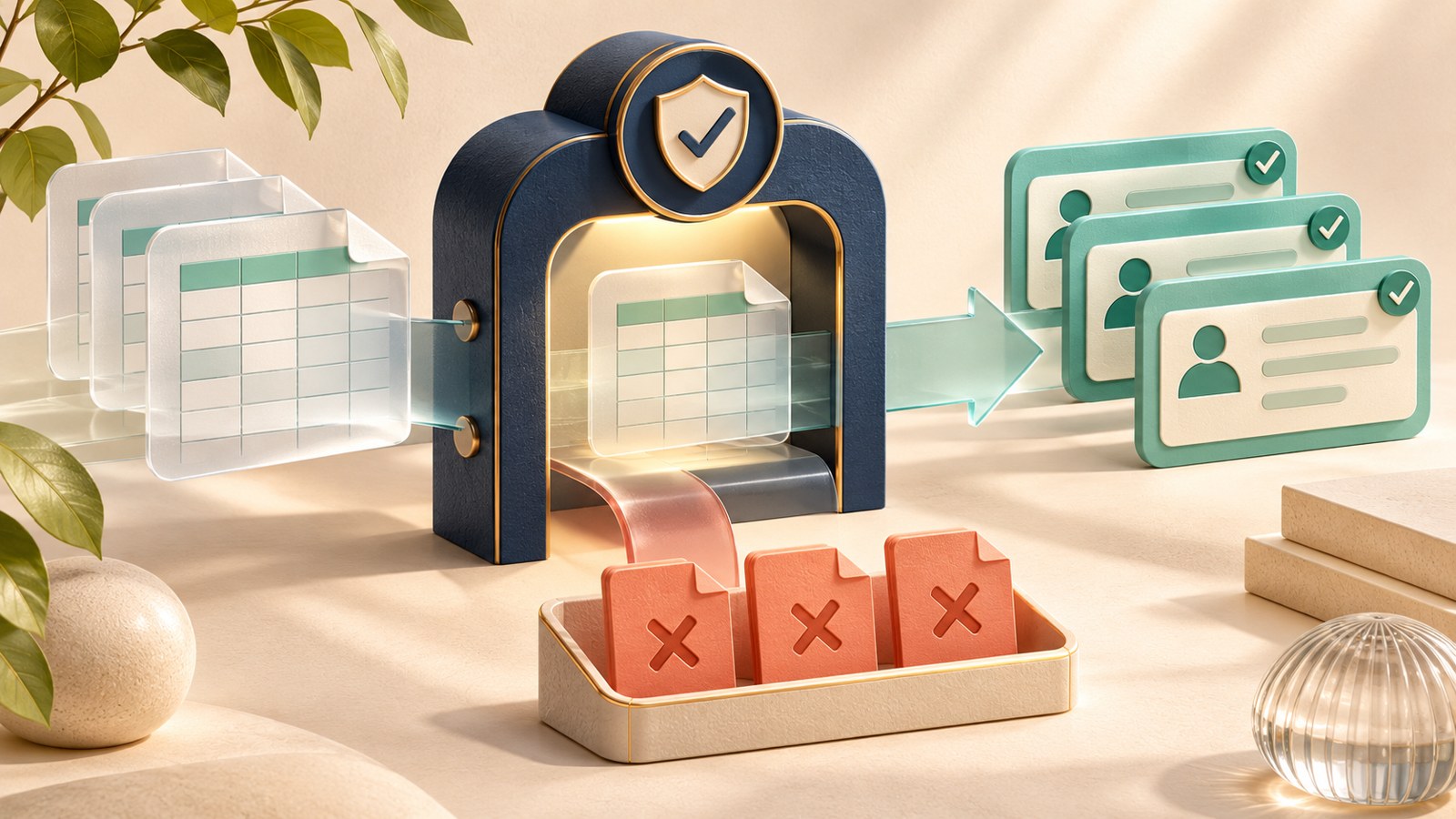
Choosing gradebook and grading software for teachers comes down to whether you need a daily classroom workflow, an official district transcript record, or faster paper-and-STEM exam scoring. Because recorded student grades and academic evaluations qualify as protected “education records” under federal privacy rules—as detailed in a June 2026 U.S. Department of Education ERIC / Congressional Research Service report—schools also have to weigh data governance and system interoperability alongside teacher speed.
Guidance from the U.S. Department of Education Office of Educational Technology similarly stresses pairing privacy safeguards with open standards so grades move cleanly between classroom tools and district records.
No single platform handles every grading job equally well. Lightweight classroom hubs prioritize fast daily assignment return, enterprise student information systems (SIS) anchor state reporting and transcripts, and specialized grading tools cut hours off handwritten exams or standards-based mastery tracking.
What We Checked: First-Hand Observations
On November 21, 2026, official public documentation, release notes, and plan overview pages were directly inspected across four platforms—Schoology Learning, Infinite Campus, Gradient by GradeCam, and Gradescope—to verify feature boundaries, licensing splits, and gradebook calculation rules. These checks reflect live public-page documentation inspections rather than authenticated school-district deployments or paid grading tests; live UI screenshots were not captured due to offline-environment constraints.
- Schoology Learning (Standards-Based Gradebook Docs): Inspection confirmed that Schoology’s standards-based gradebook is not supported in courses exceeding 10,000 members, disables Student Mastery Details when Standards Grade Passback is enabled, and calculates course-wide objective mastery differently from PowerTeacher Pro’s grading-period calculation—meaning final numbers can diverge between the two views.
- Infinite Campus (Standards-Based Grading Overview): Inspection confirmed districts can run Grade Book and Progress Monitor concurrently for traditional and standards-based grading, but Progress Monitor, Standards Portfolio, and the Curriculum Library require an additional Campus Learning Suite license beyond the base SIS.
- Gradient by GradeCam (Plan Overview): Inspection confirmed that individual Teacher Limited/Premium accounts and School/District subscriptions are managed separately; assignments and rosters built on an individual teacher plan cannot transfer into a school or district subscription later.
- Gradescope by Turnitin (Product & Plan Page): Inspection confirmed that the free Basic plan includes dynamic rubrics, question-by-question grading, and data exports, whereas AI-assisted answer grouping, AI roster matching, bubble-sheet grading, and collaborative/anonymous grading require an Institutional license.
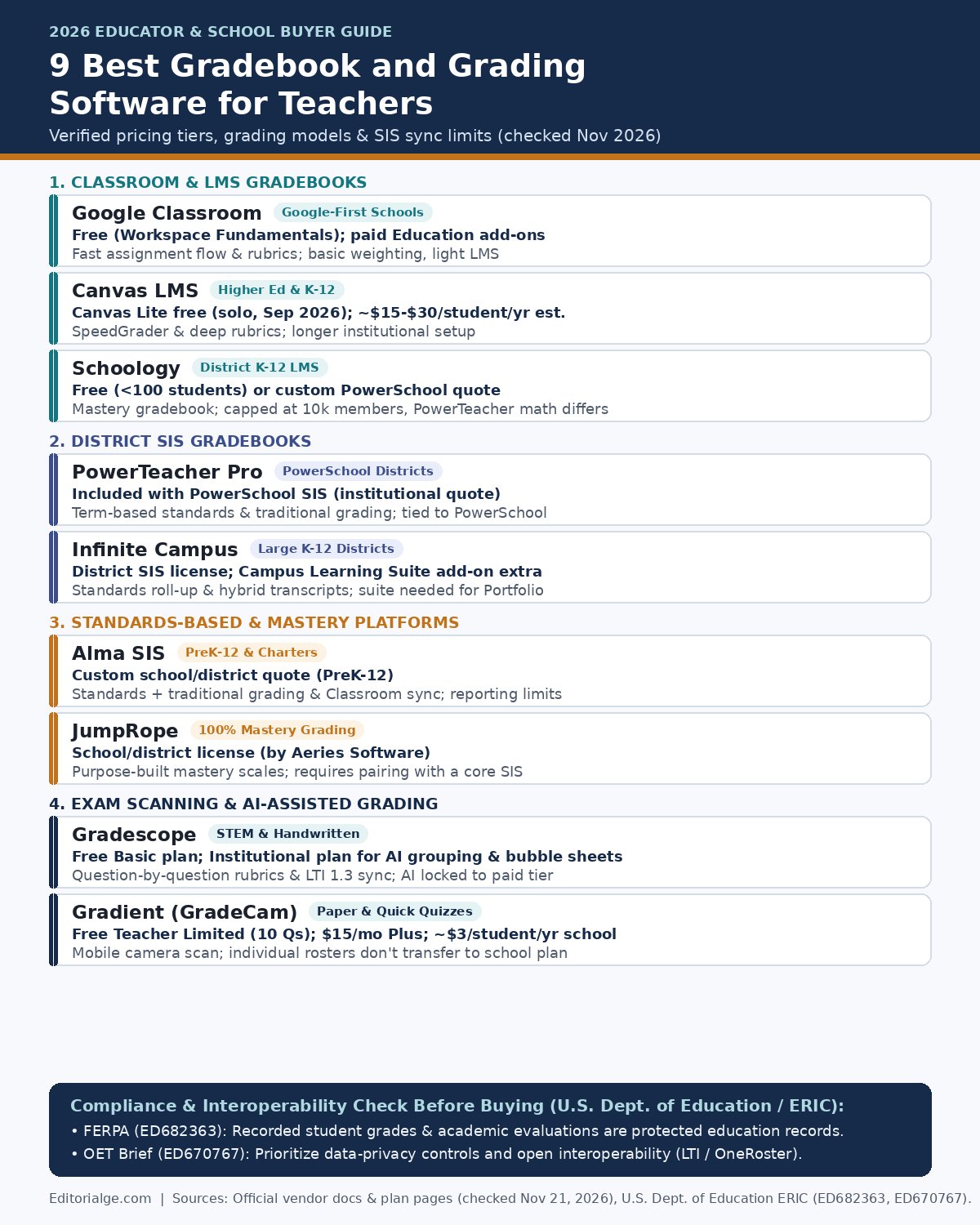
9 Best Gradebook and Grading Software for Teachers Compared
The options below are grouped by workflow role—classroom LMS gradebooks, district SIS gradebooks, standards-based platforms, and specialized grading accelerators—rather than ranked with arbitrary scores. Confirming whether a tool is your system of record or a feeder gradebook prevents double data entry at report-card time.
| Software | Best Fit | Pricing Basis (2026) | Core Grading Strength | Consequential Limit |
|---|---|---|---|---|
| Google Classroom | Google-first K-12 & solo teachers | Free with Workspace for Education Fundamentals; paid Education add-ons | Fast assignment distribution, rubrics & Workspace doc feedback | Basic grade weighting; not an official SIS transcript record |
| Canvas LMS | Higher ed, K-12 districts & tutors | Free Canvas Lite (solo); ~$15–$30/student/yr est. institutional | SpeedGrader inline annotation, weighted categories & outcomes | Institutional rollout takes weeks; full SIS sync needs LTI/OneRoster. |
| Schoology Learning | K-12 districts (esp. PowerSchool) | Free (<100 students) or custom PowerSchool quote | Weighted gradebook, mastery dashboard & PowerBuddy AI tools | Mastery is capped at 10k members; passback math can differ from PowerTeacher Pro. |
| PowerTeacher Pro | PowerSchool SIS districts | Included with PowerSchool SIS (custom district quote) | Official term-based traditional and standards-based gradebook | Tied to PowerSchool SIS; less flexible for daily content delivery than an LMS |
| Infinite Campus | Mid-to-large K-12 districts | District SIS license; Campus Learning Suite add-on extra | Standards roll-up calculations & hybrid mastery/letter transcripts | Progress Monitor and Standards Portfolio require a paid Learning Suite. |
| Alma SIS | Independent, charter & PreK-12 schools | Custom school/district quote | Traditional + standards grading with real-time Google Classroom sync | Not built for higher ed; users report custom report-card formatting limits. |
| JumpRope | Schools committed to mastery grading | School/district license (by Aeries Software) | 100% standards-based calculation methods & growth visuals | Requires pairing with a core SIS for attendance and state compliance |
| Gradescope | STEM, coding & large-exam courses | Free basic plan; custom institutional license | Question-by-question dynamic rubrics, AI grouping & code autograding | AI answer grouping, bubble sheets & multi-grader workflows require institutional |
| Gradient (GradeCam) | Paper-quiz & quick formative checks | Free Teacher Limited (10 Qs); $15/mo Plus; ~$3/student/yr school | Mobile camera/webcam bubble sheet & rubric scanning | Individual teacher rosters do not transfer to a school subscription. |
1. Google Classroom: Best for Fast, Zero-Cost Daily Workflows
Google Classroom remains the fastest starting point for teachers who already manage handouts, slides, and quizzes in Google Drive. It is free for accredited K-12 schools and colleges through Google Workspace for Education Fundamentals, with higher-tier administrative and AI add-ons (such as Google AI Pro for Education at $20/user/month on a one-year commitment) sold separately.
Inside the gradebook tab, teachers can set total points or weighted categories, attach point-based rubrics to assignments, and leave inline comments on Docs without downloading files. Its main limitation is depth: Google Classroom is a lightweight assignment hub rather than a full learning management system or official SIS. Schools that need state-compliant transcripts, complex mastery roll-ups, or LTI grade passback typically sync Classroom into an SIS such as Alma or PowerTeacher Pro.
2. Canvas LMS: Best for SpeedGrader and Rubric-Heavy Courses
Canvas LMS by Instructure dominates North American higher education and serves thousands of K-12 districts, offering a structured gradebook built around SpeedGrader. In September 2026, Instructure also introduced Canvas Lite—a free tier for solo teachers, homeschool educators, and tutors that replaces the older Free-for-Teacher sign-up—while institutional plans (Canvas Core, Plus, and Next) are custom-quoted, typically estimated around $15–$30 per student per year.
SpeedGrader lets instructors flip through student submissions, annotate PDFs, score multi-criterion rubrics with one click, and leave audio or video feedback without leaving one screen. The trade-off is setup complexity: configuring outcomes, grading schemes, and SIS integrations takes dedicated admin time compared to Google Classroom, making Canvas overkill if you only need a simple homework dropbox.
3. Schoology Learning: Best for District K-12 LMS and PowerSchool Sync
Owned by PowerSchool, Schoology Learning combines course delivery, assessments, family portals, and a dual traditional/standards-based gradebook. Smaller schools under 100 students can access a free tier, while districts purchase custom enterprise licenses.
Our direct check of Schoology’s standards-based gradebook documentation revealed two practical details teachers should verify before term close: mastery tracking is capped at courses with 10,000 or fewer members, and Schoology calculates objective mastery across an entire course, whereas PowerTeacher Pro calculates it per grading period. When Standards Grade Passback is active, final numbers can differ slightly between Schoology and the SIS portal, so districts should standardize which view families treat as official.
4. PowerTeacher Pro: Best Official Gradebook for PowerSchool Districts
PowerTeacher Pro is the native teacher gradebook inside the PowerSchool Student Information System (SIS), priced via institutional district contracts. Rather than acting as a content-delivery LMS, it serves as the authoritative record for attendance, traditional letter/percentage grades, standards-based scores, and report-card comments.
Teachers can toggle between assignment lists and Standards View, apply status flags (Missing, Late, Exempt, Incomplete), and pull from a reusable Comment Bank at the end of a grading term. Because PowerTeacher Pro is tightly coupled to PowerSchool SIS, individual teachers cannot adopt it independently, and most districts pair it with Schoology or Canvas for daily lesson distribution.
5. Infinite Campus: Best for Large-District Hybrid Transcripts
Infinite Campus is an enterprise K-12 SIS designed for mid-to-large districts that need attendance, scheduling, state reporting, and gradebooks under one roof. Direct inspection of its standards-based grading documentation confirms that districts can run Grade Book and Progress Monitor concurrently, generate hybrid transcripts combining letter grades with standards mastery, and import CASE standards frameworks.
The catch is modular licensing: while the core Grade Book comes with the SIS, features such as Progress Monitor, the multi-year Standards Portfolio, and the shared Curriculum Library require an add-on Campus Learning Suite license. Teachers also note that its interface feels more administrative than consumer-friendly LMS tools, so confirm whether your district includes the Learning Suite before planning standards portfolios.
6. Alma SIS: Best Modern All-in-One SIS for PreK-12 and Charters
Alma SIS targets independent schools, charter networks, and PreK-12 districts looking for a cleaner interface than legacy enterprise SIS platforms, sold via custom school quotes. It supports traditional, standards-based, and progressive grading alongside attendance, scheduling, and parent portals, plus over 120 prebuilt integrations.
Its standout time-saver for Google-using faculties is real-time roster, assignment, and grade synchronization with Google Classroom, reducing manual re-entry. On the downside, Alma is strictly PreK-12 (not built for higher ed), and some administrators report that generating highly customized report cards or bulk CSV exports can feel rigid compared to dedicated BI tools.
7. JumpRope: Best Purpose-Built Standards-Based Gradebook
Acquired by Aeries Software, JumpRope focuses 100% on standards-based and mastery grading rather than bolting standards onto a traditional points grid. Priced for schools and districts, it lets educators map assignments to specific learning targets, choose among decaying-average, recent-trend, or mode calculation methods, and share clear mastery progress visuals with families.
Because JumpRope is a specialized gradebook rather than a full student information system, schools must pair it with a core SIS (such as Aeries or another district database) for enrollment, attendance, and state compliance. If your faculty still relies primarily on weighted points and percentages, a general LMS like Canvas or Schoology will fit more naturally.
8. Gradescope: Best for STEM, Handwritten Exams, and Code
Gradescope by Turnitin is built to solve the hardest grading bottleneck in high school AP courses and university STEM departments: scoring handwritten problem sets, diagrams, bubble sheets, and programming assignments. Its Basic plan is free for individual instructors and includes dynamic rubrics (where editing a rubric point value updates every previously graded paper automatically) plus question-by-question grading.
Our inspection of Gradescope’s plan breakdown confirms that AI-assisted answer grouping—which clusters similar student responses so you can grade dozens at once—along with AI roster matching, bubble-sheet scanning, and multi-TA collaborative grading are gated behind the paid Institutional tier. It integrates with Canvas, Blackboard, Brightspace, and Moodle via LTI 1.3, making it an ideal companion rather than a standalone SIS. For broader context on how automated assessment fits into modern classrooms, explore our coverage of how AI and EdTech are reshaping modern education and educational technologies transforming learning.
9. Gradient by GradeCam: Best for Instant Paper-Quiz Scanning
Gradient by GradeCam turns a smartphone camera, tablet, or document camera into an optical scanner for paper multiple-choice tests and rubric-scored exit tickets. Pricing spans three tiers: a free Teacher Limited plan (capped at 10 questions per assessment), Teacher Plus ($15/month or $150/year for up to 1,000 questions), and School/District licenses (commonly cited around $3 per student per year, with Grades PK–1 free).
Direct inspection of GradeCam’s Plan Overview highlights a critical gotcha for teachers testing the tool on their own: individual teacher subscriptions and school/district accounts are completely separate, meaning assignments and student rosters built under an individual plan cannot be transferred if your school later buys a site license.
How to Test a Gradebook Before Committing Your Department
Before rolling out a new grading tool across a department or school, run a 15-minute sandbox check using synthetic (non-student) data:
- Verify the official source of truth: Confirm whether grades flow from LMS to SIS (one-way passback) or live natively in the SIS, and check how missing/exempt flags translate during sync.
- Test rubric edits mid-stack: Score five sample submissions, adjust a rubric point value, and confirm whether earlier scores recalculate automatically (a core strength in Gradescope and Canvas).
- Check export and privacy controls: Export a sample CSV, verify role-based permissions for co-teachers or TAs, and confirm FERPA-compliant data-processing agreements with your IT administrator.
Choosing the Right Grading Stack
If you are an individual teacher looking for zero-cost daily grading, start with Google Classroom or Canvas Lite—and add Gradescope Basic if you grade handwritten problem sets or code. If you are selecting software for a school or district, anchor official transcripts in PowerTeacher Pro, Infinite Campus, or Alma SIS (or JumpRope for pure mastery grading), and pair it with an LMS like Canvas or Schoology only where teachers actually need daily content and rubric workflows.
Frequently Asked Questions
What is the best free gradebook and grading software for teachers?
Google Classroom is free for accredited schools through Google Workspace for Education Fundamentals, while Canvas Lite (launched September 2026) gives solo teachers and tutors free access to Canvas’s core assignment and SpeedGrader tools. For STEM and paper exams, Gradescope Basic and Gradient Teacher Limited (up to 10 questions per assessment) also offer permanent free tiers.
What is the difference between an LMS gradebook and an SIS gradebook?
An LMS gradebook (such as Canvas, Schoology, or Google Classroom) focuses on day-to-day assignment collection, rubrics, and student feedback. An SIS gradebook (such as PowerTeacher Pro, Infinite Campus, or Alma SIS) serves as the school’s official legal record for attendance, term averages, transcripts, and state compliance reporting.
Which grading software is best for standards-based grading?
JumpRope is built exclusively around standards-based and mastery calculation methods, while Alma SIS, PowerTeacher Pro, and Infinite Campus (with Campus Learning Suite) allow schools to run standards-based and traditional grading side by side inside their core SIS.