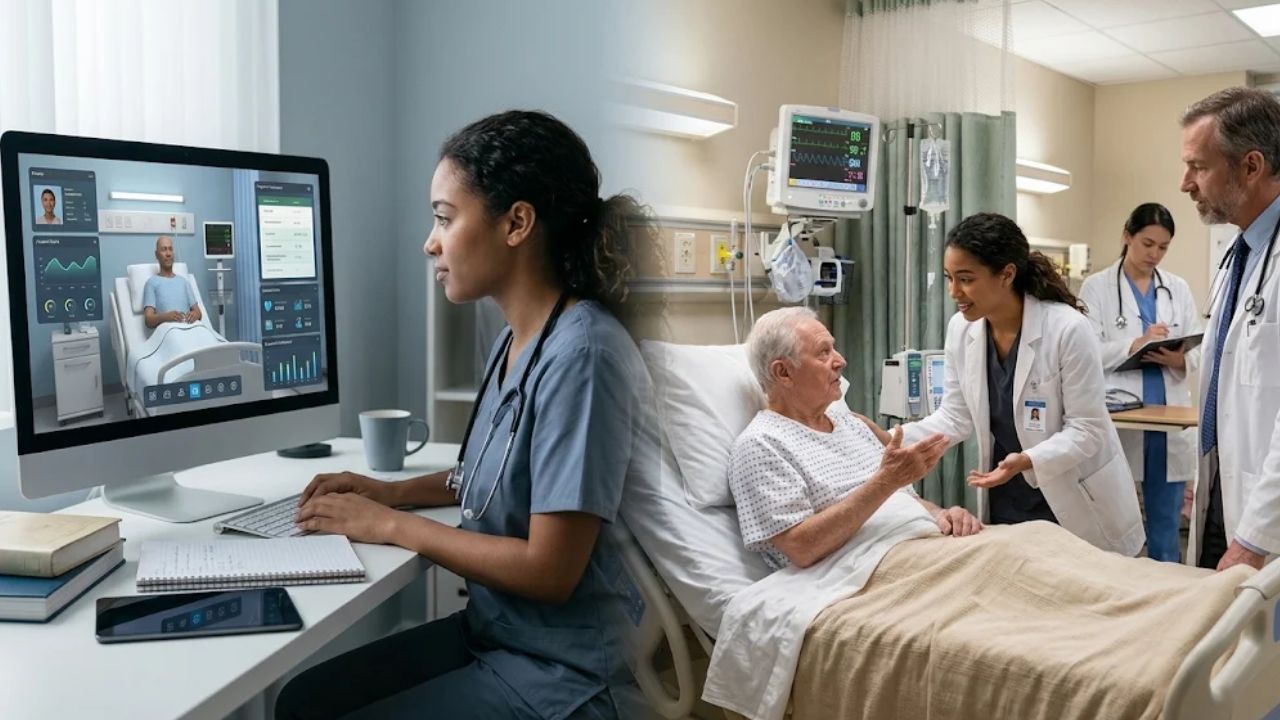
Clerkship preparation runs into a familiar constraint. Students need to see varied kinds of patients, and the wards can only offer the ones who happen to be admitted that month. Virtual patient cases are one way programs try to close the gap. This article looks at what they can reasonably do, where they fall short, and how to decide whether they belong in your preparation plan.
What a virtual patient is
Cook and Triola, in a 2009 critical review in Medical Education, describe virtual patients as interactive computer-based clinical scenarios. A learner takes a history, picks tests, forms a working diagnosis and sees what follows from those choices. The authors reviewed the research up to that point and proposed an agenda for further study.
That definition is deliberately wide, and it explains why two programs can both say they use virtual patients and mean quite different things. A virtual patient can be a short branching case or a long, detailed simulation. Quality varies, and so does the teaching around it.
What the evidence says
A 2019 systematic review and meta-analysis by Kononowicz and colleagues in the Journal of Medical Internet Research pooled 51 randomized trials with 4,696 participants. When virtual patients were compared with traditional education, the pooled results for knowledge were similar. For skills, the results favored virtual patients. The skills that improved included clinical reasoning.
The authors also say the quality of the evidence was generally low, because the included studies had methodological limitations and varied. That caveat matters. Read these results as a general signal, and treat the planning ideas below as suggestions, not findings.
What they add
- Repetition. A student can work through a case, review it, and try again without waiting for a patient to be admitted.
- Safe mistakes. A missed diagnosis on a screen puts no patient at risk. Whether a given product gives immediate feedback on each decision is worth checking.
- Rarer presentations. A clerkship site may not see a particular condition during a rotation. A virtual case can present it.
- Consistency. Every student sees the same case, which makes it easier to compare how different learners reason.
Cook and Triola proposed that virtual patients’ “most unique and cost-effective function is to facilitate and assess the development of clinical reasoning.” They added that “clinical reasoning in experts involves a non-analytical process that matures through deliberate practice with multiple and varied clinical cases.”
What they don’t do
- They don’t replace real patients. A screen can’t convey how a person looks when they are frightened, or what a hand on the abdomen feels like.
- They don’t teach communication in the full sense. Typing a question isn’t the same as sitting with a worried family.
- They don’t fix weak teaching. Without a debrief, a case can turn into a click-through exercise.
- They need a place in the schedule. Optional cases that connect to nothing in the schedule may go unused, so plan where they sit.
A quick comparison
Here is how the main preparation methods differ for a student about to start a clerkship.
- Lectures: good for shared background, limited for practising decisions.
- Bedside teaching: unmatched for exam skills and communication, limited by who is on the ward.
- Standardized patients: strong for communication and exam practice, with scheduling, trained patients and faculty time to plan for.
- Virtual patient cases: good for repeated reasoning practice and rarer presentations, limited for physical skills.
No one method covers everything, and that’s the point of combining them.
Where to look if you’re considering a platform
If a program wants digital cases for reasoning practice, it helps to read a vendor’s own description before a demo. The page for Healer by Lecturio lists virtual patient cases for practising clinical reasoning, illness scripts, differential diagnosis, and assessment and feedback.
Questions worth asking any vendor are simple. Which presentations do the cases cover? How is a learner’s work scored? Can faculty see what a student did? And what does the debrief look like?
A practical way to start
A modest pilot beats a full rollout. Pick one clerkship, choose four to six presentations that your students rarely see in person, and assign the matching cases in the two weeks before the rotation. Then ask students and preceptors a few plain questions afterward. Did the cases change what happened on the ward? Did students ask different questions? Which cases felt like busywork?
Keep the debrief short and human. Ten minutes of a faculty member asking “what did you think it was, and what changed your mind?” turns a screen exercise into reasoning practice.
For planners
I’d suggest thinking of virtual patient cases as a supplement for the gaps the wards leave. They are most useful for repetition, for rare presentations, and for letting students make mistakes where no patient gets hurt. They are least useful as a substitute for time with real patients. Holding them to that role makes the decision easier.
Notes for the editor
Suggested meta description: Where virtual patient cases fit in clerkship preparation: what they add, what they cannot replace, and a simple pilot plan for clerkship directors to try.
Featured image alt text: A medical student seen from behind studying a clinical case on a laptop in a quiet university study room.