A supplier changes its payment details. The email reaches accounting, but the purchasing team keeps using the old record. Meanwhile, a contract renews because nobody owned the reminder. These are the kinds of gaps worth fixing before you buy another business platform. When choosing vendor management software for SMB operations, start with the failure you need to prevent: uncontrolled purchasing, incomplete supplier records, slow onboarding, or forgotten contracts.
The ten options below cover those different jobs. Some connect vendors to purchase orders and invoices. Others are better suited to approvals, onboarding, and contract oversight. A small retailer and a growing professional-services firm should not necessarily buy the same system.
How These Tools Were Selected
This is a research-based shortlist, not a hands-on product test. Selection draws on official product pages, pricing pages, and help documentation reviewed on November 3, 2026. The recommendations reflect documented capabilities and editorial judgment about likely SMB use cases; they do not establish measured usability, support quality, or implementation speed.
The order starts with general purchasing options, moves through specific operational needs, and finishes with more specialized workflow and contract tools. It is not a numerical performance ranking. Here, vendor management means managing business suppliers, rather than contingent-workforce staffing.
Published prices below are in US dollars. A starting price is not a complete implementation quote. Plan availability, billing terms, integrations, and payment services should be confirmed for your country.
Vendor Management Software at a Glance
| Software | Best-fit use case | Main buying question |
|---|---|---|
| Precoro | Purchasing controls tied to vendor records | Do you need the higher plan for supplier onboarding and the portal? |
| Tradogram | Smaller teams building a procurement process | What do extra users and required modules add to the price? |
| Procurify | Growing teams coordinating purchasing and finance | Which products, integrations, and add-ons are in the quote? |
| Zoho Inventory | Stock-based businesses managing supplier orders | Does your regional plan include the vendor portal? |
| ProcurementExpress.com | Teams prioritizing purchase approvals | Does the plan’s managed-spend allowance fit your purchasing? |
| Order.co | Businesses standardizing repeat purchases across locations | Can it support your actual vendors and delivery locations? |
| SpendMap | A single buyer starting with purchase orders | When will users and modules require a paid plan? |
| Pipefy | Teams needing a configurable onboarding workflow | Who will build and maintain the process? |
| Kissflow Procurement | Growing SMBs with complex approval paths | How much configuration and ERP integration is required? |
| Gatekeeper | Contract-heavy businesses overseeing vendor relationships | Is contract and compliance oversight your main problem? |
The best-fit labels are editorial recommendations. The sections below explain the product evidence and the tradeoffs behind them.
1. Precoro: Best for Connecting Vendor Records to Purchasing Controls
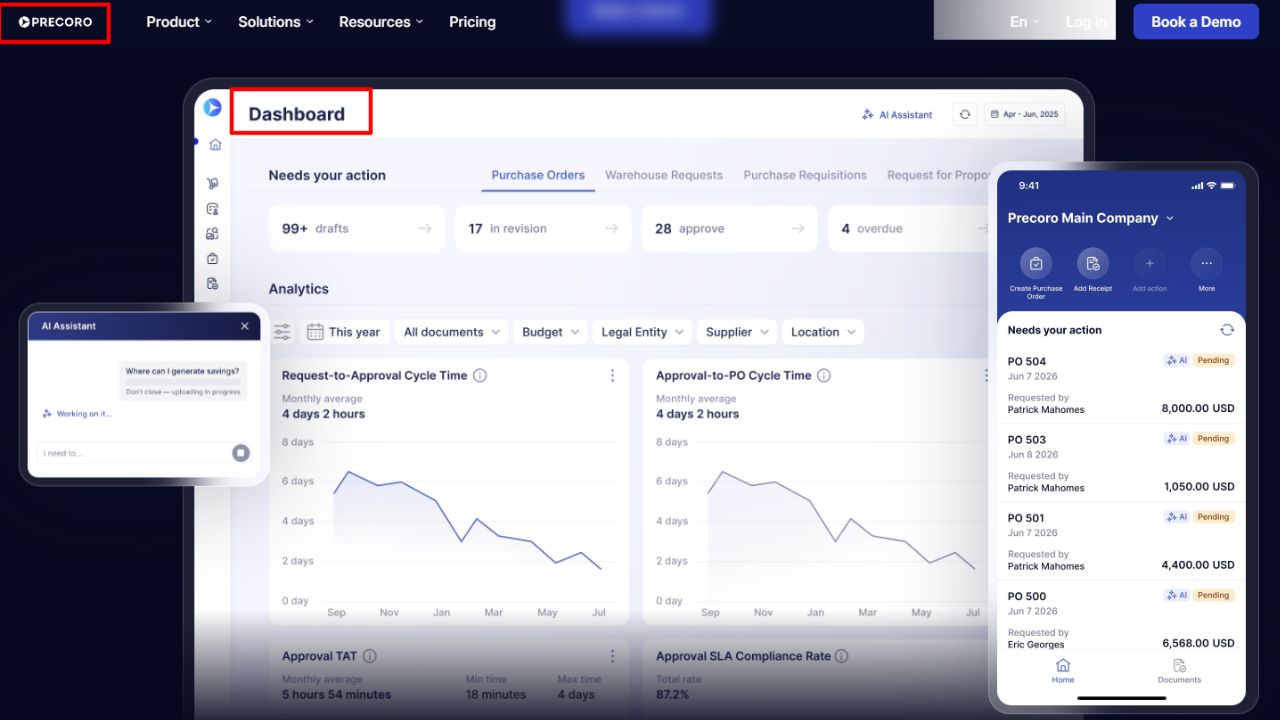
Precoro belongs on the shortlist when supplier information needs to sit beside the transactions it governs. Its supplier-management documentation connects vendor profiles with approvals, contracts, purchase orders, invoices, and spend analysis.
That connection matters when a finance manager needs to answer more than “Who is this supplier?” The useful questions are whether the vendor is approved, which agreement applies, and how much the business has already purchased from it.
The published core plan starts at $499 per month, billed annually, and includes vendor management, a contract repository, purchasing workflows, and accounting integrations. However, dedicated vendor onboarding and approval, the Supplier Portal, and RFPs are listed under Automation, starting at $999 per month, billed annually.
The tradeoff: A business shopping primarily for supplier onboarding should assess automation from the beginning. Treating Core’s vendor-management label as proof that every supplier feature is included would produce a misleading budget.
Who should skip it: A very small team that only needs a contact list and occasional orders may struggle to justify the starting commitment.
2. Tradogram: Best for Smaller Teams Building a Procurement Process
Tradogram offers a lower published entry point than several broader platforms in this list. Its Essentials plan lists purchase orders, supplier management, and AP invoice workflows. The supplier-management product also covers onboarding, performance tracking, and supplier relationships.
The pricing page lists Essentials at $99 per month, with an annual option of $950.40 per year. Additional user fees apply. Requisitions, receiving, sourcing, real-time budget tracking, and contract management appear as add-ons at the entry tier, while broader bundles are available in higher plans.
For a small purchasing team, this creates a useful way to start with a narrower scope. It also creates a budgeting trap: the entry price is not the price of every capability described across the website.
Before choosing it: Ask for one quote that includes all requesters, buyers, approvers, accounting connections, and necessary modules. Compare that complete configuration with competing offers.
Who should skip it: Teams that expect the lowest-priced tier to include the full requisition-to-receiving process without extra charges.
3. Procurify: Best for Growing Teams Coordinating Purchasing and Finance
Procurify is worth considering when purchasing has outgrown informal approvals. Its pricing documentation describes vendor contacts, payment methods, preferred vendors, and purchasing records. Contract capabilities include uploaded documents, purchase-order spend tracking against contract values, and renewal reminders.
The appeal is continuity: purchasing and finance can work from connected records instead of reconciling separate vendor spreadsheets after an order has been placed.
Procurify uses custom pricing. Its official pricing explanation says quotes account for products, add-ons, users, and integrations, rather than a single per-user rate.
The tradeoff: You need a defined scope before the price becomes comparable. Request explicit confirmation of contract functionality, supplier access, implementation, and accounting integrations rather than assuming they are included.
Who should skip it: A microbusiness looking for a simple self-service subscription may prefer a narrower product with a clearer entry configuration.
4. Zoho Inventory: Best for Stock-Based Businesses Managing Supplier Orders
For a retailer or wholesaler, vendor management often begins with goods: what was ordered, what arrived, and which bill remains outstanding. Zoho Inventory supports vendor records, purchase orders, purchase receipts, and bills within an inventory-oriented system.
Its vendor portal documentation also describes suppliers viewing orders, submitting invoices, and communicating through comments. The documentation explicitly says the feature is available only on certain plans.
Why it earns a place: An inventory-led business can evaluate supplier ordering alongside stock operations instead of introducing a separate vendor platform immediately.
The limitation: Order and stock visibility do not establish that a product meets your requirements for supplier risk assessment or contract governance. Check those separately if they matter.
Who should skip it: A services business whose main challenge is reviewing contracts and onboarding consultants may have little need for an inventory-centered system. Check the current regional pricing page for the edition and portal access you need.
5. ProcurementExpress.com: Best for Teams Prioritizing Purchase Approvals
ProcurementExpress.com is a candidate when the immediate problem is buying without approval. Its documentation describes creating purchase orders against suppliers, approval requirements for newly added suppliers, and a supplier portal for invoice uploads against orders.
That makes it relevant to a business that wants a clearer chain from request to approval to supplier invoice.
The official 2026 pricing page lists Basic at $415 per month, with capacity to manage up to $10,000 per month. Better is listed at $900 per month, with capacity up to $1 million per month. Those purchasing-capacity limits deserve attention alongside the subscription fee.
Ask before buying: How is managed spend calculated, what happens when you exceed it, and which supplier features are included in your proposed plan?
Who should skip it: Businesses primarily seeking detailed third-party risk assessments should establish that requirement separately rather than treating purchase approval as equivalent coverage.
6. Order.co: Best for Standardizing Repeat Purchases Across Locations
Order.co combines vendor management with purchasing operations. Its official vendor-management page describes centralized suppliers, catalogs, budgets, approvals, order fulfillment, spend visibility, and consolidated billing.
For a business with several locations ordering recurring supplies, the potential value lies in making approved buying easier to follow. A shared catalog and purchasing rules can matter more than collecting additional supplier profile fields.
Order.co also describes vendor onboarding support and vendor-performance visibility. These are documented offerings, not independently verified performance results.
The buying test: Bring your existing supplier list and delivery addresses to the sales discussion. Ask how each supplier is handled, how exceptions work, and what the full commercial arrangement costs. No numeric starting price is asserted here.
Who should skip it: A team whose main need is contract review or document collection, with little recurring goods purchasing, should assess a more targeted alternative first.
7. SpendMap: Best for a Single Buyer Starting With Purchase Orders
SpendMap provides a concrete starting point for a small business that needs purchase-order discipline before a broader vendor program. Its free cloud offering includes purchase orders and receiving for one user.
The paid structure is unusually important to understand. Pro lists $15 per module per user per month, with a $150 monthly minimum. Enterprise lists $20 per module per user per month, with a $300 monthly minimum. Supplier Portal capability appears with Enterprise RFQs.
Why consider it: A single buyer can evaluate a basic ordering and receiving workflow without first committing to a larger subscription.
The limitation: The free option is a purchasing tool, not a complete free supplier-lifecycle platform. Adding requesters, approval steps, invoice workflows, or supplier collaboration changes the scope and potentially the bill.
Who should skip it: Teams that require several staff members to collaborate immediately should price the paid configuration before treating the free version as their solution.
8. Pipefy: Best for Configurable Vendor Onboarding Workflows
Pipefy approaches the problem through workflow automation. Its vendor-management template is designed to help teams manage, control, and evaluate suppliers, while its procurement materials include supplier onboarding and purchase-process automation.
This makes it a candidate when the missing piece is a repeatable process: collect information, send it to the right reviewer, resolve missing documents, and record the decision.
The tradeoff: A configurable platform requires process decisions. Someone must define required fields, stages, permissions, handoffs, and exceptions. A template provides a starting point; it does not establish that your accounting system and supplier records will synchronize automatically.
Ask for pricing against the workflow, external access, automation volume, and integrations you actually need. A free template should not be read as an unlimited free production deployment.
Who should skip it: Teams that want a fully prescribed purchasing and accounting workflow with minimal configuration should compare dedicated procurement tools first.
9. Kissflow Procurement: Best for Complex Approval Paths Around Existing Systems
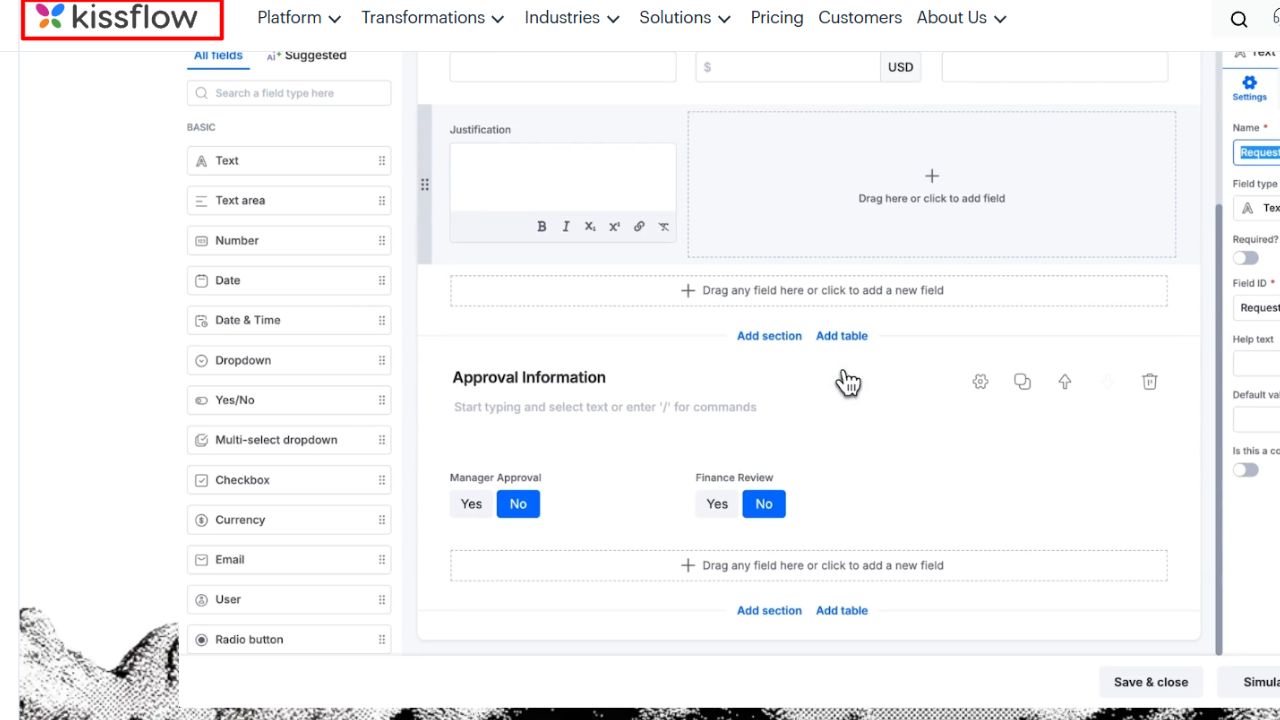
Kissflow Procurement is relevant to growing SMBs with purchasing processes that span several departments or an existing ERP. Its official product page describes supplier management and configurable procurement processes, including intake and purchase-order workflows around established systems.
The attraction is flexibility when the business needs different routes for different requests. A standard office purchase and a new supplier engagement may need different reviewers and information.
The tradeoff: Flexibility creates design and maintenance work. Buyers should ask the vendor to demonstrate their specific workflow and explain which records remain in the ERP, which sit in Kissflow, and how approved information moves between them.
Obtain a scoped procurement quote; a price for another Kissflow offering would not establish the cost of this deployment.
Who should skip it: Very small businesses with a single approval step may find a simpler purchasing product sufficient. The case for this option becomes stronger as process complexity increases.
10. Gatekeeper: Best for Contract-Heavy Vendor Relationships
Gatekeeper focuses on vendor and contract lifecycle management. Its official materials connect vendor records with contracts, obligations, renewals, risk and compliance checks, performance, and spend.
That makes it a useful specialist candidate for a business where the expensive mistake is a missed notice period, an incomplete supplier review, or an unclear contract owner.
Consider a hypothetical services firm with relatively few vendors but several important recurring agreements. The number of purchase orders may be modest, while the consequences of missing a renewal are substantial. That is a different buying problem from stocking several retail branches.
The tradeoff: Do not assume that contract oversight replaces every purchasing, receiving, or invoice-processing function. Ask for a demonstration of the full workflow you need and a quote covering the required capabilities.
Who should skip it: A small team whose only requirement is creating supplier orders should evaluate a narrower purchasing tool before investing in broader contract governance.
How to Choose Vendor Management Software for SMB Operations
Start with three recent supplier problems. Use actual incidents, not an abstract feature wish list. If every example involves purchase approval, prioritize purchasing controls. If the trouble starts before a vendor is approved, focus on onboarding. If agreements quietly roll over, prioritize ownership and renewal tracking.
Next, give shortlisted vendors the same demonstration brief:
- Add a new supplier and identify who can approve it.
- Change an important supplier field and show who reviews the change.
- Create a purchase request and route it to an approver.
- Show the related order, receipt, and invoice where applicable.
- Find a contract renewal date and its responsible owner.
- Export the records the business would need when leaving the platform.
Not every tool will cover every step. The demonstration should reveal where another system, an integration, or manual work remains necessary.
Request the total first-year cost, including users, modules, implementation, integrations, supplier access, and training. Confirm local currency, tax, payment, and support requirements directly. Access to a cloud application does not prove every payment service or regional feature is available to your company.
Which Option Should You Shortlist First?
For purchasing-led requirements, begin by comparing Precoro, Tradogram, and Procurify against the same workflow and budget. Stock-based businesses should add Zoho Inventory. A single buyer seeking basic order control can investigate SpendMap’s free scope.
If document collection and approval routing are the sticking points, consider Pipefy or Kissflow. If contracts and renewals carry the greatest exposure, include Gatekeeper.
Choose the tool that handles your recurring supplier problem at a defensible total cost. A broader feature list is useful only when your team needs and can maintain those capabilities.