Your software bills keep climbing, so here’s the real question: should your business build or buy its software? Buy the boring basics like payroll, email and accounting, and build only the daily tools that set you apart or could earn money.
Below, you’ll get the 2026 cost math, our own build story, and a 5-question test to decide.
Build vs Buy Software at a Glance
This is the short version of whether your business should build or buy its software. Scan it, then read the parts that match your situation.
| Buy (SaaS) | Build (your own tool) | Hybrid | |
|---|---|---|---|
| Upfront cost | Low | Medium to high | Medium |
| Monthly cost | Rises at renewal | Hosting, AI APIs, upkeep | Smaller plan plus upkeep |
| Time to first use | Same day | Weeks to months | Days to weeks |
| Who fixes bugs | The vendor | You | Split |
| Control over features | Vendor roadmap | Full | Your layer only |
| Best for | Payroll, email, accounting | Daily core work you could sell | Most growing teams |
Notice the bottom row. Most teams land in the hybrid column, not at either end.
Why the Build or Buy Question Got Harder in 2026
The truth is, buying used to be the safe default. You paid a fee, got updates, and never thought about servers. Two things broke that easy answer.
Software prices are rising much faster than everything else:
- Record SaaS inflation: Vertice tracked software price inflation at a record 16.4% in June 2026. It cooled to 12.7% in August, then early September data showed it climbing back to about 14.3%.
- Paying for empty seats: Zylo’s 2026 SaaS Management Index puts median SaaS spend at $9,455 per employee, with an average of 36% of licenses going unused.
- Surprise AI charges: In the same survey, 78% of IT leaders reported unexpected charges tied to usage or AI pricing, and 61% had to cut projects because of them.
Retool surveyed 817 builders and found 35% had already replaced at least one SaaS tool with a custom build. Even more telling, 78% expect to build more of their own tools in 2026.
Small firms are doing it too. Atonom, a 45-person startup, reportedly swapped a $40,000 a year Salesforce contract for a CRM built with Lovable that costs about $1,200 a year, according to The Information as summarized by PYMNTS. Gartner now estimates $234 billion of business software spending is exposed to AI agents by 2030.
Here’s the catch: cheaper to start isn’t cheaper to own. Retool found only 8% of builders use AI-written code without changes. So should your business build or buy its software just because AI can write code now? Not automatically.
Our Case Study: Why We Stopped Renting and Started Building
Picture this: it’s the first week of the month, and renewal emails keep landing before lunch. Prices went up. Our income didn’t.
So we cancelled several premium plans for the image, video, voice and SEO research tools our team used every single day. That stung, because the work didn’t stop. We had to answer the same question you’re asking: should your business build or buy its software?
Our answer was to build our own go-to tools, one at a time.
ImagineLab Art: Our First Win
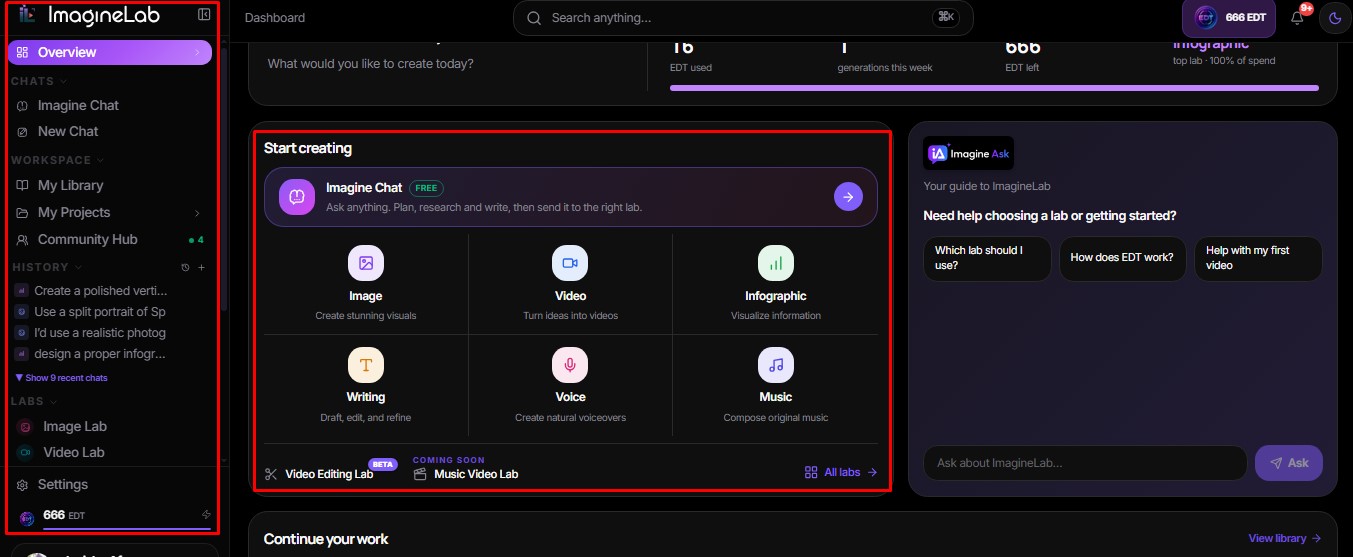
ImagineLab Art is a unified AI creative platform we built and launched globally in August 2026. Our team now uses it daily for images, videos, infographics, voice, music, and other creative jobs.
- Imagine Chat is free and unlimited for every user.
- New signups get 50 free credits once they verify their account.
- Long Video Lab turns one brief into a finished video of up to 60 seconds, billed per second.
- Consistency control lets you upload up to 5 reference photos so a character, product, or logo looks the same in every scene.
The best part? It pays us back. About 7% of free signups had moved to paid plans as of September 2026, so a former cost line now earns money.
Honest flaws:
- We didn’t escape vendor bills. We still pay AI model providers, so the cost moved from subscriptions to usage bills.
- Pricing took several rewrites. Users who came from paid search churned by month two, until we changed pricing and added Imagine Chat and Long Video Lab.
Who Should Skip This: teams without someone who can own billing, model updates and user support every week.
RankPilot AI: Still Being Built
RankPilot AI is our SEO and content intelligence platform. It’s not live yet. It will cover site audits, rank tracking, a dashboard, API connections, and AI help for audit fixes, content briefs and SERP summaries.
We built most of it with Claude Code and used Replit and Cursor only a little. Fast? Yes. Easy? Not even close.
Honest flaws:
- API integrations broke our deployment more than once.
- The security layer and user database took longer than the features people actually see.
Who Should Skip This: anyone who needs a full SEO suite next Monday. Buy one now and revisit later.
We applied the same thinking to smaller problems, which is why we built 15 micro SaaS tools instead of one large platform.
The True Cost Math Most Build vs Buy Guides Skip
That brings us to the biggest mistake people make: comparing a monthly fee to a one-time build cost. Big mistake.
Software keeps costing money after launch. Research summarized by ISBSG puts maintenance at 65 to 85 percent of an app’s total cost of ownership. Many teams budget 15 to 20 percent of the original build cost every year just to keep things running.
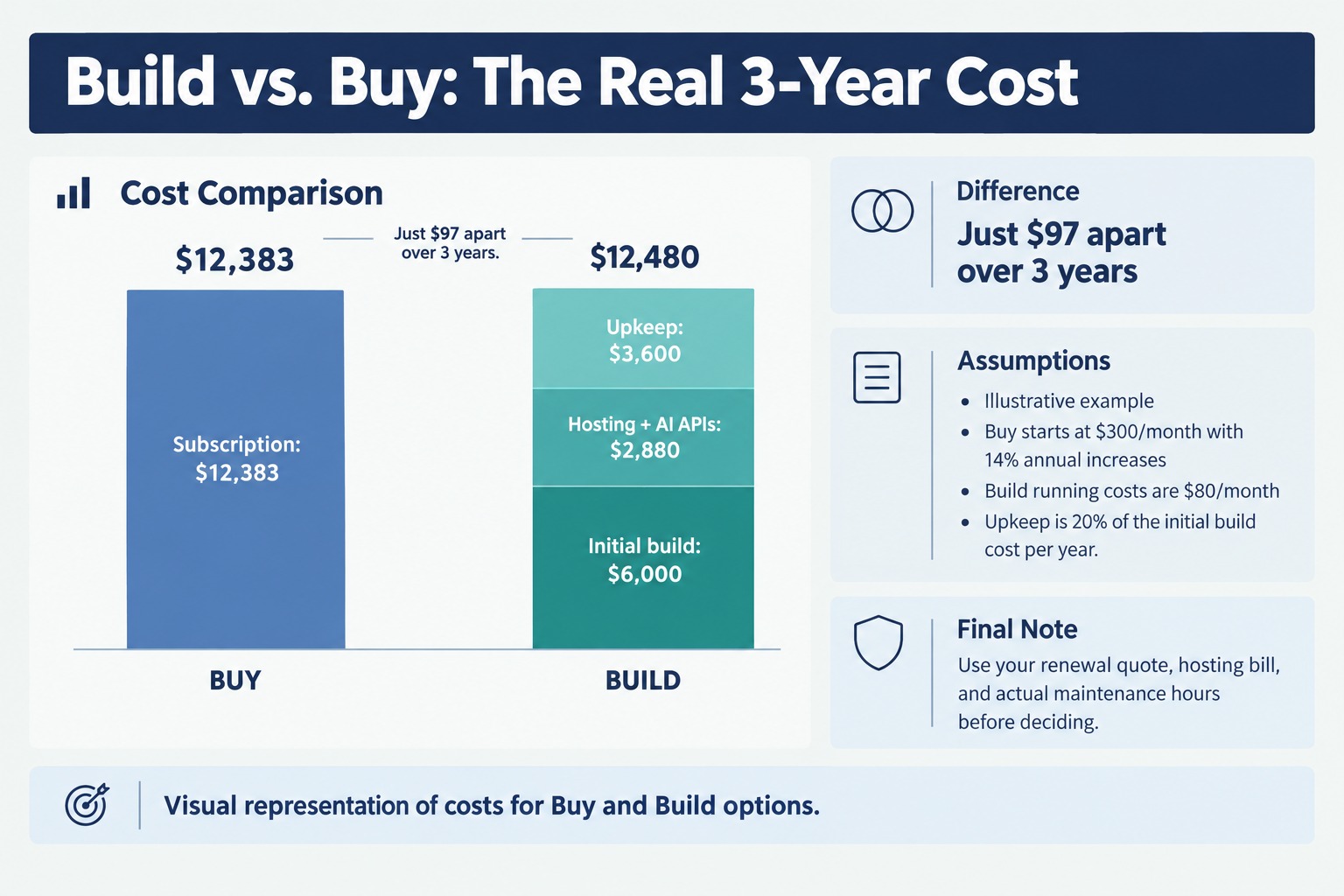
Here’s an illustrative three-year comparison for one $300 a month tool, assuming prices rise 14% a year:
| Buy | Build | |
|---|---|---|
| Starting cost | $0 | $6,000 to ship |
| Running cost, 3 years | $12,383 (subscription with 14% yearly increases) | $2,880 (hosting and AI APIs at $80 a month) |
| Upkeep, 3 years | Included | $3,600 (20% of build cost a year) |
| 3 years total | $12,383 | $12,480 |
Basically a tie. Building only pulls ahead when you add seats, use the tool more heavily, or sell it to others. That last point is exactly why ImagineLab Art made sense for us.
So before you decide whether your business should build or buy its software, swap in your own numbers. Use your real renewal quote, your real hosting bill, and an honest count of the hours someone will spend fixing things.
When Buying Your Software Is the Smart Call
On the flip side, some tools should never be rebuilt. If a tool is boring but critical, the answer to whether your business should build or buy its software is easy. Buy it.
Buy when:
- It’s a commodity everyone needs, like payroll, email, accounting, tax filing or password managers.
- The rules behind it change often, such as tax or payment compliance.
- Nobody on your team can fix it at 2 a.m. when it breaks.
- You only open it a few times a month.
Advisors at Oliver Wyman go further: they tell clients to buy almost everything unless there’s an overwhelming case for building. That’s a fair starting point for any small team.
Real flaws owners complain about:
- Price creep and shrinkflation. Vendors raise prices at renewal or quietly move features to a higher tier while the price stays the same.
- Lock in. Your data, templates and habits pile up inside one vendor, so leaving gets harder every year.
- Paying for what you don’t use. Empty seats and unused features still show up on the invoice.
Who Should Skip This: businesses whose main daily work keeps hitting plan limits, credit caps or seat charges every single month.
When Building Your Own Software Pays Off
Now, you might be wondering… when does building actually make sense? For us, it came down to five signals. When most of them show up, the case to build gets strong.
- Daily use: Your team opens the tool every day and keeps hitting plan limits.
- Your edge: It touches the work that makes you different from competitors.
- One named owner: A real person will maintain it, not “the team.”
- A product hiding inside: Other businesses would pay for what you’re building.
- Your data in one place: You’re tired of exporting the same data between three apps.
Real flaws owners complain about:
- Maintenance never stops: Every API change, model update or browser update lands on your desk.
- AI-written code still needs review: Logins, payments, security and databases are where shortcuts hurt most.
- Knowledge sits with one person: If your builder leaves, the tool can stall for weeks.
Who Should Skip This: solo founders with no technical owner and no spare hours each week. If that’s you, the honest answer to “should your business build or buy its software?” is Buy, for now.
The Hybrid Path and a 5-Question Test
Bottom line: most businesses shouldn’t pick one side. Researchers at the MIT Center for Information Systems Research describe three paths for AI tools: buy a ready product, boost a bought tool with your own data, or build from scratch.
That’s how we actually work. We rent AI models through APIs and build our own product layer on top. Legal teams face the same split, as our look at legal SaaS and AI native legal platforms shows.
Use this test whenever someone asks if your business should build or buy its software:
- Do we use this every day?
- Does it touch what makes us different?
- Is there one named person who will own it?
- Does our three-year math beat the renewal quote?
- Could someone else pay us for it?
Three or more yes answers? Build or boost. Two or fewer? Buy, then renegotiate at renewal with real usage numbers in hand.
Frequently Asked Questions (FAQs)
Is it cheaper to build or buy software?
Buying is usually cheaper in year one. Building can win over three years if your usage grows or you sell the tool, but upkeep often costs more than the first build.
Can AI coding tools replace SaaS for small businesses?
For narrow tools, yes. Small firms have swapped CRMs for AI-built apps, though regulated systems like payroll and accounting are still safer to buy.
Hosting, AI API usage, security work, bug fixes, updates and the time of whoever owns the tool. Lost focus on your main work counts too.
What does buy, boost or build mean?
It’s an MIT CISR framework. Buy a ready tool, boost a bought tool with your own data, or build your own from scratch.
How do I know when to cancel a SaaS subscription?
Check real usage before renewal. If seats sit empty or you only use one feature, downgrade, renegotiate, or test a replacement side by side first.
Final Thoughts
Should your business build or buy its software? Buy the basics, build the daily tools that carry your edge, and blend the two everywhere else. That approach kept our work moving when the budget got tight, and it gave us a product that now earns money.
Your next step is simple. List every subscription, run each one through the 5 question test, and pick just one tool to rebuild. Run it beside the paid version for 30 days before you cancel anything.