


I’m the local guardian of my three nephews. Two are in school right now, and the youngest starts next year. Their mom (my sister) works in another city, my own mom handles the daily routine, and I’m the one the school calls. Between my job and everything else, I had almost no time left to check homework or talk to their teachers, and it showed. So I went looking for the best parent-teacher communication apps, with one goal: my sister and I should both get the same updates, straight from the teachers.
Here’s what I found after digging through app pages, help centers, and a lot of parent complaints.
Short version? The best app is usually the one the school already uses. Your real job is getting every guardian connected to it.
That sounds obvious. It isn’t. Most “best apps” lists online are written for teachers, and a few still recommend apps that don’t exist anymore (Edmodo shut down on September 22, 2022, yet it still shows up in some 2026 roundups). This list is for the person at the other end of the message.
Quick Answer: The Best Parent-Teacher Communication Apps at a Glance
If you only have two minutes, this table covers every parent-teacher communication app on my list. Scan the last column. That’s the part guardians actually care about.
| App | Made for | Cost to families | Why a guardian would care |
|---|---|---|---|
| ClassDojo | Elementary classes | Free core, optional paid Plus | Each guardian gets their own login |
| ParentSquare | Whole districts | Free (school pays) | Pulls contacts from school records |
| Remind | Quick class texts | Free (Remind Chat) | Works by plain text; no app needed. |
| TalkingPoints | Multilingual families | Free app | Translates 150+ languages |
| Seesaw | Kids’ work portfolios | Free | Up to 10 family members per child |
| Bloomz | All in one school hub | Free (school pays) | Translates 250+ languages |
| Google Classroom | Older kids’ homework | Free | Daily or weekly email summaries |
| brightwheel | Preschool and childcare | Through the center | Add grandparents, manage pickups |
| SchoolStatus Connect | District messaging | Free (school pays) | The app ClassTag became |
| Konstella | PTA and parent groups | Free | Volunteer sign ups, class directory |
One pattern jumps out. Almost none of these cost families anything.
Here’s the Catch: You Don’t Pick the App
Most beginners make the mistake of shopping for a parent-teacher communication app like it’s a phone plan. You can’t. The school or the teacher decides, and you join whatever they chose. My two nephews in school could easily end up on two different apps.
What you can control is smaller, and it matters more:
- Who’s on the school’s contact list. District apps like ParentSquare pull contacts from school records. If my sister isn’t on the enrollment form, she gets nothing.
- How many guardians connect. Some apps give each adult a separate account. Some cap it. Ask.
- Notification settings. A daily digest beats 14 pings during a work meeting.
If the school still leans on in person check ins, our guide to making parent-teacher meetings count pairs well with any of these apps.
The 10 Best Parent-Teacher Communication Apps, Ranked for Busy Guardians
I ranked these by one question: how well does each parent-teacher communication app work when two or three adults share the job? Features came second.
1. ClassDojo
ClassDojo is the parent-teacher communication app most elementary families meet first. Messaging with teachers, class points, and Class Story updates are free, and the company says they’ll stay free.
Adding a second guardian is easy. The teacher can invite another parent by email or phone, or hand out a parent code. My sister would get her own account.
Here’s the part nobody mentions. Those accounts aren’t linked. If the teacher sends me a private message, my sister doesn’t see it. You’ll still need to forward the important stuff.
Then there’s ClassDojo Plus. It adds a homework helper, a story library, read receipts, calendar sync, and saved photo albums, and you can share it with up to three other adults. Long term users mostly complain about the price and surprise charges after the 7-day free trial ends. Cancel early if you’re just testing it.
2. ParentSquare
If your district runs ParentSquare, you probably didn’t sign up at all. The school’s records did it for you. That’s great for split households, as long as every guardian appears on the enrollment paperwork.
The settings are what make this parent-teacher communication app livable. You pick email, text, or app alerts, and you can switch to a single daily digest that arrives around 6 PM. Emergency alerts (like snow closures) still come through instantly. It also translates messages into 100+ languages.
ParentSquare also owns Remind now. The deal closed in November 2023.
3. Remind
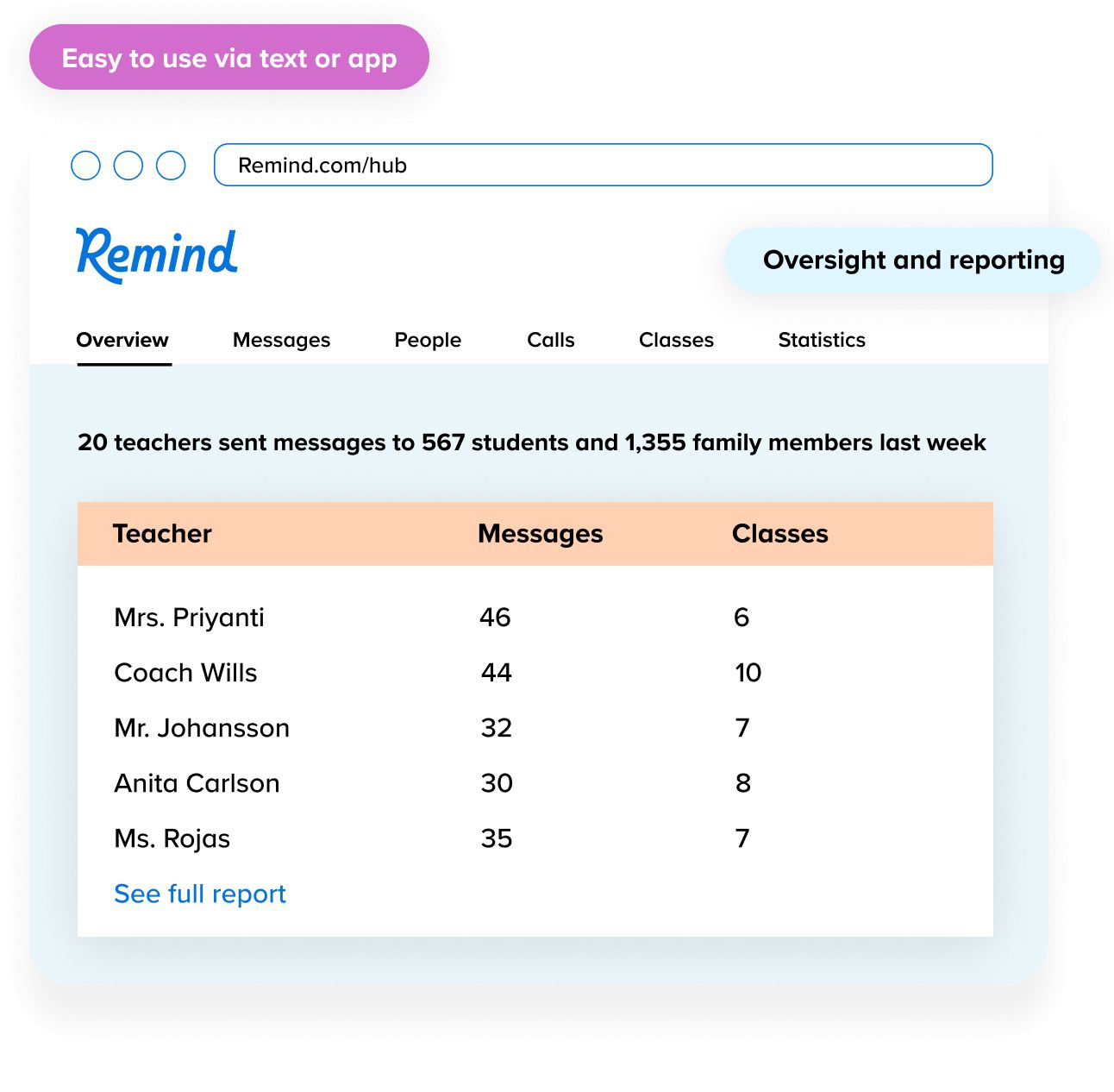
Remind is the low-tech option, and I mean that as praise. Remind Chat is still free, and families can get messages by text, app, or email. My mom doesn’t need to learn a new app. She just gets a text.
Translation runs both ways in more than 90 languages. The weak spot? Teachers and coaches use it like a megaphone for announcements, so don’t expect detailed progress notes through this parent-teacher communication app.
4. TalkingPoints
This parent-teacher communication app exists for families who speak a different language at home. TalkingPoints translates messages in more than 150 languages, and it’s free for teachers.
One detail matters for grandparents. Families can use the free app or website, but getting messages by plain text requires the school to pay for a plan. Worth asking about if an older relative handles pickups.
5. Seesaw
Seesaw is a parent-teacher communication app built around your kid’s actual work: photos of worksheets, drawings, and short videos of them reading. It’s free for families.
The number I liked most: up to 10 family members can connect to one child’s journal. That’s me, my sister, and my mom, with room to spare. One snag: only teachers can send invites, so you have to ask for each one.
6. Bloomz
Bloomz tries to do everything (messaging, calendars, volunteer sign-ups, behavior tracking, and portfolios). Schools pay between $3 and $11 per student a year depending on the plan, and it’s free for teachers and families. It also claims translation in 250+ languages.
The common complaint from people who use this parent-teacher communication app daily is clutter. Finding one message from last month can take a few taps too many.
7. Google Classroom Guardian Summaries
Not a chat app. Still useful.
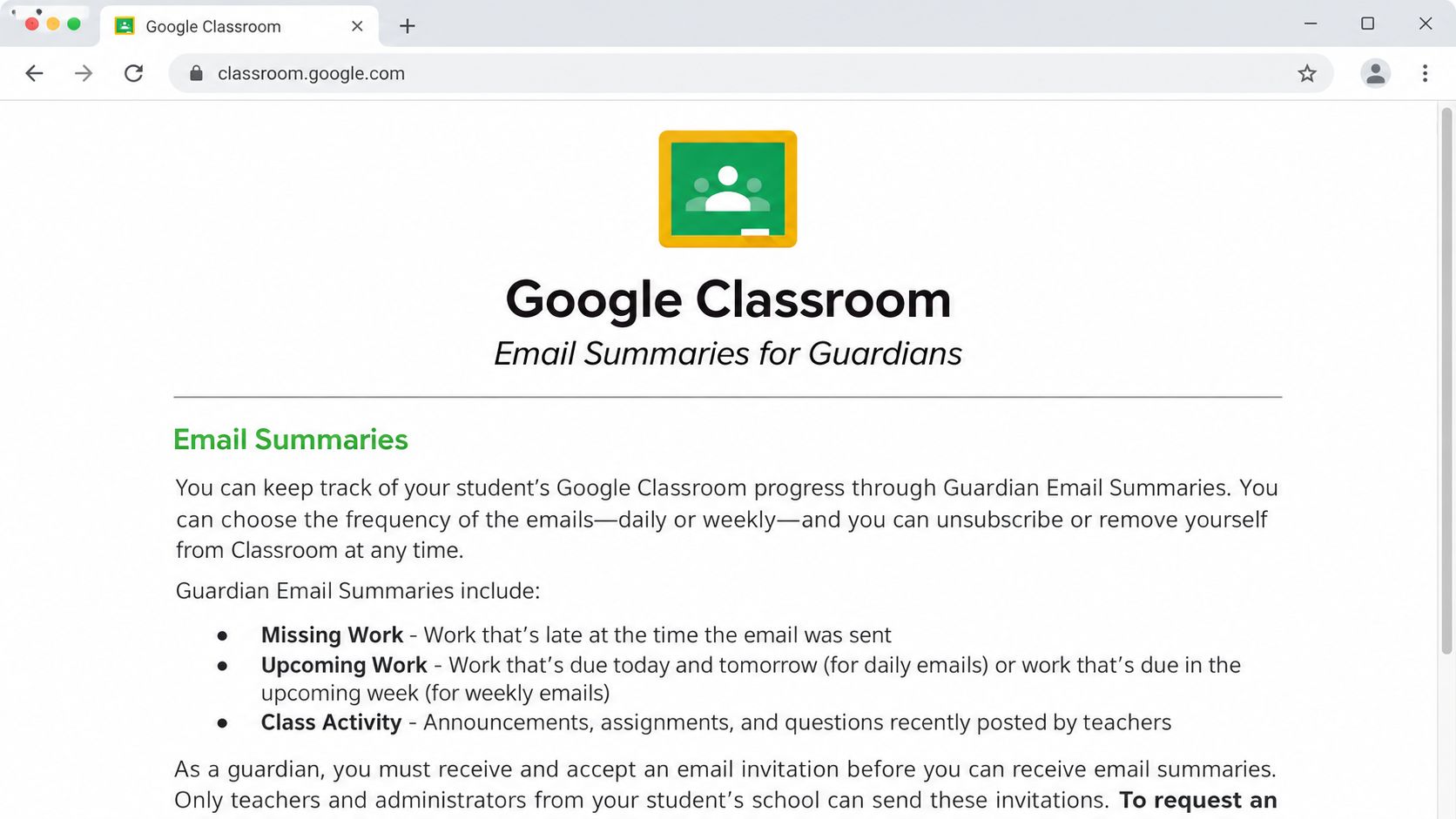
If your older kid’s class runs on Google Classroom, a teacher or school admin can invite guardians to get email summaries. You choose daily (Monday through Friday) or weekly. Each one lists missing work, work coming up, and recent class posts. No grades, though.
For a busy guardian, this parent-teacher communication app feature is gold: one email tells you whether homework slipped. Accept the invite fast, because it expires after 120 days. If you’re also weighing learning platforms at home, see our online curriculum comparison.
8. brightwheel
This is the one I’m watching for my youngest nephew next year. Brightwheel lives in preschools and childcare centers. Families can add parents, grandparents, or other adults to a child’s profile so they get updates, and there’s an approved pickup list you manage yourself.
You don’t buy it. The center does. So this parent-teacher communication app only matters if your preschool already uses it.
9. SchoolStatus Connect
You might remember ClassTag. SchoolStatus bought it in 2023 and folded it into its own platform, now sold to districts as SchoolStatus Connect. ClassTag translated messages into 100+ languages. Teachers can’t really pick this parent-teacher communication app on their own anymore, so it’s on the list mainly so you recognize the name.
10. Konstella
Konstella isn’t for talking to teachers directly. It’s the parent-teacher communication app your PTA uses for announcements, volunteer sheets, fundraising, and the class directory. Its own App Store listing says it’s only useful if your school runs it. For a new guardian, the directory alone helps.
Features You Can Skip (and Where Your Money Should Go)
The truth is, the free tier of almost every parent-teacher communication app already does the one job you need: getting the teacher’s message to you. The paid extras mostly target worried parents.
- Read receipts. Nice to have. Teachers answer when they answer, and knowing they opened your message at 9:14 PM won’t change that.
- Behavior points at home. Reviews keep saying the same thing: a minus point tells you something happened, not what. Call the teacher instead.
- Paywalled photo albums. Some families only notice at the end of the year that saved memories sit behind a subscription. Download the photos you love every month. Free.
- AI homework help inside a messaging app. If your kid needs tutoring, pay for a real tutor or a proper learning platform, not an add-on.
Where to spend instead? Honestly, spend time, not money. Ten minutes at the school office making sure every guardian’s phone and email is on file does more than any premium plan.
A Setup Plan for Two Guardians in Two Cities
This is the plan I’m following now. It works with any parent-teacher communication app, because the app is only half the fix.
- Ask each teacher which app they use. Write it down per kid. Don’t assume the whole school uses one.
- Put every guardian on the school record. My sister, me, and my mom, each with a phone number and email. District apps read this list directly.
- Request a separate invite for each adult. One shared login means one person reads everything and the others miss it.
- Turn on the daily digest wherever the app offers it. Keep emergency alerts on instantly.
- Forward private messages. On apps like ClassDojo, a teacher’s direct message to me stays with me. My sister and I are setting up a small family group chat just for school stuff.
- Sync dates to one shared calendar. Exams, early dismissals, meeting days. One calendar, three adults.
One afternoon of work. Big difference.
FAQs About Parent-Teacher Communication Apps
What is the best app for parent-teacher communication?
The one your child’s school already uses. Among parent-teacher communication apps, Remind says it reaches more than 80% of U.S. public schools, ParentSquare runs many district systems, and ClassDojo and Seesaw are common in elementary grades.
Is ClassDojo free for parents?
Yes. Messaging, class points, and Class Story are free. ClassDojo Plus is an optional paid add on, and the price varies by country.
Can both parents see ClassDojo messages?
Both can connect, each with a separate account. But private messages between a teacher and one parent stay with that parent.
Do parents need to download an app to get teacher messages?
Not always. Remind and ParentSquare can send messages as plain texts or emails. Seesaw and ClassDojo need an account.
Is Remind still free after the ParentSquare deal?
Yes. Remind Chat is still free for teachers and families.
Final Thoughts
I started this hoping to find one perfect app. That’s not how it works. The best parent-teacher communication apps are the ones your kids’ schools already run, set up so that every adult in the kids’ lives gets the same message at the same time.
So this week, ask each teacher which app they use. Then get your co guardian (for me, my sister) added as a separate contact. That one step closes most of the gap.






















