Subscriptions rarely appear in one neat list. A streaming service charges your card. Cloud storage bills through Apple. A work tool renews through PayPal. By the time you notice how much you spend each month, you may have forgotten which account pays for what.
Subscription tracker apps can help, but they solve different problems. Some search connected bank transactions for recurring charges. Others remind you about subscriptions you enter yourself. A few offer cancellation assistance, though only for eligible services and usually on a paid plan.
When I compare these apps, I focus on three questions: What can the app find? What could it miss? And who must actually cancel the service? Those answers will help you choose a useful tool without paying for features you do not need.
This comparison is based on published product and support information reviewed in October 2026. It is a feature comparison, not a hands-on test of detection accuracy. Plans and availability may change.
10 Subscription Tracker Apps at a Glance
The first choice is between automatic detection and manual tracking. The table shows what each app can see and where you may need to do more work.
| App | What it finds | What it may miss | Who cancels? |
| Rocket Money | Recurring charges in linked accounts; manual additions | Unlinked accounts and individual services hidden within some app-store charges | Rocket Money Premium can help with eligible services; otherwise, you |
| Hiatus | Recurring expenses in linked accounts | Unlinked payments and providers its team cannot handle | Hiatus Premium can help with supported services; otherwise, you |
| PocketGuard | Recurring transactions; manual additions | Charges it does not recognize or match to a merchant | You, with guidance from the app |
| Monarch Money | Recurring transactions; manual additions | Some separate subscriptions billed by the same merchant | You |
| Quicken Simplifi | Recurring payments from linked accounts; manual additions | Transactions that fail to match a recurring series | You |
| Snoop | Regular payments in connected accounts | Payments outside those accounts | You |
| Emma | Recurring payments in linked accounts | Payments outside linked accounts | You |
| Bobby | Subscriptions you enter | Anything you forget to add | You |
| Subby | Subscriptions you enter | Anything you forget to add | You |
| TrackMySubs | Subscriptions you enter | Anything you forget to add | You |
A tracker’s list is a starting point, not proof that you have found every subscription. Here is where each app fits.
The 10 Subscription Tracker Apps and Their Limits
The apps below are ordered from connected-account tools to manual trackers. They are not ranked by detection accuracy, which would require testing each one against the same set of accounts and charges.
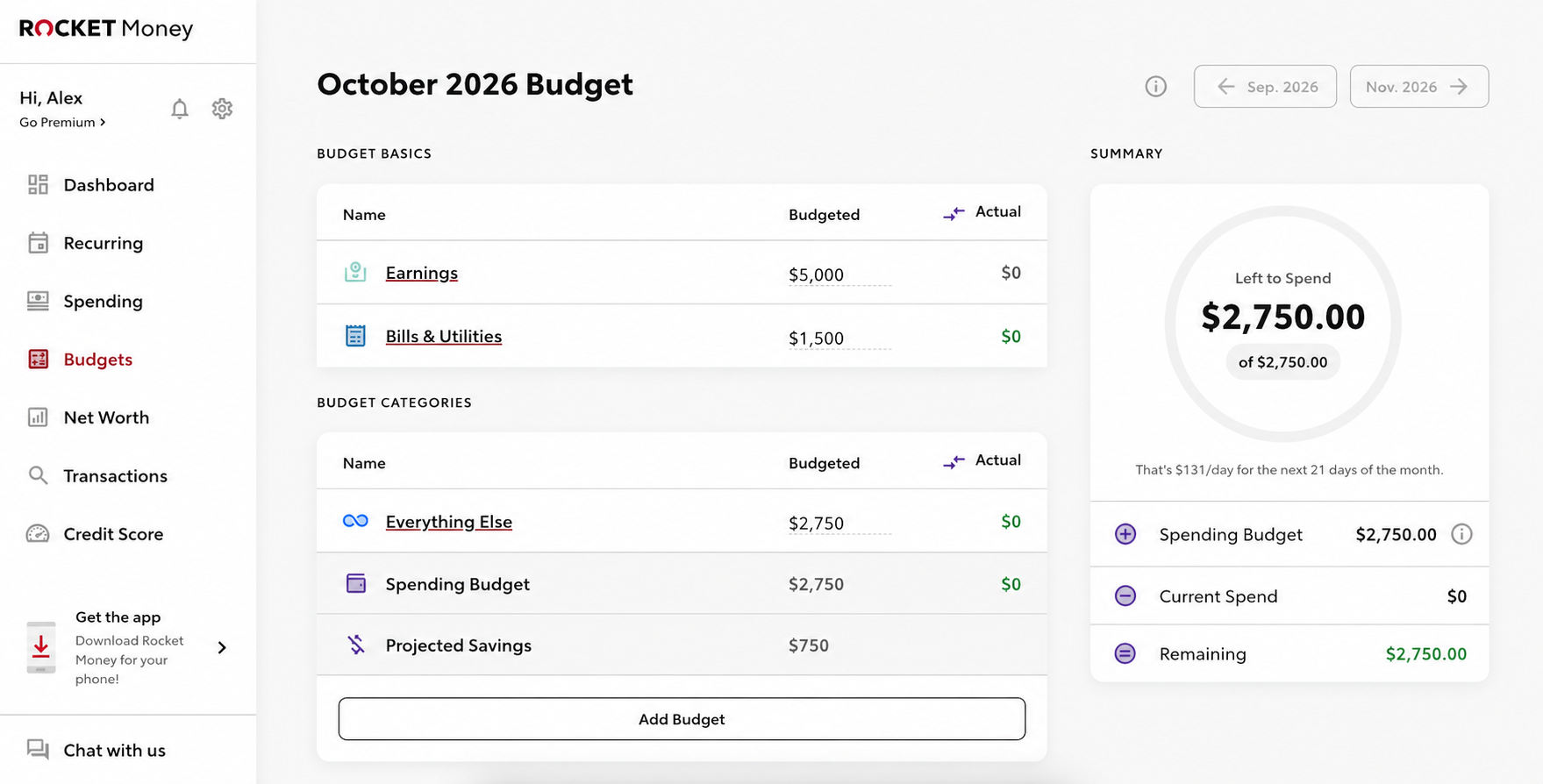
1. Rocket Money: Detection Plus Eligible Cancellation Help
Rocket Money scans transactions in linked accounts for subscriptions and recurring bills. Subscription tracking is available on its free plan. If it misses an item, you can add it manually in the mobile app.
Its main difference is the Premium cancellation assistant. For an eligible service, you can ask Rocket Money’s team to contact the provider. If that option is unavailable, the app gives you instructions to cancel it yourself. Services billed through Apple, Google Play, PayPal, or another platform may require you to cancel at that platform.
Rocket Money serves U.S. users and supported U.S. financial institutions. It will not find a charge on an account you have not connected. Apple spending may also appear under a shared billing description rather than clearly naming each app subscription.
My take: Rocket Money is worth considering if you want help with eligible cancellations. Check the request status and your next statement; sending a request does not instantly stop a payment.
2. Hiatus: Help With Supported Cancellation Requests
Hiatus uses linked financial accounts to bring recurring expenses into view. Its Premium service includes specialists who can help cancel unwanted subscriptions.
That help has boundaries. Some providers require the account holder to cancel directly, so Hiatus may guide you to the right place without being able to finish the process for you. It also cannot give you a complete list if some of your payment accounts are missing.
I would check whether Hiatus can help with the particular service I want to leave before paying for Premium. If you only need a record of upcoming charges, cancellation assistance may be more than you need.
3. PocketGuard: Subscriptions Within a Budget
PocketGuard identifies some recurring charges from linked transactions and lets you add others manually. Because it is also a budgeting app, you can see subscriptions alongside bills and everyday spending. It offers a trial before its paid plan.
PocketGuard provides cancellation guidance, but it does not contact providers to cancel subscriptions on your behalf. You must go to the service, app store, or other billing platform yourself.
Its recurring list also needs a review. A charge may not be recognized automatically, and a difference between the name of a bill and the merchant name on a transaction can prevent a match.
PocketGuard makes the most sense if you want to understand how subscriptions affect your wider budget, not just collect renewal reminders.
4. Monarch Money: A Calendar for Household Payments
Monarch Money looks for recurring transactions in connected accounts and places upcoming items on a calendar. You can review its suggestions and add a recurring payment manually. For a household with several bills, that calendar may be easier to use than a plain list. Monarch serves users in the U.S. and Canada.
One limitation deserves attention if you pay the same provider for multiple services. Monarch links one recurring transaction to each merchant profile. When two payments have identical amounts and merchant descriptions, separating them may require manual work.
Monarch does not cancel subscriptions with the merchant. I would choose it for a broader household money view; a simple subscription list alone may not justify a full money management app.
5. Quicken Simplifi: Recurring Charges in a Spending Plan
Quicken Simplifi detects recurring transactions after you connect your accounts and groups them into payment series. You can create a series yourself when it misses one. Reminders and projected cash flow help you see what is due. Simplifi serves users in the U.S. and Canada.
Be careful with the controls inside the app. Ending a recurring series in Simplifi does not cancel the service that charges you. It changes your record and reminders in Simplifi. A new transaction can also fail to match an expected payment, so check any reminder that looks overdue when you know you have paid.
Simplifi is a good fit when subscription costs are one part of a spending plan you already want to manage.
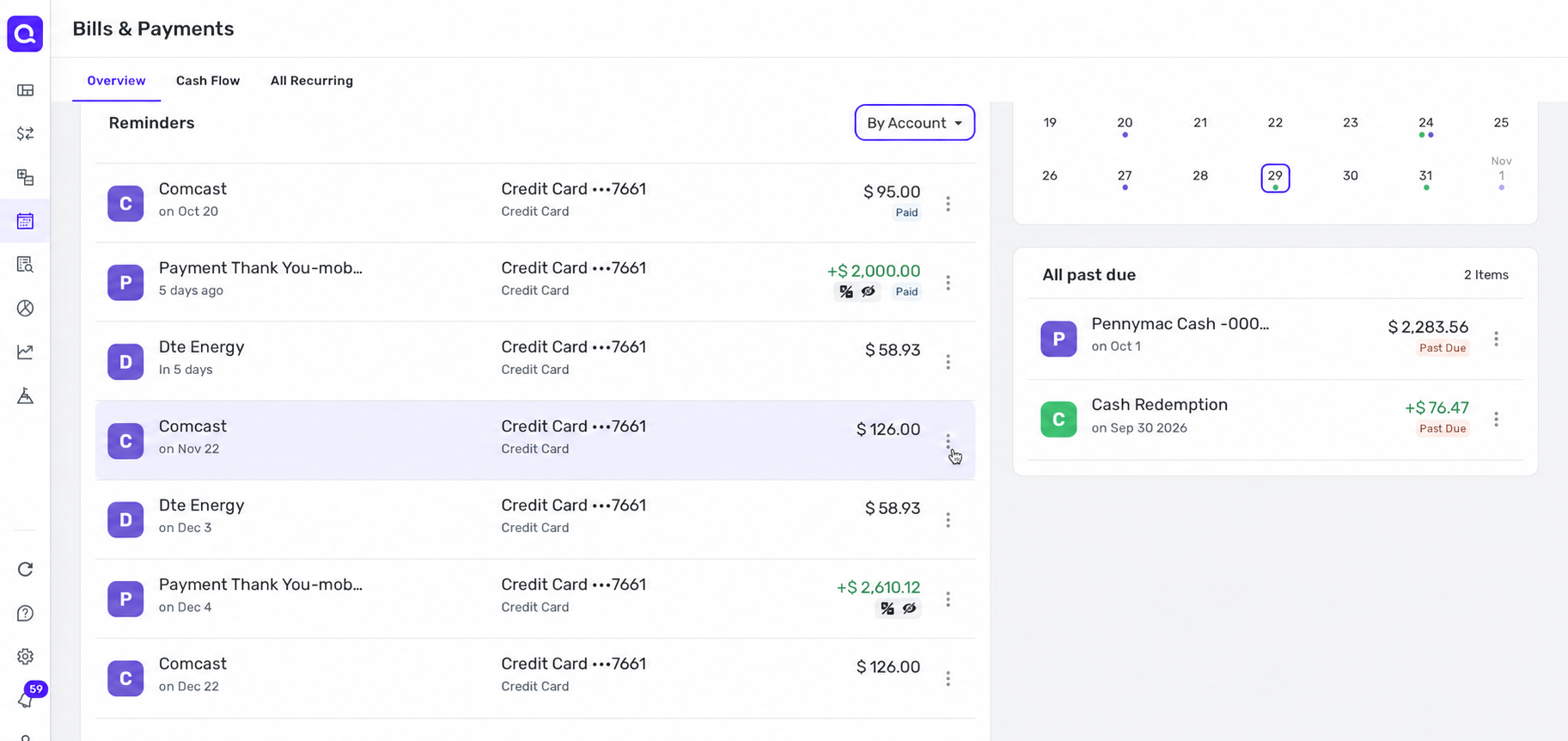
6. Snoop: A Free Starting Point for U.K. Users
Snoop’s Payment Hub shows regular payments and subscriptions from connected accounts. Its free offering includes subscription tracking and reminders for upcoming bills and contract renewals.
That makes it an appealing first check for U.K. users. You can see what appears in the Payment Hub before deciding whether you need a paid feature elsewhere. You should still compare its list with any card or account outside your connected accounts and check that renewal dates are correct.
Snoop helps you keep track of payments; it does not provide a specialist service that cancels subscriptions with merchants for you.
7. Emma: Recurring Payments on Paid Tiers
Emma detects recurring payments in linked bank and card accounts. There is an important plan detail: its recurring-payment view is available on Emma Plus, Pro, and Ultimate. Downloading the free basic app does not by itself give you that view. Emma documents availability in the U.K., U.S., and Canada.
The list becomes more complete when you link the accounts used for your subscriptions, but it still cannot show an unlinked payment. Emma also says it cannot cancel payments through the app. You must contact the provider or take the appropriate step through your payment account.
I would consider Emma if I already wanted its other money tools. If recurring-payment detection were the only feature I needed, I would compare the paid tier carefully with other options.
8. Bobby: A Simple iPhone Renewal List
Bobby takes a manual approach. You add each subscription and its billing details, then use the app to see upcoming payments and receive reminders. It is free to download on iPhone, with in-app purchases for expanded features, including an option to unlock the subscription limit.
There is no bank scan to find a forgotten payment. Bobby can only remind you about subscriptions you entered, and it cannot cancel them.
That tradeoff can be useful for free trials. You can record the deadline when you sign up, before a charge exists for any bank-linked tracker to find.
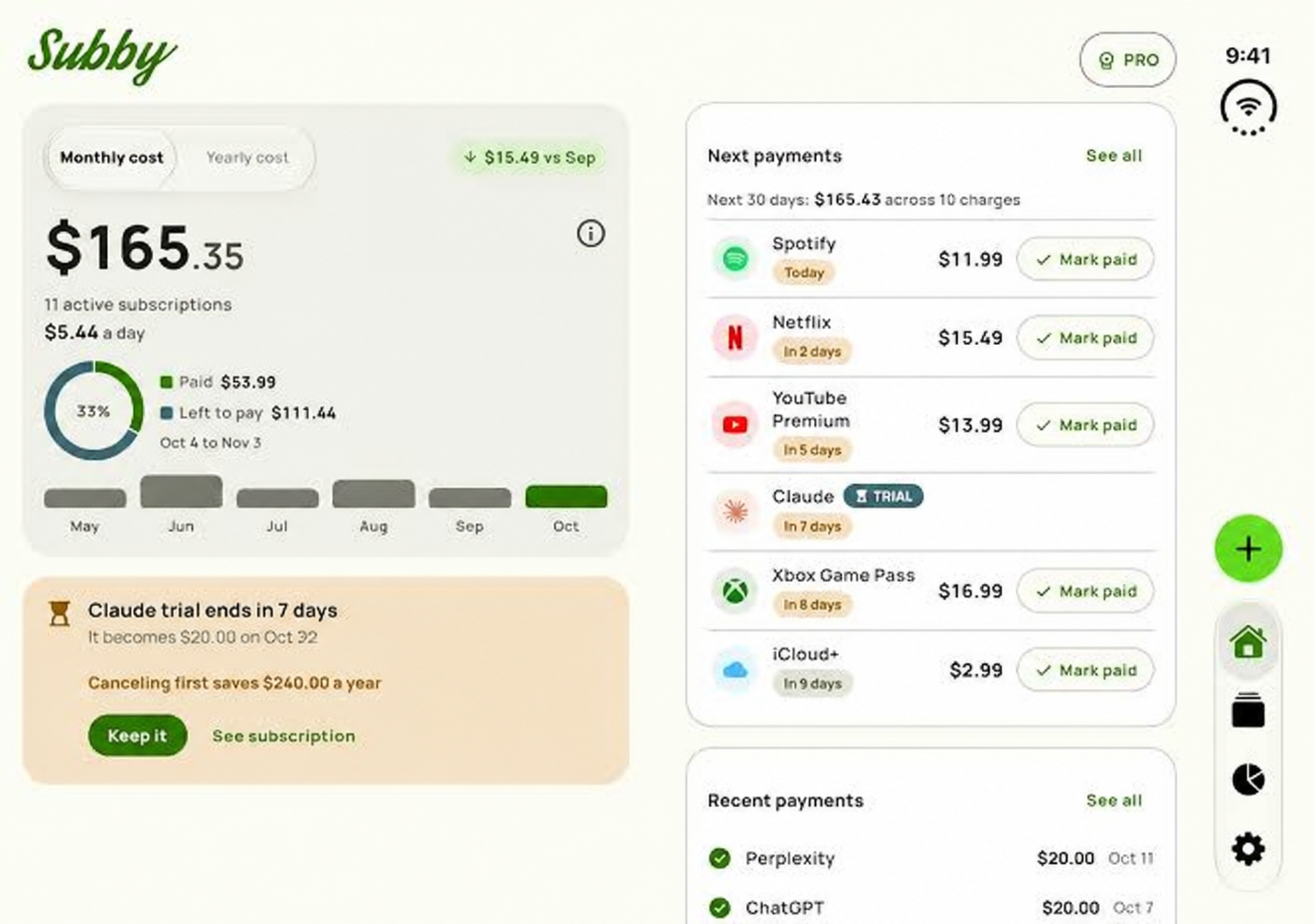
9. Subby: Manual Tracking on iPhone and Android
Subby works on iPhone and Android. You add subscriptions yourself and set reminders before they renew. It does not require a bank login. The free version has ads, and Pro is offered as a one-time purchase.
Subby does not search your bank transactions or cancel services. Its list will only be complete if you keep it up to date. For someone who wants renewal reminders without linking financial accounts, that may be a reasonable exchange.
10. TrackMySubs: An Inventory for Personal and Work Tools
TrackMySubs is a web-based manual tracker. Its free plan lets you record up to 10 subscriptions; a paid plan supports more. You can use it to organize renewal dates and payment details across personal services and work software.
It does not inspect your bank account, so it cannot uncover a charge you have forgotten to enter. It does not cancel subscriptions with providers either.
I would look at TrackMySubs when I need a deliberate inventory—particularly for work tools where the person using the software may not be the person who pays for it. Recording the billing source and renewal date makes that list more useful when it is time to review or cancel a service.
Which Apps Can Cancel a Subscription for You?
Among these 10 apps, Rocket Money Premium and Hiatus Premium offer cancellation assistance for eligible providers. Neither can promise to handle every subscription. The provider may require you to sign in, verify your identity, or cancel through the platform that bills you.
PocketGuard offers instructions, while the other apps primarily find, organize, or remind you about payments. Their ability to display a charge should not be confused with the ability to stop it.
There is one rule I would follow regardless of the app: treat a subscription as active until the provider or billing platform confirms cancellation. Then check the following statement for another charge.
What Subscription Tracker Apps Commonly Miss
Even a good automatic tracker can leave gaps. Before relying on its total, check these situations:
- Another payment account: A charge on an unlinked card or bank account may never appear.
- A free trial before its first charge: A transaction-based tracker has no payment to recognize yet.
- App-store billing: Your statement may show Apple or Google without clearly identifying the individual subscription.
- An annual renewal: A once-a-year charge provides less history from which to recognize a pattern.
- An unclear merchant name: The name on a transaction may differ from the service you remember buying.
- Two charges from one company: Separate plans billed by the same merchant can be difficult to distinguish.
- A missing manual entry: Bobby, Subby, and TrackMySubs cannot remind you about a service you never added.
These limits matter most when you want to cancel something. You need to know who bills you, not merely the name of the app or service you use.
How I Would Audit Subscriptions Before Choosing an App
A short audit will tell you whether you need automatic detection, reminders, or cancellation help.
- Check bank and card statements: Look back far enough to catch quarterly and annual charges.
- Open your Apple and Google subscription lists: Check every account you use. Deleting an app from your phone does not cancel a subscription billed through an app store.
- Review PayPal automatic payments: Identify the merchant, then check the service’s own cancellation process as well.
- Search your email for receipts and renewal notices: They may reveal the account that owns the subscription, its next billing date, or a price change.
- Record the billing source and renewal date: Add trials immediately, while you still have time to cancel before the first payment.
- Keep cancellation proof: Save the confirmation and check the next statement. If a charge continues unexpectedly, contact the provider and your bank or card issuer with your records.
If you live outside the U.S., Canada, or U.K., check bank compatibility before paying for an automatic tracker. Do not assume that an app’s availability in your app store means it can connect to your local bank. A manual tracker may be simpler to set up.
Frequently Asked Questions on Subscription Tracker Apps
Can a subscription tracker find a free trial before I am charged?
An app that relies on bank transactions cannot find a trial that has not produced a payment. Add the end date to a manual tracker or calendar when you sign up, and set a reminder before it expires.
Are free subscription tracker apps automatic?
It depends on the app. Rocket Money offers tracking on its free plan, while Snoop includes regular-payment tracking in its free tier. Bobby and Subby require manual entries. Emma’s recurring-payment view is on paid tiers.
Does removing a subscription from a tracker cancel it?
No. Removing an entry, ending a payment series, or turning off a reminder changes the tracker. You still need to cancel with the provider, app store, or other platform that bills you.
What if I am charged after canceling?
Check the cancellation confirmation and its effective date first. Contact the provider if the charge appears wrong. If the issue remains unresolved, ask your bank or card issuer about its dispute process and provide your records.
A Complete List Is Only the First Step
Subscription tracker apps can reveal a forgotten charge or warn you before a renewal. Their usefulness depends on whether they can see the right payment accounts, or whether you keep a manual list current.
My rule is simple: use a tracker to find and organize subscriptions, then use the biller’s confirmation to know a subscription has ended.