A research essay, a difficult lesson and an upcoming exam call for different kinds of help. You may need to find a paper, understand an explanation or answer questions without looking at your notes. AI study tools can help with each task, but their strengths vary.
I have used all nine tools in this list for study and research. The question I ask before opening one is simple: What do I need to do next? If I need to work through an idea, I want a tutor. If I need evidence, I want to inspect the original sources. If I am revising for a test, I want questions that show me what I have missed.
The tools below are ordered by their breadth of use and how clearly they fit a student’s task. Their free plans deserve close attention. Free flashcard practice, for example, does not always include unlimited AI-generated cards or quizzes.
AI Study Tools at A Glance
| Tool | Best for | Free-access limit to know |
| Gemini Notebook | Studying and quizzing yourself on your own sources | Limits on sources and AI usage |
| ChatGPT Study Mode | Guided explanations and conversational practice | Your usual ChatGPT account limits apply |
| Perplexity | Finding web sources and background information | Advanced searches and uploads are limited |
| Elicit | Finding and comparing academic papers | Research Agent work has a monthly usage limit |
| Consensus | Exploring findings across scientific studies | Advanced analysis has monthly limits |
| Quizlet | Flashcards and exam-style Practice Tests | Limited free AI tests; age and country rules apply |
| Knowt | Practising from flashcard sets | One free AI file summary per month |
| RemNote | Notes and spaced revision | 250 AI credits per month on the free plan |
| StudyFetch | Quizzes and tests based on course materials | Free to start; current limits need checking |
Features and plan terms were checked in October 2026. They can change.
1. Gemini Notebook: Best for studying your own readings and notes
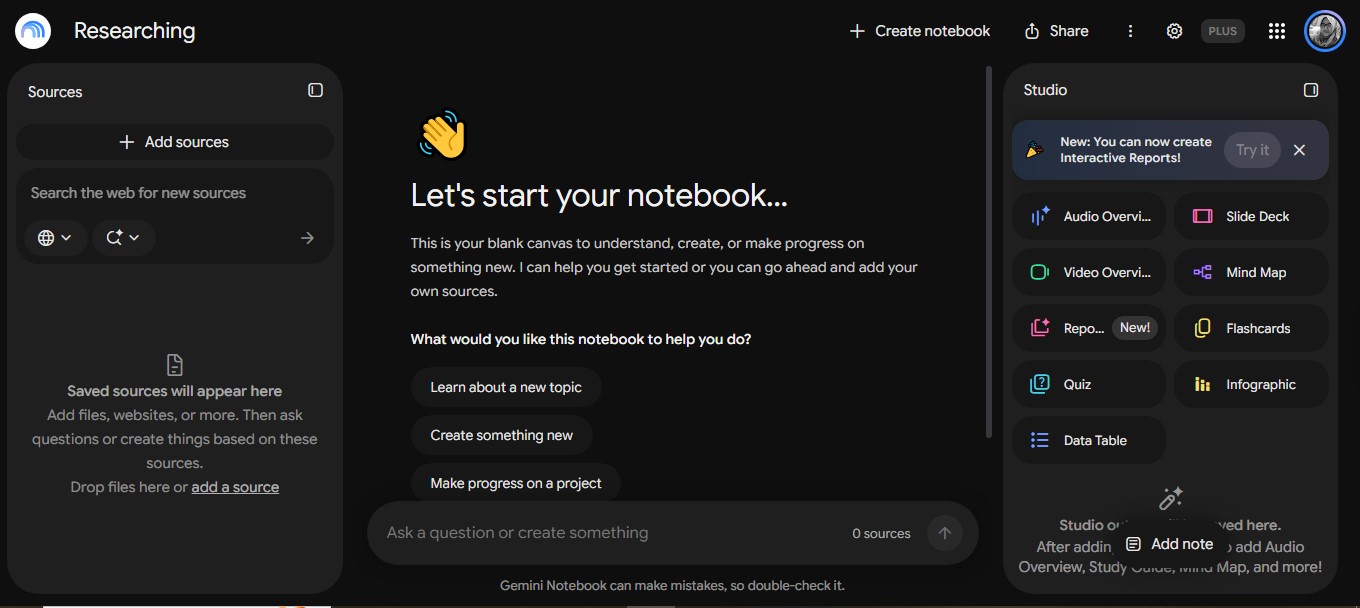
Gemini Notebook is a useful starting point when you already have the material you need to learn. Previously called NotebookLM, it lets you add supported files and sources such as PDFs, documents, slides, audio, web pages and public YouTube videos with captions.
You can ask questions about those sources, make flashcards and generate quizzes. The quiz settings let you choose a difficulty and tell the tool which topics to emphasize. Question formats now include short answers, multiple selections and fill-in-the-blank responses.
Its advantage is the connection between a question and the material you supplied. If an answer seems odd, you can return to the passage and check it. That is especially helpful when a lecture and a textbook explain the same topic differently.
The free plan allows up to 50 sources per notebook. AI use also has limits that depend on the work you ask it to do, so avoid assuming there is a fixed daily number of free quizzes.
My take: Start here when your main goal is to understand and revise a defined set of course materials. Check both the generated question and its answer against the original source.
2. ChatGPT Study Mode: Best for working through a problem
Sometimes I do not need another summary. I need to find the step where an explanation stopped making sense. ChatGPT Study Mode is built for that exchange. It can ask what you already know, offer a hint, work through a problem and check whether you can apply the idea yourself.
It can also use notes, slides, readings, worksheets, images and PDFs you provide. Ask it to quiz you one question at a time, wait for your answer and explain a mistake before continuing. That makes the conversation more useful than reading a complete answer and assuming you could have produced it.
Study Mode is available on ChatGPT’s free and paid plans, on the web and mobile. It follows your account’s normal message and upload limits. It can also make mistakes, so check important explanations against your course material.
Best use: A concept you cannot yet explain in your own words, a practice problem where you keep getting stuck or a short oral-style review before a test.
3. Perplexity: Best for finding where to begin researching
Perplexity helps when you have a research question but need to find the relevant terms, background and sources. It gives an answer with links to pages you can inspect. A focused question usually works better than asking it to “research everything” about a broad subject.
Its free plan allows extensive basic searching. More advanced searches and file uploads have tighter limits. Perplexity also offers Learn Mode through its paid Education Pro plan for verified students and educators; that feature should not be confused with the free basic search experience.
The linked sources are Perplexity’s most useful feature for research, but they still need reading. Check who published a page, when it was updated and whether it actually supports the point in the answer. For an academic assignment, a useful web page may lead you to a study without being an appropriate source to cite itself.
Best use: Getting oriented, identifying search terms and finding possible sources for a closer review.
4. Elicit: Best for comparing academic papers
Elicit is designed for work with research literature. Its Research Agent can find papers, examine individual studies and organize extracted details into tables. If you need to compare study methods, participants or findings, that structure can save you from juggling a stack of disconnected summaries.
The free Basic plan includes paper search, while Research Agent and report work have usage limits. Its guided Systematic Review workflow requires a paid plan.
One detail matters if you find an older Elicit tutorial: the separate Find Papers, Extract Data and Chat with Papers tools were folded into the Research Agent in September 2026. You can still ask the agent to do those tasks, but the earlier standalone workflow is no longer the right instruction for new work.
My take: Elicit is most useful after you have narrowed your research question. Use its table to decide which papers to read closely, then confirm the details in those papers before writing.
5. Consensus: Best for exploring what scientific studies report
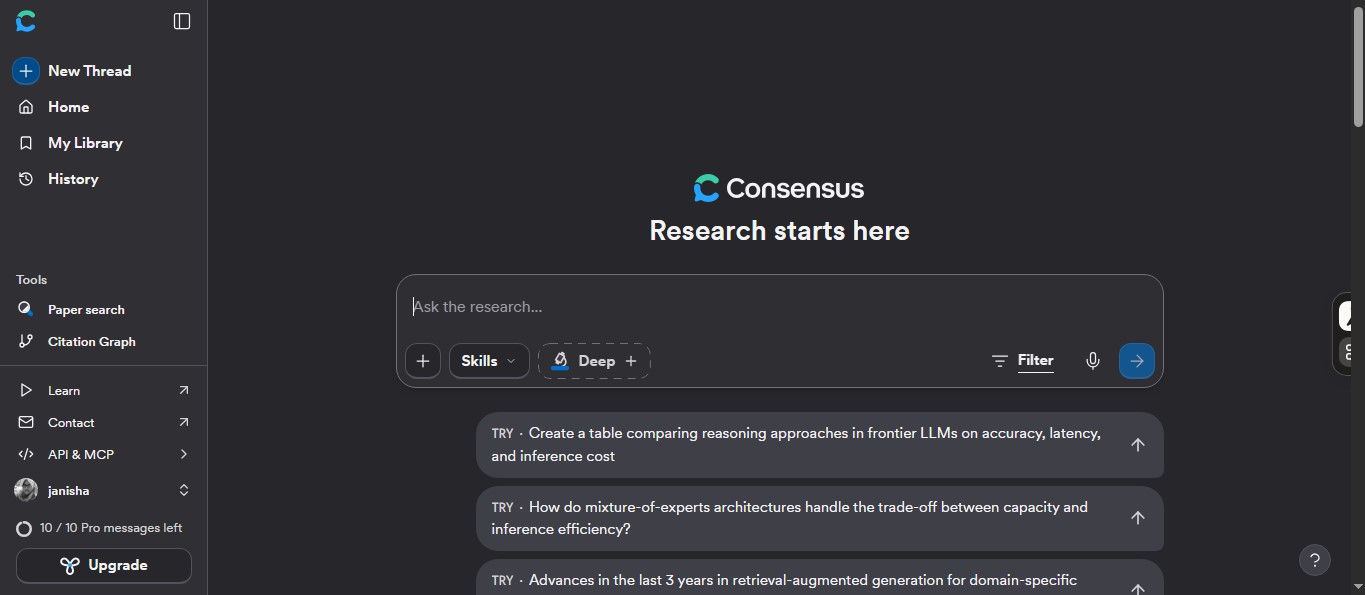
Consensus helps you search scientific research using a question rather than only a list of keywords. Its summaries point to papers, while Study Snapshots can show details such as methods, participants, sample size and findings. Those details help you judge whether a study addresses the question you actually asked.
For some yes-or-no questions, its Consensus Meter displays how the relevant results lean. Read that display carefully. It draws on a limited set of results, may classify an individual paper incorrectly and cannot represent every study on the subject.
The free plan currently includes unlimited basic paper searches, along with 10 Pro messages, three Deep reviews and 10 Study Snapshots per month. You may reach those limits during a large project.
Best use: Getting an initial view of a scientific question and identifying papers that deserve closer inspection. The methods and population of each study matter more than a quick yes-or-no result.
6. Quizlet: Best for flashcards and exam-style practice
Quizlet is familiar to many students for flashcards, but its AI-powered Practice Tests offer a different way to revise. They can make questions from uploaded notes or flashcard sets. You can adjust the number and type of questions and set a time limit before reviewing your results.
Be careful with the names. Quizlet’s AI-powered Practice Tests are distinct from its older Test study mode. Non-subscribers can try Practice Tests with limited access; broader access is tied to a subscription.
Availability also depends on your account and location. Quizlet publishes English-language, country and minimum-age requirements for generating AI Practice Tests. The thresholds differ between listed countries, and the list does not include every country. Check eligibility before relying on this feature for an exam.
Best use: Turning a flashcard set or class notes into a more formal practice session. Check the source cards first, because an incorrect definition can become an incorrect test question.
7. Knowt: Best for frequent practice from flashcards
Knowt makes a useful distinction between creating study material and practising it. On the free student plan, you can make unlimited notes and flashcard sets. You can also use Learn, Practice Test and Spaced Repetition modes on your own sets.
Its Practice Test mode builds questions from the set’s terms and definitions. You can choose question formats, review feedback and return to missed questions. That makes it practical for regular self-testing when you already have a set worth studying.
AI conversion of files has a separate limit. Knowt can turn a supported PDF, image, video or presentation into notes or flashcards, but the free student plan allows one AI summary per month. If you want every new lecture file converted automatically, that allowance may run out quickly.
Best use: Repeated practice with cards you have made or checked yourself, especially when a large free flashcard routine matters more than frequent AI uploads.
8. RemNote: Best for remembering material over time
RemNote combines notes, flashcards, and spaced repetition. Instead of making a set for one test and forgetting it, you can keep returning to important material throughout a course. Its AI features can help make cards, quizzes, and explanations within that study system.
The free plan includes unlimited notes and flashcards, annotation for three PDFs, and 250 AI credits per month. The unlimited cards do not mean unlimited AI generation; AI tasks spend credits.
I would pay particular attention to the cards before adding them to a long-term review schedule. A vague or mistaken question becomes more frustrating each time it reappears. RemNote also says its AI features can send relevant note content to outside AI providers for processing, so consider that before adding private material.
Best use: A subject with facts and concepts you need to retain across weeks or months.
9. StudyFetch: Best for quizzes across a whole course
StudyFetch brings several study activities around the materials you upload. It offers an AI tutor, flashcards, quizzes, practice tests and a study plan. Its QuizFetch feature supports formats including multiple choice, true or false, fill in the blank, short answer and free response, with feedback as you answer.
For a longer test, you can select your course materials or an existing flashcard set, choose question types, and focus on a specific topic. That is useful when the exam covers several lectures, and you want questions drawn from that collection.
StudyFetch is free to start, but its public support information does not provide a dependable numerical allowance for every free feature. Check the plan screen before building a revision schedule around a particular number of uploads, quizzes or tutor conversations.
Best use: Keeping materials, tutoring and several kinds of practice together for one course.
How to choose AI study tools for your next task
If you are writing a research essay, begin by defining the question. Perplexity can help you find background and useful search terms. Elicit can help you compare papers; Consensus can help you explore how studies address a scientific question. Open the papers you plan to rely on.
If you are revising lecture notes or readings, add a manageable set to Gemini Notebook and ask for questions on a specific chapter. ChatGPT Study Mode can help when you need to reason through an answer rather than read another summary.
If an exam is close, take a quiz before reviewing the answer key. Quizlet and StudyFetch offer test-style practice, while Knowt works well for repeated questions from flashcard sets. For material you need to retain longer, build a routine in RemNote or Knowt.
The habit matters as much as the app. Research on learning supports practice testing and spreading review over time. Answer from memory first. Check what you missed. Return to the difficult material a few days later. No generated summary can do that work for you.
Check the question, the answer and the source
An AI-generated quiz can look polished and still contain a vague question or a wrong answer. Review questions before using them as your main exam preparation. If an explanation conflicts with your lecture notes, textbook, or an original paper, investigate the difference.
The same applies to research citations. A tool may provide a link, but you need to open the source and confirm that it supports the exact claim. Follow your school’s rules on AI use in graded work, and think carefully before uploading unpublished research, private records, or material you do not have permission to share.
Frequently asked questions on AI study tools
Which AI study tool is best for my own notes?
Gemini Notebook is a strong starting choice when you want explanations and quizzes connected to the readings you add. StudyFetch offers a broader set of activities around uploaded course materials. If you already have flashcards, Knowt or RemNote may fit your revision routine better.
Can I turn a PDF into a practice quiz for free?
Several tools offer some free access to quizzes or AI study material from uploads, including Gemini Notebook and StudyFetch. The allowances differ. Knowt limits free AI file summaries to one per month, while Quizlet’s AI Practice Tests have limited free access and eligibility rules.
Should I use Elicit or Consensus for academic research?
Choose Elicit when you want to find papers and organize comparisons between studies. Consensus is useful for an initial view of what research reports on a question. With either tool, read the papers you plan to cite.
Can I cite an AI-generated answer in an assignment?
Use the answer to locate the original material. Read that source, check the relevant passage, and cite it according to your instructor’s requirements. A source link attached to an AI answer does not confirm that the answer interpreted it correctly.
Which tools help with spaced repetition?
Knowt includes a Spaced Repetition mode for flashcard sets. RemNote builds spaced review into its notes and flashcard workflow. Both make more sense when you plan to return to material regularly, rather than study it once the night before a test.