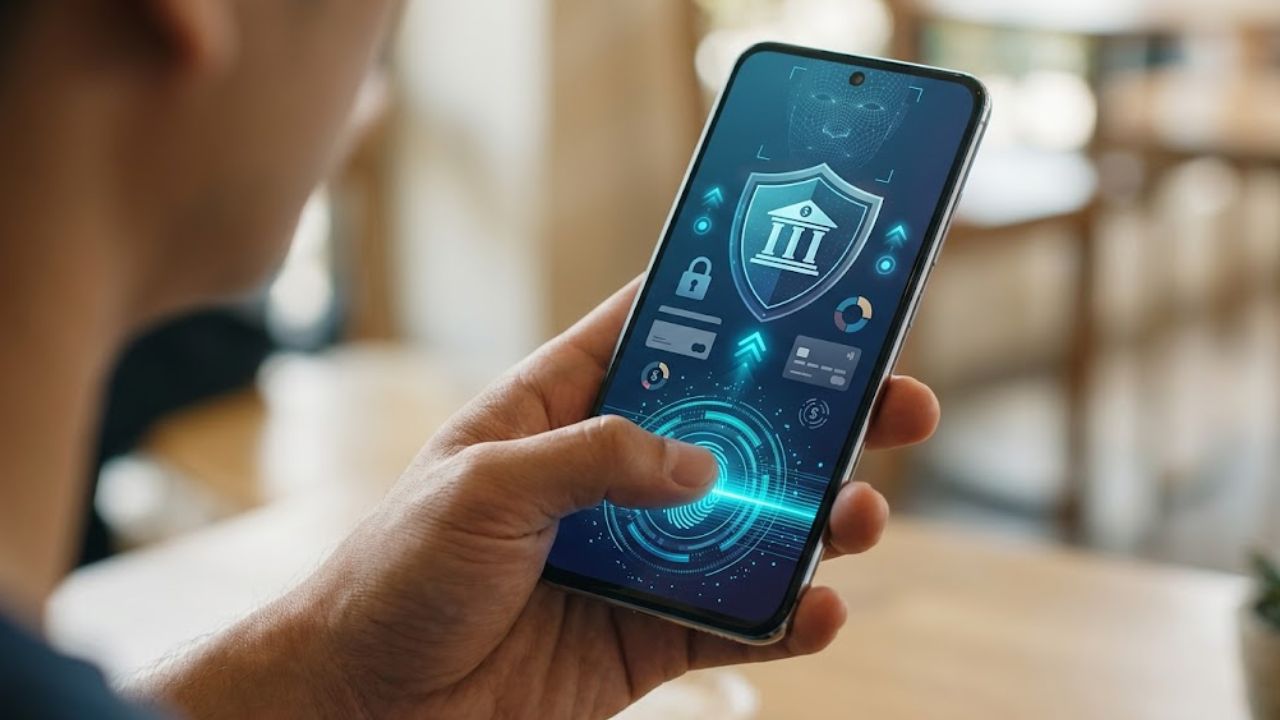
Biometric Authentication in Mobile Banking lets customers use a fingerprint or face scan to sign in to a supported banking app. In many setups, the phone checks the biometric on the device and sends the app an approval result; the bank does not receive the fingerprint or face data.
This can make routine access faster and reduce the need to type a password repeatedly, but it is not a complete security system. Protection still depends on the phone’s security, the backup passcode, the bank’s sign-in process, and how carefully you handle login or payment prompts. Keep your device updated, choose a passcode that is hard to guess, and approve only requests you initiated. Because features vary, check your bank’s guidance before enabling biometric sign-in.
What Biometric Authentication Means in a Banking App
Biometrics use a physical or behavioral trait to help confirm someone’s identity. On phones, the familiar examples are fingerprint and face recognition.
When a banking app offers biometric sign-in, it generally asks the phone’s operating system to verify an enrolled biometric. A successful check may open the app or approve a protected action. The app’s exact behavior depends on how the bank designed it.
That is different from a bank independently verifying your face. A selfie check during remote account opening, for example, may be a separate identity-verification process. Before submitting a selfie or identity document, make sure you are using the bank’s official app or website and review its privacy information.
Apple says Face ID data is encrypted and protected within the device’s Secure Enclave. Android documentation also describes secure environments for biometric data on supported devices. These are platform-specific protections, not a guarantee that every phone and banking app handles biometrics in the same way.
How Biometric Authentication in Mobile Banking Works
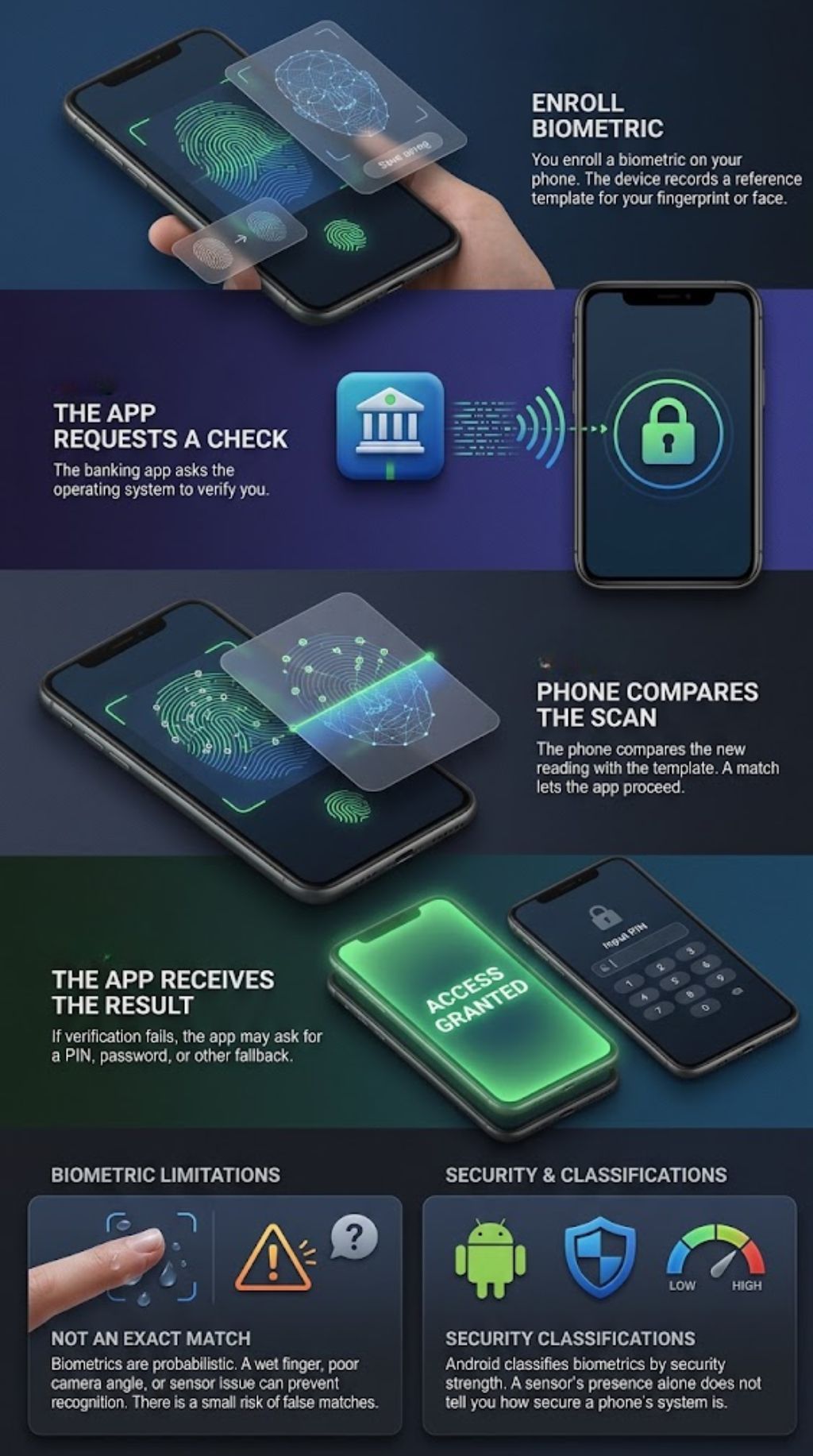
The process varies, but a typical sign-in has four steps:
- You enroll a biometric on your phone. The device records a reference template for your fingerprint or face.
- The app requests a check. The banking app asks the operating system to verify you.
- The phone compares the new reading with the template. A match may let the app proceed.
- The app receives the result. If the check fails, it may ask for a PIN, password, or other fallback.
Biometric matching is not an exact comparison. A wet finger, poor camera angle, or sensor problem can prevent the phone from recognizing its owner. There is also some risk of a false match. NIST describes biometric matching as probabilistic and notes that biometric traits are not secrets in the way passwords are.
Android classifies biometrics by security strength and by the protections they can offer to apps. A fingerprint or face sensor’s presence alone does not tell you how secure a particular phone’s system is.
What Protection Does a Biometric Check Add?
A biometric check can reduce how often you type a password. That makes it less likely someone nearby will see you enter it, and it can make a strong device lock more convenient to use.
Some systems use a biometric to unlock a protected cryptographic key on the phone. Access can then depend on both control of the device and a successful biometric check. But a biometric prompt alone does not prove that the bank account has full multi-factor protection. The app’s design and the bank’s sign-in process determine what is being checked.
It helps to separate three steps:
- Phone unlock: The device checks your biometric or passcode.
- Bank sign-in: The app checks whether you can access the account.
- Action approval: The bank may require an extra check before adding a payee or approving a transfer.
NIST’s digital identity guidance treats biometrics as part of multi-factor authentication with a physical authenticator and calls for a non-biometric alternative. That guidance is not a universal rule for banks worldwide, but it illustrates why a scan should be viewed as one part of a wider security setup.
Why Biometrics Can be Easier to Use—and Easier to Misuse
Biometric authentication in mobile banking can be more convenient than typing a password on a small screen. It may also reduce the temptation to use a short or reused password just because it is easier to enter.
Convenience has a downside: users can start approving prompts automatically. Stop if a sign-in or transaction prompt appears when you did not initiate one. Scammers may try to get people to reveal credentials or verification codes, or to approve access they did not request. The FTC advises people not to share a verification code with someone who contacted them unexpectedly.
A successful login also cannot tell you whether a payment request is honest. It confirms access; it does not protect you from being persuaded to send money to a scammer.
Limits and Risks of Biometric Authentication in Mobile Banking
A biometric is hard to replace
You can change an exposed password. You cannot replace your face or fingerprint, so secure handling of biometric templates matters.
Many phone-based systems keep templates on the device, but do not assume that every biometric service works this way. Remote identity checks, such as selfie verification, may be different. Check your bank’s privacy information if you are unsure what data it collects or retains.
Sensors and security levels vary
Some face-recognition systems use depth or infrared information and anti-spoofing safeguards. Others may use less secure methods. Android’s documentation distinguishes biometric security classes and the capabilities they offer apps.
Do not judge a phone’s security only by whether it has face unlock or a fingerprint reader. Keep the device updated, use a strong screen lock, and check which biometric methods the bank app supports.
A fallback PIN can become the weak link
Biometric sign-in usually has a backup, such as a device passcode, app PIN, or password. If someone else knows that backup—or can guess it—the scan adds less protection.
Choose a passcode that is hard to guess. Avoid repeated digits and dates that someone could know. Review which faces or fingerprints are enrolled on the phone, especially if someone else has used or helped set it up.
It does not stop phishing or malware
A fingerprint cannot tell whether a website is genuine. If you enter your credentials on a fake page, biometric authentication in mobile banking may not protect you from what happens next. It also cannot remove the risks of malicious software, an outdated phone or a scammer who persuades you to approve an action.
Open the banking app directly when a message claims there is an urgent account problem. Avoid unexpected login links, and keep the phone and banking app updated; updates can include security fixes.
A stolen, unlocked phone creates a different risk
Biometrics work best alongside a short auto-lock period and a strong device passcode. Someone who gets an unlocked phone—or knows its passcode—may be able to reach banking information or change settings.
Turn on the phone’s lost-device feature and learn how to lock or erase it remotely. If the phone goes missing, contact your bank through an official number or website and ask how to secure mobile access. Contact your mobile provider if you suspect someone may take control of your number.
How to Use Biometric Sign-in More Safely
Use biometric authentication in mobile banking on a phone you keep updated and protect with a strong passcode. Then check these basics:
- Enroll only your own face or fingerprints.
- Install the official banking app through a trusted app store or the bank’s instructions.
- Cancel any prompt you did not initiate; contact the bank independently if it concerns your account.
- Turn on any available login or transaction alerts.
- Learn the bank’s recovery steps before you need them.
- If your phone is lost, use its remote lock feature and contact the bank promptly.
When you replace a phone, follow the bank’s device-registration instructions. Do not assume the banking app’s biometric access transferred safely just because your other phone data did.
Is Biometric Sign-in Safer than a Password?
There is no answer that applies to every phone and bank. A strong device-based biometric can make routine sign-in easier and reduce exposure to password guessing or someone watching you type. Its value still depends on the sensor, secure storage, backup passcode, and bank app.
Passwords can be changed if exposed; biometrics cannot. A biometric may also be tied to one device, while a password can be used on several. The sensible approach is to use the bank’s available security controls, protect the phone, and treat unexpected requests with caution. Biometric authentication in mobile banking is useful as part of that setup, but it cannot replace account monitoring or careful judgment.
Final Thoughts
Biometric authentication in mobile banking can make routine access easier and add a check between a stranger and your account. Its protection depends on the phone, app, backup passcode and bank controls working together.
Set it up on a well-secured phone, keep your passcode private and pause before approving an unexpected prompt. If your device goes missing, contact your bank quickly and use the phone’s remote lock tools.
Frequently Asked Questions (FAQs) About Biometric Authentication in Mobile Banking
Does biometric sign-in replace my bank password?
Usually, it provides a convenient way to sign in on a registered device. The bank may still require a password, PIN or another recovery method in some situations. Follow the bank’s instructions for your specific app.
What happens when I replace my phone?
You may need to register the new device and turn biometric sign-in on again. Use the bank’s official setup process, and remove the old phone from your account or device list if the bank provides that option.
Only if you control every biometric enrolled on the phone and are comfortable with the other people who can unlock it. If other people’s fingerprints or faces are enrolled, they may be able to pass a check that relies on the device’s biometric settings.