Augmented Reality Employee Onboarding uses digital labels, prompts, or 3D visuals to guide new hires through tasks in their real workplace. A worker might use a phone, tablet, or headset to identify equipment parts, follow a procedure, or find key areas in a large facility.
This makes AR most useful for hands-on roles where instructions need to connect directly to a tool, machine, or location. It can make guidance easier to revisit, but it does not replace a trainer, practical assessment, or clear safety procedures. Employers should compare AR with simpler options such as checklists and videos, then measure whether it helps new employees perform and remember tasks more accurately.
What AR Adds to Employee Onboarding
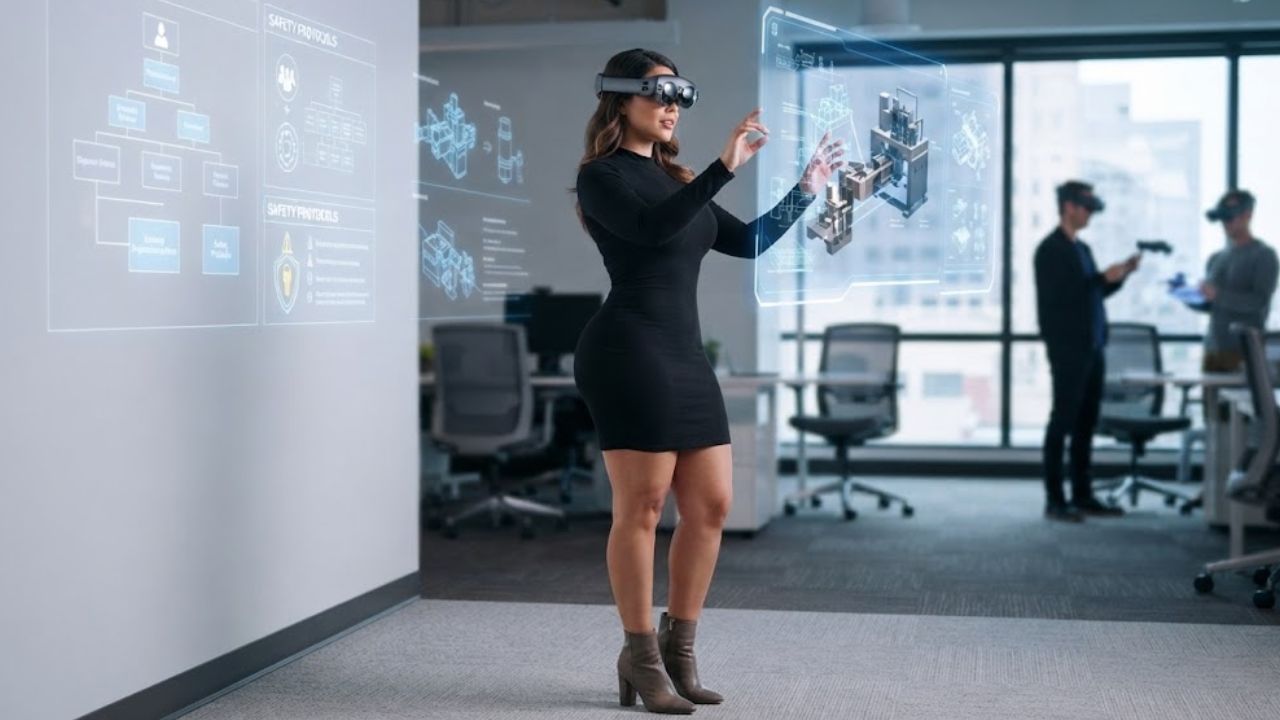
Augmented reality (AR) places digital content over a view of the physical environment. That content might identify a machine component, show the order of steps in a procedure, or display a virtual object when an employee scans a marker.
Virtual reality (VR) usually puts the learner inside a simulated environment. AR keeps the real workplace visible and adds information to it. A technician may benefit from prompts beside an actual machine; an office employee may get little from a headset-based tour.
AR can run on a phone or tablet, or through a head-mounted display. Mobile devices may be easier to introduce when employees already know how to use them. A headset can leave hands free for some tasks, but employers need to consider comfort, safety, device management, and whether the equipment suits the work area.
Where Augmented Reality Employee Onboarding can Help
AR is most promising when employees need to learn a task in a particular place, around specific equipment, or in a sequence that is easy to forget. It can bring instructions to the point of work instead of asking a new hire to remember everything from a classroom session.
Equipment and Task Walkthroughs
A new production worker might use a tablet to follow an inspection checklist. A field technician might see prompts identifying components during a routine procedure. The employee could pause or replay a step without leaving the work area to search for a manual.
For equipment-based roles, augmented reality employee onboarding may make instructions easier to find at the moment they are needed. That is a possibility, not a guarantee of faster or safer work. The instructions must be accurate, the device must function in the setting, and a supervisor still needs to check whether the employee can perform the task.
Site Orientation and Spatial Learning
In a large facility, AR could help new hires locate rooms, equipment, or safety stations. For a small office or a simple route, a map, labeled photograph, or short video may be clearer and cheaper. The technology should solve a real orientation problem, not just add visual effects to a standard tour.
Safety Procedures and Hazard Recognition
AR can show a procedure near the area where it applies or help employees identify hazards in a training setting. That may help connect an instruction to the place where it matters.
Safety training needs particular care. The U.S. Occupational Safety and Health Administration (OSHA), in guidance about online and virtual-reality training, says employers should assess whether a method provides adequate and effective training for the specific workplace. It also discusses hands-on exercises as a way to teach and assess practical skills. The letter addresses online and VR training, not AR specifically, so it should not be presented as an AR ruling. The practical lesson is that a digital display does not automatically replace instruction or workplace-specific checks.
Organizational History and Culture
AR can also introduce an organization’s history or context. Network Rail used an AR timeline at the start of an onboarding day, combining physical materials with digital stories about the organization and the railway. The project’s developer says attendees could revisit the experience later. This is a vendor-published case study: it verifies the example, but does not independently demonstrate improved learning or retention.
That approach may suit an organization whose history or physical environment is useful for new hires to explore. If a short presentation or conversation explains the same material more clearly, AR may add production work without much added value.
What the Research can—and cannot—Tell Employers
Reviews have examined AR training in professional and vocational settings. One covered professional-training literature published from 2001 to 2020; another surveyed AR applications in vocational training. These reviews show that AR has been studied in practical training contexts. They do not establish that it is the best onboarding method for every workplace or role.
The findings can be difficult to transfer between settings. Studies may differ in equipment, learner group, lesson design, and outcome measurement. A result from a controlled exercise does not guarantee the same result during a busy shift or at a different facility.
Research on augmented reality employee onboarding should be read with those limits in mind. When a case study claims that AR reduced training time, ask how the time was measured, what method it was compared with, and which employees and tasks were included.
Benefits Worth Testing
AR’s practical promise is that it can connect an instruction to the object, place, or task an employee is learning. That may help a trainee find relevant information without switching between a manual and the work in front of them. A clear module may also let employees review a step at their own pace.
A consistent walkthrough could help trainers deliver the same core instructions across shifts or locations. It still needs to reflect local equipment and procedures, and someone must update it when those change. The case for augmented reality employee onboarding weakens quickly if employees are following outdated instructions.
The useful measure is not whether a demonstration feels engaging. It is whether employees can perform the task correctly and remember it later. AR may leave trainers with more time for questions, but only if employees know when to pause and ask for help rather than pressing ahead.
The Friction Employers Should Plan For
Content Takes Work to Keep Accurate
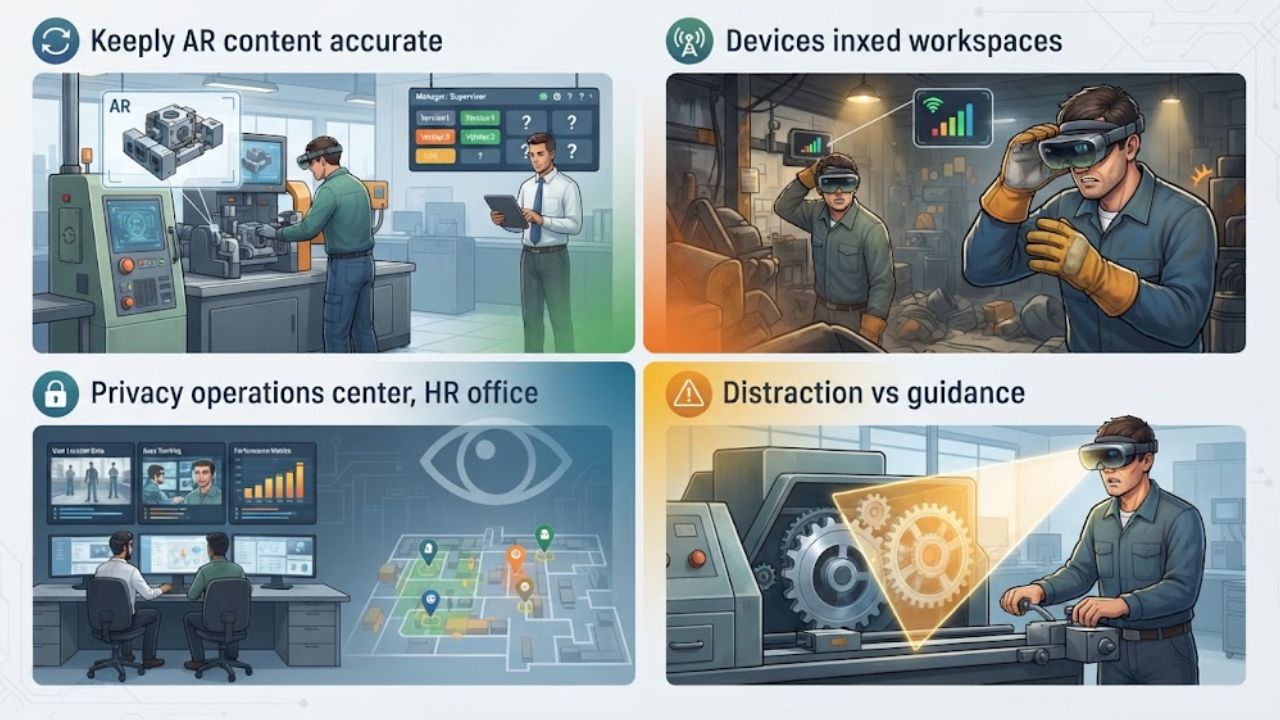
An AR walkthrough can mislead employees if a machine changes, a procedure is revised, or an overlay points to the wrong component. Each module needs an owner who can review it, track its version, and update or remove it when the process changes.
Devices and Workspaces may Not Cooperate
Lighting, network access, compatibility, and the physical layout can affect how an AR experience works. Headsets may be uncomfortable for some employees or unsuitable in certain work areas. Gloves, movement, and the need to keep attention on equipment can make a polished demonstration awkward in practice.
Test the planned device in the actual workplace, including the interruptions and conditions new hires will face. A rollout of augmented reality employee onboarding should not be based only on a quiet-room demonstration.
Privacy and Monitoring Need Clear Boundaries
AR systems may use cameras, location information, or other sensors to understand the environment. Before a pilot, explain what information is collected, who can access it, how long it is kept, and whether it will be used to evaluate individual workers.
NIST identifies privacy, cybersecurity, usability, and human factors as relevant considerations for immersive technologies. EU-OSHA also recommends considering work conditions, long-term or combined exposure, standardization, and inclusive design when assessing AR, VR, and related technologies.
An overlay can distract as well as guide. If it hides part of a machine or draws attention away from a moving object, it can create risk. Avoid prompts during work that requires uninterrupted attention, and ask employees and trainers where the display helps or gets in the way.
How to Decide whether AR belongs in Your Onboarding Program
Start with one specific learning problem. New hires may repeatedly forget a task sequence, struggle to identify components, or need the same site orientation several times. If the real issue is unclear instructions or too little supervision, AR may not address it.
Compare it with simpler options first. A revised checklist, labeled photograph, short video, or trainer-led demonstration may solve the problem with less cost and upkeep. AR is a stronger candidate when guidance needs to be connected to a physical object or place.
Pilot one module with a small group of new hires and their trainers. Use the device and workspace planned for everyday onboarding. Give participants a straightforward way to flag confusing prompts, uncomfortable hardware, and moments when the display distracts them.
Measure outcomes tied to the job: task accuracy, how much help employees need, retention over time, and trainer assessments. Compare those results with the current method. App engagement or enthusiasm during a demonstration is not proof of learning.
Before investing further in augmented reality employee onboarding, set a review point. If the pilot does not improve performance or reduce a clear training burden, revise it or stop. If it helps, plan for content updates, device support, and a trainer who can answer questions the module does not cover.
Final Thoughts
Augmented reality employee onboarding is most useful when it connects an instruction to the real task or place where it matters. Equipment walkthroughs and site orientation are stronger candidates than routine introductions a conversation can handle.
Start with one learning problem and compare AR with a simpler alternative. Keep a trainer involved, check privacy and workplace conditions, and measure whether employees can perform and retain the task. Adopt it when the results justify the ongoing work of building and maintaining the experience.
Frequently Asked Questions (FAQs) on Augmented Reality Employee Onboarding
Can AR replace a trainer during onboarding?
No. AR can provide repeatable instructions, but it cannot answer every question or assess practical judgment on its own. Hands-on work may still require demonstration, practice, and a competency check.
Is AR better than a video or checklist?
Not by default. A video or checklist is often easier to produce and update. AR is worth testing when employees need guidance tied to a real object or location and that extra context improves performance.
What should an employer measure in an AR pilot?
Track task accuracy, how much help employees need, retention over time, and trainer assessments. Compare those results with the current onboarding method. For augmented reality employee onboarding, engagement alone is not enough to show that employees learned the task.