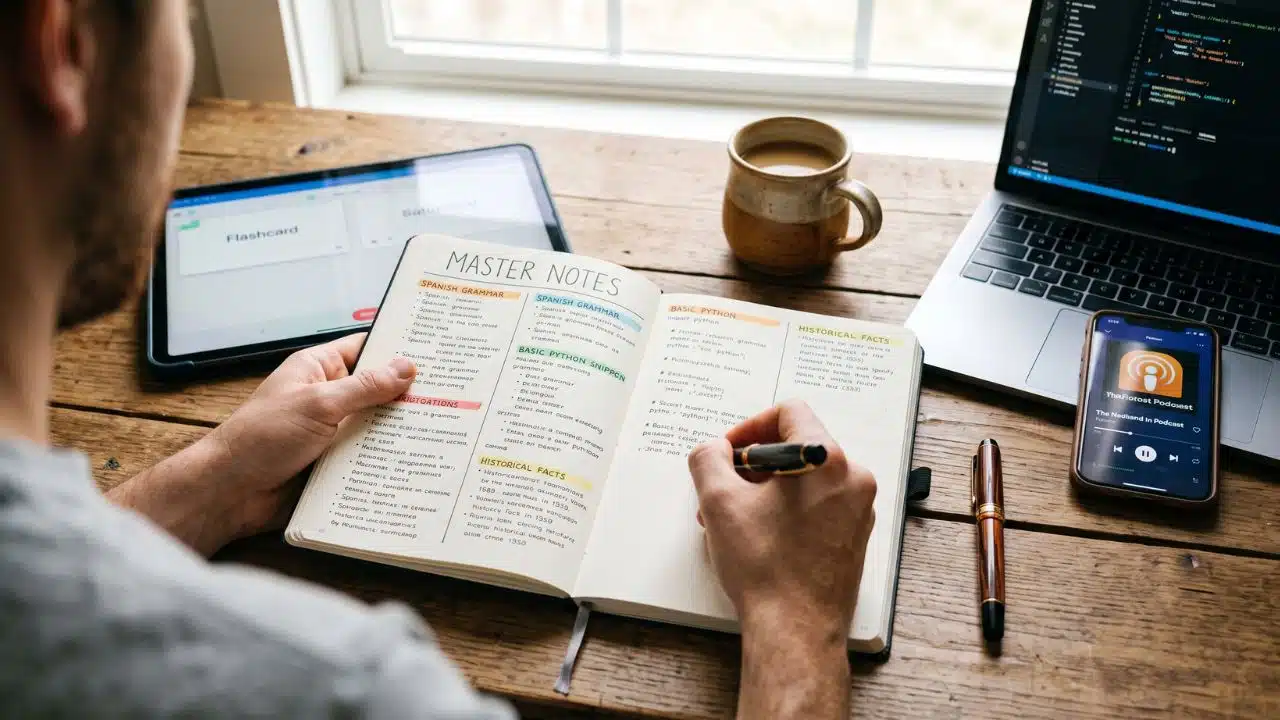
For a long time, my phone was a graveyard of abandoned learning apps. I would spend a solid month aggressively grinding on Duolingo or Codecademy, ride the high of a 30-day streak, and then inevitably burn out. When I switched to a different tool just to regain my motivation, the guilt would set in. It felt like I was throwing away all my progress simply because I lost my digital XP.
I used to call this “app-hopping” and beat myself up over my lack of discipline. But once I stopped trying to please the algorithms and started looking at how the human brain actually retains information, my perspective shifted entirely. I realized that rotating learning platforms isn’t a lack of focus. When done correctly, it is a scientifically backed way to build permanent expertise.
Here is exactly how I learned to intentionally rotate learning tools without losing progress.
Why Switching Feels Like Starting Over [And Why It Isn’t]
The biggest trap I fell into was confusing app gamification with actual knowledge. We are conditioned to believe that if a streak resets to zero, our brain has reset to zero.
But cognitive science highlights a flaw in this thinking through the concept of “blocked practice”, the traditional method of drilling one single subject or using one single method consecutively. Sticking stubbornly to one interface often creates a false sense of fluency. You aren’t necessarily mastering the material; you are just mastering how to beat that specific app’s UI.
When I finally gave myself permission to step away from an app, I accidentally tapped into two powerful learning principles:
- The Interleaving Effect: By mixing up the formats I used, switching from a quiz app to a podcast, and then to a reading tool, I forced my brain to actively discriminate between concepts. This mental cross-training builds a much more robust understanding than doing the same multiple-choice exercises on loop.
- The Spacing Effect: When I put a platform down for a few days and came back to it, I had to work a little harder to recall the information. That slight friction is called a “desirable difficulty.” The effort required to retrieve the memory encoded the information much deeper into my long-term memory.
My 4 Strategies for Seamless Tool Rotation
Understanding the science cured my guilt, but I still needed a practical system to ensure I wasn’t losing context when I switched gears. Here is the framework I use today to keep everything organized.
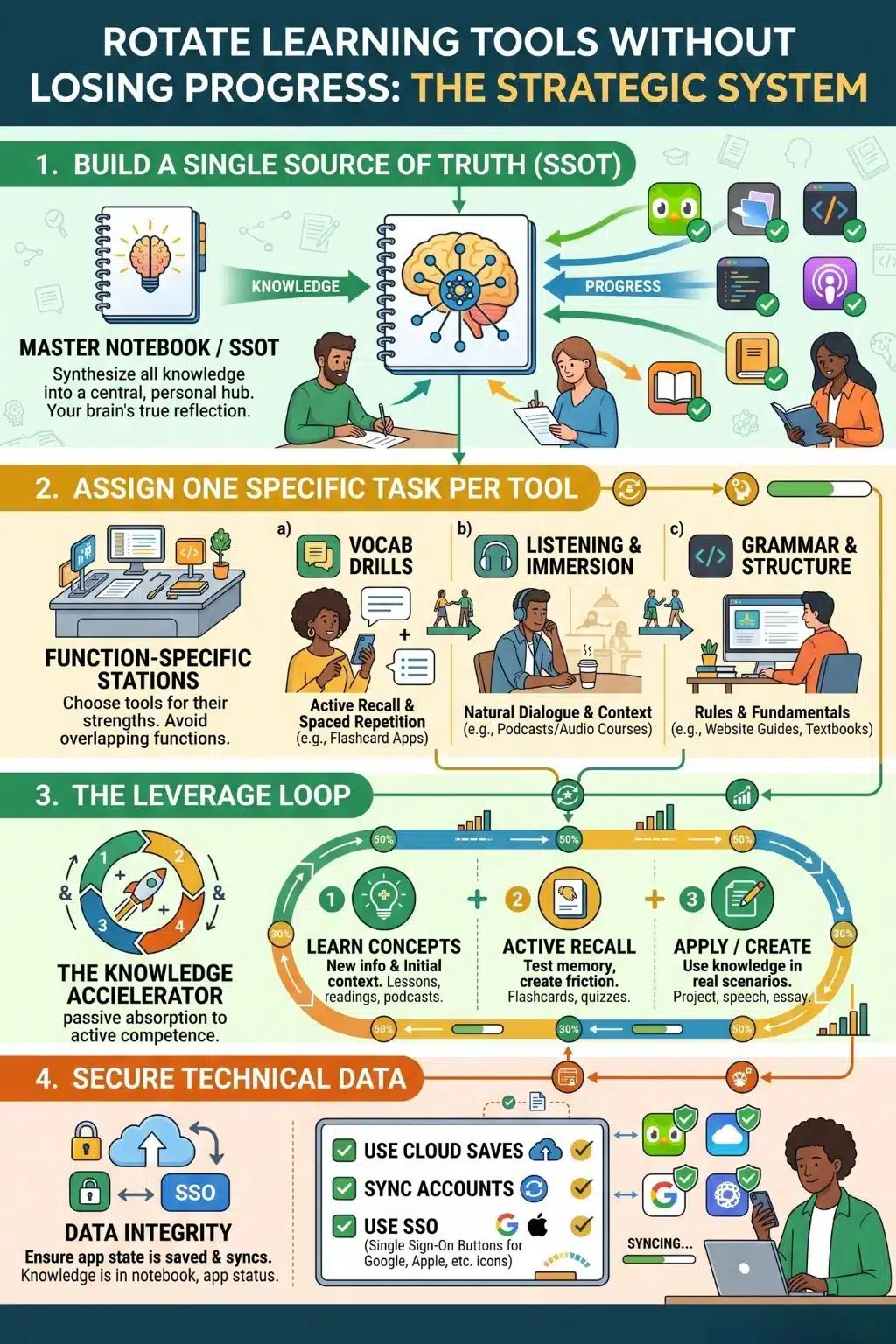
1. I Built a “Single Source of Truth” (SSOT)
The main reason we feel lost when leaving an app is that we rely on the app’s dashboard to hold our progress. I fixed this by moving my progress tracking completely outside the ecosystem. I set up a master notebook. Whenever I learn a new concept in an app, I synthesize it into my SSOT.
The learning apps are just my teachers; my master notebook is my actual brain. If I delete a platform tomorrow, my knowledge base remains untouched.
2. One Specific Task Per Tool
To stop platforms from competing with each other, I started assigning one highly specific cognitive task to each one. For example, when studying a language, I use one app strictly for vocabulary drills, a different platform exclusively for listening to native conversations, and a separate website just for grammar rules.
Because there is no functional overlap, I don’t feel like I’m abandoning one tool for another. I am simply moving to a different station in my mental gym.
3. The Leverage Loop
I cycle through my tools using a specific rhythm that prevents burnout: Learn, Recall, Apply.
- Learn: I absorb new information using a deep-dive course or primary app.
- Recall: I switch to a dedicated flashcard tool to test my memory of what I just learned.
- Apply: I close the apps entirely and use the knowledge in the real world—writing a snippet of code, speaking to someone, or drafting an essay.
4. Securing the Technical Data
On a purely practical level, I stopped losing my digital progress by getting militant about account creation. I no longer use “Guest” modes. Before I invest time into a new tool, I ensure cloud saves are active and my account is synced via a Single Sign-On (like Google or Apple). When the burnout hits and I need to delete the app from my home screen to clear my mental clutter, I know my data will be exactly where I left it when I reinstall it a month later.
Rotating tools doesn’t mean you lack discipline. It means you are adapting to how your brain actually learns. Break the streak, close the app, and try something new today. Your progress isn’t tied to a progress bar, it’s safely stored in your mind.
Your Mind is the Ultimate Platform
Ultimately, the biggest shift for me wasn’t about finding the perfect software, it was about changing my relationship with the tools I use. We live in an era obsessed with digital metrics, but a 100-day streak on a screen doesn’t mean anything if you can’t apply the knowledge in the real world.
By embracing the science behind how we actually learn, I stopped feeling guilty about my natural rhythms. I let go of the pressure to be loyal to a specific app and started being loyal to my own growth.
The next time you feel the urge to close a platform and try a different method, don’t fight it. Build your master notebook, secure your data, and let your curiosity lead the way. Your progress was never in the app anyway, it was in your head all along.
How does this conclusion feel for wrapping up the piece, or would you like to add a specific call-to-action at the very end to encourage reader comments?
Frequently Asked Questions on How to Rotate Learning Tools without Losing Progress
1. Does using multiple learning apps at the same time hurt my focus?
If you rapidly switch between three apps in a single hour, the context-switching will drain your focus. However, if you intentionally rotate tools on a day-by-day or week-by-week basis, it improves retention by creating contextual interference, which helps your brain remember concepts better.
2. How do I keep track of what I’ve learned across so many platforms?
Stop using individual app dashboards to track your progress. Create a “Single Source of Truth”, a centralized digital document or physical notebook where you summarize and organize everything you learn, regardless of which app taught it to you.
3. Will I forget things if I take a break from an app for a few weeks?
You will experience a slight drop in immediate recall, but this is actually beneficial. Cognitive science calls this the “spacing effect.” When you return to the app, forcing your brain to retrieve that slightly faded information strengthens the memory for the long term.
4. Why do I feel like I learn faster when I just stick to one app?
Sticking to one app creates a false sense of fluency known as “blocked practice.” It feels easier because you get used to the app’s specific formats and patterns. Mixing up your tools feels harder, but that difficulty is exactly what builds genuine, flexible knowledge.
5. What is the best way to transition between different learning tools?
Assign specific roles to each tool to avoid overlap. Use one app purely for learning new concepts, another strictly for testing your memory, and a third for applying the knowledge in a real-world context. This creates a natural, complementary learning loop.