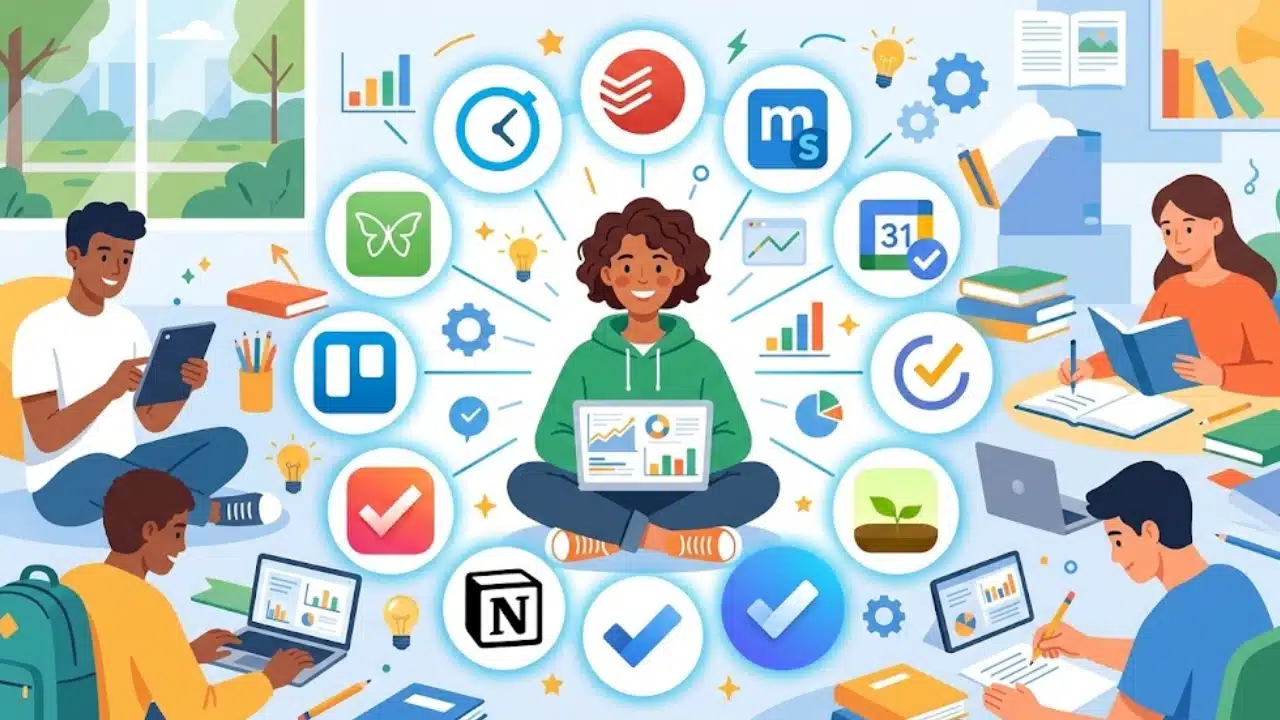
Finding the best time management apps for students comes down to solving a single major problem: academic fragmentation. When deadlines live in physical notebooks, course syllabi stay buried in online portals, and exam dates hide in separate calendars, missing critical work becomes almost inevitable.
The top time management apps centralize your academic life by combining task tracking, focus enforcement, and schedule planning into one reliable workflow. All-in-one planners like MyStudyLife and natural-language task managers like Todoist help you organize deadlines, while focus tools like Forest actively block digital distractions.
Whether you need to organize shifting course loads, master time-blocking, or eliminate study-session procrastination, using the right digital tool keeps your schedule clear, manageable, and completely under control.
How We Chose the Best Time Management Apps for Students
The apps were assessed by their usefulness for academic planning, setup demands, platform support, free-plan restrictions, and ability to fit a realistic student routine.
General planners rank highly because they can manage several kinds of work and remain useful after graduation. Academic planners receive extra credit for handling classes, exams, and rotating timetables properly. Timers, blockers, and time trackers appear lower because they solve more specific problems.
Before Choosing an App
A new planner can become another abandoned account if it takes too long to maintain. Before moving an entire semester into one, enter a week of genuine classes, deadlines, study sessions, and personal commitments.
Check whether:
- Adding a task is quick enough to do during class
- The app works on every device used for studying
- Calendar views, reminders, or synchronization require payment
- A school-managed account restricts outside integrations
- Tasks and schedules can be exported later
For international users, advertised prices may change with currency, tax, billing method, and app store. Confirm the local cost before subscribing.
1. Todoist
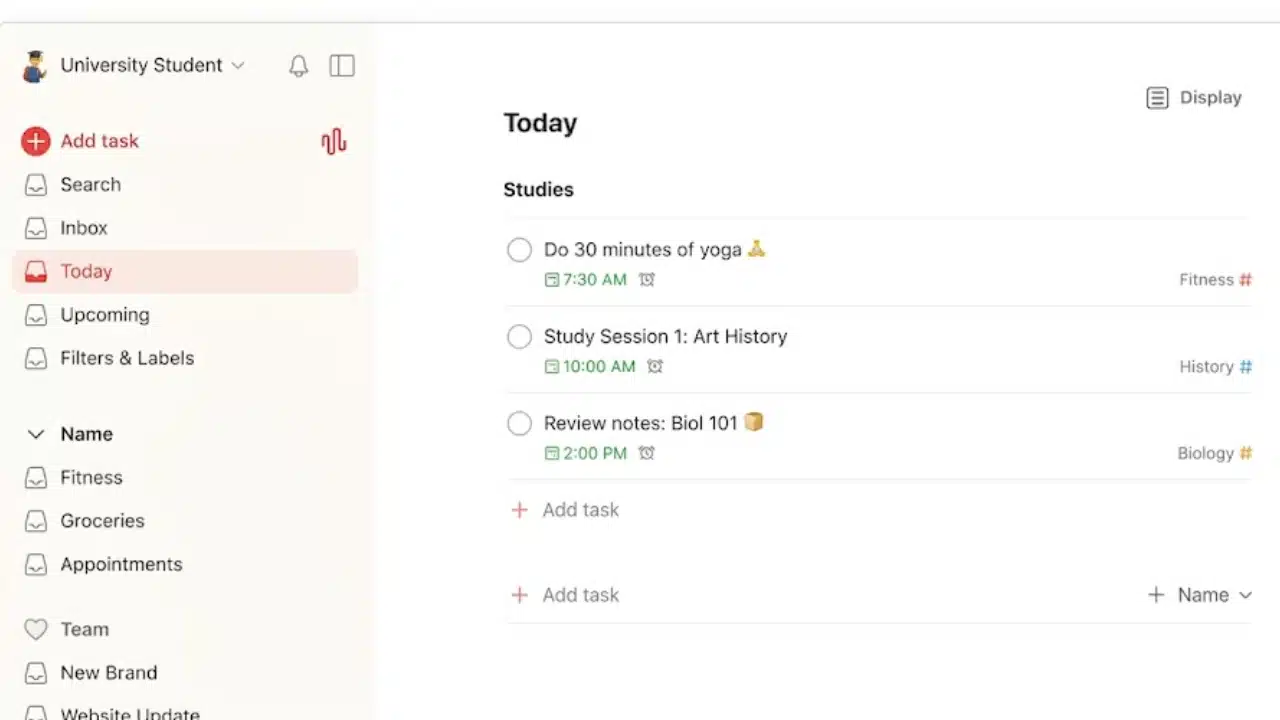
Todoist is the safest general recommendation because it offers structure without demanding a complicated setup. Students can create projects for subjects, use recurring dates for weekly reading, and divide essays or lab reports into smaller tasks.
The free Beginner plan includes five personal projects, task reminders, Smart Quick Add, and list and board layouts. Five projects may be tight during a full semester. Pro expands the limit to 300 and adds a calendar layout, task duration, and custom reminders. At the time of writing, its listed US price is $5 per month when billed annually. Choose Todoist for assignments and projects. A separate calendar may still be better for class timetables.
2. MyStudyLife
Students with rotating days or alternating weeks should consider MyStudyLife before trying to adapt a workplace app. It organizes classes, homework, exams, revision, activities, and grades using an academic calendar.
Its support for block and rotating timetables is the main reason it ranks this highly. Schedules and tasks synchronize across its web, iOS, and Android versions.
MyStudyLife suits high school and undergraduate routines particularly well. A graduate student managing a dissertation or research archive may eventually outgrow its school-centered structure.
3. Google Calendar with Google Tasks
This pairing is an underrated starting point for students who already have a Google account. Classes and appointments can remain calendar events, while assignments sit in Google Tasks with dates, times, notifications, and subtasks. Dated tasks appear in Google Calendar.
Use calendar blocks for work that needs protected time, such as a two-hour chemistry review. Do not schedule every five-minute action. An overcrowded calendar quickly becomes harder to trust than a plain task list. One technical limitation matters: a Google task containing subtasks cannot be configured to repeat.
4. TickTick
TickTick places task lists, calendar views, a Pomodoro timer, habit tracking, statistics, countdowns, and an Eisenhower Matrix in one app. Among the best time management apps for students, it is one of the few that can handle both planning and focused work convincingly.
Its free plan includes reminders, cross-platform synchronization, nine lists, and a basic calendar view. Premium adds multiple calendar views and task duration and is listed at $49.99 per year in the United States.
The feature count can encourage needless tracking. Begin with the inbox, Today view, and a few course lists. Add habits and statistics only when they answer a useful question.
5. Forest
Forest gives focus time a visible reward. A virtual tree grows during a session, and completed sessions gradually form a digital forest.
It is available on iPhone, iPad, and Android, with extensions for Chrome and Firefox. Students who repeatedly leave their work for social media may find the visual commitment helpful. Forest cannot prioritize assignments or plan a semester. It belongs beside a task manager, not in place of one.
6. Structured
Structured lays tasks and events along a visual daily timeline. It helps expose a common planning mistake: putting eight hours of work into an afternoon with only four hours available.
Timeline tasks, an inbox, subtasks, notes, and all-day tasks are available free across iOS, Android, and the web. Some integrations and additional planning tools require Structured Pro.
It is a strong visual planner, although less convenient for storing a large backlog of unscheduled coursework.
7. Microsoft To Do
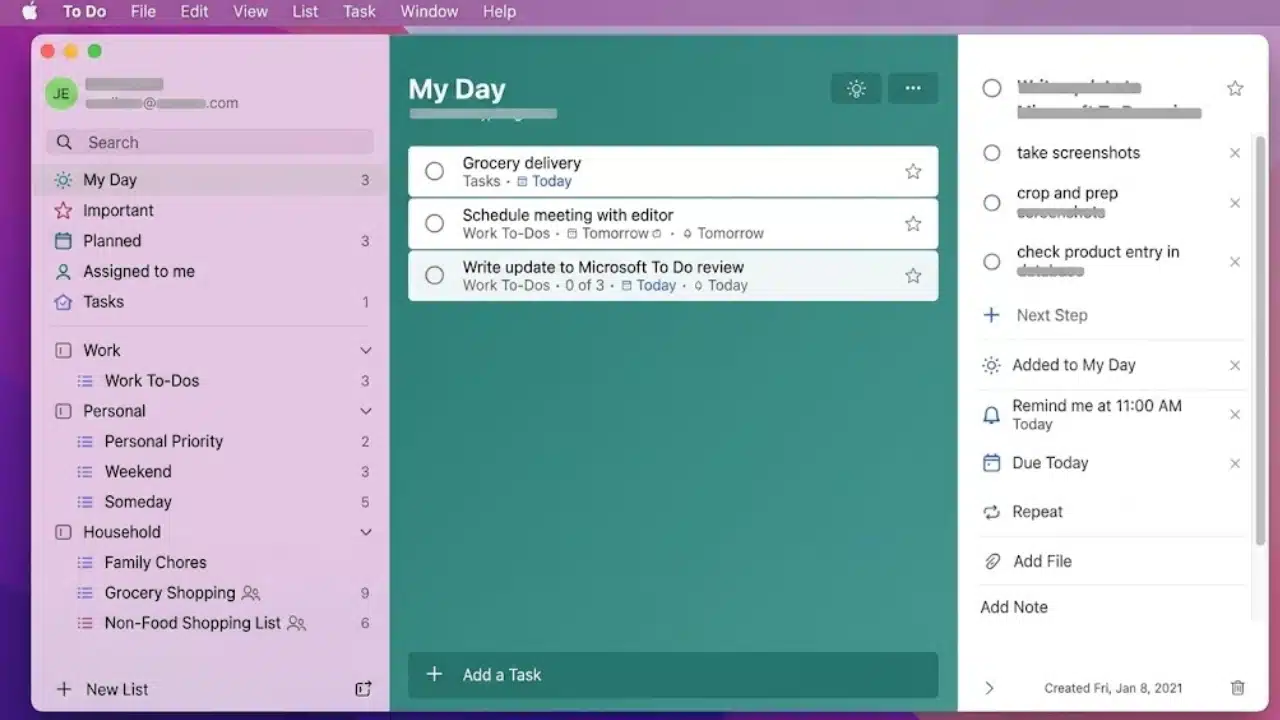
Microsoft To Do keeps attention on the current day. Its My Day list clears each night, while unfinished items remain in the main Tasks list and can appear in later suggestions.
Tasks can include steps, notes, due dates, reminders, and custom repetition. The app is available on Windows, macOS, iOS, Android, and the web, with a natural connection to Outlook.
Students already using Microsoft 365 may not need a separate paid planner. Its limited project structure becomes noticeable only with complicated research or group work.
8. Notion
Notion is useful when deadlines need to sit beside lecture notes, reading lists, research sources, and project plans. That flexibility makes it attractive for undergraduate research and graduate work.
It is also the easiest app here to overbuild. Elaborate templates, decorative dashboards, and unnecessary database fields can turn planning into a substitute for studying.
Eligible students at accredited colleges and universities can receive a free one-member Education Plan using a recognized institutional email address. Eligibility must be verified annually. K–12 students do not qualify for this offer, although the standard free plan remains available.
9. Focus To-Do
Focus To-Do combines a Pomodoro timer with tasks, reminders, subtasks, recurring schedules, notes, synchronization, and focus reports. It supports major phone and computer platforms, Apple Watch, and a Chrome extension.
This is a focused choice for students who know what is due but delay beginning. Attach each timer to a result, such as reviewing 20 flashcards or drafting 300 words. Accumulated focus minutes mean little without completed work.
10. Trello
Trello earns its place for group assignments rather than daily personal planning. A shared board can move work through Research, Drafting, Review, and Complete while showing ownership and due dates.
The free plan permits up to 10 collaborators and 10 boards per Workspace, enough for many class projects. For ordinary homework, moving cards through several columns may create needless administration. Use Trello when shared visibility matters. Solo students usually have simpler options.
11. Freedom
Freedom blocks selected apps, websites, or internet access across multiple devices. It is more forceful than a focus timer and better suited to students who regularly override their own good intentions.
The free tier supports custom blocklists and unlimited devices, but sessions are limited to the Start Now option and a maximum of two hours. Recurring schedules, advance sessions, longer blocks, and Locked Mode require Premium.
Test a blocklist before relying on it. Blocking journal databases, video lectures, cloud documents, or authentication pages can interrupt legitimate study.
12. Clockify
Clockify is a diagnostic tool rather than a conventional student planner. It records how much time goes into reading, writing, revision, lectures, and academic administration.
The free plan includes timers, timesheets, a calendar, reports, a Pomodoro timer, and broad desktop, mobile, and browser support. A seven-day sample can reveal that an estimated 30-minute reading task routinely takes twice as long.
Tracking every minute indefinitely may become tedious. Use the evidence to improve future schedules, then stop if logging becomes another chore.
Final Thoughts
Do not choose an app by counting features. Choose it by identifying the failure that causes the most trouble. Students missing deadlines need Todoist or MyStudyLife. Those building impossible daily schedules should look at Google Calendar or Structured. Forest, Focus To-Do, and Freedom are more relevant when distraction is the main obstacle. Trello is for shared work, while Clockify is useful when poor time estimates keep undermining plans.
The best time management apps for students should reduce decisions, not create more of them. Enter the next two weeks into one main planner and use it through a demanding week. If the system remains easy to check and update when work becomes busy, it is probably the right one.
Frequently Asked Questions
Should students use one time management app or several?
One primary planner is usually enough. A second app can be justified when it performs a clearly different job, such as blocking distractions or timing study sessions. Using separate apps for tasks, habits, notes, calendars, and reminders often creates more maintenance than value.
Do students need to pay for a time management app?
Not immediately. The free versions of several apps in this list can handle ordinary classes and assignments. Payment becomes easier to justify when a specific restriction causes trouble, such as a low project limit, missing calendar views, task-duration planning, or the absence of recurring focus blocks.
Is time blocking better than keeping a to-do list?
They solve different problems. A to-do list records what must be completed, while time blocking reserves space to do it. Students with crowded schedules may benefit from both, but scheduling every small task can make the calendar inflexible.
How long should a student test an app before switching?
Two weeks is a reasonable trial because it includes repeated classes, changing deadlines, and at least one weekly review. The real test is not how attractive the setup looks on the first day. It is whether assignments can still be captured and found quickly during a busy week.