


Four client domains. Two dead email setups and a set of subdomain redirects that had quietly stopped working. I found out because clients told me, not because I caught it. If you’re looking up Google Domains synthetic records right now, you’re probably in one of two spots.
Either something on your domain broke and you traced it back to a setting that no longer exists, or you found an old tutorial telling you to click a menu that isn’t there. Same fix for both. It starts with knowing what those records turned into.
What Replaced Google Domains Synthetic Records
There were three kinds, and each one now has a different home. Here’s the short version before the detail.
| Old synthetic record | What it did | Where it lives now |
|---|---|---|
| Subdomain forwarding | Redirected a root domain or subdomain to another URL | Squarespace domain forwarding, or a CNAME/redirect at your DNS host |
| Dynamic DNS | Kept a subdomain pointed at a changing home IP | DuckDNS, No-IP, or a Cloudflare API script |
| Google Workspace | Auto-created MX, SPF and DKIM records for business email | Manual DNS records, added one at a time |
The important thing to understand: a synthetic record was never a real DNS record type recognized by internet standards. It was a Google-specific layer that sat on top of standard DNS and did the technical work behind the scenes. So nothing was lost in translation. The records underneath are ordinary A, CNAME, MX, and TXT records, and any DNS host can hold them. You just have to write them yourself now.
That’s good news for two of the three types. The third one is a genuine downgrade.
Replacing subdomain forwarding
This was the one my clients used most. Both e-commerce sites had .shop subdomains forwarding to their Shopify storefronts, and the blogs had .blog subdomains pointed elsewhere. One toggle in Google Domains, and it worked.
You have two options now.
Stay on Squarespace: Forwarding survived the migration as a feature. Open your domains dashboard, click the domain, and look for the forwarding settings. This is the path of least resistance if the domain is already sitting there.
Move DNS to Cloudflare: This is what I did for the two Shopify clients, and I’d recommend it if the subdomain matters commercially. You get a proper redirect rule, control over whether it’s a 301 or 302, and analytics on whether anyone is actually hitting it. Google’s synthetic record gave you none of that visibility.
One warning either way. If your forwarding broke during the migration, don’t assume rebuilding it fixes everything. Check that the redirect type matches what you had. A 302 where you used to have a 301 will leak link equity, and you won’t see the damage for months.
Replacing Google Domains Synthetic Records for Dynamic DNS
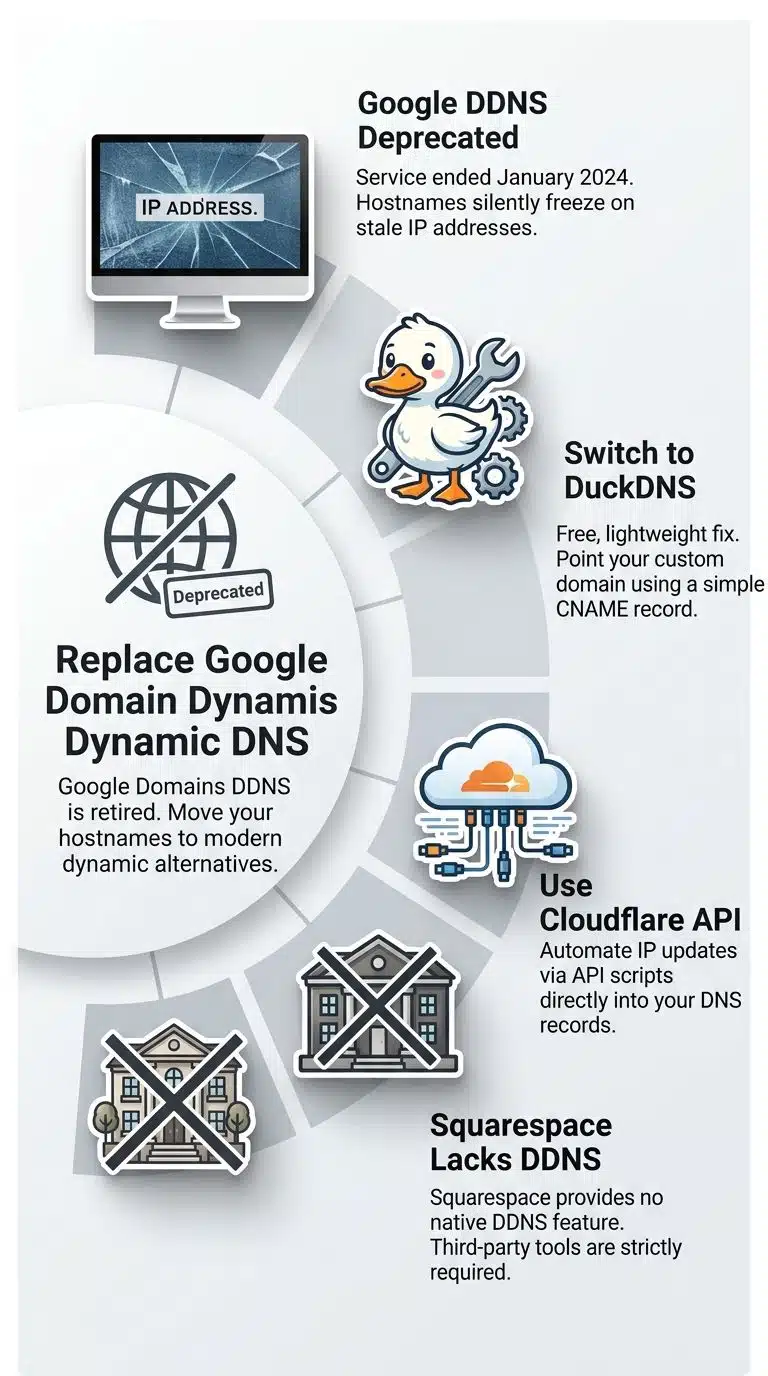
This is the one with no clean answer. Dynamic DNS was the most technically useful of the three, and it’s gone with nothing equivalent to replace it.
Here’s what it did. You’d install a small client on your home network—usually ddclient—and configure it with credentials Google Domains generated. The client checked your public IP periodically and told Google whenever it changed. That kept a friendly hostname pointed at a home server, a camera system or a personal cloud box, even though the IP underneath kept shifting.
Google’s own documentation is blunt about what happened. Dynamic DNS was announced for deprecation on October 19, 2023, and shut down on January 22, 2024. After that, dynamic DNS updates no longer work, and dynamic DNS records point to the last known IP address before the retirement.
Read that last part again. The record didn’t vanish. It froze. Your hostname still resolves, just to an address your router probably abandoned months ago. That’s why this failure is so easy to miss—nothing errors out; it just points somewhere wrong.
Two replacements worth your time:
- DuckDNS: Free, simple, and it took me about ten minutes per device. You get a
yourname.duckdns.orghostname and run a small update script. If you want to keep using your own domain, add a CNAME pointing your subdomain at the DuckDNS hostname. - Cloudflare with an update script: More setup, more control. You run a script that calls the Cloudflare API whenever your IP changes and rewrites the A record directly. Better if you’re already using Cloudflare for DNS and want everything in one place.
Squarespace doesn’t offer a dynamic DNS feature. If that’s what you need, you’re leaving for one of the above regardless of where the domain is registered.
Fixing Workspace Email After the Migration
The Workspace synthetic record was a checkbox that wrote your MX records, plus SPF and DKIM, in one move. It handled settings that improve email deliverability and cut down on spam configuration that plenty of organizations using Google Apps never got around to doing properly on their own.
Now you add them by hand. In Squarespace, that means opening your domain’s dashboard, clicking the domain, then DNS, then DNS settings, and scrolling to custom records. MX, DKIM, DMARC, SPF, and SRV records all go in there.
Two things that will bite you:
Quotation marks in the data field of an SPF record can cause propagation issues depending on your nameservers. If the record won’t resolve, take the quotes out. This cost me an afternoon on one client domain before I found it.
You can only have one DMARC record on a Squarespace domain. If you’re running multiple email services with different DMARC records, merge them into one—separate the addresses with commas, and where policy tags disagree, use the stricter value.
Pull the current MX values from Google Workspace’s own setup guide rather than an old tutorial. Google has changed its recommended MX configuration since most of those posts were written.
Also worth knowing: Squarespace has said openly that its support scope for DNS is limited. They’ll show you where to add records, but they won’t give technical advice about how DNS records work with other services. Budget accordingly if you were expecting handholding.
What Google Domains Synthetic Records Were and Why They Broke
Some background, now that the fix is out of the way.
Google Domains launched the feature to solve a real problem. Setting up a domain meant handwriting A, CNAME, MX, and TXT records, each with its own syntax, and one typo could take a site or an email system offline. Synthetic records bundled the common jobs into toggles.
Then Google sold the business. Squarespace acquired Google Domains in 2023, and the migration ran in batches through to mid-2024 rather than all at once. That batching matters more than people realize—it’s why breakage hit different domains on different dates and why “it worked last month” was true for a lot of us right up until it wasn’t.
Domain forwarding and email forwarding hit the same October 2023 deprecation notice and January 2024 shutdown date as Dynamic DNS. Google’s guidance was that forwarding would keep running on its last configuration after the move, but that changing those settings from the Google side wouldn’t be possible.
What I Learned Migrating Four Client Domains
Four domains, mainly e-commerce with a couple of small business sites. Here’s what I’d tell anyone still sitting on a migrated domain.
The failures don’t announce themselves: Email stopped delivering and redirects died, and I heard about both from clients rather than catching them myself. There’s no alert when a synthetic record stops being synthetic. If I’d set up a simple uptime check on each forwarding subdomain, I’d have caught the redirects in hours instead of weeks.
Export before you touch anything: Screenshot or export your full DNS zone before any transfer. I got lucky. Records that a synthetic toggle generated can be hard to reconstruct from memory once the toggle is gone.
Don’t consolidate for its own sake: I ended up with three different setups across four clients—some stayed on Squarespace, some moved DNS to Cloudflare, and the ones needing dynamic addressing went to DuckDNS. That felt untidy. It was the right call. Matching the tool to the actual requirement beats forcing everyone onto one platform.
Email is the emergency; forwarding is the fire: A dead redirect costs you traffic. Dead email costs you orders and customer trust, and the sender reputation damage outlasts the outage. Fix mail first.
Checking Whether Your Old Google Domains Synthetic Records are Still Live
Run this on every domain you manage. It takes about five minutes each.
- Test every redirect by hand: Type each forwarding subdomain into a browser. Confirm it lands where it should, and check the redirect type with a header-checking tool rather than trusting the address bar.
- Send a real test email: Send to and from the domain, using an outside address. Then check your SPF, DKIM, and DMARC records with a mail-authentication checker.
- Look up any old Dynamic DNS hostname: Compare the IP it returns against your current public IP. If they don’t match, that record is frozen and has been for a while.
- Read your full DNS zone: Open the DNS settings in your registrar and look at every record. Anything you can’t explain the purpose of is either a leftover from a synthetic record or something you should delete.
Do step three even if nothing seems wrong. It’s the one that hides.
Final Words
Google Domains synthetic records were convenience features, and convenience features tied to one provider disappear when that provider sells. Two of the three have clean replacements you can set up this afternoon. The third, Dynamic DNS, needs an outside service and about ten minutes of work per device.
The broader lesson from those four client migrations: know what any one-click setting is actually doing underneath. If you can’t name the records a toggle creates, you can’t rebuild them when the toggle goes away.
If you’ve got a migrated domain you haven’t checked since 2024, run the four-step audit above. I’d bet on you finding at least one thing pointing somewhere it shouldn’t.























