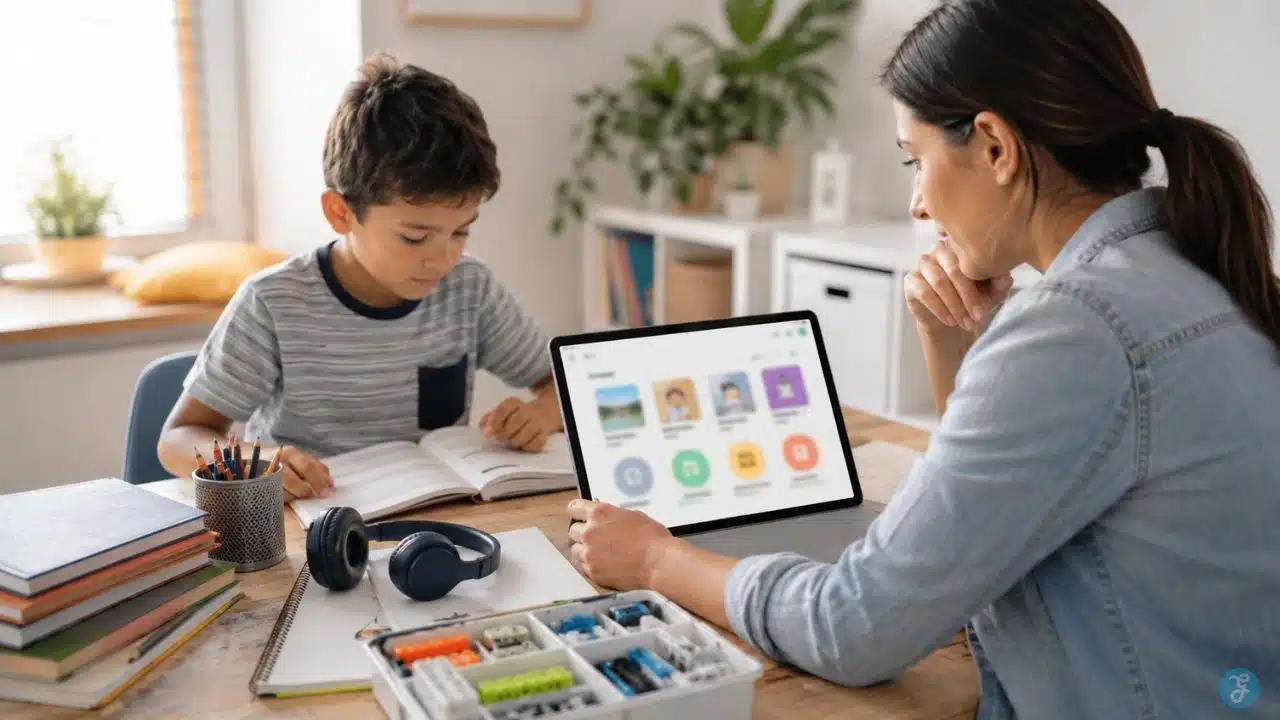
Educational subscriptions are easy to start and surprisingly easy to forget. A parent signs up for a reading app after a school concern. Another subscription starts because a math platform promises confidence. A coding app looks useful. A language app feels harmless. A STEM box sounds better than another toy. Then, a few months later, the child uses only one of them, the credit card keeps getting charged, and nobody is quite sure whether learning improved.
That is why educational subscriptions need a more careful review. The question is not whether paid learning tools are good or bad. Some are genuinely helpful. A strong subscription can support reading practice, math confidence, coding logic, language exposure, creativity, tutoring, hands-on projects, or school support. But a weak subscription can become expensive app clutter with badges, streaks, upsells, and very little real progress.
Parents need a simple way to decide what is worth paying for, what should stay free, what should be tested first, and what should be canceled before it becomes another forgotten monthly cost.
This guide is not a blind ranking of kids’ learning subscriptions. It is a practical parent review of the subscription categories that may be worth considering, how to judge them, which families they fit, and what warning signs to watch before paying.
A good family learning service should solve a real need. Not just keep a child busy.
What Counts as an Educational Subscription?
An educational subscription is any paid or recurring learning service that gives children access to lessons, apps, books, classes, practice tools, projects, tutoring, or learning materials.
It can include:
- Reading apps
- Math practice platforms
- Coding apps
- Language learning tools
- Digital book libraries
- Live online classes
- STEM or craft boxes
- AI-assisted learning tools
- Subject practice platforms
- School support services
- Creativity and project-based learning programs
Some are fully digital. Some ship physical kits. Some offer live teachers. Some are mostly self-paced. Some are free with optional paid upgrades. Others require a subscription after a trial. The subscription model is not the problem by itself. The problem starts when families pay for tools without knowing what role the tool should play.
A useful subscription should answer at least one clear question:
- Does my child need reading support?
- Does my child need math practice?
- Does my child enjoy hands-on STEM projects?
- Does my child need more language exposure?
- Does my child need live instruction outside school?
- Does this tool fit our routine better than free alternatives?
- Can I see meaningful progress?
- Is the cost reasonable for how often it gets used?
If the subscription cannot answer a real family need, it is probably not worth keeping.
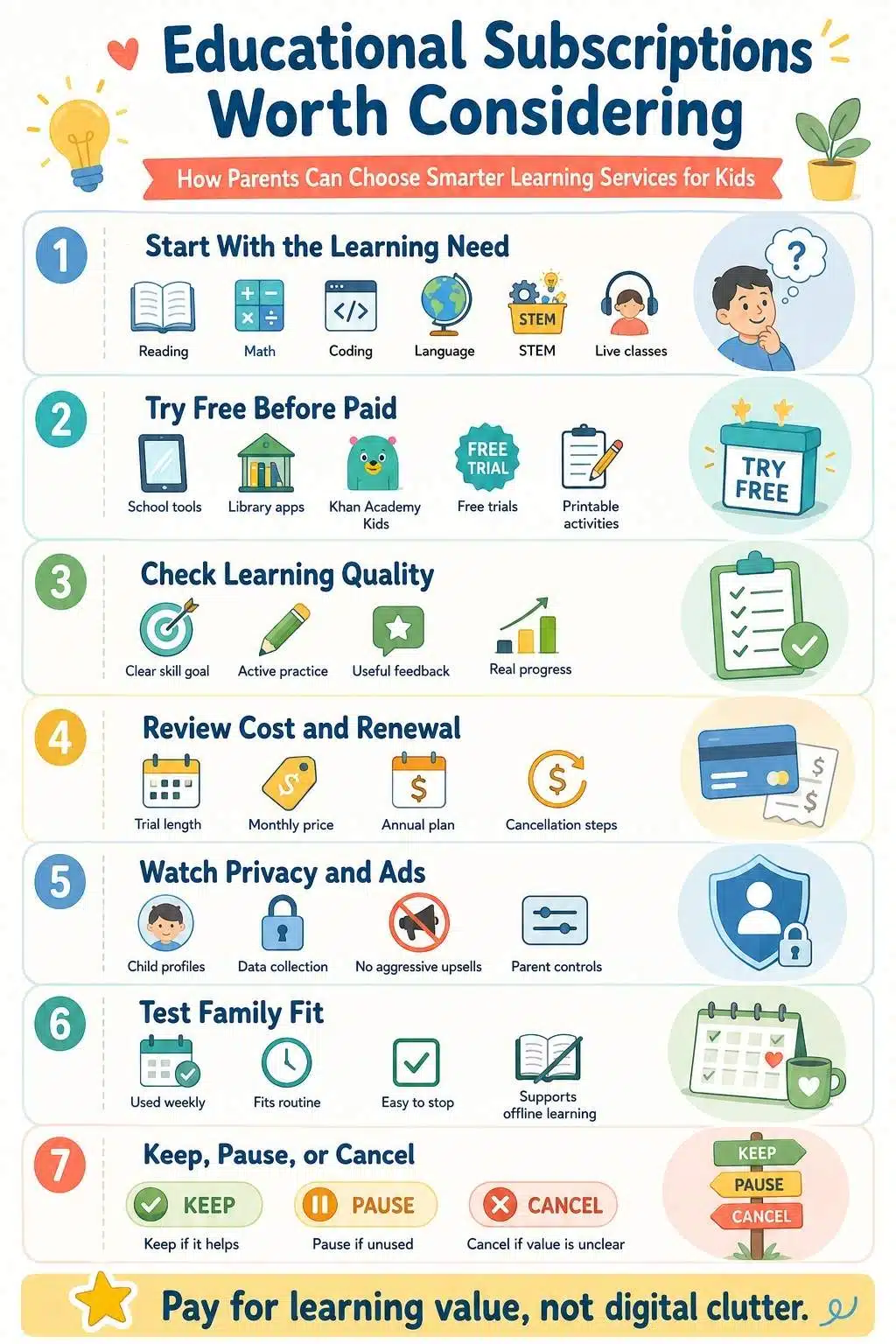
Why Parents Should Be Careful With Kids Learning Subscriptions
A paid learning tool can feel safer because it looks educational. That can be misleading. Some apps use strong learning design. Others use bright colors, rewards, timers, and progress dashboards to look productive. A child may spend a lot of time inside the platform without building a durable skill.
Parents should be especially careful with:
- Auto-renewing trials
- Child-facing upgrade prompts
- Aggressive reward systems
- Apps that hide cancellation steps
- Platforms that track too much data
- Tools that reward time spent more than learning
- Subscriptions that duplicate what school already provides
- Services that create conflict when screen time ends
A useful edtech subscription review should not only ask, “Is this popular?”
It should ask:
- What does it teach?
- Is it age-appropriate?
- Does my child use it consistently?
- Can my child explain what they learned?
- Does it respect privacy?
- Does it avoid unnecessary ads and upsells?
- Can I cancel easily?
- Is there a free option that solves the same problem?
The goal is not to collect more educational tools.
The goal is to choose fewer tools that actually help.
The Parent Review Framework Before Paying
Before paying for any educational subscription, use this framework.
| Review Area | Parent Question |
| Learning need | What problem is this subscription solving? |
| Age fit | Is it right for the child’s age and maturity? |
| Use pattern | Will the child use it at least weekly? |
| Learning quality | Does it teach, practice, create, or only entertain? |
| Parent visibility | Can parents see progress without obsessing over dashboards? |
| Privacy | What data does it collect, and can settings be controlled? |
| Cost | Is the price reasonable compared with the need? |
| Cancellation | Can the family stop easily if it no longer helps? |
| Offline balance | Does it leave room for books, play, movement, and sleep? |
A subscription should pass most of these checks before becoming part of the family routine. It does not need to be perfect. It does need to be useful.
Educational Subscriptions Worth Considering by Learning Need
The best subscription depends on the child. A preschooler learning letter sounds does not need the same service as a ten-year-old who wants coding, a middle schooler struggling with math, or a teen preparing for advanced science.
The smarter approach is to group subscriptions by learning purpose.
1. Early Learning Subscriptions for Ages 2-8
Early learning subscriptions usually focus on reading readiness, phonics, numbers, shapes, stories, songs, early math, creativity, and basic problem-solving.
Examples families often compare include ABCmouse, Reading Eggs, Homer-style early learning apps, and free options such as Khan Academy Kids.
Khan Academy Kids deserves special mention because it is not a paid subscription. It is free, has no ads or subscriptions, and covers early learning activities for young children. That makes it a strong starting point before parents pay for another early learning app.
Where This Type Helps
Early learning subscriptions can help when:
- A child needs gentle phonics practice
- A parent wants structured pre-K or early primary learning
- The child enjoys short guided activities
- The family needs a simple learning routine at home
- A child benefits from playful repetition
What Parents Should Check
Parents should look for short sessions, age-appropriate pacing, calm feedback, and clear learning goals. A preschool learning app should not feel like a loud reward machine. It should support early skills without overwhelming the child.
Check whether the app includes:
- Reading readiness
- Phonics
- Number sense
- Short activities
- Parent dashboard
- Multiple child profiles if needed
- No aggressive ads
- Easy cancellation
- Offline activity suggestions
When to Skip It
Skip or cancel if the child only chases rewards, gets upset after use, ignores books and hands-on play, or stops using it after the free trial.
For younger children, parent involvement matters more than app quantity. A paid app cannot replace reading together.
2. Digital Reading Libraries and Book Subscriptions
Digital reading libraries give children access to ebooks, audiobooks, read-to-me books, comics, picture books, and independent reading options.
Epic is one of the better-known examples. Some families also use Kindle Kids, Audible-style audiobook access, library-linked apps, or school-provided reading platforms.
These subscriptions are worth considering when a child reads often and benefits from variety.
Why Reading Subscriptions Can Work
A digital library can help if:
- The child reads multiple books each month
- The family has limited access to physical libraries
- Audiobooks help the child stay engaged
- The child enjoys comics, series, or read-aloud formats
- Parents want progress visibility
- Siblings can share profiles
Reading subscriptions are especially useful for children who already like books or are close to becoming regular readers.
They can also help reluctant readers when the catalog includes subjects the child actually cares about.
The Cost Test
Before paying, ask:
- Does the child finish books or only browse covers?
- Is the catalog strong for the child’s age?
- Are audiobooks included?
- Can multiple children use it?
- Is there a free library alternative?
- Does the school already provide a reading platform?
- Can the child still read physical books comfortably?
A reading subscription is worth more when it builds reading habits, not just screen browsing habits.
Parent Warning
Do not let a digital library replace every physical book. Children still benefit from printed books, library visits, bedtime reading, and slow reading without notifications. A digital book subscription should widen reading access, not narrow the reading experience into another app.
3. Math and Subject Practice Platforms
Math and subject practice subscriptions are designed to give children repeated practice, progress tracking, and topic-based review.
Examples include IXL, Prodigy, SplashLearn-style platforms, and other math or subject mastery tools. These services can be useful when a child needs structured practice outside school.
Where They Fit Best
This category works best for:
- Math fluency
- Grammar practice
- Skill review
- Test preparation
- Filling learning gaps
- Regular homework support
- Children who benefit from clear topic progression
IXL-style platforms tend to be more direct and skill-based. Prodigy-style platforms use game mechanics heavily. Both can be useful for different children, but parents should understand the difference.
A child who needs focused practice may do better with direct skill work. A child who resists practice may respond to game-based learning, but the reward system needs watching.
What Makes It Worth Paying For
A subject practice subscription is more likely worth it when:
- The child uses it consistently
- Parents can see skill progress
- The practice matches school needs
- The child is not only playing for rewards
- The platform explains mistakes clearly
- The subscription covers more than one useful subject
- The child can apply the skill offline
The best sign is transfer. If the child practices fractions online and then handles homework better, the tool may be helping. If they spend time in the app but cannot solve similar problems outside it, the subscription may not be doing enough.
What to Watch
Be careful with platforms that rely heavily on coins, pets, avatars, battles, or upgrades. Game mechanics can motivate children, but they can also distract them from learning. Parents should check whether the child spends more time solving problems or managing game rewards.
4. Coding and Problem-Solving Subscriptions
Coding subscriptions introduce children to logic, sequencing, loops, conditionals, debugging, problem-solving, and creative building.
Examples include CodeSpark, Tynker-style platforms, Scratch-related learning paths, and other coding apps or courses for kids. This category is worth considering for children who enjoy puzzles, building, games, logic, robots, stories, or creative problem-solving.
Good Fit
Coding subscriptions can be useful for:
- Ages 5-10 using block-based coding
- Children who like puzzles and building
- Early computational thinking
- Creative game design
- Problem-solving confidence
- Children who need screen time to be more active and creative
A strong coding subscription does not only teach syntax. For younger kids, it teaches sequencing, cause and effect, patterns, and persistence.
What Parents Should Look For
Look for:
- Age-appropriate interface
- No reading overload for young children
- Gradual challenge
- Creative projects
- Debugging practice
- Parent progress view
- No heavy ads
- Safe community features or no open community access for younger kids
The best coding platforms let children make something, not only complete levels. If the child can explain the sequence they built or show a project they created, that is a better learning sign than simply earning badges.
When to Wait
Wait if the child gets frustrated easily, cannot follow multi-step tasks yet, or only wants coding apps because they look like games.
For younger children, unplugged coding activities with cards, arrows, blocks, or movement games may be a better starting point.
5. Live Online Class Subscriptions and Marketplaces
Live learning platforms connect children with teachers for online classes, tutoring, clubs, creative lessons, language sessions, music, coding, debate, writing, science, and special interests.
Outschool is a well-known example of a marketplace offering live and self-paced classes for children. This category is different from an app subscription because it involves real instructors and scheduled learning.
Where Live Classes Help
Live classes can be useful when:
- A child needs a teacher, not just an app
- The subject is not offered locally
- The child wants social learning
- The family needs flexible enrichment
- A child is homeschooled or supplements school
- The child wants niche topics such as animation, creative writing, astronomy, robotics, chess, or language conversation
A good live class can offer feedback, discussion, accountability, and human connection. That is something apps often cannot do.
What Parents Should Review
Before enrolling, check:
- Teacher qualifications
- Class reviews
- Age range
- Class size
- Safety rules
- Refund policy
- Recording policy
- Camera expectations
- Parent visibility
- Whether the class is live, self-paced, or ongoing
- Whether the child actually wants the topic
Live classes can be excellent, but they can also become schedule clutter. Do not enroll in too many at once.
Best Use
Use live online classes for areas where human guidance matters: writing feedback, language speaking practice, discussion, project coaching, music, art, debate, or advanced interests. For simple drill practice, an app may be enough.
6. Hands-On STEM and Activity Box Subscriptions
Not all educational subscriptions should be screen-based. Hands-on subscription boxes, such as KiwiCo-style STEM, art, engineering, or craft kits, send physical projects to the home. These can be useful for families trying to balance digital learning with offline activity.
This category supports building, experimenting, designing, crafting, and problem-solving.
Why It Can Be Worth Considering
Hands-on kits can help children:
- Build physical things
- Follow instructions
- Practice patience
- Explore STEM ideas
- Use fine motor skills
- Try art or engineering projects
- Work with a parent or sibling
- Learn away from screens
This type of family learning service is useful because it turns learning into a shared offline activity. It can be especially helpful for children who already spend a lot of their school or entertainment time on screens.
What Parents Should Check
Before subscribing, ask:
- Does the kit match the child’s age?
- Will the child need adult help?
- Are the materials of good quality?
- Is the project reusable or one-and-done?
- Does the subscription allow skipping months?
- Is there too much packaging waste?
- Will projects pile up unused?
- Does the child enjoy building or making things?
A hands-on kit is only worth paying for if it actually gets opened and used. Some families love them. Others end up with a stack of unopened boxes.
Best Fit
This is a strong option for children who like crafts, building, experiments, design, or parent-child projects. It is less useful for children who strongly dislike step-by-step making.
7. Language Learning Subscriptions
Language learning subscriptions can support vocabulary, listening practice, pronunciation, daily repetition, and confidence.
Duolingo is a common family option for older kids and teens. Younger children may use child-specific language apps, bilingual reading tools, songs, videos, or live conversation classes.
Where This Category Works
Language subscriptions are most useful when the family has a real language goal.
That could be:
- Supporting a second language at home
- Preparing for travel
- Helping with school language classes
- Maintaining heritage language exposure
- Building daily vocabulary practice
- Giving teens independent practice
A family plan can make sense if multiple people are learning. But language apps work best when they are not the only source of language exposure.
What Parents Should Check
Look for:
- Clear age fit
- Speaking and listening practice
- No inappropriate social features for younger kids
- Progress that reflects real understanding
- Short daily lessons
- Ad-free experience if distractions are a problem
- Family profiles if multiple learners use it
Language apps can help with habit and repetition. They are weaker for real conversation unless paired with speaking practice.
Better Use
Pair the app with offline practice:
- Label objects around the home
- Use new words at meals
- Watch age-appropriate content in the language
- Read bilingual books
- Practice short conversations
- Join live classes when speaking matters
A streak is not the same as fluency.
8. Advanced Learning Subscriptions for Older Kids and Teens
Older children and teens may outgrow cartoon-style apps. They may need more serious tools for math, science, coding, problem-solving, writing, test preparation, or advanced curiosity.
Examples include Brilliant, Khan Academy, Coursera-style courses for older learners, coding platforms, online tutoring, and subject-specific memberships. Not all of these are child-focused. Parent supervision and age fit matter.
Where They Fit
Advanced subscriptions may be useful for:
- Teens interested in STEM
- High-performing students needing challenge
- Students preparing for advanced subjects
- Curious learners who enjoy problem-solving
- Older kids interested in AI, programming, logic, physics, or math
- Families looking for enrichment beyond school
Brilliant-style interactive learning can be useful for teens who like problem-based learning. Khan Academy remains a strong free option for many academic subjects.
What Parents Should Review
Check:
- Age suitability
- Reading level
- Independent learning ability
- Whether payment unlocks meaningful value
- Whether free alternatives are enough
- Whether the child has time to use it
- Whether the content matches school or personal goals
Older kids can be part of this decision. Ask them what they want to learn and how often they will use the tool. If they cannot explain the value, do not rush into a paid plan.
Good Rule
For teen subscriptions, start with a one-month test or free option before committing annually. Teen interests can shift quickly.
Educational Subscriptions Worth Considering: Comparison Snapshot
The best option depends on the child’s age, goal, and family routine. Here is a practical overview.
| Subscription Type | Strong Fit | Parent Watchout |
| Early learning apps | Preschool and early primary skills | Too much reward chasing |
| Digital reading libraries | Children who read often or need book access | Browsing without reading |
| Math and subject practice | Skill gaps and regular review | Game mechanics over learning |
| Coding subscriptions | Logic, sequencing, creative building | Too game-like or too advanced |
| Live online classes | Human instruction and niche interests | Schedule overload |
| STEM/activity boxes | Offline hands-on learning | Unused kits piling up |
| Language apps | Repetition and vocabulary practice | Streaks replacing real use |
| Advanced learning tools | Older kids and teens | Too difficult or unused |
This is why parents should not ask, “What is the best subscription?”
The better question is: What does this child need right now?
Free Before Paid: The Step Many Parents Skip
Before adding a paid subscription, check free options. This matters because many families already have access to useful learning tools through:
- School accounts
- Public libraries
- Khan Academy
- Khan Academy Kids
- Teacher-recommended resources
- YouTube channels with parent supervision
- Free reading apps through libraries
- Printable activities
- Open coding tools
- Local community programs
A paid subscription is not automatically better than a free tool. Sometimes paid platforms offer structure, convenience, progress tracking, better design, or specialized content. That may be worth it.
But if a free option solves the problem, start there. This is especially true when the child is young, the learning need is unclear, or the family is still testing a habit.
How to Know an Educational Subscription Is Actually Working
A subscription is working when it creates visible learning value. That does not always mean test scores improve immediately. It may show up in confidence, practice habits, curiosity, or reduced frustration.
Good signs include:
- The child uses it without constant pressure
- The child can explain what they learned
- The skill appears outside the app
- School confidence improves
- Mistakes decrease over time
- The child asks better questions
- Parent dashboard data matches real progress
- The child can stop without major conflict
- The subscription supports a routine instead of disrupting it
Weak signs include:
- The child only wants rewards
- The child avoids offline learning
- The platform creates arguments
- The child uses it rarely
- Progress data looks good, but real skills do not improve
- The subscription duplicates school tools
- Parents keep paying because they forgot to cancel
Usage alone is not proof. A child can spend hours in a learning platform and still not learn much. The real test is whether learning transfers.
How Long Should Parents Test a Subscription?
A one-week trial is usually too short for learning results. A three-to-four-week test is more useful. Use this simple review cycle.
Week 1: Setup and Observation
Set up the profile, parental controls, privacy settings, and app limits. Sit with the child for the first few sessions. Watch whether the child understands the platform.
Week 2: Routine Test
Let the child use the subscription at planned times. Do not allow random all-day access. Notice whether the tool fits the family routine.
Week 3: Learning Check
Ask the child to show what they learned away from the platform. If it is a reading app, read a real book. If it is math, solve a paper problem. If it is coding, explain the sequence. If it is a STEM kit, talk through the project.
Week 4: Keep, Pause, or Cancel
Decide honestly. Keep it if it is useful and used. Pause it if it may help later, but does not fit right now. Cancel it if the child does not use it, the value is unclear, or it creates conflict.
The most expensive subscription is the one nobody reviews.
Subscription Red Flags Parents Should Not Ignore
Some warning signs should make parents pause quickly.
Red flags include:
- No clear learning goal
- Heavy ads in a child-focused environment
- Child-facing upgrade pressure
- Confusing cancellation process
- No useful parent controls
- Poor privacy transparency
- Open chat or social features for young children
- Reward systems that dominate the learning
- The child becomes upset after every session
- The app asks for unnecessary permissions
- The child cannot explain what they learned
- The subscription renews without obvious reminders
- The platform makes free content frustrating on purpose
One red flag may be manageable. Several red flags usually mean the subscription is not worth keeping.
Frequently Asked Questions About Educational Subscriptions
1. What Are Educational Subscriptions?
Educational subscriptions are recurring paid or membership-based learning tools for children. They can include reading apps, math platforms, coding programs, language tools, live classes, tutoring, digital libraries, STEM boxes, and subject practice services.
2. Are Kids Learning Subscriptions Worth It?
Kids learning subscriptions can be worth it when they solve a clear learning need, match the child’s age, get used consistently, show meaningful progress, and fit the family routine. They are not worth it when they become app clutter or reward-driven screen time.
3. How Should Parents Do an EdTech Subscription Review?
Parents should review the learning goal, cost, privacy settings, ads, parent controls, child engagement, progress, cancellation terms, and whether the child can apply the skill outside the platform.
4. What Is a Good Family Learning Service?
A good family learning service supports a real learning goal, works for the child’s age, offers parent visibility, avoids manipulative design, protects privacy, and fits into a balanced routine with offline learning.
5. Should Parents Pay for Educational Apps or Use Free Tools First?
Families should usually try strong free options first, especially when the learning need is unclear. Paid subscriptions make more sense when they provide structure, better content, progress tracking, live instruction, or a specific learning benefit that free tools do not offer.
6. Are STEM Subscription Boxes Better Than Apps?
STEM boxes are not automatically better, but they are useful for hands-on learning and reducing screen dependence. They work best for children who enjoy building, crafting, experimenting, and parent-supported projects.
Pay for Learning Value, Not Digital Clutter
The best educational subscription is not the one with the loudest ad, the longest free trial, or the most colorful dashboard. It is the one that helps a real child with a real learning need.
That is the point parents should return to every time. Educational subscriptions can support reading, math, coding, language, creativity, STEM projects, live classes, and advanced learning. But they should not become a pile of forgotten payments or a more respectable version of screen clutter. A good subscription earns its place.
It helps the child practice, understand, create, or stay curious. It fits the child’s age. It respects privacy. It does not pressure the child with constant upgrades. It leaves room for books, conversation, outdoor play, sleep, and hands-on learning.
Parents do not need to subscribe to everything. They need to choose carefully, test honestly, and cancel without guilt when a tool stops helping. That is how a family learning service becomes useful. Not because it is paid. Because it works.