Are you looking for a fun way to pass the time online? Google Doodle Games Solitaire is a free card game you can play right now. Many people don’t know how to find or play this game, even though it’s just a few clicks away.
You might be stuck on how to move cards or what the rules are.
Google Doodle Games Solitaire works on both phones and computers without any downloads needed. You can play as many rounds as you want for free. This guide will show you how to find the game, learn the rules, and use smart tricks to win more often.
Ready to master solitaire?
Key Takeaways
- Google Doodle Solitaire is free to play right in your browser by typing “Google Solitaire” in the search bar.
- The game works on both phones and computers with no downloads needed.
- Easy mode lets you match cards without worrying about suit colors, while Hard mode requires more strategy.
- To win, stack cards in descending order with alternating colors (red on black, black on red).
- Focus on uncovering hidden cards first, and move aces to foundation piles when possible.
How to Access Google Doodle Games Solitaire
Finding Google Doodle Games Solitaire is quick and simple. You can play this classic card game right from your Google search bar on any device.
How do I find Google Doodle Games Solitaire using Google search?
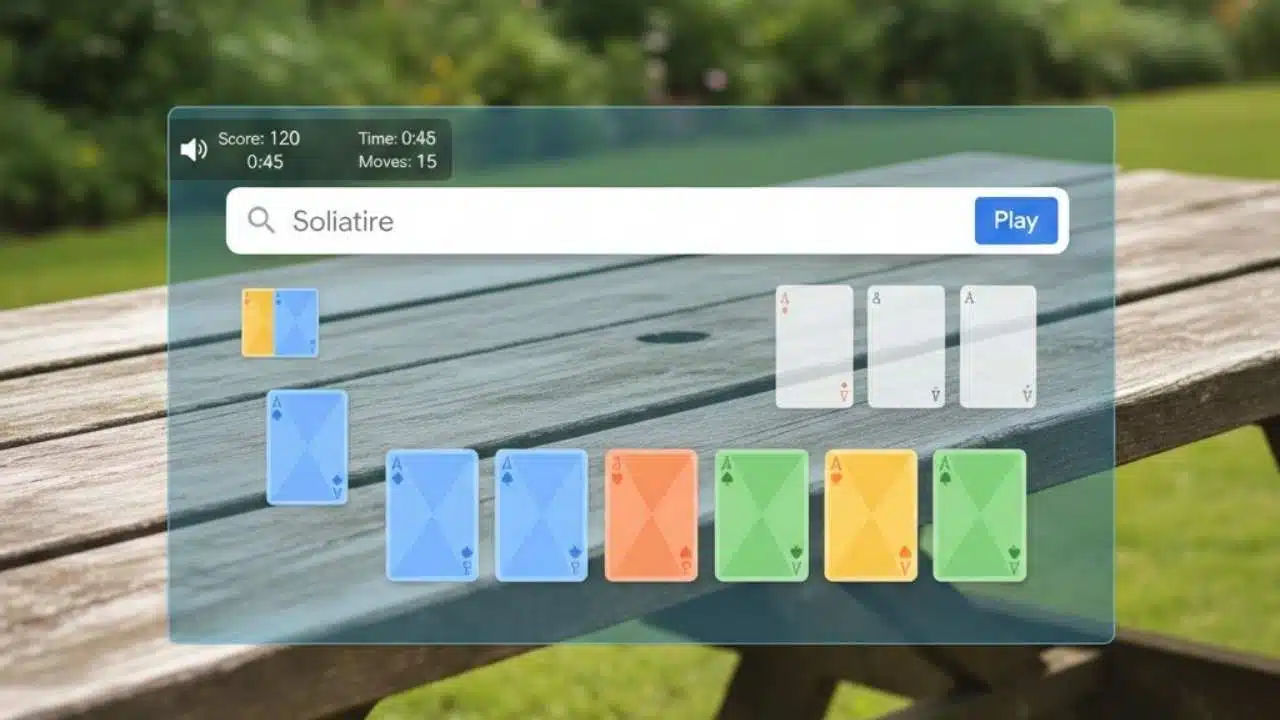
Finding Google Doodle Games Solitaire is quick and easy. Just open your Google search engine and type “Google Solitaire” or “play solitaire” in the search box. The game will pop up right at the top of your search results.
You don’t need to click on any links or go to other websites. Google shows the game right on the search page for free.
Google makes this classic card game simple to access from any browser. The game works great on both desktop computers and mobile phones with no downloads needed. You can start playing right away after your search, and there’s no limit to how many games you can enjoy.
This free-to-play version offers the full solitaire experience with different skill levels for all players.
Can I play Google Solitaire on desktop and mobile devices?
Yes, you can play Google Doodle Games Solitaire on both desktop and mobile devices with ease. The game works well on computers, phones, and tablets since it runs right in your web browser.
You don’t need to download anything to start playing this free card game. Google made sure their Solitaire game looks good and plays smoothly no matter what screen size you use. This makes it perfect for quick games during breaks or longer play sessions at home.
Google Solitaire offers the same features across all devices, giving you a complete gaming experience wherever you are. The controls are simple to use whether you’re clicking with a mouse or tapping on a touchscreen.
Many players enjoy this flexibility since they can start a game at work on their computer and continue later on their phone. The game saves automatically, so you never lose progress when switching devices.
Game Modes and Difficulty Levels
Google Doodle Solitaire offers both Easy and Hard modes to match your skill level. Easy mode gives you more winning chances with simpler card layouts, while Hard mode tests your strategy skills with tougher arrangements.
What is Easy mode in Google Doodle Solitaire?
Easy mode in Google Doodle Solitaire helps new players learn the game without stress. Cards in this mode can be matched regardless of suit color, making it simpler to build card stacks.
You only need to follow the descending order rule (like King, Queen, Jack) without worrying about red and black patterns. This free-to-play option is perfect for beginners who want to enjoy the classic card game online.
Many players start with Easy mode to grasp the basic rules before trying harder levels. The relaxed rules let you move cards more freely and create more possible moves on the board.
Since Google Solitaire can be played on both desktop and mobile devices, the Easy mode offers a fun way to pass time while learning strategy skills.
How challenging is Hard mode in Google Doodle Solitaire?
Hard mode in Google Doodle Solitaire tests even skilled players with its tough setup. Cards are dealt in a way that makes finding moves much harder than in Easy mode. You’ll need to think several steps ahead and plan your card moves carefully to win.
The game limits your options and forces you to make smart choices about which cards to move first.
Players who love a good challenge will enjoy Hard mode’s brain-teasing gameplay. This free browser game doesn’t cost anything but will push your strategy skills to the limit. Many players try Hard mode after they’ve mastered the basics on Easy, as it offers a more complex puzzle to solve.
The digital format makes it simple to restart if you get stuck, so you can keep trying new approaches until you win.
Basic Rules of Google Solitaire
Google Solitaire follows the same basic rules as the classic card game. You’ll need to stack cards in descending order with alternating colors to win.
How do I arrange cards in descending order in Google Solitaire?
In Google Solitaire, you need to place cards in descending order with alternating colors. Red cards must go on black cards, and black cards must go on red cards. For example, you can put a red 9 on a black 10, or a black 5 on a red 6.
This rule is key to clearing the board and moving all 52 cards to the foundation piles. The game shows valid moves with a green highlight, making it easy to spot correct card placements as you play.
How do I sort cards by suit in the game?
In Google Solitaire, sorting cards by suit happens in the foundation piles at the top of your screen. You need to start with Aces and build up in order (Ace, 2, 3, 4, 5, and so on) until you reach Kings.
Each foundation pile can only hold cards of the same suit. The game has four foundation piles, one for each suit: hearts, diamonds, clubs, and spades. You can move cards to these piles directly from the tableau or from the waste pile if they fit the sequence.
Cards must be placed in their correct suit pile and must follow the right order. For example, you can only place the 2 of hearts on top of the Ace of hearts. This rule applies to all four suits in the game.
Moving all cards to their right foundation piles is your main goal in Google Solitaire. The game is free to play and works on both phones and computers without any downloads needed.
Tips and Strategies for Winning
Winning at Google Doodle Solitaire takes a mix of skill and smart moves. You’ll find these tips help you beat the game more often, even on hard mode.
What are the best ways to uncover hidden cards?
To win at Google Doodle Solitaire, you need to find those hidden cards fast. Always try to clear the bottom row cards first since they block more cards than those at the top. Look for moves that will flip over new cards rather than just moving visible ones around.
The game has all 52 cards, so keep track of what’s missing and plan your moves to reveal them. You can play this free browser game as many times as you want, so don’t worry if your first try doesn’t work out.
Moving kings to empty spaces is smart because it opens up more options. Try not to use the draw pile unless you must, as those cards are already visible. Focus on making the longest possible chains of moves that reveal new cards each time.
Google Solitaire works the same on phones and computers, so these tips help no matter which device you use. The game offers both easy and hard modes, so you can practice these skills at your comfort level.
How should I prioritize building foundation piles?
Building foundation piles in Google Solitaire needs a smart plan. Start by moving aces to the foundation area as soon as you see them. This gives you more space on the board to work with.
Next, focus on cards that help clear paths to hidden cards. Free games like Google Solitaire let you play as many rounds as you want, so don’t rush. Try to build up each suit in order, but don’t move a card to the foundation if you still need it for stacking in the main play area.
The goal is to move all 52 cards to their right spots, so keep track of which cards might block others if moved too early.
Takeaways
Google Doodle Solitaire brings the classic card game right to your screen for free. You can play it on your phone or computer with just a simple search. The game offers both Easy and Hard modes to match your skill level.
With practice and smart moves, you’ll get better at clearing the board faster. Now you have all the tips you need to enjoy this fun card game anytime, anywhere!
FAQs
1. What is Google Doodle Solitaire?
Google Doodle Solitaire is a free card game you can play right in your browser. It’s one of many fun games Google created to celebrate special days or events, giving you classic Solitaire gameplay without downloading anything.
2. How do I start playing Google Doodle Solitaire?
Simply go to Google.com and look for a Solitaire Doodle, or search “Google Doodle Solitaire” to find the game. Click on the Doodle, select your difficulty level, and the game will load right away for instant play.
3. What are the rules of Google Doodle Solitaire?
The goal is to sort all cards into four foundation piles by suit, starting with Ace and ending with King. You can move cards between columns if they follow the pattern of alternating colors and decreasing values. Turn over new cards from the deck when you need more options.
4. Can I play Google Doodle Solitaire on my phone?
Yes, you can enjoy Google Doodle Solitaire on any device with a browser. The game works great on phones, tablets, and computers, making it perfect for quick games while waiting or during breaks.