


Ask any lawyer what slows down their day, and the answer often isn’t the law itself—it’s everything around it. Sticky notes, buried emails, half-updated spreadsheets, calendar reminders in three different apps.
For firms juggling dozens of clients and multiple active cases, it’s easy for small things to slip: a missed deadline here, an overlooked note there. Over time, those little misses can cost big—whether in lost time, revenue, or credibility.
What’s needed isn’t just more reminders or longer checklists. It’s a way to bring all of it—tasks, notes, and deadlines—into one space that actually works the way lawyers do.
Disjointed Systems Create Friction
Many legal teams operate across disconnected tools: Word docs for drafting, Excel for tracking, Outlook for appointments, and practice management software that’s underused or clunky. While each tool might serve a purpose, the switching cost is real. Re-entering information between systems is not only tedious but risky. It’s how details get missed, versions get confused, and accountability gets blurred.
And when teams are hybrid or remote, the pain is compounded. A note scribbled during a call may never make it into the shared file. A task mentioned in passing might not get logged. Suddenly, what should be a streamlined case is a logistical juggling act.
Why Integration Isn’t a Nice-to-Have Anymore
Lawyers aren’t project managers by trade, but legal matters are, in essence, projects. They have stakeholders, dependencies, timelines, and outcomes. Managing them without the right infrastructure is like trying to build a house with only half the tools.
Integrating tasks, notes, and deadlines doesn’t mean adding complexity—it means removing it. Imagine pulling up a matter and instantly seeing every open task, upcoming deadline, and related communication in one view. No digging, no chasing. That’s what legal teams should be aiming for.
The Right System Keeps Everyone on the Same Page
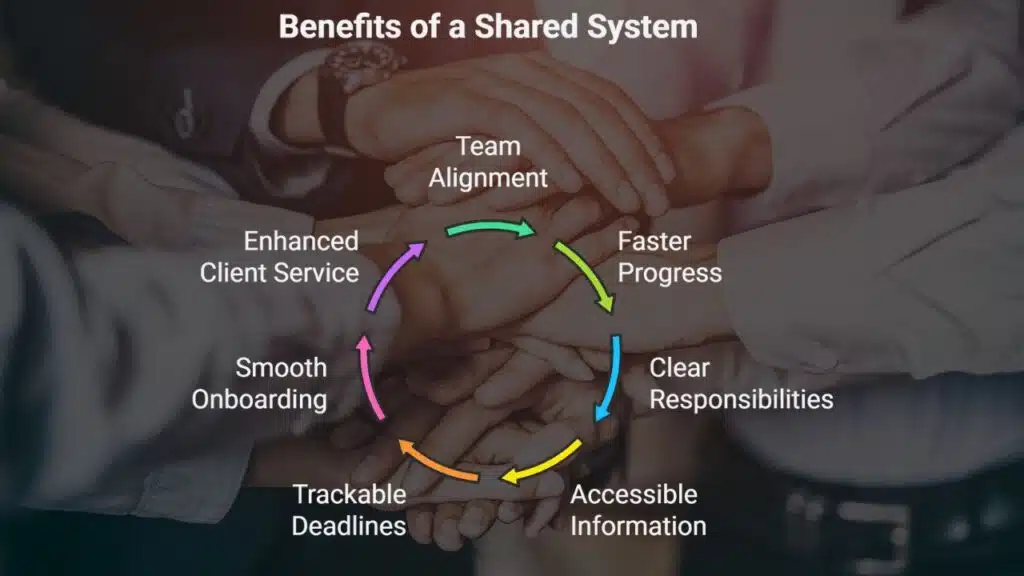
When teams are aligned through a shared system, things move faster. Everyone knows who’s responsible for what. Notes from meetings are easily accessible. Deadlines are visible and trackable—not just to the partner in charge, but to the entire matter team.
It also makes onboarding smoother. New staff can quickly get up to speed without sifting through scattered files. Clients, too, benefit from this clarity. They get updates faster, responses are more informed, and the overall service feels cohesive and competent.
Flexibility Beats Feature Overload
The key isn’t just picking the flashiest tool—it’s finding one that supports your workflows without forcing you to overhaul them. Flexibility is critical. A paralegal should be able to log a task as easily as a partner can reassign it. Notes should be searchable, not lost in attachments. Deadlines should trigger nudges before they’re in the red zone.
This is where a strong matter management solution plays a pivotal role. Designed specifically for legal teams, these systems bring structure without being rigid. They can centralise communications, automate reminders, and offer dashboards that help you spot issues before they escalate.
Small Firms, Big Benefits
For boutique and mid-sized firms, the benefits of systemising workstreams can be transformational. With fewer resources, every hour saved is felt more acutely. And with a leaner team, visibility is crucial. A partner shouldn’t have to guess whether something was followed up. A shared system makes the invisible visible.
It’s also a competitive edge. Clients want responsiveness and reliability. Firms that can demonstrate consistent process—not just legal expertise—stand out.
Moving Forward Without the Chaos
Implementing a unified system doesn’t mean overhauling everything overnight. Start by identifying your biggest points of friction: Are tasks being dropped? Are notes going missing? Are deadlines regularly slipping? Then map these pain points to features that could solve them.
Involve your team early. A system is only as good as the habits around it. If it feels like another burden, it won’t stick. But if it genuinely makes life easier—fewer clicks, fewer logins, fewer late nights—it will become second nature.
Final Thoughts
Legal work is complicated enough. Admin shouldn’t be. By consolidating tasks, notes, and deadlines into a single, intuitive system, legal teams can reduce stress, improve performance, and deliver a better experience for both staff and clients.
Fewer loose ends mean fewer surprises—and in law, that’s a win worth chasing.























