

Do you feel trapped in a swirl of stress and racing thoughts, needing better stress management? Digital journaling apps like Day One, Journey and Penzu pack mood tracking, guided prompts, end-to-end encryption and markdown support to clear your mind.
This post shows seven top tools such as Diarly app, Daylio app and Grid Diary with features like calendar view, gratitude journaling and automation tools to spark personal growth. Mind ready for a fresh start?
Key Takeaways
- Reflectly uses AI for guided prompts, mood charts, and weekly reports. It holds a 4.6 rating on the App Store and a 4.4 on Google Play. You can sync entries via iCloud or Google Drive.
- Day One runs on iOS, Android, macOS, and the Web. Over 15 million people use it. It costs $5.99 per month or $34.99 per year. It offers end-to-end encryption, markdown, photo/audio support, calendar view, reminders, and IFTTT links.
- Journey works on iOS, Android, macOS, Windows, and Web. It has more than 1 million downloads with a 4.3 Google Play rating and 4.0 on the App Store. Premium runs $3.99/month or $29.99/year, and you can buy a lifetime plan for $199.99.
- Diarly and Penzu focus on top-level security. Diarly has 500 000 users and a 4.8 App Store rating, with a one-time $9.99 fee per platform. Penzu serves over 2 million users, uses 256-bit AES encryption, offers a free tier, Pro at $19.99/year, and Pro+ at $49.99/year.
- Daylio and Apple Journal make mood tracking easy. Daylio logs moods in five seconds with simple icons, charts, and habit tags. Apple Journal syncs across iPhone, iPad, Watch, and Mac via iCloud, offers offline storage, markdown, and activity-based prompts.
Reflection: Best AI-Enhanced Journaling App
Reflectly packs guided prompts, mood insights, and weekly reports. This platform uses positive psychology with Cognitive Behavioral Therapy methods. Scores for this reflection tool include 4.6 on the App Store and 4.4 on Google Play.
Users track emotional patterns and build mindfulness routines.
AI prompts spark gratitude journaling and daily stress management. Monthly summaries reveal personal growth trends. Secure sync works via iCloud or Google Drive. Readers praise this AI enhanced mobile platform for mood tracking.
Day One: Ideal for Traditional Digital Journaling
Day One blends the feel of a pocket notebook with modern digital journaling. It runs on iOS, Android, macOS, and the Web. The app packs rich media support and markdown support, so users can drop in photos, audio, even GIFs.
Multiple journals live in one spot, and reminders nudge you to write at set times. Encryption locks your thoughts with end to end protection. IFTTT links Day One to over 4,000 apps, for habit tracking or gratitude journaling.
Guided prompts spark daily entries and keep reflection lively.
Over 15 million people downloaded Day One, and it holds a 4.8 rating on the App Store. Free mode covers basics, while Premium runs $34.99 per year or $5.99 per month. Apple editors picked it as an Editors’ Choice and handed out a Design Award.
Mood tracking meets expressive writing here. You can view your entries on a calendar view or fire up a natural language search. This title fits personal growth goals, mental well-being, and stress management.
Journey: Perfect for Cross-Platform Compatibility
Journey works on iOS, Android, macOS, Windows, and the Web. Fans praise its cross-platform sync. Google Play shows over 1 million downloads and 4.3 stars. The App Store rates it at 4.0.
Free users get core features. A Premium plan runs $29.99 per year or $3.99 a month; lifetime costs $199.99.
Multimedia journaling meets mood tracking in a slick interface. Odyssey AI spots emotional patterns in your entries. Location tagging pins memories on a map. You add photos, voice notes, or text in seconds.
Fans of guided prompts and self-care nudges will smile. The journal app works offline in a quiet cabin or crowded subway.
Diarly: Prioritizing Privacy and Security
Diarly locks diaries behind end-to-end encryption and password protection. Face ID on iOS and Windows Hello on Windows add another layer. It runs on iOS, Android, macOS, and Windows.
A free version lets you try core features. This tool uses a one-time purchase model at $9.99 per platform. Over 500,000 users downloaded it, and the Apple App Store scores it at 4.8 stars.
It syncs across iCloud, Google Drive, OneDrive, and Dropbox. You can import social media posts and fitness logs from Health or Google Fit. You can try markdown support or guided prompts.
A calendar view pins mood tracking right where you need it. This tool blends bullet journal habits with digital journaling perks. Offline-first journaling works on trains or planes.
Customizable templates and natural language search speed up reflection.
Penzu: Military-Grade Security for Your Journals
Dual passwords lock your Penzu entries with military-grade, 256-bit AES encryption. The Time Capsule tool stamps each note for future reading. Penzu runs on iOS, Android devices, and web browsers like Chrome.
More than 2 million users rely on its strong password protection for private digital journaling.
Install it on Android via Google Play Store or on iOS via the App Store. A free tier covers basic end-to-end encryption. Pro costs $19.99 per year, and Pro+ runs $49.99 per year. Users give it 4.1 stars on Google Play Store and 4.2 stars on the App Store.
Daylio: Excellent for Visual Mood Tracking
The Daylio app puts mood tracking in your hands. Users tap icons to log moods in under five seconds. It requires no long entries. This style suits people who prefer minimal writing.
Its calendar view displays emotional states across days. Users use habit tracking to tag workouts, reading sessions, or gratitude journaling. Simple charts highlight resilience trends and stress management gains.
It boosts emotional well-being through regular check-ins.
Apple Journal: Seamlessly Integrated for Apple Users
Apple Journal app lives in iOS, it works across iPhone, iPad, Watch and Mac. It taps into your activity, then pops up journaling prompts after a run, walk or meditation. Those nudges guide you toward personal growth and deeper emotional well being.
You can add a quick mood note, or go deeper with a reflective journaling prompt.
Entries sync through iCloud, so they appear on each Apple device. Draft an entry on Watch, then edit on Mac. The app offers markdown support and a clear calendar view. Moods, gratitude journaling and habit tracking all sit in one spot, and your data stays offline.
Key Features to Look for in a Journaling App
Good journal apps boost personal growth and stress management. They let you log entries across devices.
- Cross-platform syncing: You read and write entries on iPhone, Android platforms, or PC with real time sync in cloud. This feature removes gap between mobile apps and desktop tools, so you never lose a thought.
- Multimedia journaling: Attach photos, videos, audio clips, or voice notes to each entry. You merge text and media for rich memory recall and deeper reflection.
- AI-driven mood tracking: Use pattern recognition to spot mood swings or stress triggers. The app draws charts of emotional patterns and offers natural language search to find past feelings.
- Guided prompts: Guided prompts draw on cognitive behavioral therapy and gratitude journaling. These cues spark new ideas, support anxiety management, and keep reflection app routines fresh.
- Strong encryption: Strong encryption keeps your text safe behind password protection or bank level encoding, and it pairs with online backups for extra peace. You protect private thoughts with defense-grade encoding and reliable cloud storage.
- Custom templates give markdown support, grid diary layouts, or calendar view. You tweak headers or add habit tracking fields for bullet journal style or gratitude journal entries.
- Offline-first journaling lets you jot notes without wifi, then sync entries once you reconnect. This setup guards data on remote trips or in low signal zones.
- Automation features send gentle reminders, auto save clips, and offer AI scripts for reflective journaling. You save time and stay on track with smart notifications and voice entry tools.
- Flexible pricing lets you try a free tier before adding premium perks at five to twelve dollars each month. Free plans still pack mood tracking, guided prompts, and cloud backups.
Pricing and Subscription Comparisons of Top Apps
Here is a quick pricing chart for top digital journaling apps.
| App | Monthly Cost | Annual Cost | Lifetime/One-Time |
|---|---|---|---|
| Day One | $5.99 | $34.99 | — |
| Journey | $3.99 | $29.99 | $199.99 |
| Diarium | — | — | $9.99 per platform |
| Grid Diary | $2.99 | $22.99 | — |
| Dabble Me | $4.00 | $40.00 | — |
| Reflectly | $9.99 | $59.99 | — |
| Penzu Pro | — | $19.99 | — |
| Penzu Pro+ | — | $49.99 | — |
Balancing Privacy and Accessibility in Journaling Apps
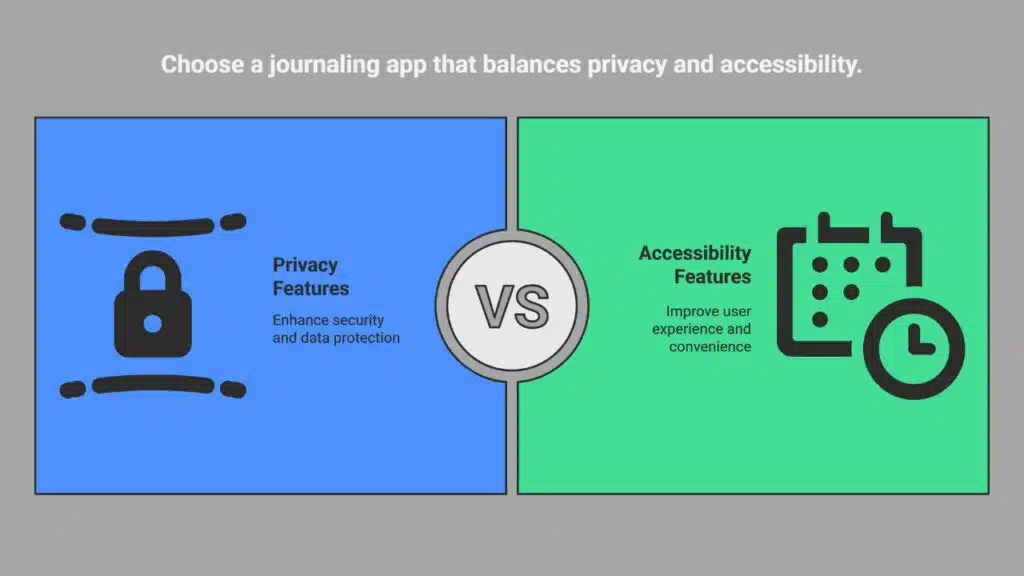
Apps like Penzu protect each entry with dual passwords and 256-bit AES encryption, while a Time Capsule option locks diary pages until a set date. It uses end-to-end encryption and strict password protection to guard sensitive notes.
Day One syncs across devices, sends reminders, and links with IFTTT for smooth automation. Those tools mix ease of use with serious security.
Diarium uses an offline-first journaling style, so your private thoughts stay on your device. You can log moods in Daylio and spot emotional patterns without a net. Natural language search and a clear calendar view let you find past notes in seconds.
Markdown support and multimedia journaling add fun while keeping it simple. Mixing privacy shields with handy access feels like carrying a vault in your pocket.
How AI is Transforming Digital Journaling in 2025
AI powers Reflectly and Journey to craft smart journaling in 2025. Reflectly blends positive psychology and CBT to guide mood tracking and boost mindfulness. Journey’s Odyssey AI tags photos, logs locations, and serves guided prompts in a tap.
Day One rings smart reminders, runs multiple journals, and links with IFTTT for seamless automation. Users tap natural language search to find entries, and AI uses pattern recognition to spot emotional trends.
Readers spot trigger trends in charts and calm anxiety with smart graphs. Entries sync with Apple Watch for quick voice logs. Journals link photos, voice memos, and markdown notes for rich multimedia journaling.
Encryption stays strong in Day One, and it keeps personal growth private. AI steps in, so writers unearth insights and kiss writer’s block goodbye.
The Benefits of Mood Tracking in Journaling Apps
Mood tracking in journals reveals emotional patterns. You can spot stress spikes and low days. A calendar view links mood to events. Journaling helps with stress management and boosts motivation.
Journey app adds guided prompts for self-care. Reflectly delivers AI prompts, mood insights, weekly overviews.
Daylio uses icons for quick mood logs and minimal writing. Busy users love the tool to mark feelings in seconds. The app logs habits, activity tracking, and emotional trends. Developers built pattern recognition to flag mood swings.
This feature drives emotional well-being and personal growth. Gratitude journaling and CBT exercises fit right in.
Cross-Platform Capabilities: Why They Matter
Cross-platform digital journaling offers instant access to your entries on any device. Writers can jot ideas on a mobile device then finish thoughts on a laptop computer. It keeps your mood tracking and guided prompts in sync across desktop and phone.
The feature uses cloud sync and offline-first journaling. Users guard entries with end-to-end encryption across machines.
Day One shines with rich media and markdown support on mobile OS and desktop OS platforms. Journey app runs on mobile and desktop with a web interface and Windows support. Diarium works on phones and computers alike, and locks every note with password protection.
Apple Journal stays inside Apple devices, and prompts based on user activity appeal to Apple fans.
Templates and Prompts: Enhancing Your Journaling Practice
Templates spark new ideas. Prompts guide your mood tracking.
- Grid Diary shows a mandala layout and habit tracking templates. It offers customizable questions that help you spot emotional patterns.
- Diarium stores entries with cloud sync and imports fitness data from your wearable. It sets prompt templates that pull in social media posts and workout logs.
- Day One holds multiple journals and sends timely reminders. It uses end-to-end encryption, supports markdown, and links with IFTTT for custom prompts.
- Dabble Me fires daily email prompts to spark reflection. It reminds you of past entries and lets you attach photos to memory triggers.
- Many journaling apps ship guided prompts that draw on CBT and positive psychology. They aid stress management and boost personal growth.
Automation Features for a Seamless Experience
Modern journaling apps send smart nudges via email and push notifications. Day One links with IFTTT to sync entries to Google Sheets or Evernote, sets reminders for daily prompts, and locks pages with end-to-end encryption.
Dabble Me shoots you email prompts and reminds you of missed entries, so you keep your gratitude journal alive. Photo attachments and calendar view add visual flair and habit tracking to your routine.
Journey taps Odyssey AI to spot emotional patterns in seconds. It tags each entry with GPS data, weather, and mood tracking metrics, so you see trends without manual work. Natural language search digs up that reflective journaling piece in a heartbeat.
Multimedia journaling handles photos, audio clips, and grid diary layouts, giving you automation tools that act like a personal coach.
Choosing the Best App for Your Needs
Pick an app that fits your style. Day One has over 15 million downloads and a 4.8 rating on the App Store. It offers PDF export, markdown support, calendar view, and natural language search.
Journey syncs across iOS, Android, and web, with more than 1 million downloads on Google Play and 100,000 five-star reviews. Reflectly adds guided prompts and mood tracking, rated 4.6 in the App Store and 4.4 in Google Play.
Choose Diarium for strong privacy in a user-friendly setting; its end-to-end encryption protects 500,000 downloads and a 4.8-star rating. Penzu gives military-grade encryption to over 2 million users and holds a 4.1 mark on Google Play and 4.2 in App Store listings.
FAQs: Addressing Common Questions About Digital Journaling Apps
This section answers key queries on digital diary tools. It clears doubts fast.
- How do apps protect my private thoughts? Most rely on end-to-end encryption; Penzu adds military-grade encryption for top security.
- Will mood icons keep me on track? Daylio uses simple mood tracking and calendar view to map emotional patterns.
- Does the diary work without internet? Many offer offline mode; they upload entries to cloud sync once you reconnect.
- Could AI spark new ideas? A reflection tool uses AI to feed you guided prompts and fresh journaling prompts.
- May I retrieve old memories fast? Natural language search and pattern recognition let you find past entries in seconds.
- Can I drop images or voice clips? Multimedia journaling lets you insert photos, audio, or short clips to enrich your record.
- Are there ready layouts I can tweak? You choose from customizable templates like a gratitude journal or bullet journal.
- What will it cost me? Free tiers give essential tools; premium plans tally five to twelve dollars per month.
- How long to form a writing habit? Psych studies say you need about 66 days of habit tracking to make journaling stick.
- Which tool fits Apple fans best? The Apple Journal App blends with iCloud, Siri, and the Apple Pencil for sleek notes.
- Do iPhone and Android sync easily? Day One and Journey bridge across iOS, Android, and desktop to keep you in flow.
- Does typing boost focus and speed? You type around 40 words per minute versus 13 by hand, so you clear thoughts much faster.
Takeaways
Goodbye mental clutter. A clear habit makes self-care simple. Tools like Day One, Journey, Diarly, Penzu, Daylio, Reflectly, and Grid Diary fit varied needs. AI prompts join mood tracking and end-to-end encryption to guard your private notes.
You can spot emotional patterns with calendar view or multimedia entries. Pick the platform that sparks joy and builds a steady habit. Smile more as you write down gratitude and insights.
FAQs
1. What is digital journaling, and how can it boost mental clarity?
Digital journaling means you use an app like Day One or Grid Diary to write or record thoughts. It helps with depression, anxiety management, or burnout. It’s like clearing cobwebs from your mind, you feel lighter. Therapists and clinical psychologists often praise it.
2. How do guided prompts and templates help?
Apps like Journey and Diarly use guided prompts and customizable templates. A prompt might ask you to note three things you are grateful for, in a gratitude journal style. It blends CBT and positive psychology. It makes stress management feel like a friendly chat.
3. Can I track my mood and habits?
Yes, the Daylio app uses mood tracking and habit tracking in a simple icon grid. It shows pattern recognition and calendar view. You see emotional patterns, you learn when you feel low or upbeat. You can even add activity tracking to the mix.
4. How do these apps keep my notes safe?
Privacy matters. Penzu app has military grade encryption and password protection. Journey app offers end to end encryption and passcode lock. Diarly app has offline first journaling, so your data stays on your device, you can go incognito.
5. Can I add photos, voice, or markdown notes?
Absolutely. Grid Diary and Day One let you add pictures, voice clips, and markdown support. You could embed a Spotify link or drop a song to set the mood. Multimedia journaling turns plain text into a story with sights and sounds.
Most journal apps give a free basic plan. They charge subscription fees for premium automation tools or natural language search. Apple Journal App comes free with iOS, but add ons may cost extra. Some apps even send a sample entry to your inbox, so you can try before you pay.