

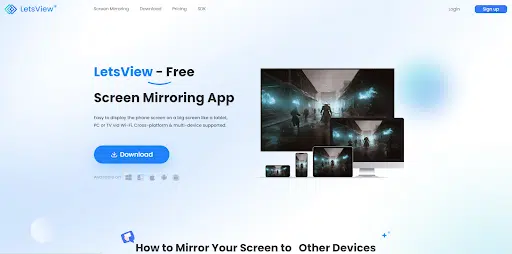
Screen mirroring proves to be a versatile solution for individuals seeking enhanced multitasking capabilities and addressing various needs, both on a personal and professional level. It serves multiple purposes such as presentations, collaborative efforts, remote assistance, gaming, entertainment, online tutorials, and more. Remarkably, the free screen mirroring app called LetsView empowers users to seamlessly navigate through these scenarios. Discover the extensive capabilities of this tool and how it effortlessly facilitates presentations, collaborations, remote assistance, gaming, entertainment, online tutorials, and numerous other functionalities.
What is LetsView?
Establishing itself as a prominent player in the realm of screen mirroring, LetsView consistently stands out. This tool provides a comprehensive, cross-platform solution not limited to screen sharing and remote access but also extends to screen extension. With its seamless wireless connectivity between devices, LetsView ensures a smooth and high-quality screen-sharing experience. What makes this tool even more remarkable is its provision of a free service accessible to many. But to fully experience this tool without any limitations you may check its pricing page. LetsView emerges as the go-to application for all your screen mirroring needs, serving as a one-stop solution for effective multitasking.
Screen Mirroring
Choosing LetsView as your screen mirroring app ensures a gratifying screen-sharing experience. Enjoy HD-quality display content without encountering lag issues. Additionally, you have the flexibility to select your preferred display resolution, ranging from Standard Display (SD) to High Definition (HD) and even Full High Definition (FHD). Furthermore, LetsView operates wirelessly, eliminating the need for cumbersome cables and wires, providing a hassle-free experience.
Extended Screen
LetsView has recently introduced an innovative feature—the dual screen or screen extension capability. This feature allows you to extend your PC screen seamlessly to other devices, including Android phones, iPhones, and iPads. With this functionality, you gain control over your second screen, utilizing intuitive touch gestures such as zooming in and out with your fingers. Additionally, LetsView offers an online keyboard, enabling you to search or type effortlessly on your extended screen. The flexibility extends further, allowing you to flip the displayed screen from left to right.
What to Expect with LetsView?
Robust
One notable quality of LetsView is its ability to provide a seamless, lag-free screen mirroring experience. With LetsView, you can engage in uninterrupted screen sharing sessions for extended periods, allowing you to focus without any distracting interruptions.
Seamless
There’s no doubt about it – LetsView stands as a real-time screen mirroring app that delivers the finest high-definition screen quality in real-time.
Feature Rich
From screen sharing capabilities to screen extension, LetsView is dedicated to being an all-in-one screen mirroring app. In addition to these impressive features, the app allows you the freedom to take screenshots, record, and draw on your screen during screen sharing activities.
Security
LetsView prioritizes the security of its users during screen mirroring activities. The application incorporates robust security measures, including encryption protocols to safeguard transmitted data between devices. Additionally, it implements authentication processes to verify the identity of participating devices, preventing unauthorized access.
How to Mirror Your Screen to Other Devices?
Mirror Phone to PC
In mirroring phone to PC, you just need to have your mobile phone and PC with you. LetsView supports iOS and Android devices.
- First thing you need to do is to download and install the LetsView tool on your PC and mobile phone.
- Once done with the installation, connect both your devices on the same Wi-Fi connection.
- Open the tool on your phone and PC. On your phone, tap the “+Screen Mirroring” tab for the tool to detect all the available devices near you.

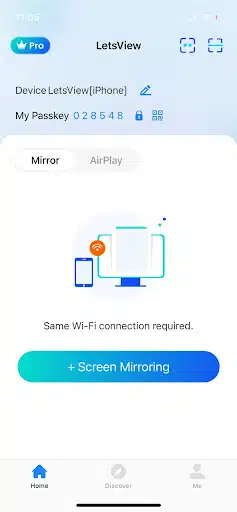
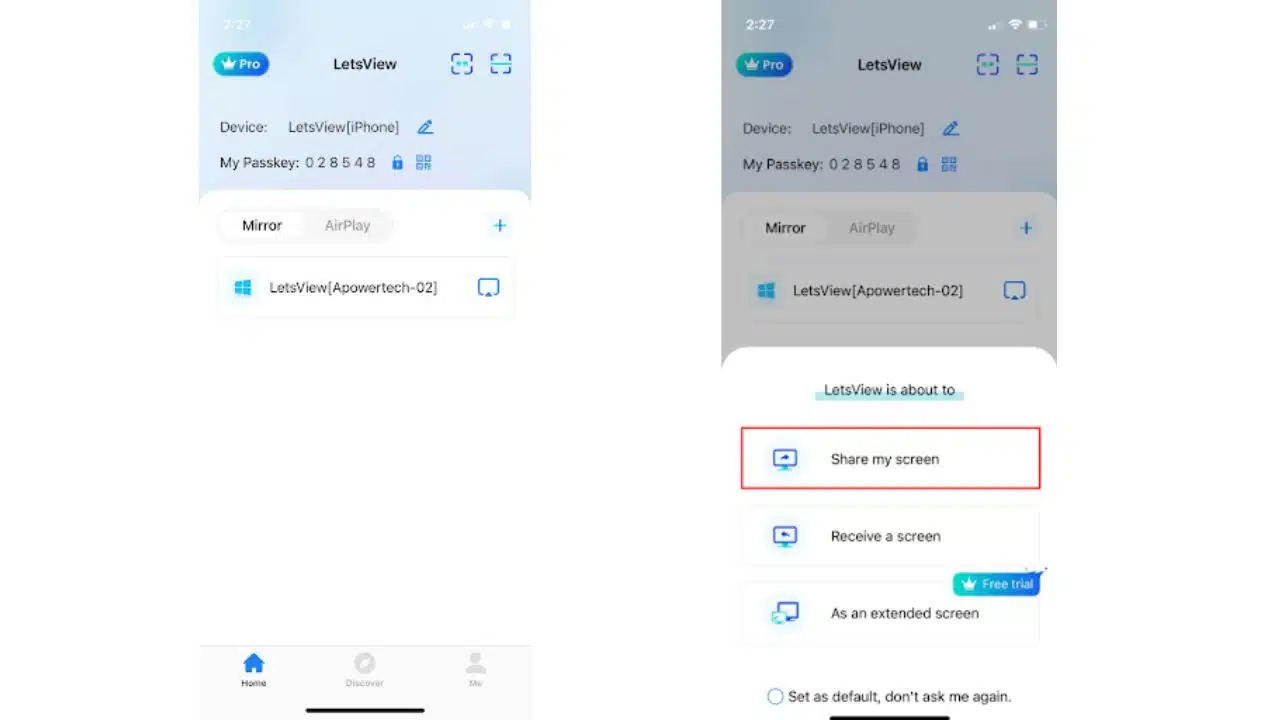
- Then, from the list, select the name of your PC. Choose the “Share my screen” option afterward.

- Finally, hit the “Start Broadcast” for iPhone and “Start Now” for Android devices. Your phone screen will be mirrored on your PC screen.
Cast PC to Phone
You may do vice versa by displaying your PC screen on your mobile devices.
- Get the LetsView app from its official website and install it afterwards on your PC and phone.
- After that, you may run both your devices on the same internet connection and launch them.
- On your phone tap “+Screen Mirroring” for your phone to search your PC.
- From the list of available devices, select the name of your PC and choose “Receive a screen”.
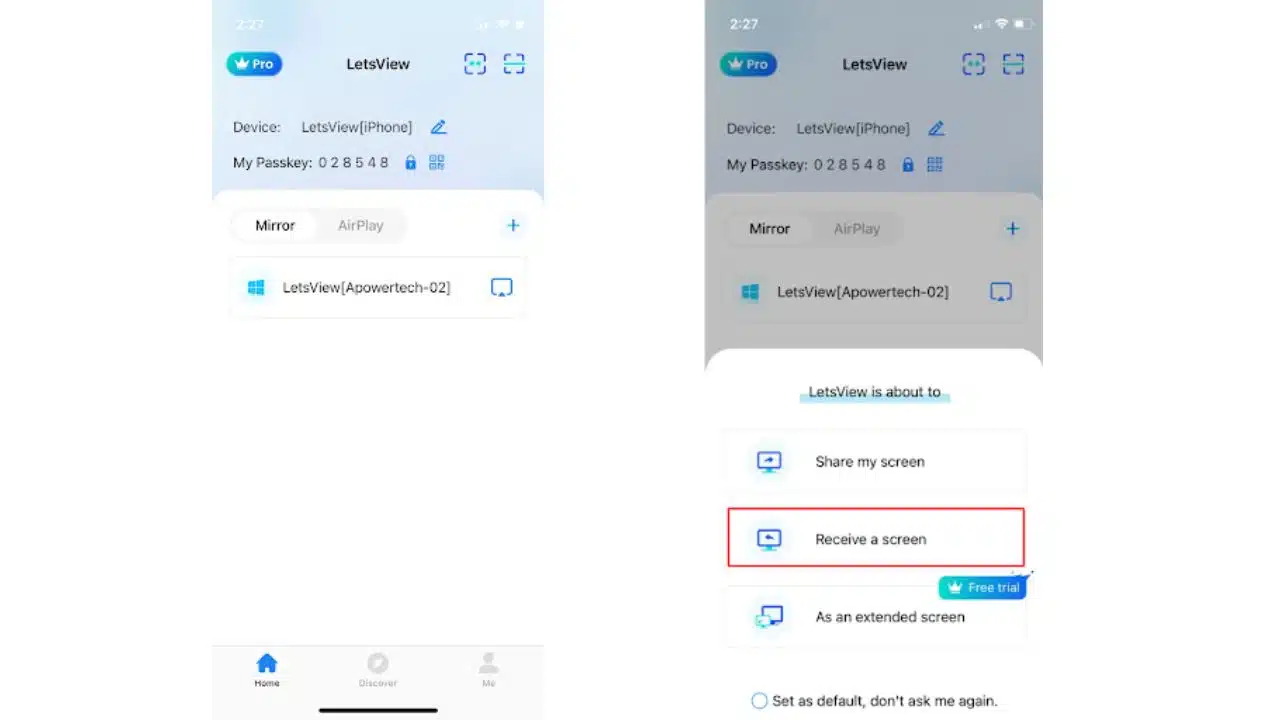
- Next, a window will pop out, hit the “Start Broadcast” for iPhone devices, while “Start Now” for Android devices. After that the screen sharing activity will start.
Bottom Line
While numerous screen mirroring apps can be found on the internet, only a few deliver a truly smooth experience. LetsView is a standout example among these tools, offering exceptional screen mirroring features that set it apart. With its impressive capabilities, LetsView proves to be worth trying for anyone seeking a reliable and seamless screen mirroring experience.






















